

$19.99
FREE
100% Off
PDF Office Pro, Acrobat Expert
heytopia





About the App
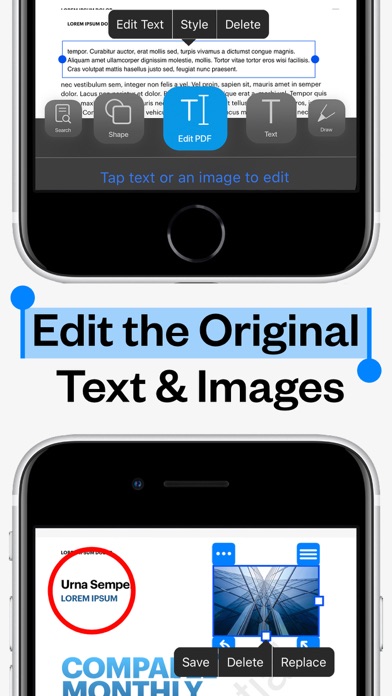
PDF Office Pro is a powerful PDF editing software designed to help you manage and enhance your PDF documents easily. With features that make it an ideal tool for everyone—from students to professionals—this app lets you edit text and images effortlessly. Whether you need to fill forms, sign documents, or highlight important text, PDF Office Pro has got you covered.
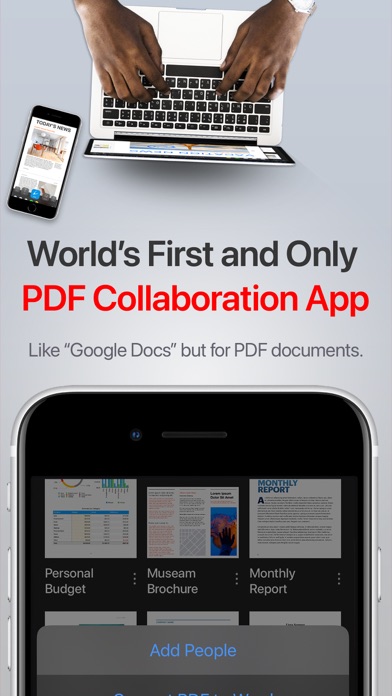
One of the standout features of PDF Office Pro is its support for real-time collaborative editing. You can share documents with friends, colleagues, or clients, allowing everyone to contribute and provide feedback in one shared space. This makes it easier to work together, whether you are in the same room or miles apart.
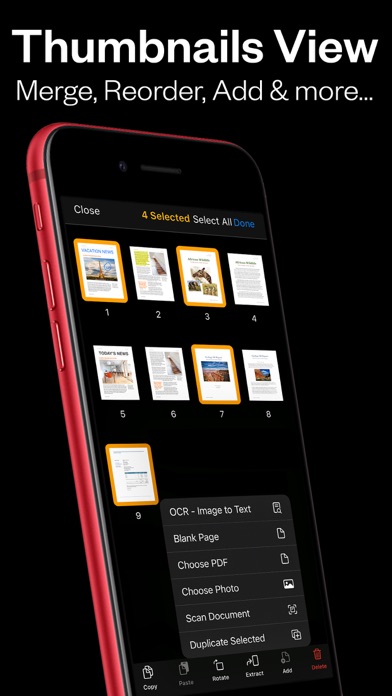
The app also includes advanced functionality like OCR image to text, allowing you to convert images and scanned documents into editable text. This feature works directly on your device, keeping your information private and secure. You can also upload unlimited PDFs to iCloud document syncing, meaning you can access your files anytime on your iPhone, iPad, or Mac.
For those who enjoy drawing, the app offers Apple Pencil support, enabling you to freehand draw on your PDFs. You can highlight text in PDFs or insert images into PDFs to make your documents more engaging. Additionally, you can edit hyperlinks in PDFs, making it easy to connect to external resources.
PDF Office Pro also makes it simple to organize your documents. You can create shared PDF folders for easier collaboration and browse recently deleted PDFs if you ever need to recover a file. The app includes tools for document organization, allowing you to create custom PDF forms or use pre-made templates. You can add form fields such as text boxes, checkboxes, and buttons to gather information easily.
The dark mode feature is great for long reading sessions, making it easy on the eyes. You can also create custom PDF stamps and watermarking PDFs to emphasize important sections of your documents. Furthermore, the dynamic PDF compression feature lets you adjust the image quality and flatten PDF documents as needed.
Once you're done editing, you can upgrade your experience by converting PDFs to fully editable Word .docx files. This conversion keeps your text formatting, annotations, and images intact. Security is also a priority; you can add password protection for PDFs to safeguard your sensitive information.
Commenting on PDF documents is straightforward, allowing you to add notes and thoughts directly within the text. You can also auto-add page numbers or create a table of contents for a well-organized outline. The ability to resize PDF images and remove images from PDFs adds to your control over the files.
With PDF Office Pro, you’ll enjoy online syncing capabilities, ensuring you never lose access to your important files. From merging PDF documents to adjusting the resolution of images, this app has everything you need for managing your PDFs efficiently. Whether for personal use or business needs, PDF Office Pro is the ultimate solution for all your PDF tasks.
One of the standout features of PDF Office Pro is its support for real-time collaborative editing. You can share documents with friends, colleagues, or clients, allowing everyone to contribute and provide feedback in one shared space. This makes it easier to work together, whether you are in the same room or miles apart.
The app also includes advanced functionality like OCR image to text, allowing you to convert images and scanned documents into editable text. This feature works directly on your device, keeping your information private and secure. You can also upload unlimited PDFs to iCloud document syncing, meaning you can access your files anytime on your iPhone, iPad, or Mac.
For those who enjoy drawing, the app offers Apple Pencil support, enabling you to freehand draw on your PDFs. You can highlight text in PDFs or insert images into PDFs to make your documents more engaging. Additionally, you can edit hyperlinks in PDFs, making it easy to connect to external resources.
PDF Office Pro also makes it simple to organize your documents. You can create shared PDF folders for easier collaboration and browse recently deleted PDFs if you ever need to recover a file. The app includes tools for document organization, allowing you to create custom PDF forms or use pre-made templates. You can add form fields such as text boxes, checkboxes, and buttons to gather information easily.
The dark mode feature is great for long reading sessions, making it easy on the eyes. You can also create custom PDF stamps and watermarking PDFs to emphasize important sections of your documents. Furthermore, the dynamic PDF compression feature lets you adjust the image quality and flatten PDF documents as needed.
Once you're done editing, you can upgrade your experience by converting PDFs to fully editable Word .docx files. This conversion keeps your text formatting, annotations, and images intact. Security is also a priority; you can add password protection for PDFs to safeguard your sensitive information.
Commenting on PDF documents is straightforward, allowing you to add notes and thoughts directly within the text. You can also auto-add page numbers or create a table of contents for a well-organized outline. The ability to resize PDF images and remove images from PDFs adds to your control over the files.
With PDF Office Pro, you’ll enjoy online syncing capabilities, ensuring you never lose access to your important files. From merging PDF documents to adjusting the resolution of images, this app has everything you need for managing your PDFs efficiently. Whether for personal use or business needs, PDF Office Pro is the ultimate solution for all your PDF tasks.

Sync Folders Pro
VADIM ZYBIN
$8.99
$4.99

Craft Pricing Helper
Ducky Planet LLC
$1.99
$0.99

Super Investor
John Mirochnik
$9.99