
$8.99
$4.99
44% Off
Sync Folders Pro
VADIM ZYBIN

About the App
Sync Folders Pro is a user-friendly app designed to help you sync and back up your files easily. Whether you're working with local folders on iOS, network folders on Mac and PC, or even external USB drives and memory cards, this app has you covered. You can integrate with various external media storage connected through Files.app, making your synchronization tasks streamlined.
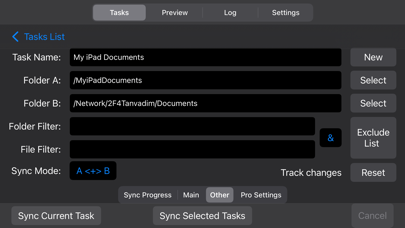
With Sync Folders Pro, you have several options for how to manage your files. You can choose bidirectional sync, which ensures that files are synchronized in both directions. Alternatively, you can opt for one-way sync or even a mirror backup, all of which are available as In-App Purchases. This flexibility allows you to select the method that works best for your needs.
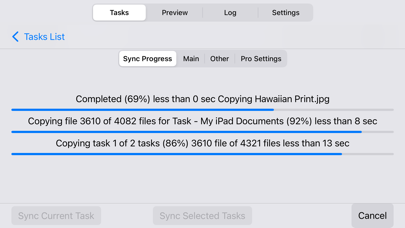
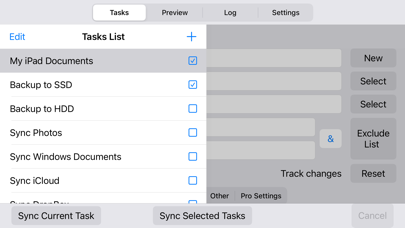
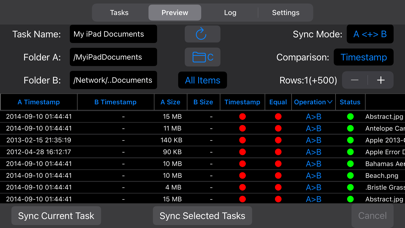
One of the app's standout features is the powerful preview mode. This allows you to see file operations and make changes before completing the sync. You can synchronize any number of pair folders at the same time, which is perfect for those managing large datasets or needing backup optimization.
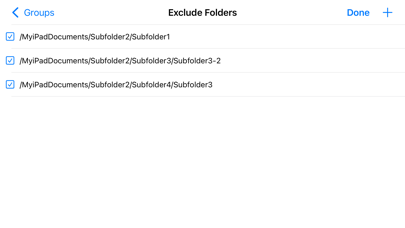
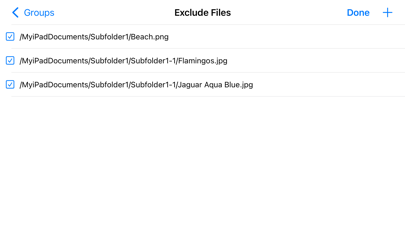
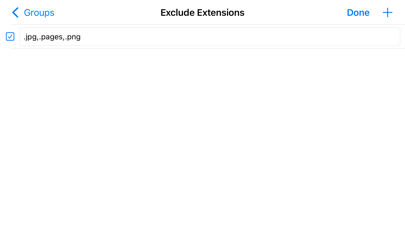
When you back up your files, Sync Folders Pro smartly finds and copies only new files and new file versions. This approach helps reduce the overall backup time and can even extend the lifespan of your storage devices. Additionally, the app offers the option to exclude specific subfolders, files, or file extensions, giving you more control over what gets synchronized. You can easily set up filters for folders and files to tailor the experience exactly to your needs.
Sync Folders Pro is ideal for both beginners and professionals. If you are just starting, the app provides a beginner user guide to help you navigate its features. To sync files, all you need to do is select two folders, choose the synchronization mode (or use the default settings), review the preview table, and then click the "Sync current task" button. It's that simple!
For more advanced users, Sync Folders Pro offers nine different synchronization modes available through In-App Purchases. There are also six file comparison modes to help you synchronize files across storage devices with different file systems. You can sync files with all their attributes, including timestamps and tags. The app also supports subfolder attributes sync, allowing you to maintain the organization of your various folders.
The app lets you select which package types sync as files and which as folders, providing even more customization. You can transform Sync Folders Pro into a convenient file manager with powerful filters for both files and folders. Network synchronization is also supported, giving you the ability to manage your files remotely.
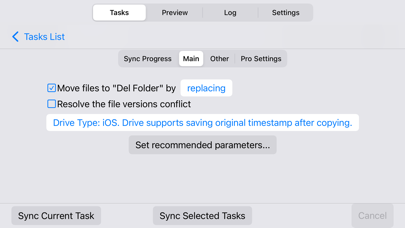
To enhance security, the app includes unauthorized disconnect protection for storage folders during synchronization. This feature ensures that your data remains safe throughout the syncing process. You can also keep track of deleted files; the app maintains the last or all versions, allowing you to restore deleted files even after several syncs.
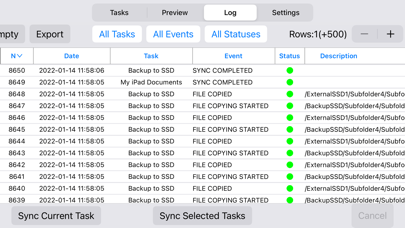
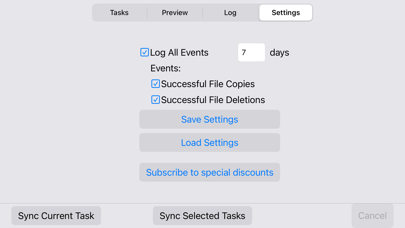
Lastly, Sync Folders Pro offers event logging, enabling you to track activities within the app. You can filter the event log by type, task, or status and even export it to an external file for further analysis. If you ever have questions, you can access helpful video tutorial assistance on the app's website, ensuring you get the most out of your experience.
If you have terabytes of data to sync, Sync Folders Pro is optimized to handle extremely large numbers of files without any hassle. Enjoy seamless files and folders synchronization with this reliable and powerful tool.
With Sync Folders Pro, you have several options for how to manage your files. You can choose bidirectional sync, which ensures that files are synchronized in both directions. Alternatively, you can opt for one-way sync or even a mirror backup, all of which are available as In-App Purchases. This flexibility allows you to select the method that works best for your needs.
One of the app's standout features is the powerful preview mode. This allows you to see file operations and make changes before completing the sync. You can synchronize any number of pair folders at the same time, which is perfect for those managing large datasets or needing backup optimization.
When you back up your files, Sync Folders Pro smartly finds and copies only new files and new file versions. This approach helps reduce the overall backup time and can even extend the lifespan of your storage devices. Additionally, the app offers the option to exclude specific subfolders, files, or file extensions, giving you more control over what gets synchronized. You can easily set up filters for folders and files to tailor the experience exactly to your needs.
Sync Folders Pro is ideal for both beginners and professionals. If you are just starting, the app provides a beginner user guide to help you navigate its features. To sync files, all you need to do is select two folders, choose the synchronization mode (or use the default settings), review the preview table, and then click the "Sync current task" button. It's that simple!
For more advanced users, Sync Folders Pro offers nine different synchronization modes available through In-App Purchases. There are also six file comparison modes to help you synchronize files across storage devices with different file systems. You can sync files with all their attributes, including timestamps and tags. The app also supports subfolder attributes sync, allowing you to maintain the organization of your various folders.
The app lets you select which package types sync as files and which as folders, providing even more customization. You can transform Sync Folders Pro into a convenient file manager with powerful filters for both files and folders. Network synchronization is also supported, giving you the ability to manage your files remotely.
To enhance security, the app includes unauthorized disconnect protection for storage folders during synchronization. This feature ensures that your data remains safe throughout the syncing process. You can also keep track of deleted files; the app maintains the last or all versions, allowing you to restore deleted files even after several syncs.
Lastly, Sync Folders Pro offers event logging, enabling you to track activities within the app. You can filter the event log by type, task, or status and even export it to an external file for further analysis. If you ever have questions, you can access helpful video tutorial assistance on the app's website, ensuring you get the most out of your experience.
If you have terabytes of data to sync, Sync Folders Pro is optimized to handle extremely large numbers of files without any hassle. Enjoy seamless files and folders synchronization with this reliable and powerful tool.

LoanAdmin
Hecmapp, LLC
$3.99
Roster-Calendar Pro
Michael Heinz
$5.99
$4.49

Mock Interview Prep AI
Nathan Busi
$19.99