
$1.99
$0.49
75% Off
One UI Glass Icon Pack
LKN9X

About the App
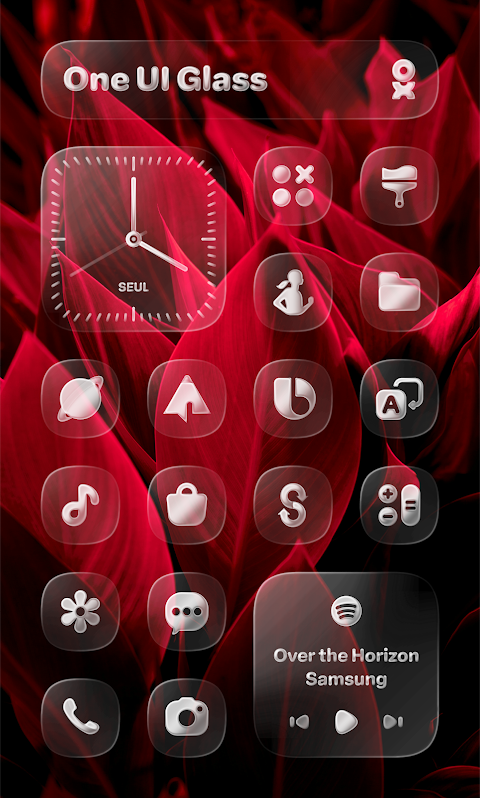
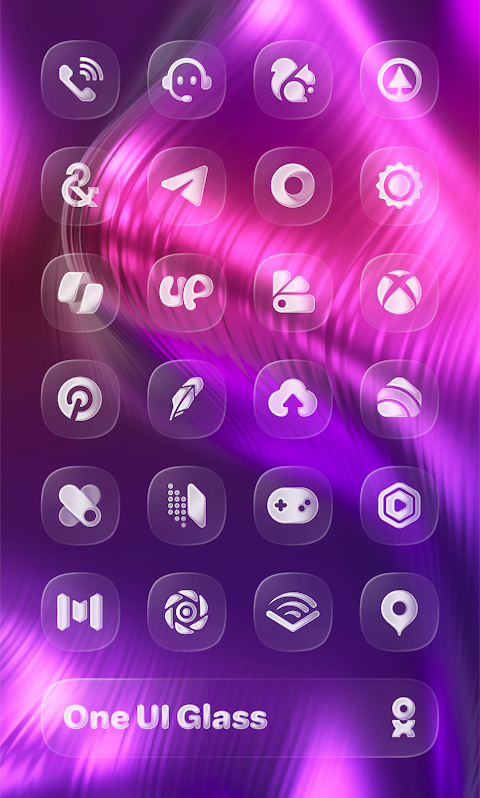
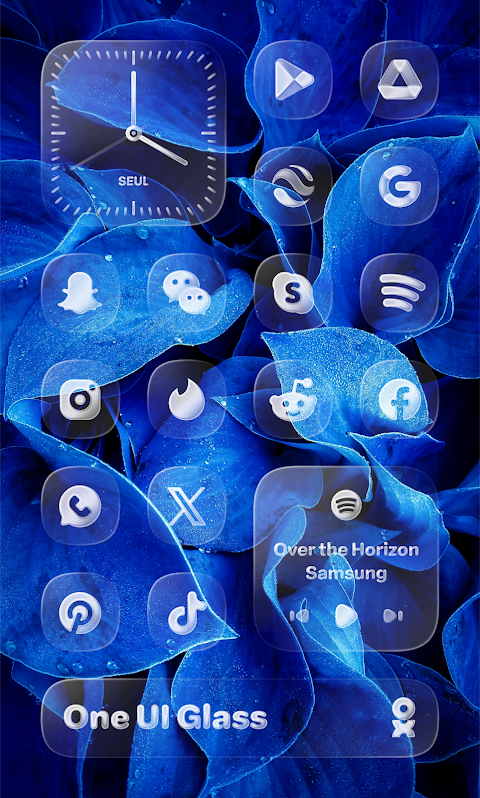
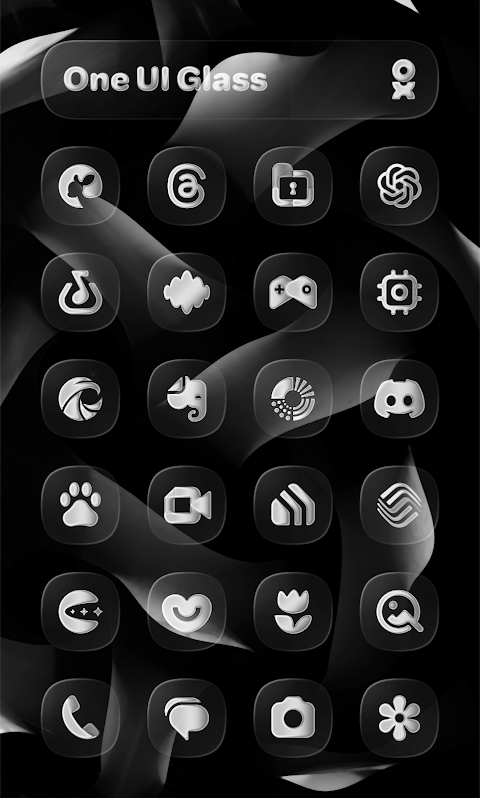
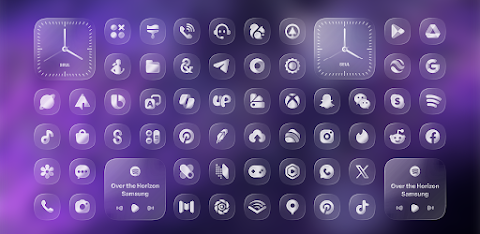
The One UI Glass Icon Pack offers a collection of crystal-clear, squircle icons designed with a sleek and minimalist aesthetic. Inspired by Samsung’s One UI design language, this icon pack fits smoothly into your device's interface, providing a modern and elegant feel for your device.
With the One UI Glass Icon Pack, you’ll have access to over 5400 icons, allowing you to personalize your home screen like never before. Soon, you will also find Kustom widgets available for even more customization. The pack includes cloud wallpapers to enhance your device's visual appeal, and an icon request tool lets users suggest new icons they would like to see added. Plus, regular updates ensure that the icon pack keeps evolving, meeting the needs of users.
Applying the One UI Glass Icon Pack is straightforward. First, you'll need to install a supported launcher. Then, open the One UI Glass Icon Pack app and go to the Apply section. From there, select your launcher. If your preferred launcher is not listed, you can always use the manual application process through your launcher's settings.
There are many supported launchers for the One UI Glass Icon Pack. These include One UI Home with Theme Park integration, Smart Launcher 6, Niagara Launcher, Motorola Launcher, and Nothing Launcher. You can also use Nova Launcher, Lawnchair Launcher, Hyperion Launcher, Shade Launcher, Lean Launcher, Posidon Launcher, and Action Launcher among others. This broad launcher compatibility ensures that you can use the icon pack effectively no matter your preferred interface.
It's important to remember that a supported launcher is required to use this icon pack. If you're using Pixel Launcher, be sure to use it in conjunction with Shortcut Maker for the best experience. For users of Samsung One UI, the Theme Park is necessary. If you're a Nova Launcher user, remember to enable shadow settings for proper display. Additionally, Kustom Widgets will require both KWGT and KWGT PRO for full functionality.
In summary, the One UI Glass Icon Pack is a fantastic way to upgrade your device's interface. With its elegant icon design and a vast selection of icons, it enables users to enjoy a modern user experience while enjoying device interface customization tailored to their preferences. For any questions, you can check the in-app FAQ or connect with the developer on social media platforms like Twitter, Telegram, and Instagram. Download the One UI Glass Icon Pack from the Google Play Store today and transform your device with stunning icon clarity.
With the One UI Glass Icon Pack, you’ll have access to over 5400 icons, allowing you to personalize your home screen like never before. Soon, you will also find Kustom widgets available for even more customization. The pack includes cloud wallpapers to enhance your device's visual appeal, and an icon request tool lets users suggest new icons they would like to see added. Plus, regular updates ensure that the icon pack keeps evolving, meeting the needs of users.
Applying the One UI Glass Icon Pack is straightforward. First, you'll need to install a supported launcher. Then, open the One UI Glass Icon Pack app and go to the Apply section. From there, select your launcher. If your preferred launcher is not listed, you can always use the manual application process through your launcher's settings.
There are many supported launchers for the One UI Glass Icon Pack. These include One UI Home with Theme Park integration, Smart Launcher 6, Niagara Launcher, Motorola Launcher, and Nothing Launcher. You can also use Nova Launcher, Lawnchair Launcher, Hyperion Launcher, Shade Launcher, Lean Launcher, Posidon Launcher, and Action Launcher among others. This broad launcher compatibility ensures that you can use the icon pack effectively no matter your preferred interface.
It's important to remember that a supported launcher is required to use this icon pack. If you're using Pixel Launcher, be sure to use it in conjunction with Shortcut Maker for the best experience. For users of Samsung One UI, the Theme Park is necessary. If you're a Nova Launcher user, remember to enable shadow settings for proper display. Additionally, Kustom Widgets will require both KWGT and KWGT PRO for full functionality.
In summary, the One UI Glass Icon Pack is a fantastic way to upgrade your device's interface. With its elegant icon design and a vast selection of icons, it enables users to enjoy a modern user experience while enjoying device interface customization tailored to their preferences. For any questions, you can check the in-app FAQ or connect with the developer on social media platforms like Twitter, Telegram, and Instagram. Download the One UI Glass Icon Pack from the Google Play Store today and transform your device with stunning icon clarity.
【Analog】Central Rotor
ZKin
$2.99
$0.99
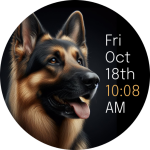
CELEST5494 Artistic Watch
CELEST Watches
$1.99
$1.00

TMZ Tactical HUD Watch Face
TMZ Visionary
$1.99