

$1.49
$0.29
81% Off
Garis Light – Lines Icon Pack
GomoTheGom




About the App
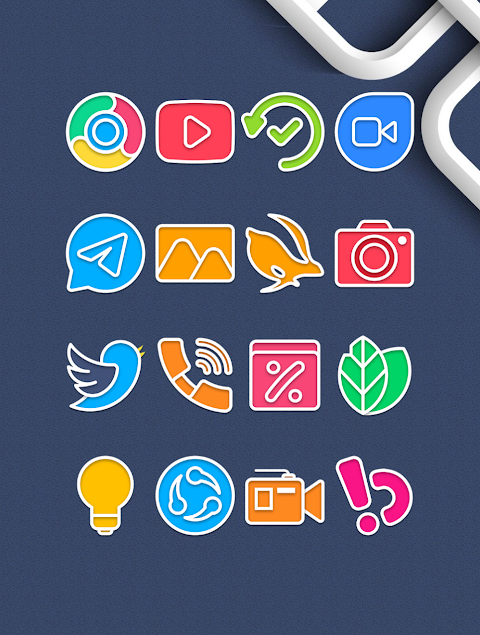
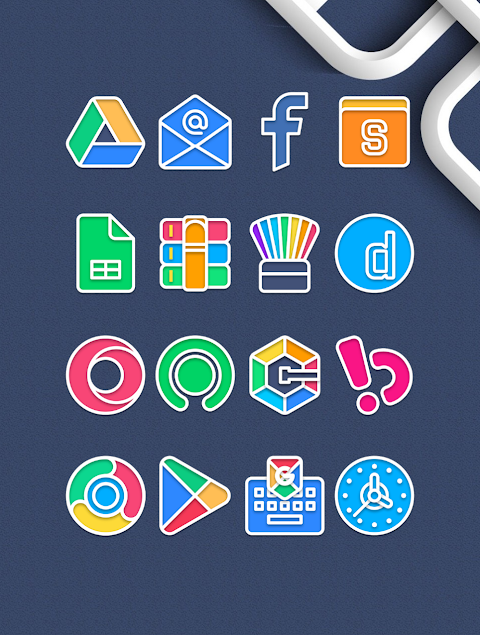
Garis Light - Lines Icon Pack offers an exciting way to customize your Android device. With over 3000 icons available and more being added regularly, this icon pack enhances your device's appearance. Each icon is designed in HD with a resolution of 256x256 pixels, ensuring your home screen looks sharp and vibrant.
One of the standout features of Garis Light is the icon request feature. If you see an icon you’d like but it’s not included, you can easily request it. The pack also includes alternate icons for users who prefer different styles, allowing for true personalized customization.
Using Garis Light is simple and straightforward. This icon pack works with many popular launchers. To apply it, open the Garis Light Icon Pack app and navigate to the "Apply Icon Pack" screen. You will see a list of supported launchers, including the icon pack for Nova Launcher and the icon pack for Evie Launcher. Simply select the launcher installed on your device, such as Nova Launcher, and the app will automatically apply the icons for you.
It's important to note that if your launcher doesn't appear when trying to apply the icon pack, you might need to apply it directly from the launcher settings. For users of the Sony Xperia Home Launcher, there's a different process to follow. You can apply Garis Light by long-pressing on the main screen, opening the settings, scrolling down to the appearance icon setting, and choosing the Garis Light icon pack. Remember, this icon pack is supported on Sony Xperia Home Launcher version 10.0.A.0.8 or higher.
Garis Light supports many different launchers. It is available for Apex Launcher, ADW Launcher, ABC Launcher, Next Launcher, Holo Launcher, Lucid Launcher, M Launcher, Action Launcher, Aviate Launcher, Smart Launcher, and Go Launcher. Please keep in mind that while Go Launcher is supported, it does not offer icon masking support. For such features, ensure you are using one of the other compatible launchers.
The Garis Light Icon Pack also promotes Android icon customization. Its user-friendly interface makes it easy for everyone, from beginners to seasoned users, to enhance their device's look with beautiful icons. Additionally, you can keep up to date with new designs and tips on social media platforms like Google+, Instagram, and Twitter.
Garis Light is designed to inspire and elevate your device. With elegant design aesthetics and a range of icons, your Android home screen can truly stand out. Whether you want to make a bold statement or create a sleek, minimal look, Garis Light has the icons to fit your style. Follow the simple icon pack installation process and enjoy a fresh new look for your device today.
One of the standout features of Garis Light is the icon request feature. If you see an icon you’d like but it’s not included, you can easily request it. The pack also includes alternate icons for users who prefer different styles, allowing for true personalized customization.
Using Garis Light is simple and straightforward. This icon pack works with many popular launchers. To apply it, open the Garis Light Icon Pack app and navigate to the "Apply Icon Pack" screen. You will see a list of supported launchers, including the icon pack for Nova Launcher and the icon pack for Evie Launcher. Simply select the launcher installed on your device, such as Nova Launcher, and the app will automatically apply the icons for you.
It's important to note that if your launcher doesn't appear when trying to apply the icon pack, you might need to apply it directly from the launcher settings. For users of the Sony Xperia Home Launcher, there's a different process to follow. You can apply Garis Light by long-pressing on the main screen, opening the settings, scrolling down to the appearance icon setting, and choosing the Garis Light icon pack. Remember, this icon pack is supported on Sony Xperia Home Launcher version 10.0.A.0.8 or higher.
Garis Light supports many different launchers. It is available for Apex Launcher, ADW Launcher, ABC Launcher, Next Launcher, Holo Launcher, Lucid Launcher, M Launcher, Action Launcher, Aviate Launcher, Smart Launcher, and Go Launcher. Please keep in mind that while Go Launcher is supported, it does not offer icon masking support. For such features, ensure you are using one of the other compatible launchers.
The Garis Light Icon Pack also promotes Android icon customization. Its user-friendly interface makes it easy for everyone, from beginners to seasoned users, to enhance their device's look with beautiful icons. Additionally, you can keep up to date with new designs and tips on social media platforms like Google+, Instagram, and Twitter.
Garis Light is designed to inspire and elevate your device. With elegant design aesthetics and a range of icons, your Android home screen can truly stand out. Whether you want to make a bold statement or create a sleek, minimal look, Garis Light has the icons to fit your style. Follow the simple icon pack installation process and enjoy a fresh new look for your device today.
Digital Basic 8e Wear OS 5+
OQ Watchfaces
$0.99
Scifi Face X01 Watch Face
VELOCI-T Watch Faces
$1.49
$0.75

Radiance KWGT
Zeffi Setups
$0.99
$0.49