

$0.99
$0.29
71% Off
GrapeLine – Purple Icon Pack
Panoto Gomo


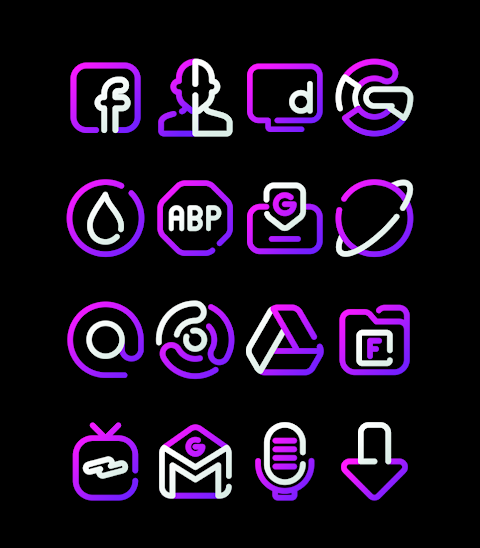
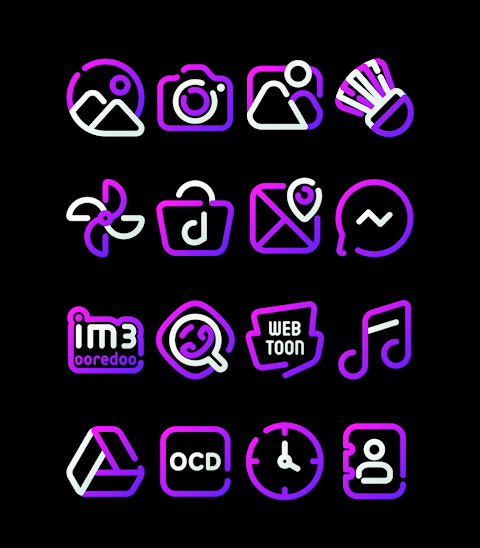




About the App
GrapeLine is the purple version of the Lines icon pack, designed to give your home screen a fresh and vibrant look. With over 3000 icons and counting, this Purple Icon Pack provides a wide variety of designs to choose from. Each icon features a high-definition resolution of 256x256 pixels, ensuring that they look sharp on your device.
One of the great features of GrapeLine is the Icon Request option. If you have a specific icon in mind that isn’t included, you can request it directly through the app. GrapeLine offers wallpapers to further enhance your home screen customization, allowing you to create a unique look that suits your style.
To apply the GrapeLine icon pack, you'll find it supports numerous popular launchers. This includes well-known options like Nova Launcher and Evie Launcher. To get started, open the GrapeLine app and follow these simple icon pack application steps:
1. Open the GrapeLine icon pack app.
2. Go to the Apply Icon Pack screen.
3. You'll see a list of supported launchers like Nova Launcher and Evie Launcher. Select the launcher you have installed on your phone.
4. The app will automatically apply the icons from GrapeLine for your selected launcher.
If you don't see your launcher listed when trying to apply the icons, don't worry. You can try applying from the launcher itself.
For Sony Xperia users, the process is slightly different since the Sony Xperia Home Launcher isn't included in the app's list. However, you can still apply the GrapeLine icon pack using these steps:
1. Long press on your main screen.
2. Open the settings menu.
3. Scroll down to the appearance icon settings.
4. Choose GrapeLine from the list.
5. Your Sony Xperia device will now display the GrapeLine icons.
Please note that this icon pack is only supported on Sony Xperia Home Launcher version 10.0.A.0.8 or higher.
GrapeLine is compatible with several launchers, including Apex Launcher, ADW Launcher, ABC Launcher, Next Launcher, Holo Launcher, Lucid Launcher, M Launcher, Action Launcher, Aviate Launcher, Smart Launcher, Go Launcher (without icon masking support), and Zero Launcher (also without icon masking support).
For more design information about GrapeLine, feel free to follow us on social media. You can keep up with updates on Google+, Instagram, and Twitter. You can also find behind-the-scenes details and tips on how to best use the icons.
Special thanks to Dani Mahardika for the Candybar Dashboard, which makes it easy to manage and apply the icons. GrapeLine is here to transform your home screen into something special, letting you customize it the way you want!
One of the great features of GrapeLine is the Icon Request option. If you have a specific icon in mind that isn’t included, you can request it directly through the app. GrapeLine offers wallpapers to further enhance your home screen customization, allowing you to create a unique look that suits your style.
To apply the GrapeLine icon pack, you'll find it supports numerous popular launchers. This includes well-known options like Nova Launcher and Evie Launcher. To get started, open the GrapeLine app and follow these simple icon pack application steps:
1. Open the GrapeLine icon pack app.
2. Go to the Apply Icon Pack screen.
3. You'll see a list of supported launchers like Nova Launcher and Evie Launcher. Select the launcher you have installed on your phone.
4. The app will automatically apply the icons from GrapeLine for your selected launcher.
If you don't see your launcher listed when trying to apply the icons, don't worry. You can try applying from the launcher itself.
For Sony Xperia users, the process is slightly different since the Sony Xperia Home Launcher isn't included in the app's list. However, you can still apply the GrapeLine icon pack using these steps:
1. Long press on your main screen.
2. Open the settings menu.
3. Scroll down to the appearance icon settings.
4. Choose GrapeLine from the list.
5. Your Sony Xperia device will now display the GrapeLine icons.
Please note that this icon pack is only supported on Sony Xperia Home Launcher version 10.0.A.0.8 or higher.
GrapeLine is compatible with several launchers, including Apex Launcher, ADW Launcher, ABC Launcher, Next Launcher, Holo Launcher, Lucid Launcher, M Launcher, Action Launcher, Aviate Launcher, Smart Launcher, Go Launcher (without icon masking support), and Zero Launcher (also without icon masking support).
For more design information about GrapeLine, feel free to follow us on social media. You can keep up with updates on Google+, Instagram, and Twitter. You can also find behind-the-scenes details and tips on how to best use the icons.
Special thanks to Dani Mahardika for the Candybar Dashboard, which makes it easy to manage and apply the icons. GrapeLine is here to transform your home screen into something special, letting you customize it the way you want!

h015 Happy Analog Hybrid
Happy Watch Faces
$3.49
FREE
JW100 jwstudio
JWstudio
$1.49
$0.75

DB069 Dynamic Ultra
DB Watch Face
$1.49
$0.75