

$1.49
$0.49
67% Off
CircleDient Icon Pack Gradient
GomoTheGom


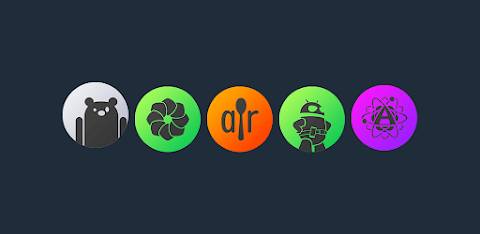
About the App
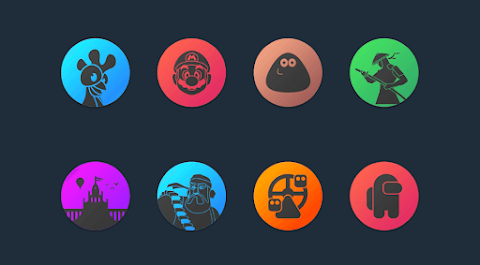
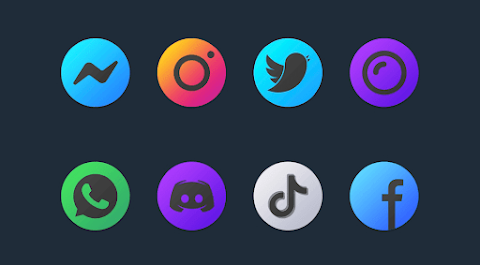
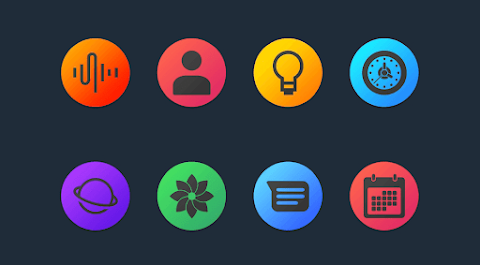
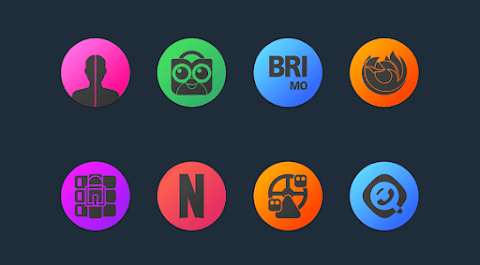
CircleDient is a vibrant gradient circle icon pack designed to refresh the look of your device. With a colorful design, this icon pack makes your screens beautiful and inviting. It's definitely a worthwhile addition to any setup.
One of the standout features of CircleDient is its collection of over 7,500 high quality icons, each sized at 192x192 pixels, and the number keeps growing with regular updates. You will also find downloadable high quality wallpapers that can complement your new icons. If you notice any missing icons for your favorite apps, don’t worry! You can make a free icon request to have them added.
Installing and applying CircleDient is simple. First, you'll need a compatible launcher. We suggest Nova Launcher or Lawnchair for the best experience. Open the CircleDient Icon Pack and apply it. If your launcher isn’t on the suggested list, you can still change the icon pack from your phone's launcher settings. Just look for CircleDient in your icon pack list.
For icon pack management, CircleDient includes a user-friendly dashboard. Here, you can easily manage icons and try them out on your current wallpaper using the dashboard preview pane. This feature helps you see how different icons will look on your screen before applying them.
CircleDient offers frequent updates and long term support, ensuring that your icon pack remains fresh and up to date. This commitment adds to the overall value, allowing you to enjoy new custom icon themes over time.
CircleDient is compatible with many launchers. You can apply icons via the dashboard with support for options like Abc Launcher, Action Launcher, Apex Launcher, Atom Launcher, and Aviate Launcher, among others. If you prefer, you can also apply the icon pack through theme settings with options like Go Launcher, Mini Launcher, Poco Launcher, and Xperia Home compatibility available as well.
When using CircleDient, some users may want to customize their icon shapes. For example, while using Nova Launcher, icons may appear rounded by default. You can control this in the Nova theme menu under icon shape settings.
If you encounter any issues, such as Go Launcher not changing icons, you can adjust the icon pack theme settings. Just use the replace icon menu by long touching the icon you want to change. Our support team is readily available to help with any questions or concerns.
Should you need assistance or have further inquiries, please feel free to reach out. Our contact details are provided for your convenience, and we promise a prompt response.
CircleDient continues to expand and enhance its offerings, making sure users are well-supported and satisfied with their choice of a colorful icon pack. With its easy installation, vast collection of icons, and great support for various launchers, CircleDient is an excellent way to give your device a fresh, new look.
One of the standout features of CircleDient is its collection of over 7,500 high quality icons, each sized at 192x192 pixels, and the number keeps growing with regular updates. You will also find downloadable high quality wallpapers that can complement your new icons. If you notice any missing icons for your favorite apps, don’t worry! You can make a free icon request to have them added.
Installing and applying CircleDient is simple. First, you'll need a compatible launcher. We suggest Nova Launcher or Lawnchair for the best experience. Open the CircleDient Icon Pack and apply it. If your launcher isn’t on the suggested list, you can still change the icon pack from your phone's launcher settings. Just look for CircleDient in your icon pack list.
For icon pack management, CircleDient includes a user-friendly dashboard. Here, you can easily manage icons and try them out on your current wallpaper using the dashboard preview pane. This feature helps you see how different icons will look on your screen before applying them.
CircleDient offers frequent updates and long term support, ensuring that your icon pack remains fresh and up to date. This commitment adds to the overall value, allowing you to enjoy new custom icon themes over time.
CircleDient is compatible with many launchers. You can apply icons via the dashboard with support for options like Abc Launcher, Action Launcher, Apex Launcher, Atom Launcher, and Aviate Launcher, among others. If you prefer, you can also apply the icon pack through theme settings with options like Go Launcher, Mini Launcher, Poco Launcher, and Xperia Home compatibility available as well.
When using CircleDient, some users may want to customize their icon shapes. For example, while using Nova Launcher, icons may appear rounded by default. You can control this in the Nova theme menu under icon shape settings.
If you encounter any issues, such as Go Launcher not changing icons, you can adjust the icon pack theme settings. Just use the replace icon menu by long touching the icon you want to change. Our support team is readily available to help with any questions or concerns.
Should you need assistance or have further inquiries, please feel free to reach out. Our contact details are provided for your convenience, and we promise a prompt response.
CircleDient continues to expand and enhance its offerings, making sure users are well-supported and satisfied with their choice of a colorful icon pack. With its easy installation, vast collection of icons, and great support for various launchers, CircleDient is an excellent way to give your device a fresh, new look.

Neon : Dots Iconpack
JustNewDesigns
$1.49
$0.49
Retro 90’s Fidgital Pet
RK TOPIC
$2.99
Win10 Flat – Icon Pack
Olivera Onias Design
$0.99
$0.10