

$29.99
FREE
100% Off
Snippety – Snippets Manager
Wojciech Kulik


About the App
Snippety is a powerful Snippets Manager designed to enhance your productivity. With Snippety, you can access your snippets instantly, allowing you to create reusable templates from frequently used sentences, code fragments, email templates, test data, and more.
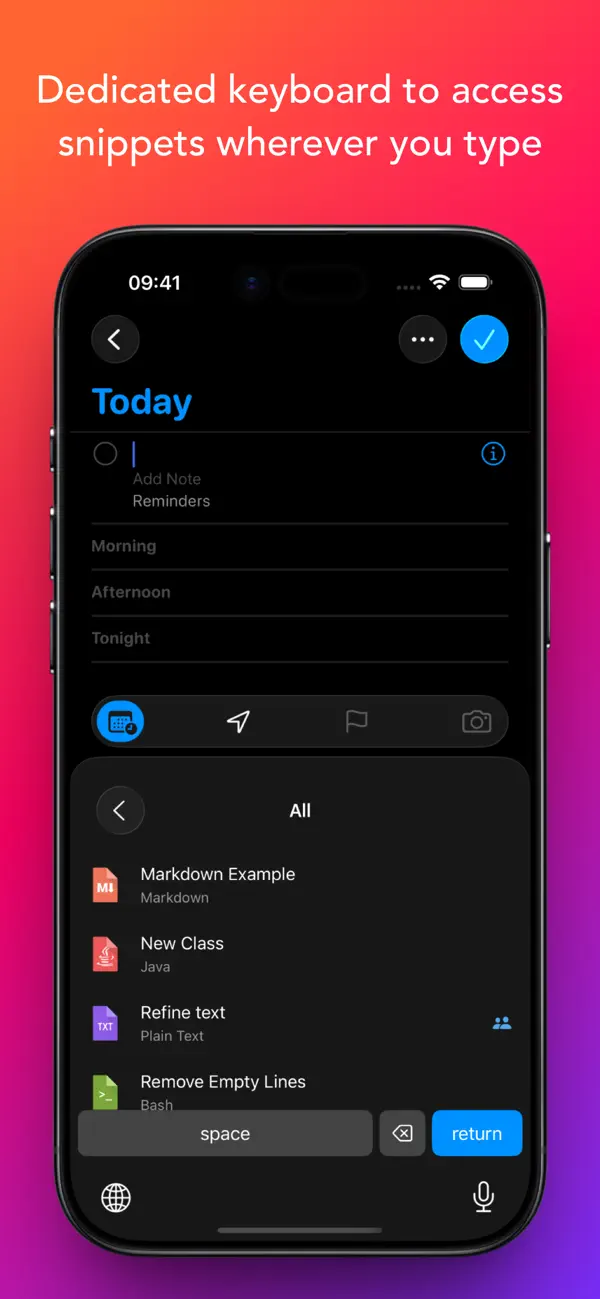
The app integrates seamlessly with any text field. To start using it, simply install the Snippety Keyboard and switch to it while typing. This makes text field integration smooth and effortless. You can even create snippets directly from selected text using the convenient Share Menu Extension.
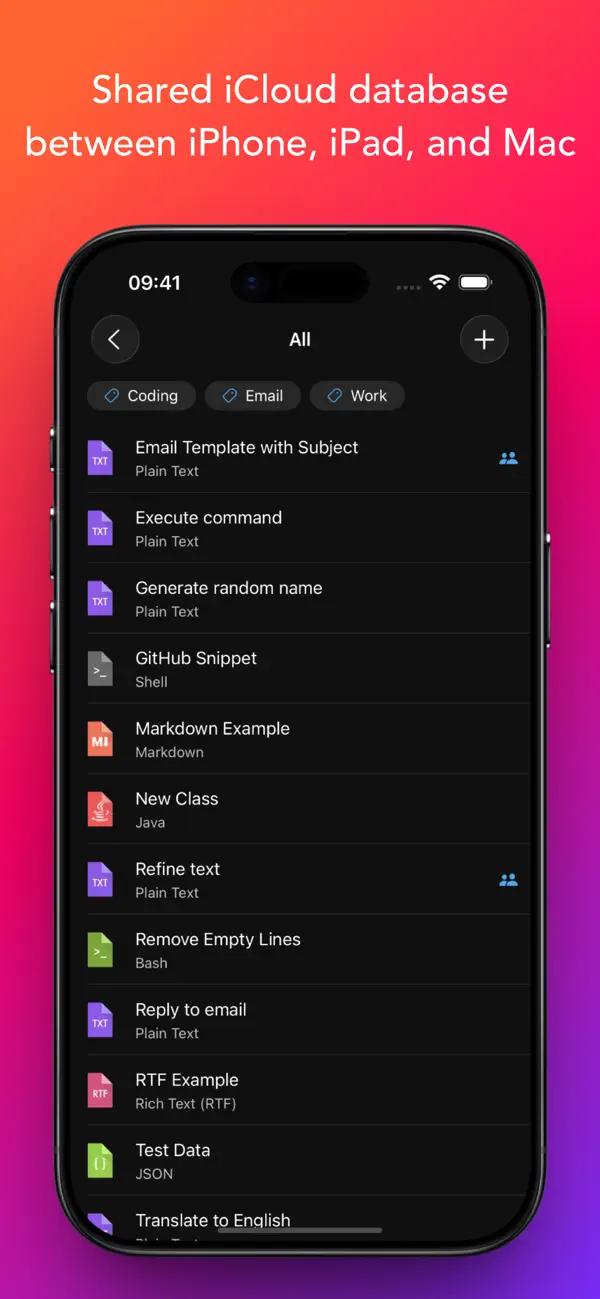
One of the standout features of Snippety is its use of iCloud synchronization. This allows you to keep your snippets updated across all your devices—be it your iPhone, iPad, or Mac. So, whether you’re on the go or at your desk, you'll experience an immediate productivity boost with Snippety installed on all your devices.
Snippety also includes a smart AI Assistant that can generate templates or insert placeholders automatically. With this feature, you can ask the AI to fix typos, summarize text, translate, or even reply to emails. As you use Snippety, you’ll find your collection of personalized snippets becoming more and more essential to your daily tasks.
It's important to note that while the Snippety Keyboard works with snippets in any language, it only allows you to type English letters. This means you can fill placeholders, search, or expand snippets by keyword, but these features are limited to the English alphabet. The app itself is not limited in this way, which means you can enjoy its full functionality without concern.
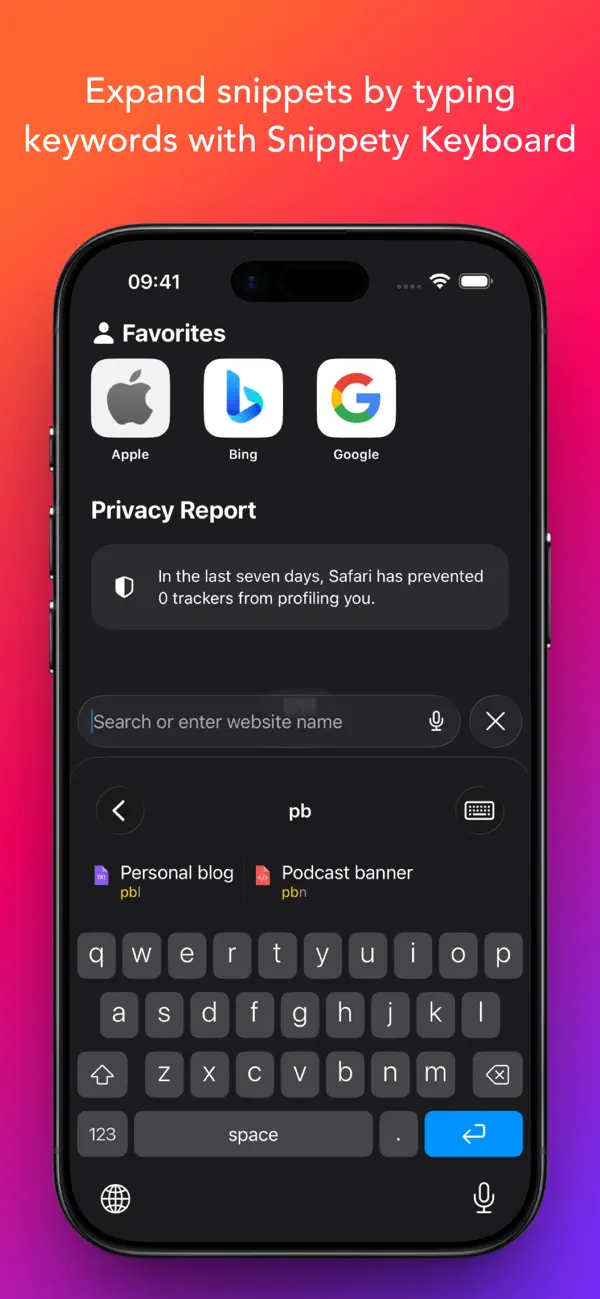
The Snippety Keyboard is dedicated to giving you access to your snippets wherever you type. It allows easy switching between typing and expanding keywords. Simply select Snippet Expander, type a predefined keyword, and watch the snippet expand automatically. You can use various keyboard layouts, including QWERTY, QWERTZ, AZERTY, and Dvorak, giving you flexibility in how you manage your snippets.
Smart Placeholders are another fantastic feature of Snippety. You can create reusable templates by replacing customizable parts with these smart placeholders. Snippety offers 19 different smart placeholders, including options for auto-incrementing numbers, calculated dates, clipboard content, and more. This means you can insert the same value into multiple parts of your template without having to repeat yourself.
User-friendliness is at the core of Snippety's design. Many features you see today were suggested directly by users, and Snippety remains open to new ideas. You’ll appreciate the straightforward pricing model too—there are no subscription fees or hidden costs. You pay once and get lifetime access to Snippety for iOS, iPad, and Mac, along with updates.
Customer support is also quick and easy. If you have feedback, questions, or ideas, you can easily reach out. Most emails receive a reply within one day, ensuring you feel heard.
AI integration in Snippety is robust. AI placeholder features allow you to enable AI capabilities in all your applications. You can directly access AI from the Snippety Keyboard without needing to open the app. Just ask Snippety to generate templates or insert placeholders using the power of AI, making your task flows even smoother.
When it comes to collaboration, Snippety shines. You can share snippets with co-workers, friends, or across your different devices, even if they are using different Apple IDs. The collaboration tools are built using native Apple technologies, so your data remains secure—you never have to worry about it passing through third-party servers. You control access to each shared snippet, choosing between read-only permissions or write permissions for added flexibility.
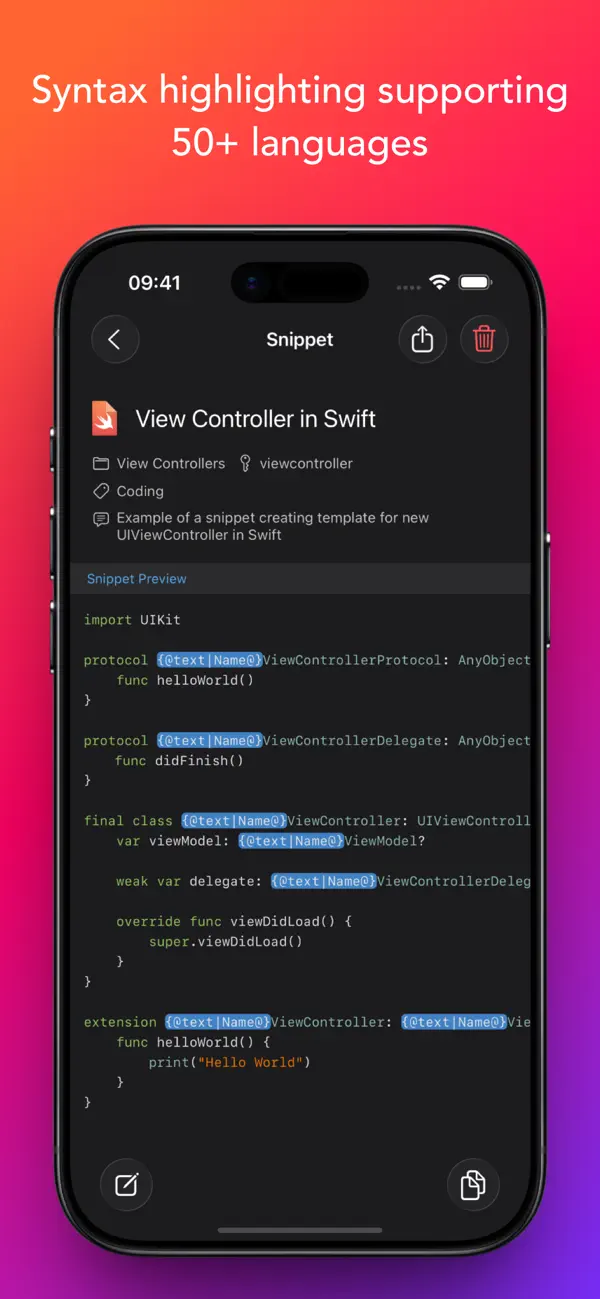
In addition to these features, Snippety supports flexible syntax highlighting for over 50 formats, and it includes Rich Text Support, HTML Support, and Markdown Support, complete with images. This makes it easy to create visually appealing and organized snippets.
With Snippety, you have unlimited access to your snippets through iCloud synchronization, allowing you to share them between your Mac, iPhone, and iPad. You can even share snippets using secure links, ensuring your information stays confidential.
In conclusion, Snippety is your go-to tool for managing snippets effectively. It boosts your productivity with its user-friendly design, advanced features, and seamless integration across all your devices. Experience how Snippety can transform your workflow into one that is efficient and streamlined.
The app integrates seamlessly with any text field. To start using it, simply install the Snippety Keyboard and switch to it while typing. This makes text field integration smooth and effortless. You can even create snippets directly from selected text using the convenient Share Menu Extension.
One of the standout features of Snippety is its use of iCloud synchronization. This allows you to keep your snippets updated across all your devices—be it your iPhone, iPad, or Mac. So, whether you’re on the go or at your desk, you'll experience an immediate productivity boost with Snippety installed on all your devices.
Snippety also includes a smart AI Assistant that can generate templates or insert placeholders automatically. With this feature, you can ask the AI to fix typos, summarize text, translate, or even reply to emails. As you use Snippety, you’ll find your collection of personalized snippets becoming more and more essential to your daily tasks.
It's important to note that while the Snippety Keyboard works with snippets in any language, it only allows you to type English letters. This means you can fill placeholders, search, or expand snippets by keyword, but these features are limited to the English alphabet. The app itself is not limited in this way, which means you can enjoy its full functionality without concern.
The Snippety Keyboard is dedicated to giving you access to your snippets wherever you type. It allows easy switching between typing and expanding keywords. Simply select Snippet Expander, type a predefined keyword, and watch the snippet expand automatically. You can use various keyboard layouts, including QWERTY, QWERTZ, AZERTY, and Dvorak, giving you flexibility in how you manage your snippets.
Smart Placeholders are another fantastic feature of Snippety. You can create reusable templates by replacing customizable parts with these smart placeholders. Snippety offers 19 different smart placeholders, including options for auto-incrementing numbers, calculated dates, clipboard content, and more. This means you can insert the same value into multiple parts of your template without having to repeat yourself.
User-friendliness is at the core of Snippety's design. Many features you see today were suggested directly by users, and Snippety remains open to new ideas. You’ll appreciate the straightforward pricing model too—there are no subscription fees or hidden costs. You pay once and get lifetime access to Snippety for iOS, iPad, and Mac, along with updates.
Customer support is also quick and easy. If you have feedback, questions, or ideas, you can easily reach out. Most emails receive a reply within one day, ensuring you feel heard.
AI integration in Snippety is robust. AI placeholder features allow you to enable AI capabilities in all your applications. You can directly access AI from the Snippety Keyboard without needing to open the app. Just ask Snippety to generate templates or insert placeholders using the power of AI, making your task flows even smoother.
When it comes to collaboration, Snippety shines. You can share snippets with co-workers, friends, or across your different devices, even if they are using different Apple IDs. The collaboration tools are built using native Apple technologies, so your data remains secure—you never have to worry about it passing through third-party servers. You control access to each shared snippet, choosing between read-only permissions or write permissions for added flexibility.
In addition to these features, Snippety supports flexible syntax highlighting for over 50 formats, and it includes Rich Text Support, HTML Support, and Markdown Support, complete with images. This makes it easy to create visually appealing and organized snippets.
With Snippety, you have unlimited access to your snippets through iCloud synchronization, allowing you to share them between your Mac, iPhone, and iPad. You can even share snippets using secure links, ensuring your information stays confidential.
In conclusion, Snippety is your go-to tool for managing snippets effectively. It boosts your productivity with its user-friendly design, advanced features, and seamless integration across all your devices. Experience how Snippety can transform your workflow into one that is efficient and streamlined.

Millimeter Pro – screen ruler
vistech.projects
$3.99
$0.99

In Time – The time to remind
希 陈
$0.99

It’s About Time!
Eddy Street Productions, LLC
$1.99
$0.99