
$1.99
$0.60
70% Off
Weather watchface 4
VG Faces

About the App
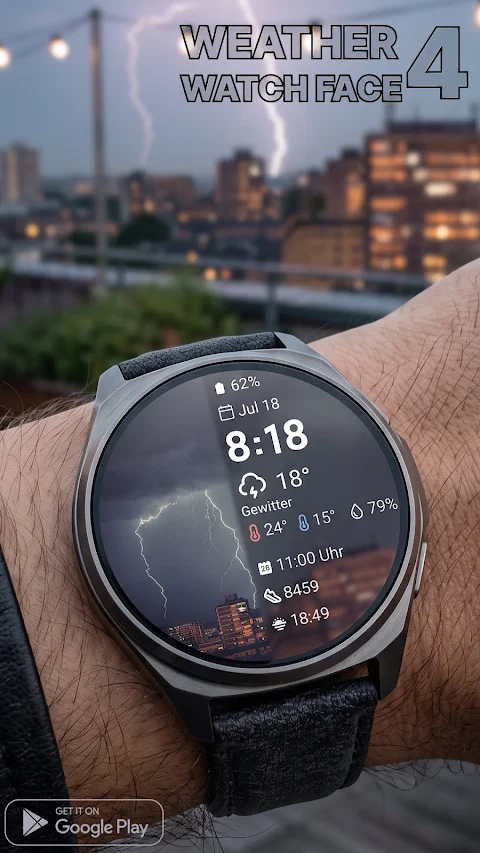
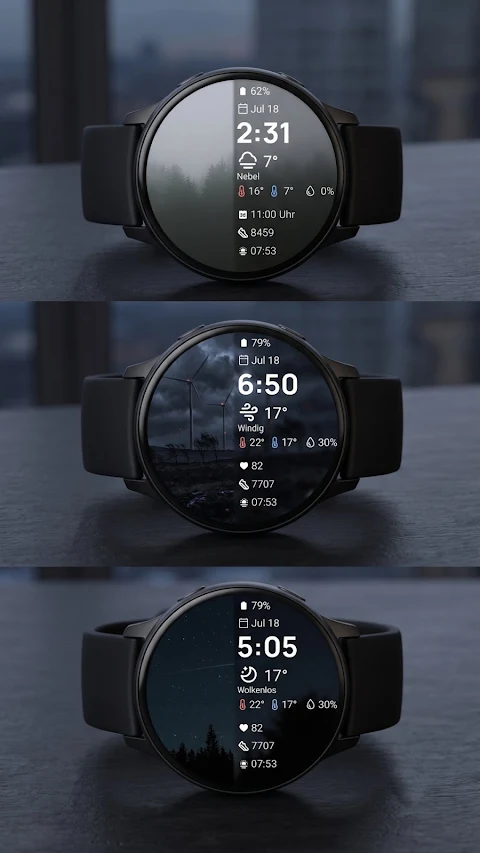
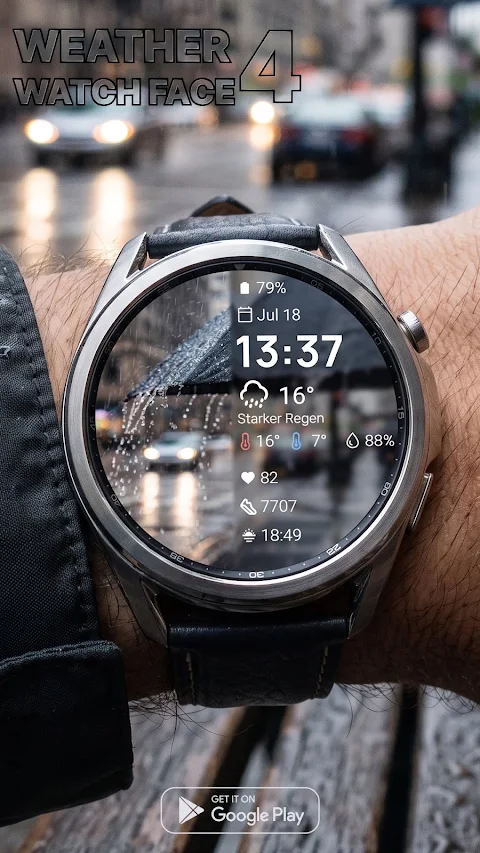
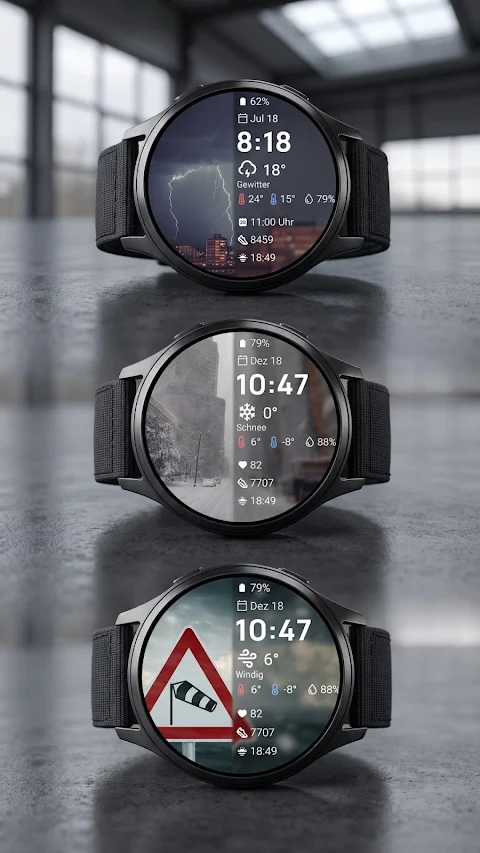
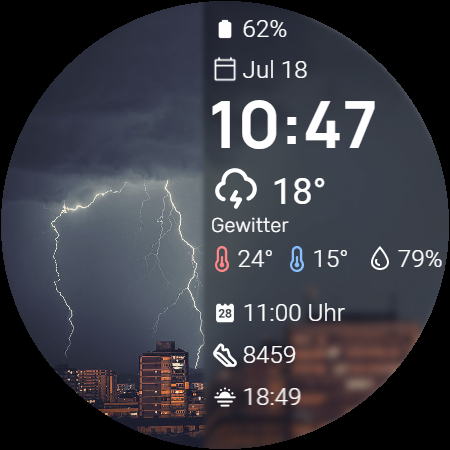
Transform your smartwatch into a stunning meteorological dashboard with Weather Watch Face 4 for Wear OS. This app changes your watch into a beautiful display that offers dynamic weather backgrounds. These backgrounds feature high-quality weather images that adapt to current outdoor conditions, giving you a clear view of the weather wherever you are.
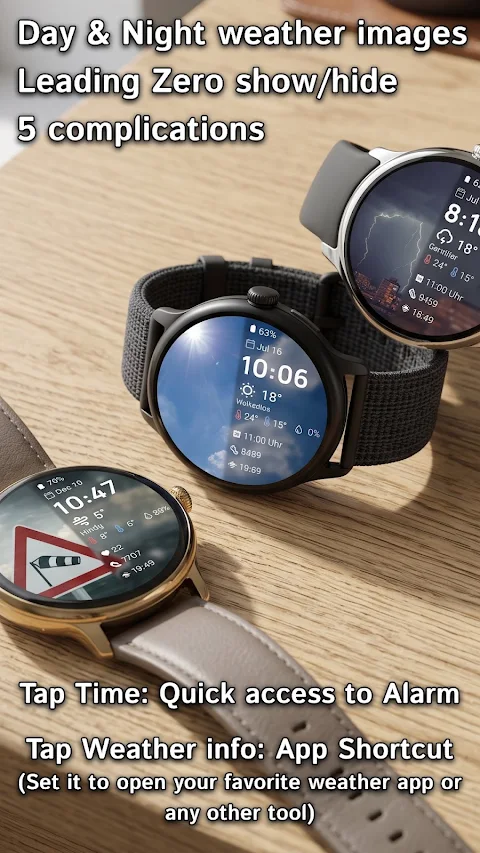
Weather Watch Face 4 makes it easy to get important information at a glance. It includes five customizable complications that you can set to track your most important data. Whether you want to monitor your heart rate, steps, or calendar events display, the app allows for screen utility maximization, so you see exactly what matters to you.
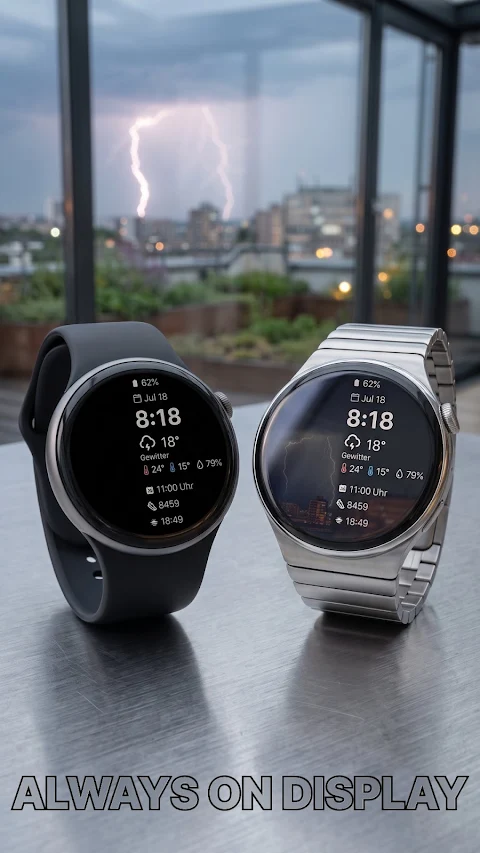
You can also enjoy leading zero control, which lets you choose whether to show or hide the leading zero on the digital clock. Plus, with two always on display modes, you gain greater battery life control without missing essential information.
Navigating your smartwatch is effortless thanks to the intuitive tap zones on Weather Watch Face 4. You can tap on the time for quick access to your alarm functions. If you prefer quick access to weather details, this feature also acts as a customizable app shortcut so you can easily open your favorite weather app or any other tool you need.
Installing Weather Watch Face 4 is straightforward. First, ensure your watch is connected via Bluetooth. Then, download the app from the Google Play Store. After this, long-press your watch screen to scroll to the end and select this watch face to apply it.
This app is designed exclusively for Wear OS 5 and higher devices. It works perfectly with models like the Samsung Galaxy Watch 8 and Google Pixel Watch 4, as well as other newer devices that support Wear OS 5 compatibility.
With Weather Watch Face 4, you are not just getting a watch face; you are accessing real-time weather updates and detailed weather metrics in a way that is visually immersive. Whether you are looking to customize your smartwatch or simply want to keep track of the forecast, this watch face meets all your needs. Enjoy a seamless experience with forecast visualization and custom weather information right on your wrist.
Weather Watch Face 4 makes it easy to get important information at a glance. It includes five customizable complications that you can set to track your most important data. Whether you want to monitor your heart rate, steps, or calendar events display, the app allows for screen utility maximization, so you see exactly what matters to you.
You can also enjoy leading zero control, which lets you choose whether to show or hide the leading zero on the digital clock. Plus, with two always on display modes, you gain greater battery life control without missing essential information.
Navigating your smartwatch is effortless thanks to the intuitive tap zones on Weather Watch Face 4. You can tap on the time for quick access to your alarm functions. If you prefer quick access to weather details, this feature also acts as a customizable app shortcut so you can easily open your favorite weather app or any other tool you need.
Installing Weather Watch Face 4 is straightforward. First, ensure your watch is connected via Bluetooth. Then, download the app from the Google Play Store. After this, long-press your watch screen to scroll to the end and select this watch face to apply it.
This app is designed exclusively for Wear OS 5 and higher devices. It works perfectly with models like the Samsung Galaxy Watch 8 and Google Pixel Watch 4, as well as other newer devices that support Wear OS 5 compatibility.
With Weather Watch Face 4, you are not just getting a watch face; you are accessing real-time weather updates and detailed weather metrics in a way that is visually immersive. Whether you are looking to customize your smartwatch or simply want to keep track of the forecast, this watch face meets all your needs. Enjoy a seamless experience with forecast visualization and custom weather information right on your wrist.

Klepon: Dark Icon Pack
Bandot
$1.49
$0.75

Chronocore Hybrid Watch Face
Comback Watch Faces
$0.99
RUN 3: Watch Face
amoledwatchfaces™
$1.79
$0.72