
$0.99
$0.50
49% Off
WatchKeys: Wear OS Keyboard
JellyToot







About the App
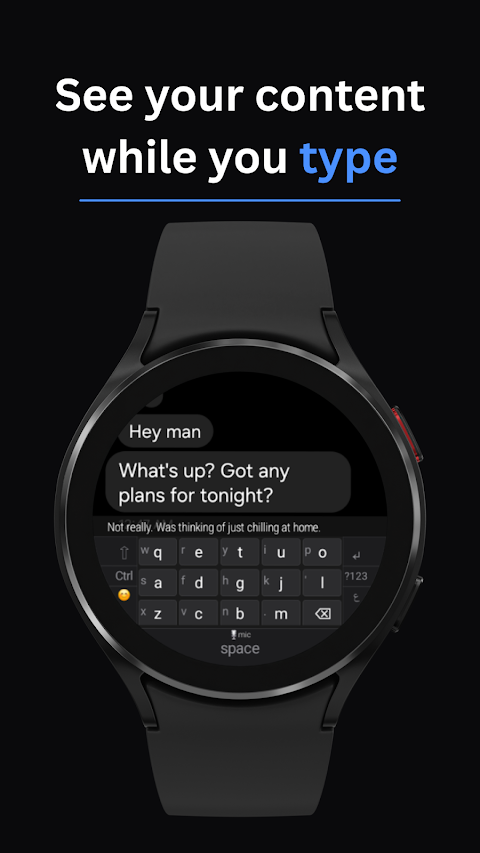
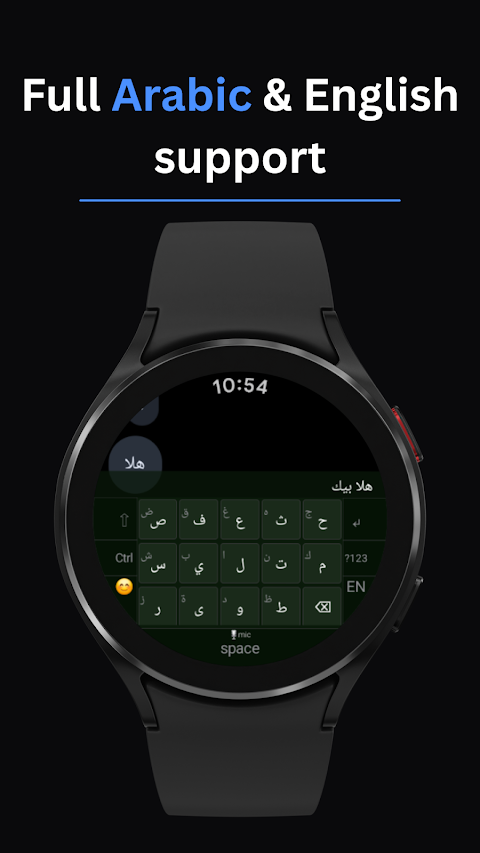
WatchKeys is a smart keyboard made for Wear OS smartwatches. Unlike other Wear OS keyboards that take up your entire screen while typing, WatchKeys remains at the bottom. This way, you can always see what you're replying to and which app you are using. This design improves your typing experience, allowing you to maintain context no matter where you are.
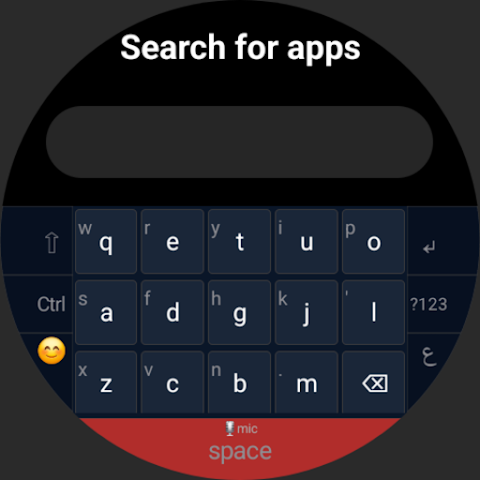
The keyboard features a gesture-based layout specially designed for small round watch screens. Each key on the keyboard holds two characters. You can tap a key for the first character or swipe up for the second one. With bigger keys, you have fewer chances to make mistakes compared to smaller keyboards that try to fit ten keys in a row.
A text preview strip helps you see exactly what you’re typing in real time. This is especially useful for apps like WhatsApp, Google Maps, and Samsung Contacts, which do not show clear text fields. The blinking cursor gives you a clear visual cue of your typing activity.
WatchKeys supports multiple languages, including English AZERTY, German QWERTZ, Spanish, and Arabic. Each language also has full RTL support. This means you can easily enable different languages and switch between them using the globe key.
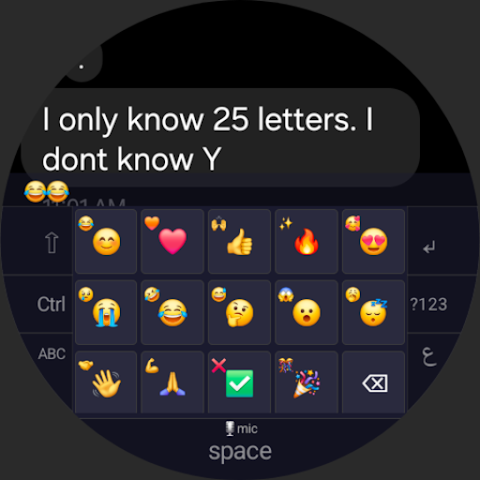
For added functionality, WatchKeys includes symbol layers. Each language has two symbol pages: the first page contains common symbols, while the second page has additional symbols that you can access via long press. You can also enjoy quick access to an emoji keyboard, making it easier to express yourself.
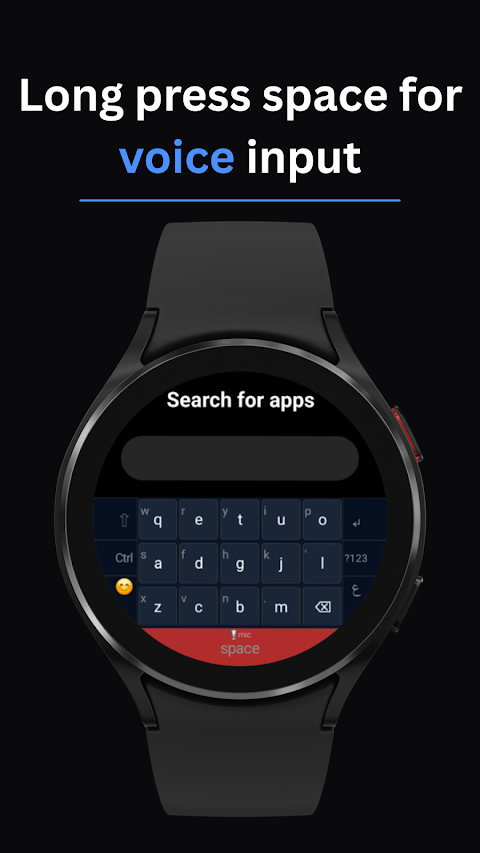
If you prefer to use your voice, the voice input feature allows you to activate voice input by long-pressing the space bar. A visual recording indicator lets you know when the feature is active.
WatchKeys is highly customizable to suit your preferences. You can control haptic feedback options, adjust key contrast, and select different color themes. The timing of the key fade animation can be set to your liking, and you can also adjust the side key width for better comfort. If you want a smaller keyboard height, there’s a compact keyboard mode available too.
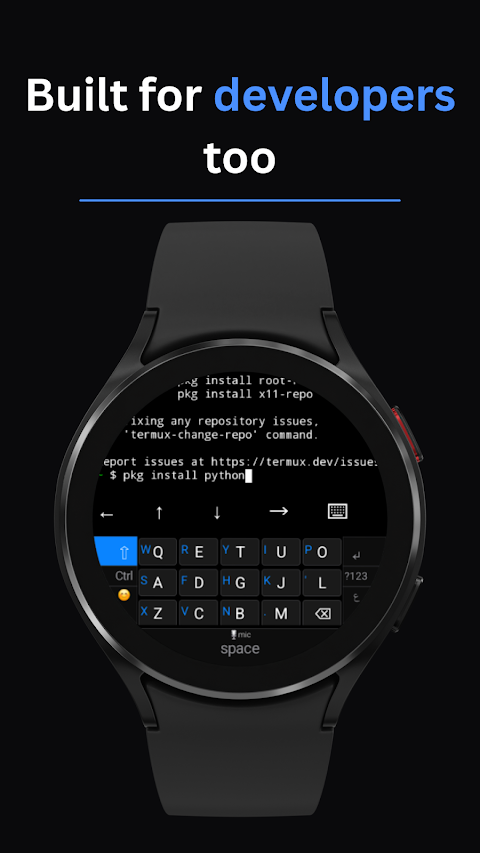
To enhance your typing experience further, you can swap the positions of the Enter and backspace keys, and use a double-tap gesture as an alternative to the swipe up gesture. WatchKeys also has a Ctrl key functionality that provides extra options while typing.
With its emphasis on text input visibility and typing context awareness, WatchKeys makes typing on a smartwatch more efficient and enjoyable. Enjoy real-time text input and benefit from all the clever features tailored for your wearables. Just make sure your smartwatch runs on Wear OS 4 or higher to fully enjoy everything WatchKeys has to offer.
The keyboard features a gesture-based layout specially designed for small round watch screens. Each key on the keyboard holds two characters. You can tap a key for the first character or swipe up for the second one. With bigger keys, you have fewer chances to make mistakes compared to smaller keyboards that try to fit ten keys in a row.
A text preview strip helps you see exactly what you’re typing in real time. This is especially useful for apps like WhatsApp, Google Maps, and Samsung Contacts, which do not show clear text fields. The blinking cursor gives you a clear visual cue of your typing activity.
WatchKeys supports multiple languages, including English AZERTY, German QWERTZ, Spanish, and Arabic. Each language also has full RTL support. This means you can easily enable different languages and switch between them using the globe key.
For added functionality, WatchKeys includes symbol layers. Each language has two symbol pages: the first page contains common symbols, while the second page has additional symbols that you can access via long press. You can also enjoy quick access to an emoji keyboard, making it easier to express yourself.
If you prefer to use your voice, the voice input feature allows you to activate voice input by long-pressing the space bar. A visual recording indicator lets you know when the feature is active.
WatchKeys is highly customizable to suit your preferences. You can control haptic feedback options, adjust key contrast, and select different color themes. The timing of the key fade animation can be set to your liking, and you can also adjust the side key width for better comfort. If you want a smaller keyboard height, there’s a compact keyboard mode available too.
To enhance your typing experience further, you can swap the positions of the Enter and backspace keys, and use a double-tap gesture as an alternative to the swipe up gesture. WatchKeys also has a Ctrl key functionality that provides extra options while typing.
With its emphasis on text input visibility and typing context awareness, WatchKeys makes typing on a smartwatch more efficient and enjoyable. Enjoy real-time text input and benefit from all the clever features tailored for your wearables. Just make sure your smartwatch runs on Wear OS 4 or higher to fully enjoy everything WatchKeys has to offer.

Bills Reminder & Organizer PRO
Invoice Maker Accounting Books, Estimates Expenses
$2.69
BakeCost Pro
Bigbadaboom
$6.99
$2.49

iDatabase
Apimac
$1.99