

$2.99
$0.99
67% Off
Videocraft: Video Maker
Gamelarious




About the App
Videocraft is a versatile multi-track video editor, photo slideshow maker, and movie maker app designed for everyone. Whether you're a beginner or an experienced creator, you can easily combine video clips and photos with music, sound effects, voice-over, images, GIFs, and text. This all happens within a powerful timeline that makes editing simple and enjoyable. With its beautiful and straightforward design, Videocraft allows anyone to create and share amazing videos in just a few minutes.
One of the great advantages of Videocraft is that all features come with no subscription fees or watermarks. You can dive right in and start making great videos without extra costs.
You can integrate videos, photos, and music stored in iCloud Files, making it easy to access your media. When you're creating your project, you have the option to choose from different project aspect ratios, such as square (1:1), standard (4:3), wide (16:9), or extra-wide (2:1). You can also select landscape or portrait video orientations. For high-quality outputs, the app supports 4K video export, as well as 1080p and 720p resolutions. You can choose the frame rate, with options of 30fps or 60fps video playback, ensuring smooth viewing.
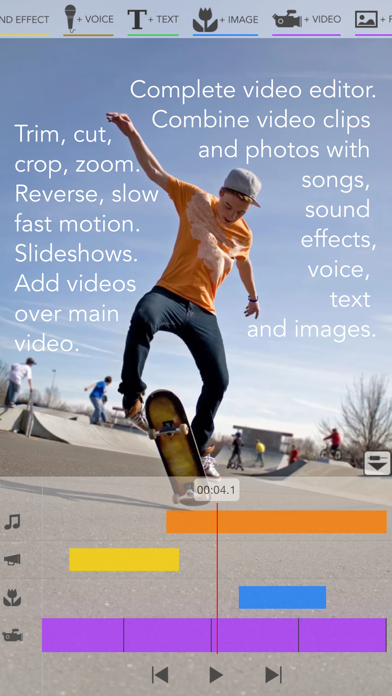
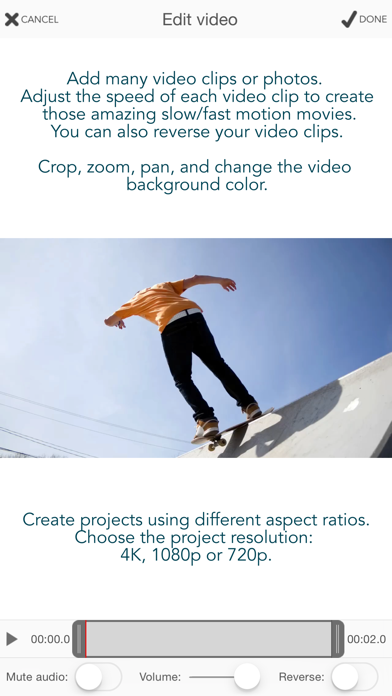
With Videocraft, adding multiple video clips and photos is straightforward. You can easily trim video clips to keep only the segments you need and crop, pan, and zoom them to fit your chosen project aspect ratio. If you want to change the mood of a video, you have the option to mute its audio or adjust the volume levels. The app also allows you to add transitions like fade in, fade out, and crossfade. You can even set how long each photo appears in your project and change the background color of your video.
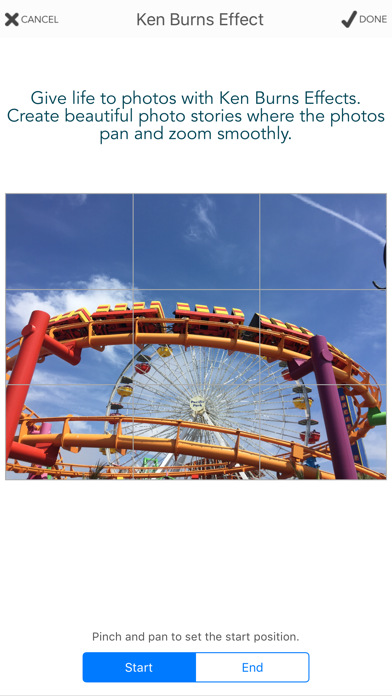
For creating beautiful stories, the Ken Burns Effect is available. This feature provides smooth pan and zoom motions for photos, which adds a professional touch to your projects. Additionally, you can use the reverse video feature, along with slow motion editing and fast motion video, to create unique and engaging content. If you enjoy stop motion creations, the app makes it easy to convert long videos into stunning stop motion movies.
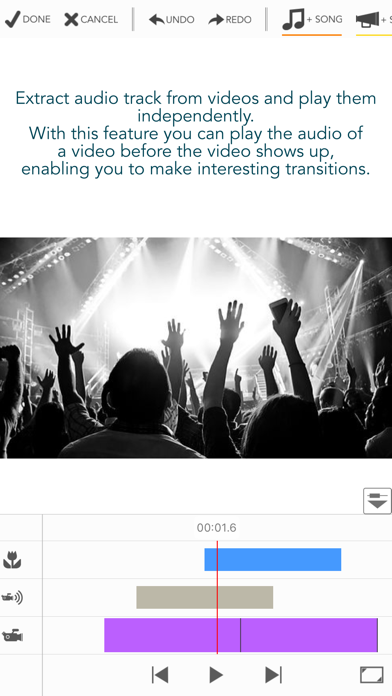
Videocraft supports picture-in-picture videos, allowing you to overlay multiple videos over a main video track. You can resize and position these videos as needed, even playing them side by side. The app also enables audio tracks extraction, so you can pull audio from videos for use in your projects. For creative transitions, you might choose to play the audio of a video before it appears.
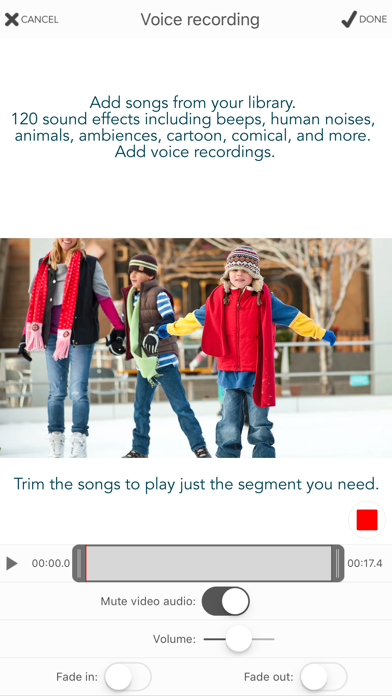
If you want to enhance your videos further, you can apply blur video effects to specific parts for a polished look. Adding music tracks is simple; clip songs from your library and auto-sync them with the main video track. You can adjust volume levels, mute the main audio while the music is playing, and add fade in and fade out effects for smooth transitions.
Videocraft includes a sound effects library with 120 different sound effects, from beeps to animal noises, making it easy to add that extra layer of fun. You can also record a voice-over directly through the app, adjusting the volume level to suit your project needs.
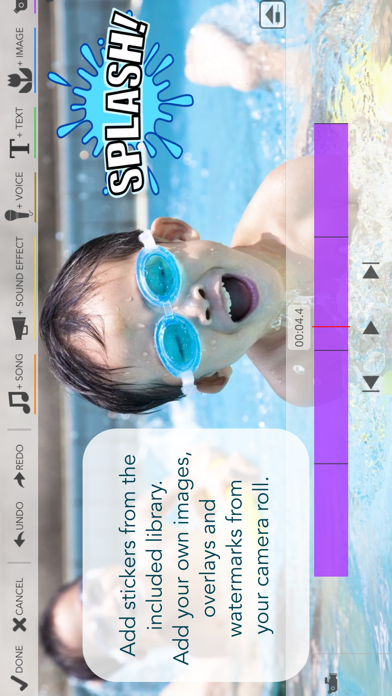
Adding images over video is effortless too. You can place images, GIFs, and animated stickers on top of your video. The app allows for personal touches, such as adding watermarks, borders, and overlays. You can combine text with images to create impressive callouts, and the app offers transitions like wipe, move, scale, and fade for added creativity.
Text overlays on video are customizable as well. You can use any font available on your device and change the text color, shadow color, and background color. The app provides transitions for text, making your videos visually appealing.
Videocraft offers easy-to-use video editing tools. When adding tracks, each is represented by a bar in the timeline. You can access options for each track, rearrange them, and adjust the duration quickly. The timeline can be zoomed in or out for better project management, and you can even duplicate bars for ease of use.
Your projects are saved in a gallery, so you can continue your work at any time. It’s easy to rename your projects and create copies to experiment with different ideas. When your video is ready, you can export it as a new video in your Photos or extract a frame as a new photo. This feature is perfect for creating memes, combining photos and text, or capturing a moment from your video.
If you have any questions or need support, Videocraft offers help through its website and contact options. Enjoy creating amazing videos with Videocraft!
One of the great advantages of Videocraft is that all features come with no subscription fees or watermarks. You can dive right in and start making great videos without extra costs.
You can integrate videos, photos, and music stored in iCloud Files, making it easy to access your media. When you're creating your project, you have the option to choose from different project aspect ratios, such as square (1:1), standard (4:3), wide (16:9), or extra-wide (2:1). You can also select landscape or portrait video orientations. For high-quality outputs, the app supports 4K video export, as well as 1080p and 720p resolutions. You can choose the frame rate, with options of 30fps or 60fps video playback, ensuring smooth viewing.
With Videocraft, adding multiple video clips and photos is straightforward. You can easily trim video clips to keep only the segments you need and crop, pan, and zoom them to fit your chosen project aspect ratio. If you want to change the mood of a video, you have the option to mute its audio or adjust the volume levels. The app also allows you to add transitions like fade in, fade out, and crossfade. You can even set how long each photo appears in your project and change the background color of your video.
For creating beautiful stories, the Ken Burns Effect is available. This feature provides smooth pan and zoom motions for photos, which adds a professional touch to your projects. Additionally, you can use the reverse video feature, along with slow motion editing and fast motion video, to create unique and engaging content. If you enjoy stop motion creations, the app makes it easy to convert long videos into stunning stop motion movies.
Videocraft supports picture-in-picture videos, allowing you to overlay multiple videos over a main video track. You can resize and position these videos as needed, even playing them side by side. The app also enables audio tracks extraction, so you can pull audio from videos for use in your projects. For creative transitions, you might choose to play the audio of a video before it appears.
If you want to enhance your videos further, you can apply blur video effects to specific parts for a polished look. Adding music tracks is simple; clip songs from your library and auto-sync them with the main video track. You can adjust volume levels, mute the main audio while the music is playing, and add fade in and fade out effects for smooth transitions.
Videocraft includes a sound effects library with 120 different sound effects, from beeps to animal noises, making it easy to add that extra layer of fun. You can also record a voice-over directly through the app, adjusting the volume level to suit your project needs.
Adding images over video is effortless too. You can place images, GIFs, and animated stickers on top of your video. The app allows for personal touches, such as adding watermarks, borders, and overlays. You can combine text with images to create impressive callouts, and the app offers transitions like wipe, move, scale, and fade for added creativity.
Text overlays on video are customizable as well. You can use any font available on your device and change the text color, shadow color, and background color. The app provides transitions for text, making your videos visually appealing.
Videocraft offers easy-to-use video editing tools. When adding tracks, each is represented by a bar in the timeline. You can access options for each track, rearrange them, and adjust the duration quickly. The timeline can be zoomed in or out for better project management, and you can even duplicate bars for ease of use.
Your projects are saved in a gallery, so you can continue your work at any time. It’s easy to rename your projects and create copies to experiment with different ideas. When your video is ready, you can export it as a new video in your Photos or extract a frame as a new photo. This feature is perfect for creating memes, combining photos and text, or capturing a moment from your video.
If you have any questions or need support, Videocraft offers help through its website and contact options. Enjoy creating amazing videos with Videocraft!

iPalettes – Color palettes
Thi Hoang
$5.99
$3.99

HOPE Meme Maker
3DTOPO Inc.
$1.99

Camera Zoom 4
Kenneth Kao
$1.99