
$7.99
$1.99
75% Off
Today Planned: Daily Planner
Elaine Rocha

About the App
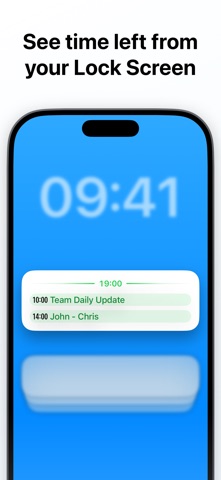
Today Planned: Daily Planner is a useful app for organizing your day. With a one-time purchase, you won’t have to worry about subscriptions. This app offers calendar alarms that can ring, even in silent mode and while using do not disturb functionality.
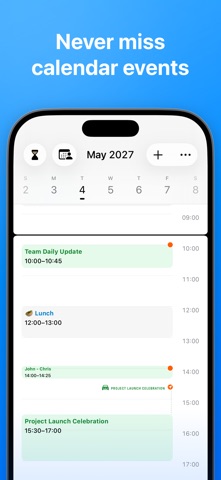
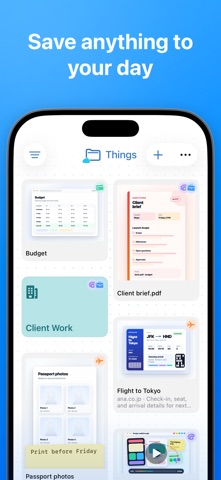
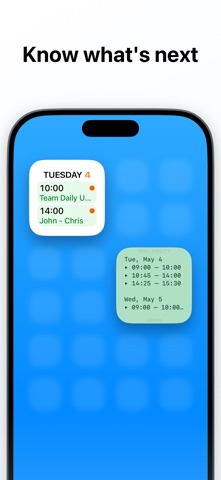
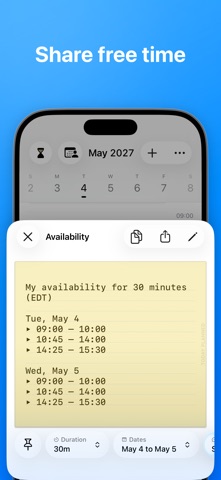
Using Today Planned is simple. Start by adding your calendar, and you will receive calendar alarms for your events. If there are events you do not want notifications for, you can filter them out easily. You can even schedule alarms for before, during, or after events to help you stay on track. For everything else in your day, use the Things app. It’s the perfect space for keeping quick notes, saved links, scans, screenshots, documents, and even bigger plans. All of this syncs with iCloud, making it easy to access your information on all your devices.
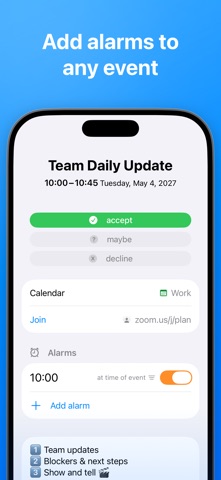
One great feature of Today Planned is that it automatically adds alarms to your calendar events. You have control over what should ring and when. This function is especially helpful for events that need more than just a notification. You can customize alarm sounds and even choose specific sounds for different filters, including spoken event titles.
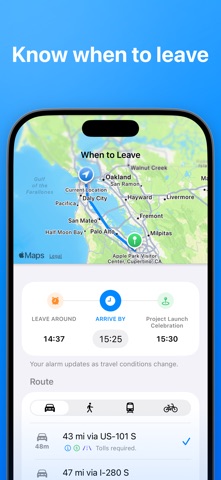
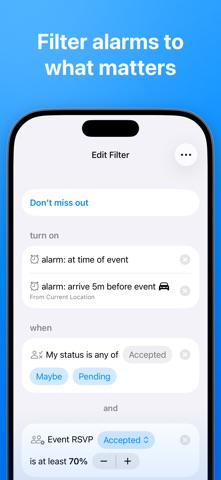
The app can handle multiple alarms per event, which makes it easy to set reminders for various tasks. It includes when to leave reminders that adjust for travel time, traffic, and your current location. The custom filter options allow you to manage your notifications by filtering based on calendars, titles, or even the status of events.
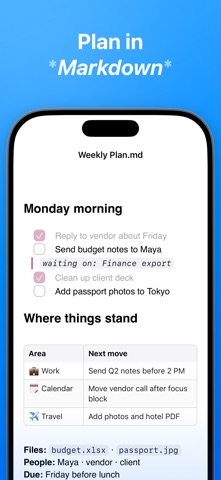
Document management is also easy with Today Planned. You can store notes and links, ensuring you have everything in one place. Markdown planning is supported too. This means you can organize your plans in a simple text format that is easy to read.
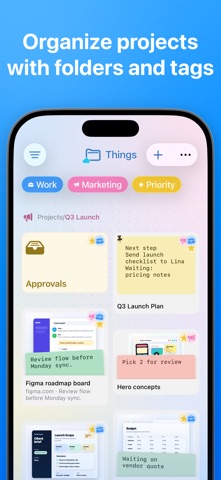
The app is designed for straightforward use with features such as Share Sheet, Shortcuts, and drag and drop functionality. You can copy, paste, import, and export items quickly without the hassle. Everything is kept in folders and tags, making it easier to find what you need through search and filters.
For those using a Mac, you will find accessing your Things is straightforward in Finder, just like regular folders and files. What’s more, Today Planned works locally on your device, requiring no accounts or servers.
In summary, with Today Planned: Daily Planner, you can buy once and stop missing what matters most. It brings together the power of effective calendar event integration with the simplicity of document management, all while syncing seamlessly with iCloud. Whether you need quick notes, reminders, or thorough planning, Today Planned is here to make your life easier.
Using Today Planned is simple. Start by adding your calendar, and you will receive calendar alarms for your events. If there are events you do not want notifications for, you can filter them out easily. You can even schedule alarms for before, during, or after events to help you stay on track. For everything else in your day, use the Things app. It’s the perfect space for keeping quick notes, saved links, scans, screenshots, documents, and even bigger plans. All of this syncs with iCloud, making it easy to access your information on all your devices.
One great feature of Today Planned is that it automatically adds alarms to your calendar events. You have control over what should ring and when. This function is especially helpful for events that need more than just a notification. You can customize alarm sounds and even choose specific sounds for different filters, including spoken event titles.
The app can handle multiple alarms per event, which makes it easy to set reminders for various tasks. It includes when to leave reminders that adjust for travel time, traffic, and your current location. The custom filter options allow you to manage your notifications by filtering based on calendars, titles, or even the status of events.
Document management is also easy with Today Planned. You can store notes and links, ensuring you have everything in one place. Markdown planning is supported too. This means you can organize your plans in a simple text format that is easy to read.
The app is designed for straightforward use with features such as Share Sheet, Shortcuts, and drag and drop functionality. You can copy, paste, import, and export items quickly without the hassle. Everything is kept in folders and tags, making it easier to find what you need through search and filters.
For those using a Mac, you will find accessing your Things is straightforward in Finder, just like regular folders and files. What’s more, Today Planned works locally on your device, requiring no accounts or servers.
In summary, with Today Planned: Daily Planner, you can buy once and stop missing what matters most. It brings together the power of effective calendar event integration with the simplicity of document management, all while syncing seamlessly with iCloud. Whether you need quick notes, reminders, or thorough planning, Today Planned is here to make your life easier.

Pdf Tools
SYSTEMPORT
$14.99

Listify – Task Planner
Fishington Studios
$2.99

Textify – find in text
Yahia Alhejoj
$0.99