

$0.99
FREE
100% Off
Terminal Watch face
amoledwatchfaces™








About the App
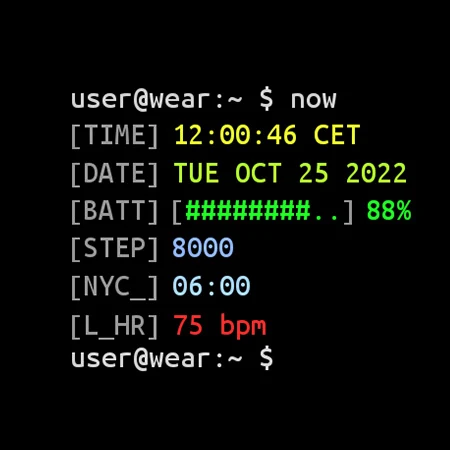
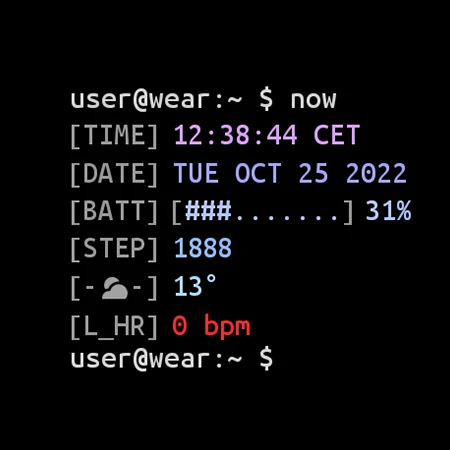
The Terminal Watch Face is designed specifically for Wear API 28+ devices, ensuring it works smoothly on compatible smartwatches. Please note that this watch face is not suitable for rectangular watches. With a cool Linux terminal look, it brings a unique style to your wrist.
This watch face features a true black background, which enhances the display quality. The high-resolution watch face ensures everything is clear and easy to read. Plus, it's built with PNGQuant optimized layers, making it a battery-friendly option. You won’t have to worry much about battery drain, thanks to the careful design.
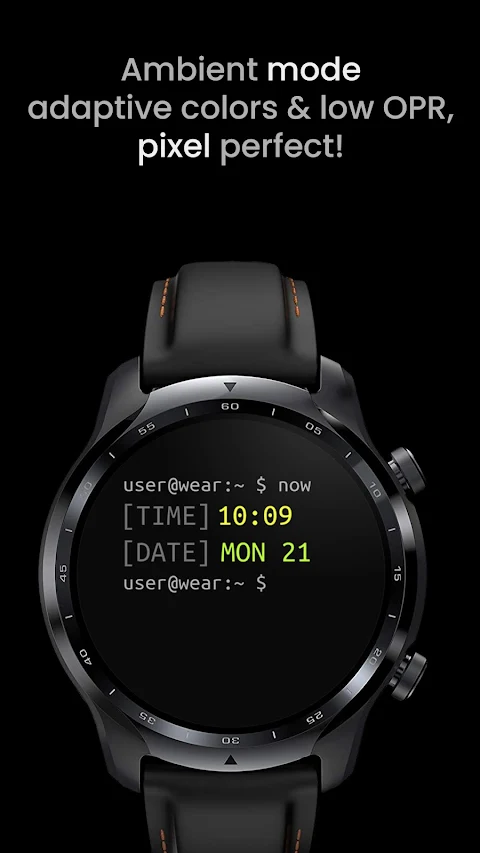
The Unix console style adds a distinct touch, making it stand out among other watch faces. You can even create a custom shortcut for your preferred health app, which can help you track your steps and stay active. If you prefer a subtle experience, the simple ambient mode with low OPR ensures that the watch face remains visible while consuming minimal power.
There are several useful app shortcuts included. For instance, you have a battery percentage shortcut that allows you to quickly open the watch power mode selector. If you want to set an alarm, you can use the time shortcut to do that easily. You also have the option to check your schedule using the date shortcut.
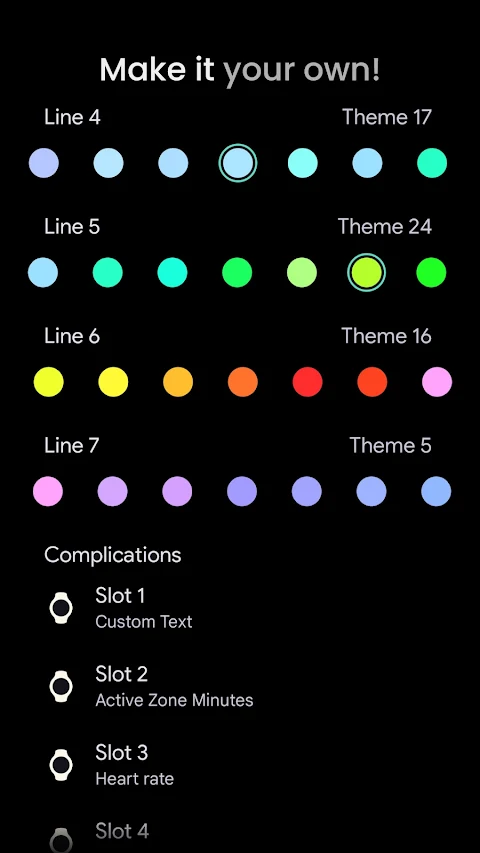
User configurations are another big highlight of the Terminal Watch Face. If you are using API 33+, you can customize each line color individually between lines three to seven. Additionally, there is support for custom complications, allowing you to have 3x or even 5x complications based on your needs.
If you run into any installation issues or need help, there is an installation and troubleshooting guide available online. You can always reach out for support at the provided email address. Furthermore, a live support group is available on Telegram, offering a platform for discussions and assistance from fellow users.
For those interested, there’s a newsletter subscription available where you can stay updated with the latest offers and features.
Don’t miss out on the exciting Buy One Get One offer at amoledwatchfaces.com/bogo. You can also explore custom complication apps at amoledwatchfaces.com/apps. Keep in mind that AMOLED watch faces like this one offer great designs but are not meant for rectangular watch models.
With the Terminal Watch Face, you get a customizable and personalized user experience that matches your style and needs.
This watch face features a true black background, which enhances the display quality. The high-resolution watch face ensures everything is clear and easy to read. Plus, it's built with PNGQuant optimized layers, making it a battery-friendly option. You won’t have to worry much about battery drain, thanks to the careful design.
The Unix console style adds a distinct touch, making it stand out among other watch faces. You can even create a custom shortcut for your preferred health app, which can help you track your steps and stay active. If you prefer a subtle experience, the simple ambient mode with low OPR ensures that the watch face remains visible while consuming minimal power.
There are several useful app shortcuts included. For instance, you have a battery percentage shortcut that allows you to quickly open the watch power mode selector. If you want to set an alarm, you can use the time shortcut to do that easily. You also have the option to check your schedule using the date shortcut.
User configurations are another big highlight of the Terminal Watch Face. If you are using API 33+, you can customize each line color individually between lines three to seven. Additionally, there is support for custom complications, allowing you to have 3x or even 5x complications based on your needs.
If you run into any installation issues or need help, there is an installation and troubleshooting guide available online. You can always reach out for support at the provided email address. Furthermore, a live support group is available on Telegram, offering a platform for discussions and assistance from fellow users.
For those interested, there’s a newsletter subscription available where you can stay updated with the latest offers and features.
Don’t miss out on the exciting Buy One Get One offer at amoledwatchfaces.com/bogo. You can also explore custom complication apps at amoledwatchfaces.com/apps. Keep in mind that AMOLED watch faces like this one offer great designs but are not meant for rectangular watch models.
With the Terminal Watch Face, you get a customizable and personalized user experience that matches your style and needs.

One UI Glass IconPack
JustNewDesigns
$1.49
$0.49
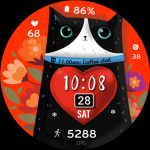
ML2U 389 Purrfect Heart
ML2U
$1.60

Simple Component ZKin Watch
ZKin
$2.99
$0.99