

$4.99
$3.99
20% Off
StepBud – AUv3 MIDI Sequencer
Cem Olcay

About the App
StepBud is a versatile MIDI sequencer that works as an Audio Unit plugin. It supports AUv3, Audiobus integration, and Ableton Link, making it a powerful tool for music creation.
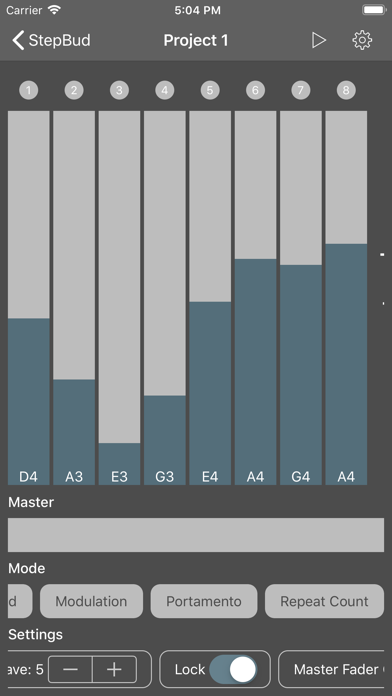
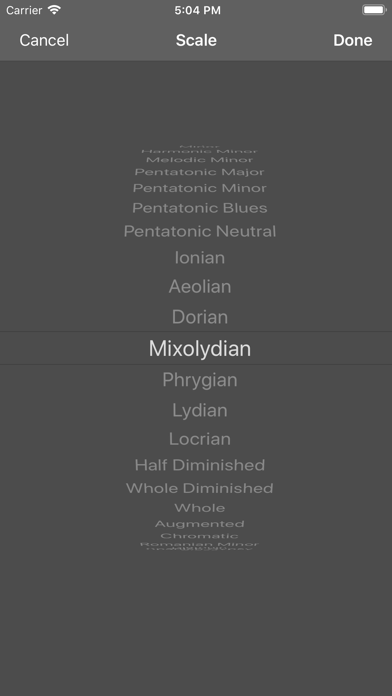
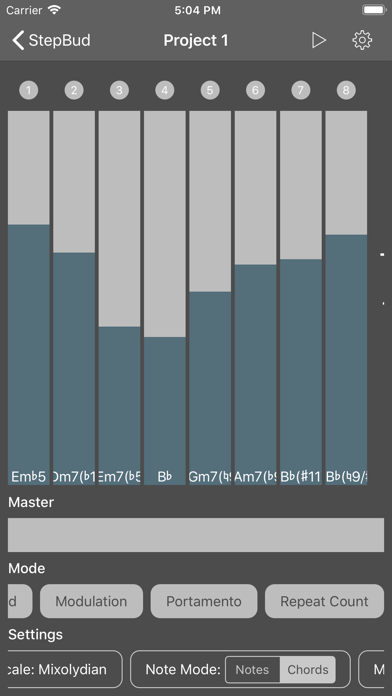
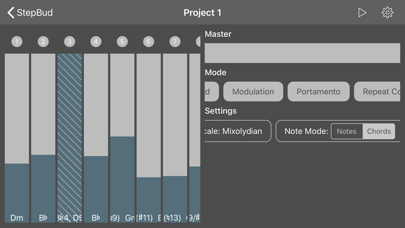
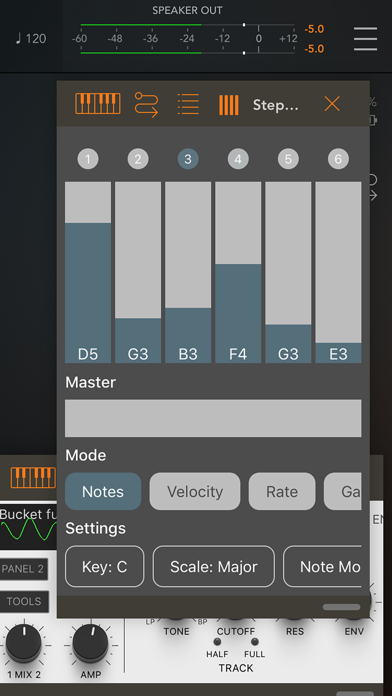
With StepBud, you can add an unlimited number of steps to your sequencer. Each step is represented by a LED and has a fader at the top of your screen for easy control. You can switch between active modes to display and control step functions. This includes setting the current note or chord within the scale and key you selected. You can also adjust the range of the octave you want to focus on.
StepBud allows you to modify several parameters for each step. You can set the velocity, gate time, modulation, pitch bend, portamento, probability, and swing to shape your sound. If you want to add extra flair, try increasing the rate and repeat count of your steps. You can also send custom MIDI CC messages to control hardware or software synth parameters easily.
For live performances, you can skip steps, creating unique and interesting sounds. Each sequencer is controlled by a master fader located below the step faders. The master fader offers two modes: copy mode, which assigns its value to every step, and shift mode, which shifts all steps up or down.
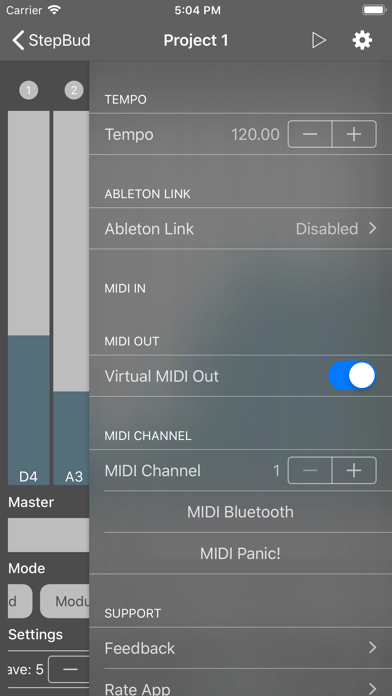
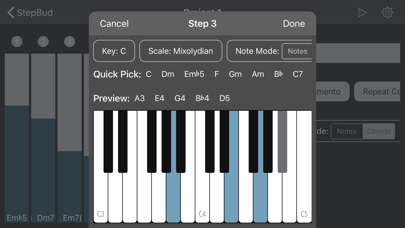
If you want to explore different notes or experiment with wild chords, you can access the Step Editor by double-tapping the LED of the step you want to edit. In StepBud's powerful Step Editor, you’ll find that you can input notes using a virtual keyboard or a connected MIDI keyboard. Make sure to enable the MIDI in port in the settings menu to receive MIDI from your keyboard. You can also preview the selected notes by pressing the preview button to ensure you achieve the perfect sound for your step.
In addition, you have the ability to disable any step by tapping its LED. If you long-press the LED, a menu will pop up, allowing you to copy, paste, remove, or edit steps easily. When you enable the lock mode from the settings strip at the bottom, you can adjust all visible step faders with just a single swipe gesture without lifting your finger.
You can also experiment with different arpeggio modes through the settings strip, allowing you to sequence your steps in various ways—up, down, up-down, or in a random order. It's important to note that while StepBud is a MIDI sequencer app, it does not generate sounds on its own. You need to route its MIDI out port to your preferred audio app to hear the sequences.
For best results, make sure you are using a device with iOS 11 or higher and an Audio Unit host application like AUM, apeMatrix, Cubasis, or BeatMaker to utilize StepBud as an Audio Unit plugin. Don’t forget to route StepBud’s MIDI out to the app or audio unit you want to sequence.
StepBud utilizes a MIDI layer powered by the free and open-source project AudioKit, giving you robust capabilities for your music creation. Additionally, StepBud makes its core components available for free on GitHub. You're welcome to star, fork, or contribute to the projects, including the Music Theory repository, the LiveFader GitHub repository, and the MIDI Event Kit repository.
In summary, StepBud is an intuitive MIDI sequencer that offers a range of features designed for both beginners and experienced musicians. Its user-friendly interface, combined with powerful tools for customization and live performance, makes it an excellent choice for anyone looking to enhance their music production workflow.
With StepBud, you can add an unlimited number of steps to your sequencer. Each step is represented by a LED and has a fader at the top of your screen for easy control. You can switch between active modes to display and control step functions. This includes setting the current note or chord within the scale and key you selected. You can also adjust the range of the octave you want to focus on.
StepBud allows you to modify several parameters for each step. You can set the velocity, gate time, modulation, pitch bend, portamento, probability, and swing to shape your sound. If you want to add extra flair, try increasing the rate and repeat count of your steps. You can also send custom MIDI CC messages to control hardware or software synth parameters easily.
For live performances, you can skip steps, creating unique and interesting sounds. Each sequencer is controlled by a master fader located below the step faders. The master fader offers two modes: copy mode, which assigns its value to every step, and shift mode, which shifts all steps up or down.
If you want to explore different notes or experiment with wild chords, you can access the Step Editor by double-tapping the LED of the step you want to edit. In StepBud's powerful Step Editor, you’ll find that you can input notes using a virtual keyboard or a connected MIDI keyboard. Make sure to enable the MIDI in port in the settings menu to receive MIDI from your keyboard. You can also preview the selected notes by pressing the preview button to ensure you achieve the perfect sound for your step.
In addition, you have the ability to disable any step by tapping its LED. If you long-press the LED, a menu will pop up, allowing you to copy, paste, remove, or edit steps easily. When you enable the lock mode from the settings strip at the bottom, you can adjust all visible step faders with just a single swipe gesture without lifting your finger.
You can also experiment with different arpeggio modes through the settings strip, allowing you to sequence your steps in various ways—up, down, up-down, or in a random order. It's important to note that while StepBud is a MIDI sequencer app, it does not generate sounds on its own. You need to route its MIDI out port to your preferred audio app to hear the sequences.
For best results, make sure you are using a device with iOS 11 or higher and an Audio Unit host application like AUM, apeMatrix, Cubasis, or BeatMaker to utilize StepBud as an Audio Unit plugin. Don’t forget to route StepBud’s MIDI out to the app or audio unit you want to sequence.
StepBud utilizes a MIDI layer powered by the free and open-source project AudioKit, giving you robust capabilities for your music creation. Additionally, StepBud makes its core components available for free on GitHub. You're welcome to star, fork, or contribute to the projects, including the Music Theory repository, the LiveFader GitHub repository, and the MIDI Event Kit repository.
In summary, StepBud is an intuitive MIDI sequencer that offers a range of features designed for both beginners and experienced musicians. Its user-friendly interface, combined with powerful tools for customization and live performance, makes it an excellent choice for anyone looking to enhance their music production workflow.

Blackhole Reverb
Eventide
$19.99
$9.99

LoopBud – AUv3 MIDI Recorder
Cem Olcay
$5.99
$3.99

NoInputMixer
Igor Vasiliev
$15.99
$9.99