

$2.99
$0.99
67% Off
SponsorBlock for Safari
Ajay Ramachandran

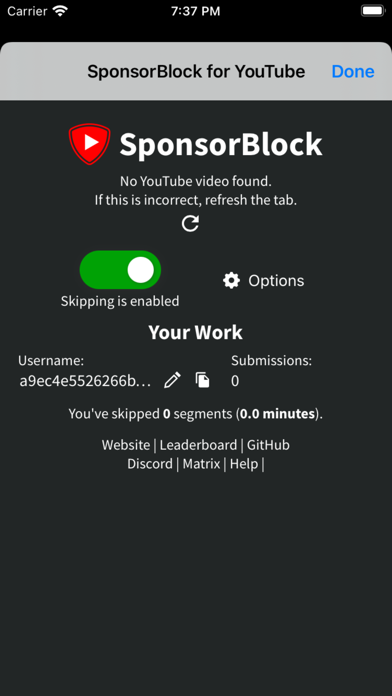
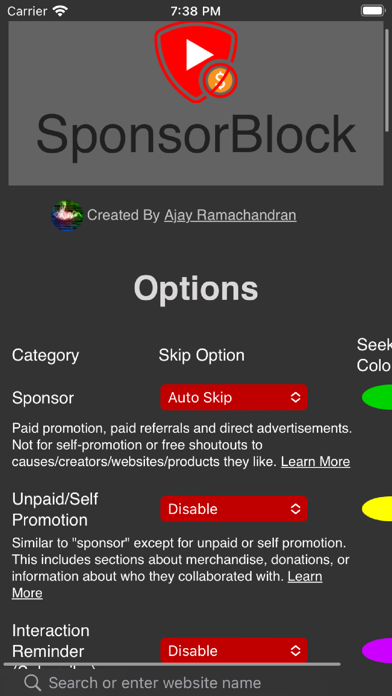
About the App
SponsorBlock for Safari is a handy extension designed to improve your YouTube viewing experience. This tool focuses on YouTube video sponsor skipping, allowing you to bypass sponsors, intros, outros, and subscription reminders. It helps you skip those annoying video parts that can interrupt your enjoyment.
This crowdsourced browser extension relies on community-driven submissions. Anyone can contribute by submitting the start and end times of sponsored segments and other parts of YouTube videos. Once this information is provided, everyone using SponsorBlock will benefit, as they can automatically skip the sponsored segments thanks to the tagging done by fellow users.
You can also use SponsorBlock to skip over non music sections in music videos. This genuinely enhances your YouTube experience by allowing you to enjoy content without interruptions.
The extension works specifically on the YouTube website, not in the YouTube app. If you want to block normal YouTube ads as well, it's recommended to integrate Adguard with SponsorBlock. This combination allows you to block both types of ads effectively.
SponsorBlock operates with a public database access model. The entire database is open source, promoting transparency and trust among users. This means you can see how the extension works and participate in its development. Permission explanations allow you to understand how the app accesses your data—specifically for youtube.com and the privacy-focused www.youtube-nocookie.com.
When you install SponsorBlock, it generates a random user ID. This user ID generation facilitates submissions and voting on segments you find. It allows your contributions to be recognized and displayed on a leaderboard for submissions. This adds an element of gamification and encourages more community participation.
Understanding the authentication information usage helps clarify how your data is managed while using the extension. It modifies the YouTube webpage to allow for smooth skipping of annoying video sections. With SponsorBlock, you get a clean and improved YouTube content filtering experience.
The extension is also compatible with the Vinegar extension, enhancing its capabilities even further. By using SponsorBlock, you become part of a community focused on sponsorship detection and removing unwanted interruptions, making your video runtime more enjoyable.
If you're curious about the technical details, you can explore the source code available on GitHub. The changelog also provides updates and improvements based on user feedback.
In summary, SponsorBlock for Safari is an effective tool that lets you skip YouTube sponsors and enhances your overall viewing experience. It harnesses the power of shared user submissions, ensuring that annoying video segments are removed, and helps you focus on the content you love.
Tomb of the Color Mask
badr masti
$0.99

Full Metal Jacket Diary
Matthew Modine
$1.99

All That Remains: Part 1
Glitch Games
$2.99
$0.99