
$2.99
FREE
100% Off
Sketch 3D
Victor Ng

About the App
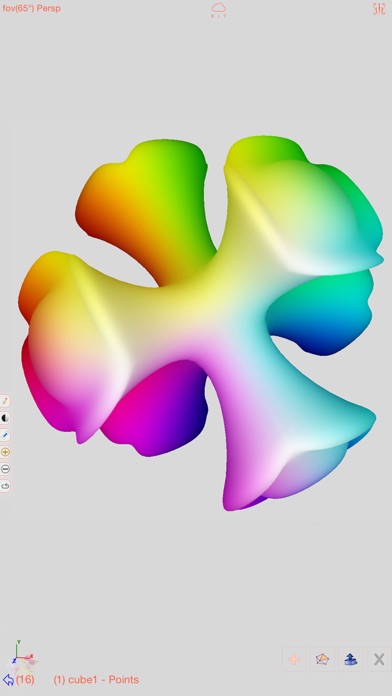
Sketch 3D is a powerful 3D modeling tool that lets you design amazing 3D models right from your fingertips. With this app, you can easily download models created by others or share your own designs in public space. This makes it a great platform for collaboration and creativity.
One of the exciting new features in Sketch 3D is the integrated MaterialX library. This allows you to apply MaterialX documents to your mesh objects. When you save or load a model with these materials, the app stores the document's path as a diffusion map entry, which is similar to how video textures are handled. While you cannot adjust materials or edit graphs yet, you can download free material documents from public websites and import them using ShareTo or AirDrop.
Sketch 3D also supports the True Depth Camera, letting you easily capture face models. Additionally, you can use video clips as model textures. You have the option to apply videos from your Photo Album or other online sources, although YouTube URLs are not supported.
Another helpful feature enables you to capture movie clips directly from the 3D scene you create. If your device struggles to capture a movie, you can adjust the output resolution through the control pane. Keep in mind that changing the resolution could affect how the app captures your scenes.
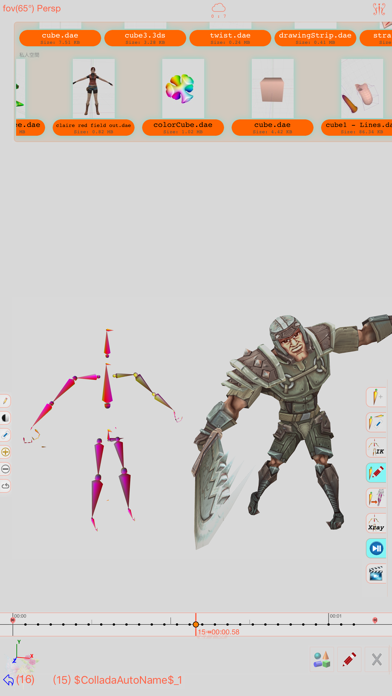
When it comes to animation, Sketch 3D has a robust system for designing 3D model animations. You can create a hierarchical bone structure, placing bones in a way that allows for easy manipulation. By attaching a model to the skeleton, you can move the bones and define various poses. Each pose is stored as a keyframe in the timeline view, making animation sequence creation simple and effective.
The app also allows you to import 3D content directly from your browser or email, and it supports formats like Collada DAE, OBJ, 3DS, and STL, which is particularly useful for 3D printing. You can import and export your designs using iCloud drive integration or through the Apple CloudKit Service, and AirDrop support ensures easy sharing with friends.
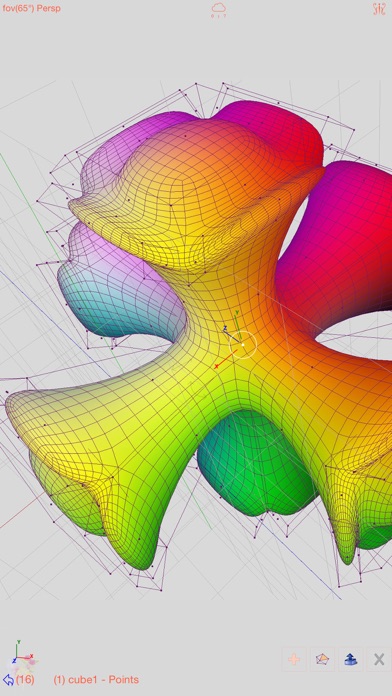
Sketch 3D features several editing capabilities to refine your models. You can create smooth surfaces using subdivision surfaces and perform vertex movement gestures to adjust shapes. Multi-touch editing makes it simple to drag and manipulate your designs while changing your viewing angle.
With flexible face strip drawing, you can stitch boundary faces together, connect triangles to form larger faces, and apply loop cut to faces or bevel edges for polished designs. You can extrude faces or edges to create depth and utilize vertex smoothing techniques for a cleaner look.
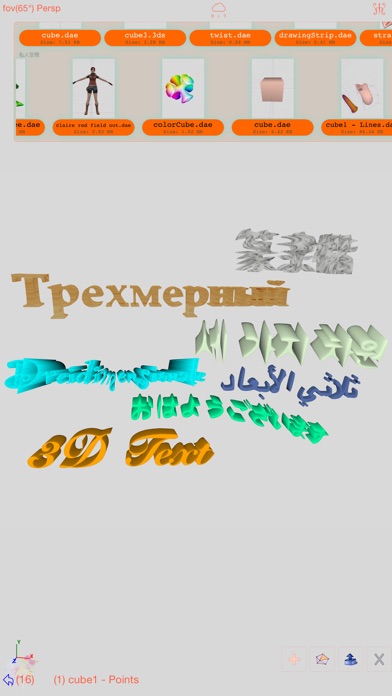
The hierarchical mesh nodes allow for organized editing, and you can even edit the texture map UV coordinates, including generating an atlas for various textures. If you want to create text in your designs, 3D text generation is also supported.
You can interact with the scenes you create, adding dynamic elements to your models. Sketch 3D lets you capture movie scenes, allowing for an engaging way to showcase your designs over time.
In summary, Sketch 3D is a versatile app that combines powerful features for 3D modeling and animation. With the ability to use video as model texture and the helpful integration of MaterialX library, you have everything you need to bring your creative ideas to life. Whether you are refining a shape with mesh subdivision editing or sharing your work in public space, Sketch 3D makes designing and collaborating enjoyable and straightforward.
One of the exciting new features in Sketch 3D is the integrated MaterialX library. This allows you to apply MaterialX documents to your mesh objects. When you save or load a model with these materials, the app stores the document's path as a diffusion map entry, which is similar to how video textures are handled. While you cannot adjust materials or edit graphs yet, you can download free material documents from public websites and import them using ShareTo or AirDrop.
Sketch 3D also supports the True Depth Camera, letting you easily capture face models. Additionally, you can use video clips as model textures. You have the option to apply videos from your Photo Album or other online sources, although YouTube URLs are not supported.
Another helpful feature enables you to capture movie clips directly from the 3D scene you create. If your device struggles to capture a movie, you can adjust the output resolution through the control pane. Keep in mind that changing the resolution could affect how the app captures your scenes.
When it comes to animation, Sketch 3D has a robust system for designing 3D model animations. You can create a hierarchical bone structure, placing bones in a way that allows for easy manipulation. By attaching a model to the skeleton, you can move the bones and define various poses. Each pose is stored as a keyframe in the timeline view, making animation sequence creation simple and effective.
The app also allows you to import 3D content directly from your browser or email, and it supports formats like Collada DAE, OBJ, 3DS, and STL, which is particularly useful for 3D printing. You can import and export your designs using iCloud drive integration or through the Apple CloudKit Service, and AirDrop support ensures easy sharing with friends.
Sketch 3D features several editing capabilities to refine your models. You can create smooth surfaces using subdivision surfaces and perform vertex movement gestures to adjust shapes. Multi-touch editing makes it simple to drag and manipulate your designs while changing your viewing angle.
With flexible face strip drawing, you can stitch boundary faces together, connect triangles to form larger faces, and apply loop cut to faces or bevel edges for polished designs. You can extrude faces or edges to create depth and utilize vertex smoothing techniques for a cleaner look.
The hierarchical mesh nodes allow for organized editing, and you can even edit the texture map UV coordinates, including generating an atlas for various textures. If you want to create text in your designs, 3D text generation is also supported.
You can interact with the scenes you create, adding dynamic elements to your models. Sketch 3D lets you capture movie scenes, allowing for an engaging way to showcase your designs over time.
In summary, Sketch 3D is a versatile app that combines powerful features for 3D modeling and animation. With the ability to use video as model texture and the helpful integration of MaterialX library, you have everything you need to bring your creative ideas to life. Whether you are refining a shape with mesh subdivision editing or sharing your work in public space, Sketch 3D makes designing and collaborating enjoyable and straightforward.

أسئلة إسلامية – اختبر معلوماتك
i8xTeam
$1.49

TouchChat HD – AAC
Prentke Romich Company
$149.99
$74.99

Card Collector
Bryan Hall
$0.99