
$4.99
FREE
100% Off
SizeLeaf: Photo Print Layouts
Aarsh Innovations LLC


About the App
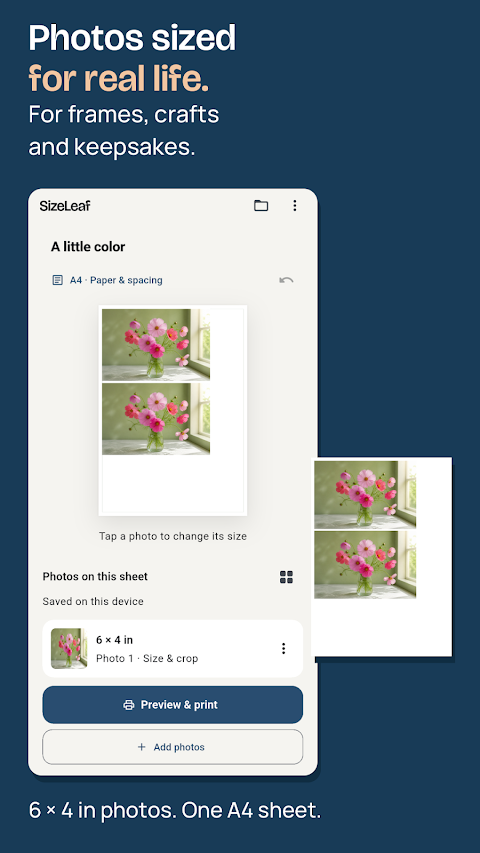
SizeLeaf: Photo Print Layouts is an easy-to-use app that helps you create beautiful photo layouts for various uses. Whether you need a picture frame, a scrapbook page design, or a small photo for a handmade card, SizeLeaf allows you to start with the size you need and prepare a print sheet that is ready for use.
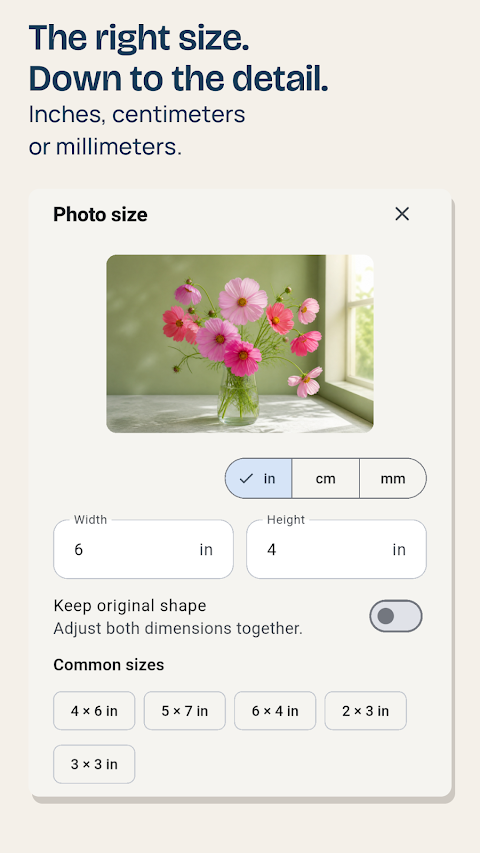
With SizeLeaf, you can arrange photos on paper with precise dimensions. You can choose your photos and set their sizes in inches, centimeters, or millimeters. The app offers excellent photo arrangement software that allows you to compile these images into a PDF export feature, making it simple to share or print your creations. Every tool you need is available all in one purchase, so there is no need for in-app purchases or subscriptions.
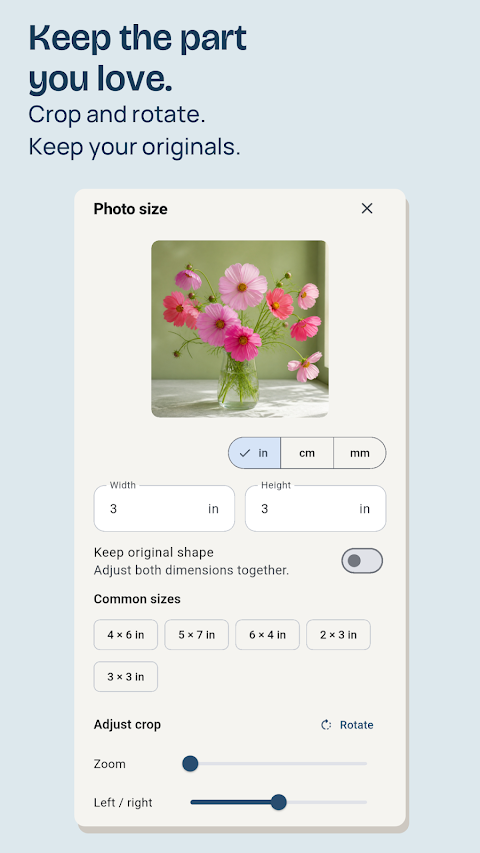
One of the standout features of SizeLeaf is its flexibility. You can use familiar photo sizes or enter custom photo sizes that fit your needs. The app includes helpful photo cropping tools and photo rotation features, allowing you to adjust your images without changing the originals saved in your photo library. Before printing, you can also see resolution guidance to ensure your photos look great.
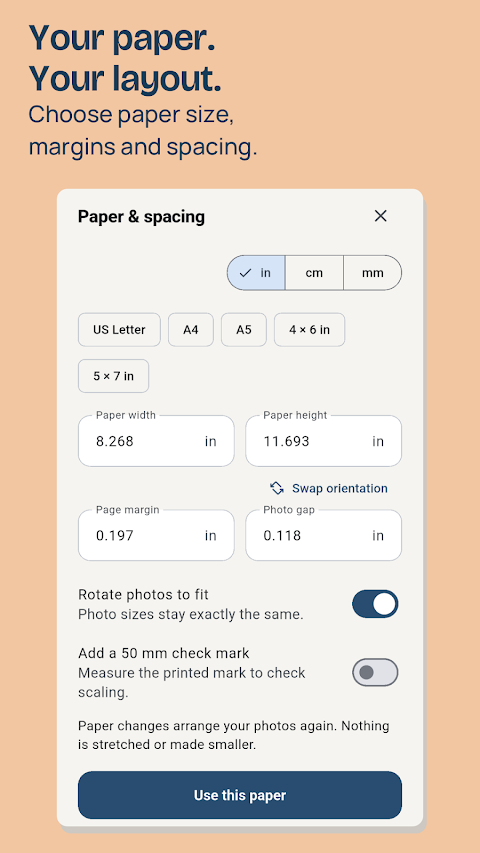
When it comes to using your paper efficiently, SizeLeaf excels. You can choose a paper size and define your margin and spacing settings. The app helps you arrange multiple photo sizes on the same sheet or lets you adjust the positions of your photos as you see fit. This page arrangement flexibility means you can create beautiful layouts that fit your specific needs.
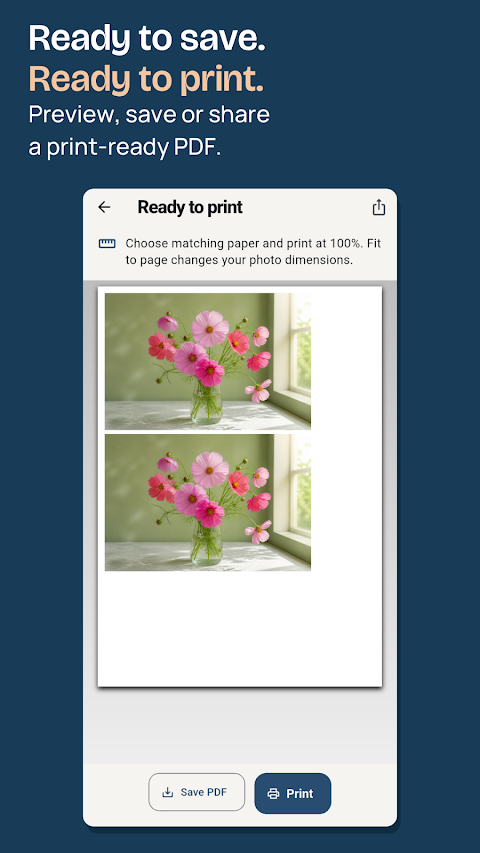
After you’ve designed your layout, SizeLeaf makes it easy to save, share, or print. You can preview your sheet, save a PDF to your chosen destination, or share it through another app. The print dialog access feature allows you to print directly from the app. For extra accuracy, the app includes a print size verification option with a 50 mm check mark to help you confirm the size of your prints on paper.
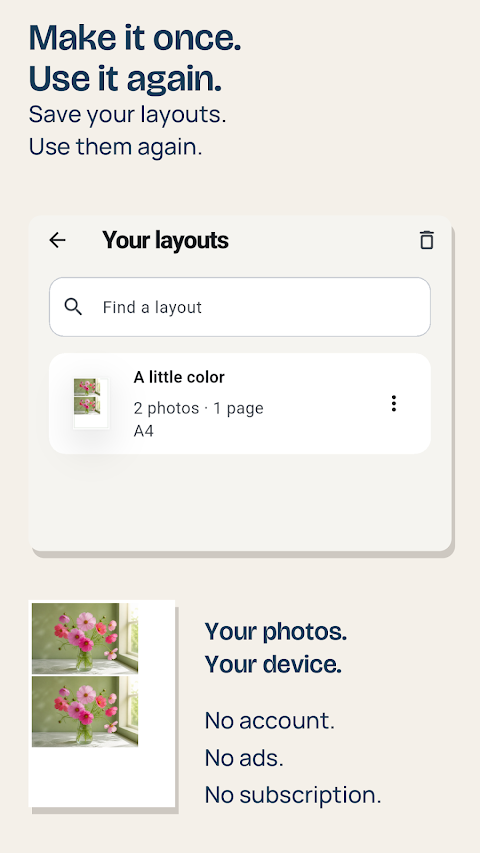
SizeLeaf also prioritizes user experience with its saved layouts management. The app keeps your photos and editing settings together, so you can quickly come back to your work. You can easily search your library, make copies of saved layouts, or use backup and restore options if you accidentally remove a layout. This ensures that your projects are never lost.
Accessibility features are integrated into SizeLeaf as well. The measurement fields clearly show values and units for easy understanding. Switches within the app indicate their state, and important print-quality guidance and validation messages are communicated in text, ensuring that key information is clear and doesn’t rely solely on color.
Local storage security is an essential aspect of SizeLeaf. The core app works offline, meaning you don’t need a SizeLeaf account, and there are no ads or analytics SDKs to worry about. Your imported photo copies and layouts are stored locally on your device, giving you full control over where your exported files and backups go.
SizeLeaf supports up to 40 photos and 200 photo copies in one layout, providing great versatility for your projects. If you have photos stored only in a cloud library, remember that they may need to download before import. Keep in mind that your printer's paper, margin, and scaling settings will affect the final printed size. Be sure to use the actual size or 100% printing option and check the calibration mark before making important prints.
In summary, SizeLeaf: Photo Print Layouts is a powerful tool for anyone looking to create custom photo print layouts. Whether you're working on a scrapbook, a card, or just want to arrange photos to print out, the app’s user-friendly interface and comprehensive features make it an excellent choice for all your photo arrangement needs.
With SizeLeaf, you can arrange photos on paper with precise dimensions. You can choose your photos and set their sizes in inches, centimeters, or millimeters. The app offers excellent photo arrangement software that allows you to compile these images into a PDF export feature, making it simple to share or print your creations. Every tool you need is available all in one purchase, so there is no need for in-app purchases or subscriptions.
One of the standout features of SizeLeaf is its flexibility. You can use familiar photo sizes or enter custom photo sizes that fit your needs. The app includes helpful photo cropping tools and photo rotation features, allowing you to adjust your images without changing the originals saved in your photo library. Before printing, you can also see resolution guidance to ensure your photos look great.
When it comes to using your paper efficiently, SizeLeaf excels. You can choose a paper size and define your margin and spacing settings. The app helps you arrange multiple photo sizes on the same sheet or lets you adjust the positions of your photos as you see fit. This page arrangement flexibility means you can create beautiful layouts that fit your specific needs.
After you’ve designed your layout, SizeLeaf makes it easy to save, share, or print. You can preview your sheet, save a PDF to your chosen destination, or share it through another app. The print dialog access feature allows you to print directly from the app. For extra accuracy, the app includes a print size verification option with a 50 mm check mark to help you confirm the size of your prints on paper.
SizeLeaf also prioritizes user experience with its saved layouts management. The app keeps your photos and editing settings together, so you can quickly come back to your work. You can easily search your library, make copies of saved layouts, or use backup and restore options if you accidentally remove a layout. This ensures that your projects are never lost.
Accessibility features are integrated into SizeLeaf as well. The measurement fields clearly show values and units for easy understanding. Switches within the app indicate their state, and important print-quality guidance and validation messages are communicated in text, ensuring that key information is clear and doesn’t rely solely on color.
Local storage security is an essential aspect of SizeLeaf. The core app works offline, meaning you don’t need a SizeLeaf account, and there are no ads or analytics SDKs to worry about. Your imported photo copies and layouts are stored locally on your device, giving you full control over where your exported files and backups go.
SizeLeaf supports up to 40 photos and 200 photo copies in one layout, providing great versatility for your projects. If you have photos stored only in a cloud library, remember that they may need to download before import. Keep in mind that your printer's paper, margin, and scaling settings will affect the final printed size. Be sure to use the actual size or 100% printing option and check the calibration mark before making important prints.
In summary, SizeLeaf: Photo Print Layouts is a powerful tool for anyone looking to create custom photo print layouts. Whether you're working on a scrapbook, a card, or just want to arrange photos to print out, the app’s user-friendly interface and comprehensive features make it an excellent choice for all your photo arrangement needs.
Ultra Zoom Camera HD
MIAMI LOGIC LLC
$2.99

Slideshow Maker Pro
CloudEx Inc.
$2.99
FREE

Light Meter X – Lux Exposure
WuxiangSoft
$2.49