
$1.99
$0.99
50% Off
Session Notes AU
Christian Thompson


About the App
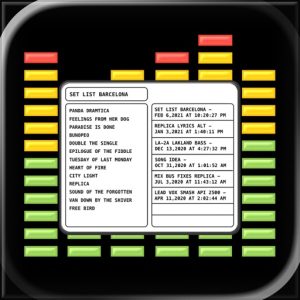
Session Notes AU is an app that helps you keep all your important notes together while you work on your music. It fits right into your DAW workflow, which is where you track, edit, rehearse, and mix your tracks. With Session Notes AU, you can manage your lyrics, production reminders, mix notes, and session notes without needing to switch to a separate notes app. This keeps your writing and your music work in one convenient place.
The latest update, Version 2.0, makes Session Notes AU even better for your production needs. It comes with more advanced writing tools, improved note navigation, and a flexible editor layout that makes taking notes easier and safer. This means you can focus on your real session work without distractions.
With features designed to enhance your writing experience, you can keep your notes right inside your DAW workflow. You can quickly switch between the note browser and the active note. The polished note browser provides clearer active-note focus, making it simpler to find what you need. The editor and note list can easily be resized with a drag handle so you can create a comfortable workspace.
Session Notes AU supports Markdown-aware writing, which means your notes can be formatted easily. It includes keyboard accessory tools to help with lists, checklists, links, undo, redo, and finding information within your notes. In-note find comes with live match highlighting, so you can see search results right away. You can also track your progress with live document stats as you write.
Safety is a priority with Version 2.0. The app includes automatic iCloud sync, ensuring that your notes are safely stored across your devices. If you want more control, you can also choose manual sync. You can back up your notes to the Files App, and if you ever need them, restoring from backup is straightforward. This makes for a much safer writing flow, especially when working on important projects.
Additionally, Session Notes AU includes a standalone app, as well as an AUv3 plug-in workflow. You can easily save your notes or use the "Save As New Note" feature. Sharing notes, deleting, and reordering your notes is simple. The app offers multiple themes to suit different studio environments, and you can control the font and size for browser text, note body text, and title text separately.
Session Notes AU also features a comprehensive built-in manual to guide you through all its tools. This app is perfect for musicians, producers, engineers, and performers who desire a seamless way to integrate notes into their sessions. With all these features, Session Notes AU helps you keep your notes as a natural part of your creative process, rather than feeling like just another app to manage.
The latest update, Version 2.0, makes Session Notes AU even better for your production needs. It comes with more advanced writing tools, improved note navigation, and a flexible editor layout that makes taking notes easier and safer. This means you can focus on your real session work without distractions.
With features designed to enhance your writing experience, you can keep your notes right inside your DAW workflow. You can quickly switch between the note browser and the active note. The polished note browser provides clearer active-note focus, making it simpler to find what you need. The editor and note list can easily be resized with a drag handle so you can create a comfortable workspace.
Session Notes AU supports Markdown-aware writing, which means your notes can be formatted easily. It includes keyboard accessory tools to help with lists, checklists, links, undo, redo, and finding information within your notes. In-note find comes with live match highlighting, so you can see search results right away. You can also track your progress with live document stats as you write.
Safety is a priority with Version 2.0. The app includes automatic iCloud sync, ensuring that your notes are safely stored across your devices. If you want more control, you can also choose manual sync. You can back up your notes to the Files App, and if you ever need them, restoring from backup is straightforward. This makes for a much safer writing flow, especially when working on important projects.
Additionally, Session Notes AU includes a standalone app, as well as an AUv3 plug-in workflow. You can easily save your notes or use the "Save As New Note" feature. Sharing notes, deleting, and reordering your notes is simple. The app offers multiple themes to suit different studio environments, and you can control the font and size for browser text, note body text, and title text separately.
Session Notes AU also features a comprehensive built-in manual to guide you through all its tools. This app is perfect for musicians, producers, engineers, and performers who desire a seamless way to integrate notes into their sessions. With all these features, Session Notes AU helps you keep your notes as a natural part of your creative process, rather than feeling like just another app to manage.

Rhino – Guitar Amp Sim
Aurora DSP
$8.99
$5.99

FabFilter Timeless 3
FabFilter
$24.99
$17.99

NuRack Auv3 FX Processor
4Pockets.com
$12.99
$7.99