
$9.99
$0.99
90% Off
Screen Mirroring+ for Roku
Kraus und Karnath GbR 2Kit Consulting

About the App
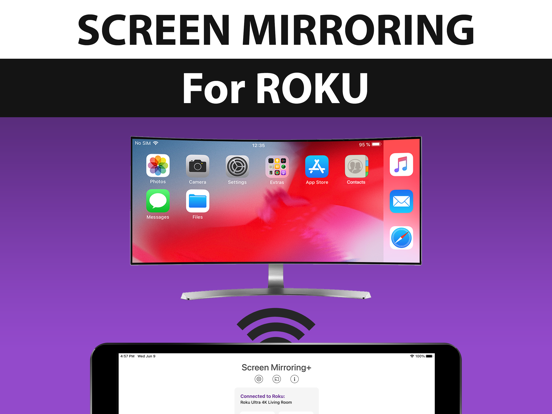
Screen Mirroring+ for Roku is a user-friendly app designed to help you share your iPhone or iPad screen on your Roku Streaming Player, Roku Stick, or Roku TV. This app provides an advanced screen mirroring solution that offers zero delay and excellent screen quality, making it easy to enjoy your content on a larger display.
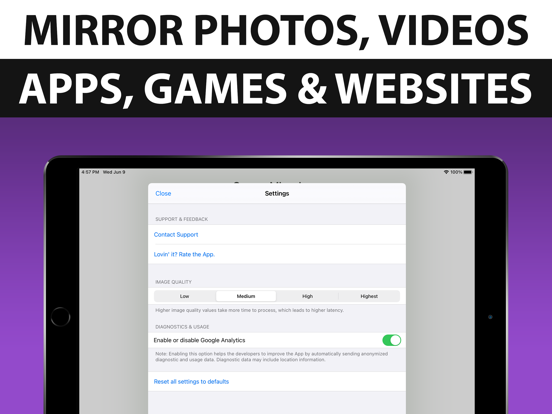
With Screen Mirroring+, you can mirror photos, videos, games, websites, apps, presentations, documents, and spreadsheets directly to your Roku device. Whether you want to showcase family moments or work on a presentation, this app covers a wide range of needs.
To use Screen Mirroring+, your iPhone or iPad and your Roku must be connected to the same Wi-Fi network. It's important to avoid using VPNs, proxies, VLANs, and subnets while using the app for the best experience. When your network conditions are good, you'll experience low latency mirroring with a delay of less than one second.
Screen Mirroring+ supports a variety of Roku devices. This includes popular models like the Roku Ultra, Roku Express, Roku Premiere, Roku 2, Roku 3, Roku 4, Roku HD (2500), and Roku LT (2400+2450) Player. Make sure your Roku firmware is version 5.1 or later for optimal performance.
When it comes to supported Roku TVs, you can use Screen Mirroring+ with Hisense, Sharp, TCL, Insignia, Hitachi, Philips, Element, JVC, Metz, Coocaa, Westinghouse, and Onn TV models. However, be aware that not all Roku players are supported. Classic models, such as Roku N1000, N1050, N1100, N1101 and others like Roku 2000, 2050, 2100, Telstra TV, and NOW TV Stick & Box are not compatible with the app.
Sometimes, users may run into black screen issues when trying to mirror content from certain third-party apps like Netflix and Disney+. This is due to restrictions set by those services, which means you may only see a black screen if you try to mirror them. Unfortunately, these restrictions are beyond our control.
One of the great aspects of Screen Mirroring+ is that there are no hidden subscriptions or costs involved. You can enjoy all the features of the app without worrying about surprise fees.
If you enjoy using Screen Mirroring+ and appreciate our efforts to keep improving it, we kindly ask you to leave a positive rating on the App Store. Your feedback means a lot to our development and support team.
Please note that this app is not affiliated with Roku or any of its products. ROKU, the ROKU Logo, ROKU READY, and other related terms are trademarks of Roku, Inc. in the United States and other countries. By downloading Screen Mirroring+, you are agreeing to these terms and can look forward to an enriching screen mirroring experience.
With Screen Mirroring+, you can mirror photos, videos, games, websites, apps, presentations, documents, and spreadsheets directly to your Roku device. Whether you want to showcase family moments or work on a presentation, this app covers a wide range of needs.
To use Screen Mirroring+, your iPhone or iPad and your Roku must be connected to the same Wi-Fi network. It's important to avoid using VPNs, proxies, VLANs, and subnets while using the app for the best experience. When your network conditions are good, you'll experience low latency mirroring with a delay of less than one second.
Screen Mirroring+ supports a variety of Roku devices. This includes popular models like the Roku Ultra, Roku Express, Roku Premiere, Roku 2, Roku 3, Roku 4, Roku HD (2500), and Roku LT (2400+2450) Player. Make sure your Roku firmware is version 5.1 or later for optimal performance.
When it comes to supported Roku TVs, you can use Screen Mirroring+ with Hisense, Sharp, TCL, Insignia, Hitachi, Philips, Element, JVC, Metz, Coocaa, Westinghouse, and Onn TV models. However, be aware that not all Roku players are supported. Classic models, such as Roku N1000, N1050, N1100, N1101 and others like Roku 2000, 2050, 2100, Telstra TV, and NOW TV Stick & Box are not compatible with the app.
Sometimes, users may run into black screen issues when trying to mirror content from certain third-party apps like Netflix and Disney+. This is due to restrictions set by those services, which means you may only see a black screen if you try to mirror them. Unfortunately, these restrictions are beyond our control.
One of the great aspects of Screen Mirroring+ is that there are no hidden subscriptions or costs involved. You can enjoy all the features of the app without worrying about surprise fees.
If you enjoy using Screen Mirroring+ and appreciate our efforts to keep improving it, we kindly ask you to leave a positive rating on the App Store. Your feedback means a lot to our development and support team.
Please note that this app is not affiliated with Roku or any of its products. ROKU, the ROKU Logo, ROKU READY, and other related terms are trademarks of Roku, Inc. in the United States and other countries. By downloading Screen Mirroring+, you are agreeing to these terms and can look forward to an enriching screen mirroring experience.
Deflection Pro
Blue Ketchep
$34.99
$19.99
EE ToolKit PRO
Thomas Gruber
$9.99
$6.99
Be Focused Pro – Focus Timer
Denys Ievenko
$19.99
$11.99