

$2.99
FREE
100% Off
Recent Contacts Timeline
Adam Bardon

About the App
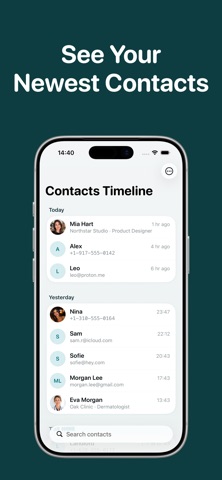
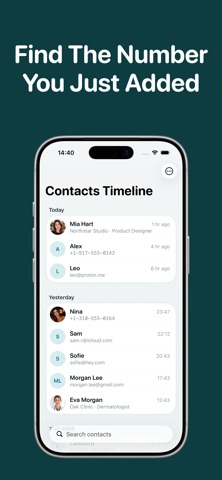
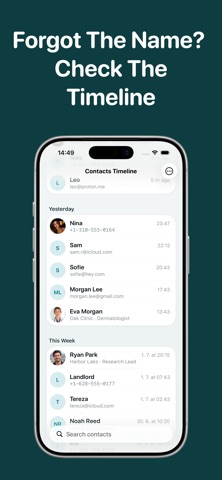
Recent Contacts Timeline helps you find your newest contacts quickly. This contact management tool transforms your address book into a clean timeline view. Each contact is organized by the date they were added. You will see recently added contacts at the top, making it simple to find someone you just saved. Contacts are grouped by dates like Today, Yesterday, This Week, and older dates.
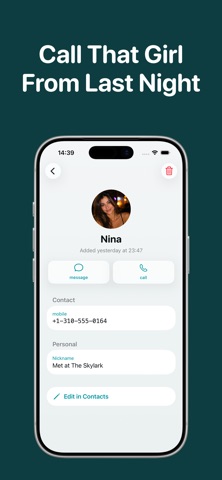
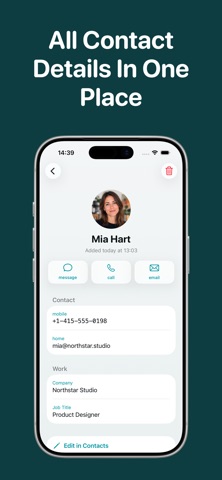
When you open any contact, you can see all the details you need. This includes phone numbers, email address storage, company information, job title management, birthday reminders, and even photos. From each contact, you can easily make a call, send a message, email, or copy the contact info in just one tap. If you need to make any changes, you can open the contact in the system contacts app integration for editing or delete it if necessary.
Recent Contacts Timeline is perfect for those times when the regular Contacts app makes you search by name, but you remember when you met someone. The timeline grouping method allows you to keep track of who you met and when.
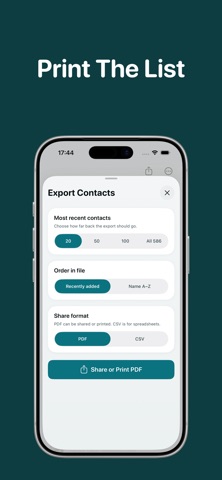
One of the best features is the fast contact search, which lets you pull up contacts in no time. The user-friendly contact display makes navigating through your contacts straightforward. You can also export contacts as PDF or CSV, allowing you to sort contacts by date or by name. After sorting, you can easily share contact information, save contact details, or even print contacts lists for your convenience.
This app has a native iOS design, so it fits seamlessly into your device without needing any additional accounts. It's designed to make organizing recent contacts easier, providing quick access to everything you need. Whether you require phone number accessibility or want to manage historical contacts, Recent Contacts Timeline simplifies your contact experience. It’s the perfect tool for meeting follow-up contacts and ensuring you keep everything neatly organized.
When you open any contact, you can see all the details you need. This includes phone numbers, email address storage, company information, job title management, birthday reminders, and even photos. From each contact, you can easily make a call, send a message, email, or copy the contact info in just one tap. If you need to make any changes, you can open the contact in the system contacts app integration for editing or delete it if necessary.
Recent Contacts Timeline is perfect for those times when the regular Contacts app makes you search by name, but you remember when you met someone. The timeline grouping method allows you to keep track of who you met and when.
One of the best features is the fast contact search, which lets you pull up contacts in no time. The user-friendly contact display makes navigating through your contacts straightforward. You can also export contacts as PDF or CSV, allowing you to sort contacts by date or by name. After sorting, you can easily share contact information, save contact details, or even print contacts lists for your convenience.
This app has a native iOS design, so it fits seamlessly into your device without needing any additional accounts. It's designed to make organizing recent contacts easier, providing quick access to everything you need. Whether you require phone number accessibility or want to manage historical contacts, Recent Contacts Timeline simplifies your contact experience. It’s the perfect tool for meeting follow-up contacts and ensuring you keep everything neatly organized.

Summit Watch Face
amoledwatchfaces™
$1.79
$0.90

MCBackup Pro – Contacts Backup
Ravi Kotadiya
$3.99

Length Converter
Anna Filobok
$1.99