

$1.29
$0.19
85% Off
PurpleLine Icon Pack : LineX
JustNewDesigns




About the App
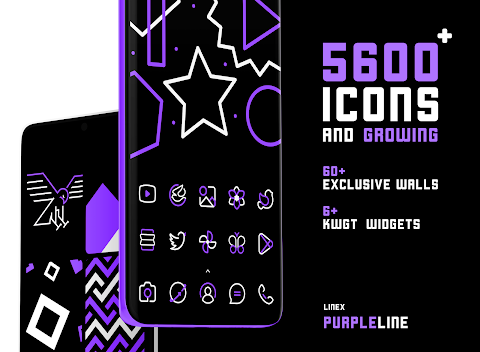
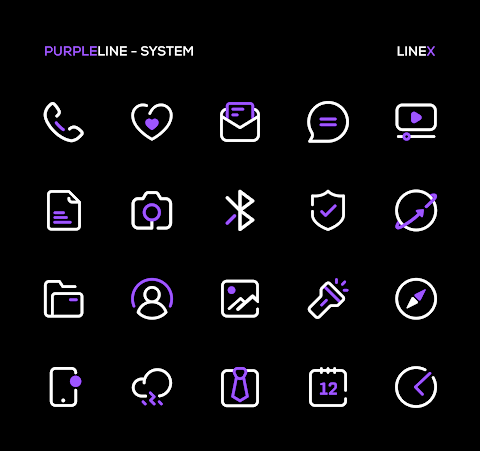
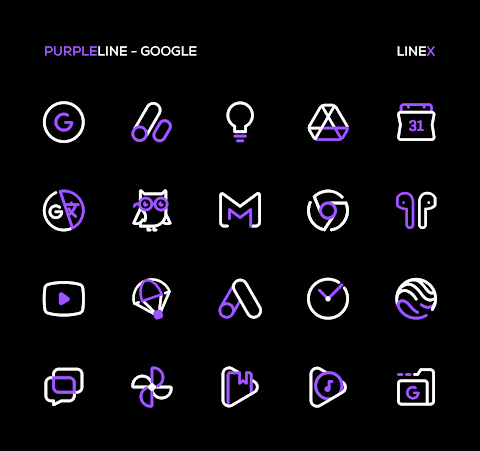
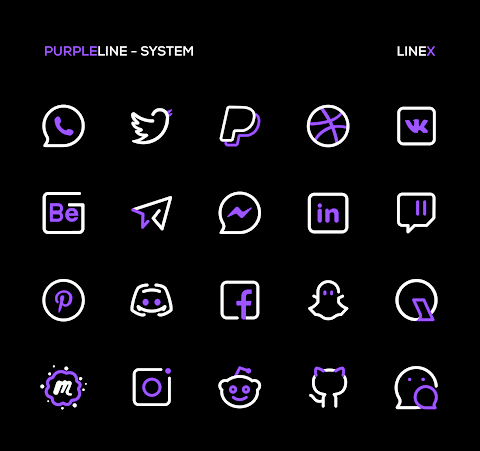
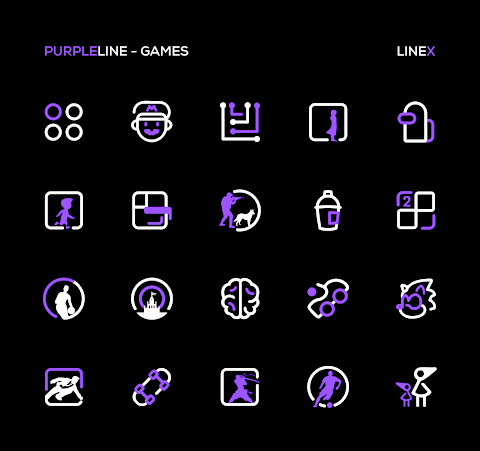
Discover the beauty of the PurpleLine Icon Pack, a unique way to bring color and creativity to your mobile experience. With over 5600 icons and a collection of high-quality wallpapers, this linear style icon pack is crafted to elevate your device's interface. Each icon is carefully designed, offering a seamless blend of creativity and aesthetics that can enhance the look of your phone.
Many people check their devices more than 50 times a day, so why not make each of those moments special? With the PurpleLine Icon Pack, you can enjoy a fresh and beautiful look every time you use your phone. The pack is still new, and you can expect frequent updates that will add even more icons.
The PurpleLine Icon Pack stands out for its top-notch quality and excellent features. You'll find a perfect masking system to help with unthemed icons and a variety of alternative icons to choose from. Additionally, this pack comes with an amazing wall collection that complements the icons beautifully.
When using the PurpleLine Icon Pack, it's recommended to use a supported theme launcher, like Nova Launcher. Setting icon normalization to off in the Nova Launcher settings and adjusting the icon size to 100% - 120% will give you the best results. Other supported launchers include Action Launcher, Apex Launcher, ADW Launcher, and GO Launcher, among others. The compatibility is broad, so you can find a launcher that works well for you.
The PurpleLine Icon Pack also includes other features like icon preview and search, a dynamic calendar, and a material dashboard. You can enjoy custom folder icons and category-based icons, making it easy to organize your apps. The customizable app drawer icons allow you to personalize your device further, and the easy icon request feature lets you suggest new icons you’d like to see.
If you're still unsure, the PurpleLine Icon Pack comes with a user satisfaction guarantee. You can try it risk-free, as there's a 100% refund policy if you're not happy with your purchase. If you have any questions or need support, you can easily reach out via email.
To get started using the PurpleLine Icon Pack, first, install a supported theme launcher. Then, simply open the app and go to the apply section to choose your launcher. If your launcher isn't listed, you can also apply the icons through your launcher settings.
Keep in mind that to use this icon pack, a compatible launcher is necessary. The Google Now Launcher does not support any icon packs. If a specific icon is missing, feel free to send an icon request, and the developer will do their best to update the pack.
Experience the art of customization with the PurpleLine Icon Pack and transform your mobile interface into a masterpiece that reflects your personality.
Many people check their devices more than 50 times a day, so why not make each of those moments special? With the PurpleLine Icon Pack, you can enjoy a fresh and beautiful look every time you use your phone. The pack is still new, and you can expect frequent updates that will add even more icons.
The PurpleLine Icon Pack stands out for its top-notch quality and excellent features. You'll find a perfect masking system to help with unthemed icons and a variety of alternative icons to choose from. Additionally, this pack comes with an amazing wall collection that complements the icons beautifully.
When using the PurpleLine Icon Pack, it's recommended to use a supported theme launcher, like Nova Launcher. Setting icon normalization to off in the Nova Launcher settings and adjusting the icon size to 100% - 120% will give you the best results. Other supported launchers include Action Launcher, Apex Launcher, ADW Launcher, and GO Launcher, among others. The compatibility is broad, so you can find a launcher that works well for you.
The PurpleLine Icon Pack also includes other features like icon preview and search, a dynamic calendar, and a material dashboard. You can enjoy custom folder icons and category-based icons, making it easy to organize your apps. The customizable app drawer icons allow you to personalize your device further, and the easy icon request feature lets you suggest new icons you’d like to see.
If you're still unsure, the PurpleLine Icon Pack comes with a user satisfaction guarantee. You can try it risk-free, as there's a 100% refund policy if you're not happy with your purchase. If you have any questions or need support, you can easily reach out via email.
To get started using the PurpleLine Icon Pack, first, install a supported theme launcher. Then, simply open the app and go to the apply section to choose your launcher. If your launcher isn't listed, you can also apply the icons through your launcher settings.
Keep in mind that to use this icon pack, a compatible launcher is necessary. The Google Now Launcher does not support any icon packs. If a specific icon is missing, feel free to send an icon request, and the developer will do their best to update the pack.
Experience the art of customization with the PurpleLine Icon Pack and transform your mobile interface into a masterpiece that reflects your personality.

Galaxy Widgets: One UI
AppsLab Co.
$1.99
$1.23

Darkonis – Icon Pack
PhunktasticDesigns
$1.49
$0.75
Analog Origins: Minimal Watch
Rayan's
$0.99
$0.50