
$9.99
$1.00
90% Off
Pixel Launcher • Home Screen
The Overlord


About the App
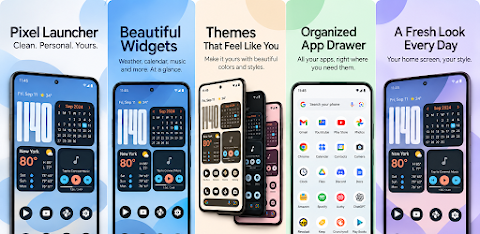
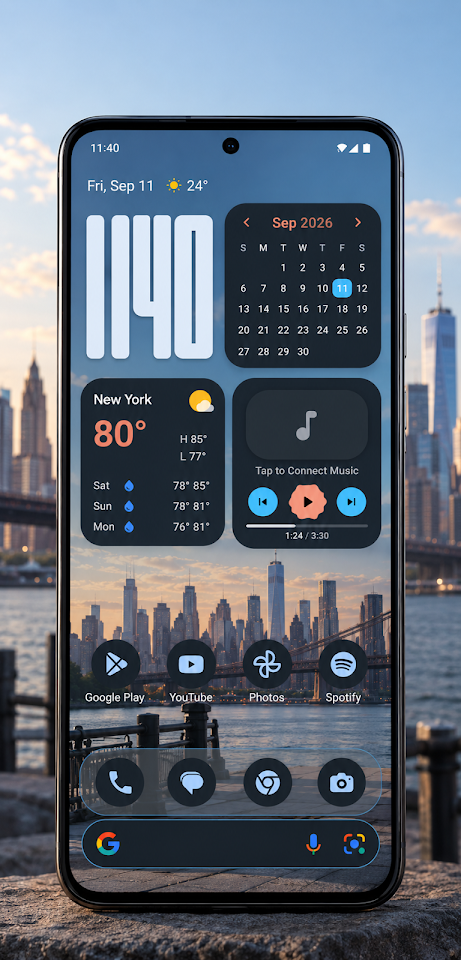
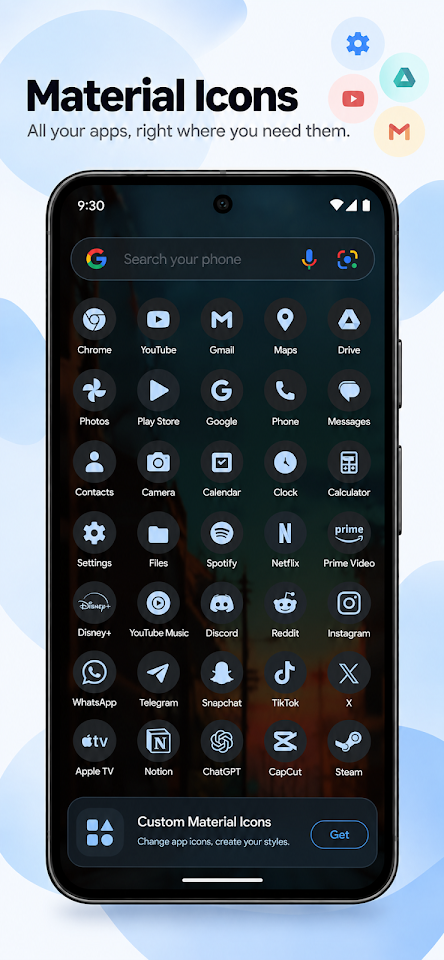
Transform your Android device with the clean, fast, and elegant Google Pixel home screen using Pixel Launcher. You don't need to be rooted to enjoy a true Pixel experience. This app combines a clutter-free design with modern Android 14/15 features, including Material You dynamic theming, fluid transitions, and a range of rich personalization options.
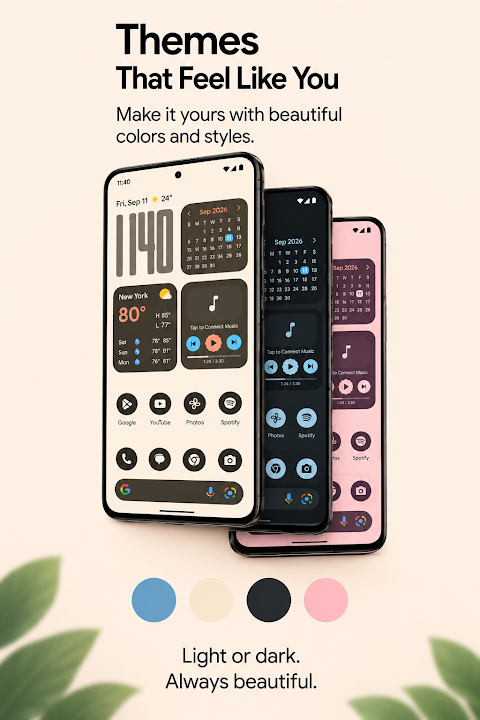
With Pixel Launcher, you can enjoy Material You dynamic theming that brings harmonious colors directly from your wallpaper. This creates a smooth and visually appealing interface. The app also supports system-wide themed icons, allowing you to customize your icon scale for a look that's entirely your own. For those who prefer a dark theme, the AMOLED dark mode provides a beautiful high contrast display while saving battery life.
Navigating your apps is simple with the unified Pixel search bar, which makes finding installed apps, web queries, and even voice searches easy. This search bar transitions seamlessly between your desktop and app drawer, enhancing your overall user experience. You can also customize the sizing and placement of your dock search bar to suit your preferences.
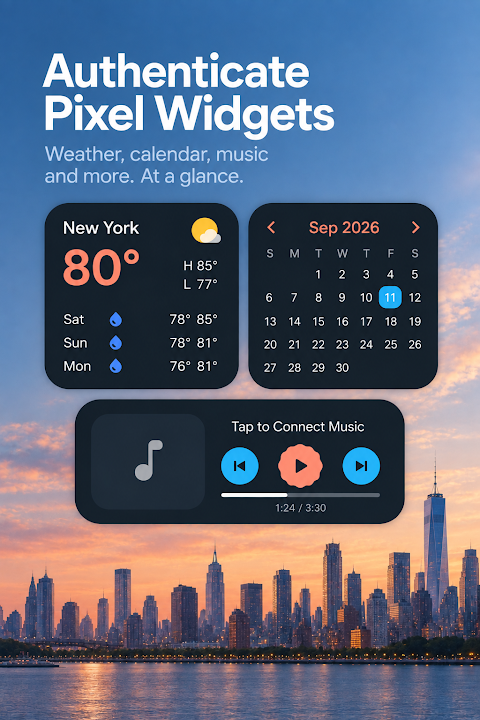
Pixel Launcher features a responsive desktop that supports interactive widgets. It includes full Android widget support, with 4-way precision resizing to make managing your home screen easy. You’ll find quick-resize steppers and dimension indicators, allowing you to adjust widget sizes effortlessly, from 1x1 to 4x5. Plus, the clean widget deletion and rearrangement options ensure that your desktop stays tidy. The multi-page desktop allows for horizontal wallpaper parallax, giving your home screen a dynamic feel.
When it comes to your apps, the intuitive app drawer allows a smooth pull-up gesture to reveal your entire collection. You can choose between traditional vertical scrolling or classic horizontal page scrolling, depending on what you prefer. If you have private apps, you can choose to hide them or even customize app labels and icon shapes for a personal touch. The categorical tab management feature helps keep your workflow organized.
Pixel Launcher is designed to be lightweight and fast, operating with a low memory footprint for quick app launches. There’s no bloatware or intrusive tracking, and you don’t need root access to enjoy all its features. You can also enable the desktop lock option to prevent any accidental repositioning of your icons. For those who love personalization, the native live wallpaper support enhances your experience with apps like Muzei and others.
Privacy is a top priority with Pixel Launcher. This is a privacy-focused launcher that doesn’t collect or sell your personal data. Everything runs locally on your device, ensuring your information remains secure while you enjoy peak performance.
Download Pixel Launcher today to give your phone a clean, modern, and beautiful stock Pixel look. With features like dynamic color integration and a battery-friendly home screen, you’ll elevate your device to a new level of personalization and functionality. Enjoy a clutter-free Pixel experience that’s tailored just for you.
With Pixel Launcher, you can enjoy Material You dynamic theming that brings harmonious colors directly from your wallpaper. This creates a smooth and visually appealing interface. The app also supports system-wide themed icons, allowing you to customize your icon scale for a look that's entirely your own. For those who prefer a dark theme, the AMOLED dark mode provides a beautiful high contrast display while saving battery life.
Navigating your apps is simple with the unified Pixel search bar, which makes finding installed apps, web queries, and even voice searches easy. This search bar transitions seamlessly between your desktop and app drawer, enhancing your overall user experience. You can also customize the sizing and placement of your dock search bar to suit your preferences.
Pixel Launcher features a responsive desktop that supports interactive widgets. It includes full Android widget support, with 4-way precision resizing to make managing your home screen easy. You’ll find quick-resize steppers and dimension indicators, allowing you to adjust widget sizes effortlessly, from 1x1 to 4x5. Plus, the clean widget deletion and rearrangement options ensure that your desktop stays tidy. The multi-page desktop allows for horizontal wallpaper parallax, giving your home screen a dynamic feel.
When it comes to your apps, the intuitive app drawer allows a smooth pull-up gesture to reveal your entire collection. You can choose between traditional vertical scrolling or classic horizontal page scrolling, depending on what you prefer. If you have private apps, you can choose to hide them or even customize app labels and icon shapes for a personal touch. The categorical tab management feature helps keep your workflow organized.
Pixel Launcher is designed to be lightweight and fast, operating with a low memory footprint for quick app launches. There’s no bloatware or intrusive tracking, and you don’t need root access to enjoy all its features. You can also enable the desktop lock option to prevent any accidental repositioning of your icons. For those who love personalization, the native live wallpaper support enhances your experience with apps like Muzei and others.
Privacy is a top priority with Pixel Launcher. This is a privacy-focused launcher that doesn’t collect or sell your personal data. Everything runs locally on your device, ensuring your information remains secure while you enjoy peak performance.
Download Pixel Launcher today to give your phone a clean, modern, and beautiful stock Pixel look. With features like dynamic color integration and a battery-friendly home screen, you’ll elevate your device to a new level of personalization and functionality. Enjoy a clutter-free Pixel experience that’s tailored just for you.
iDark OS Icon Pack
PizzApp Design
$0.99
$0.69
Vibe Watch Face
amoledwatchfaces™
$0.99
$0.59
TAG HEUER CALIBRE Watch Face
LIBERTY WATCH FACES™
$0.99
$0.29