

$1.49
$0.75
50% Off
PixChroma Icons and Widgets
PashaPuma Design




About the App
Discover a new way to customize your Android device with PixChroma Icons and Widgets. This app offers a fresh take on Android customization, inspired by the latest design language used in Google services. With its blend of minimalist linear design and vibrant chroma gradients, PixChroma transforms your home screen into a visually stunning space.
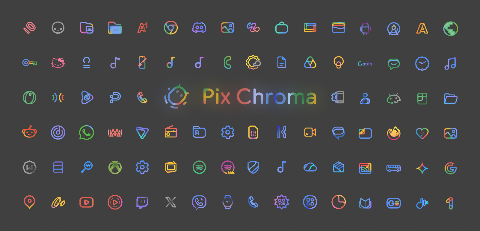
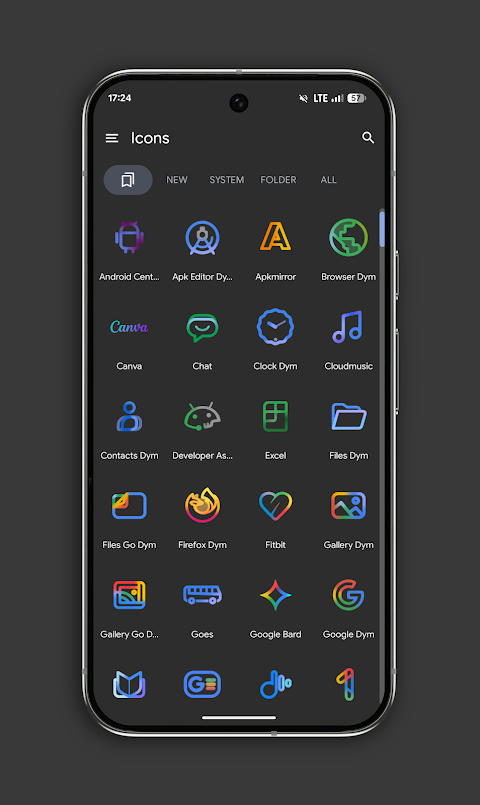
One of the standout features of PixChroma is its massive library of icons. With over 27,500 high-quality icons available, it covers nearly every app you use. Each icon is created with attention to detail, giving your device a clean, premium feel. The app also showcases unique color palettes that include a soft glowing effect, adding more character to your home screen.
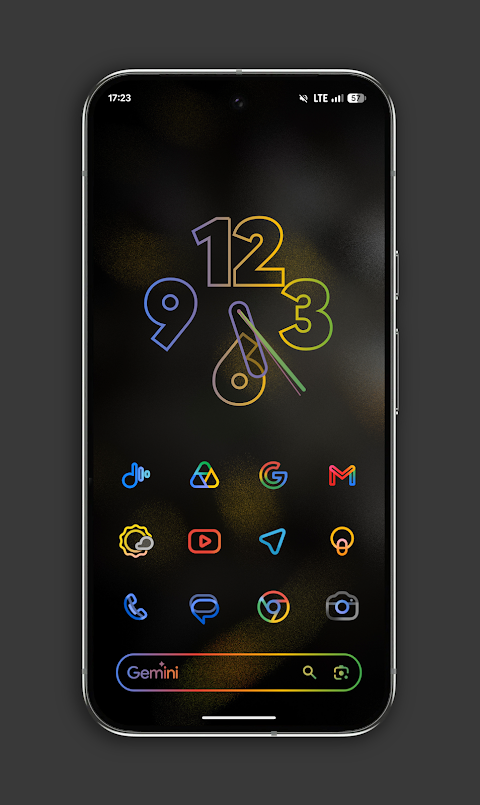
In addition to icons, PixChroma includes widgets in its beta version. Right now, you can access a stylish clock widget and a Gemini-style search bar, both designed to enhance your home screen experience. The app is always improving, with frequent updates bringing new icons and widgets to keep your customization options fresh.
Currently, you’ll find more than 27,500 icons and exclusive wallpapers that match the Chroma style perfectly. If you can’t find a specific app icon, you can easily make an icon request. This feature ensures that your customization remains personalized and tailored to your needs.
PixChroma has excellent launcher support. It works seamlessly with popular launchers like Nova Launcher, Lawnchair Launcher, Smart Launcher, Niagara Launcher, Hyperion Launcher, Samsung (with Theme Park), OnePlus integration, and more. This flexibility means you can enjoy your customized experience regardless of your preferred launcher.
For users with Android 12 and above, the widget options include the Chroma Clock widget, which offers both analog and digital timepieces for convenience. The search bar widget provides a futuristic search interface, inspired by AI designs. There are plans to expand this feature with weather widgets, calendar widgets, and system info widgets in the near future.
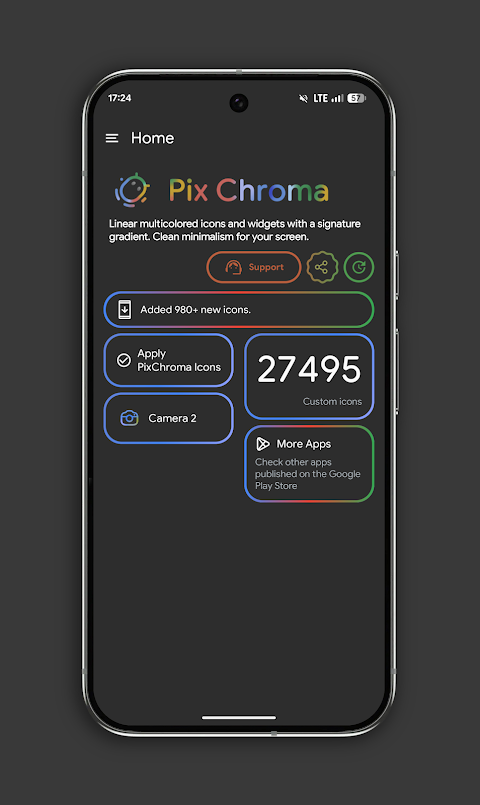
Setting up PixChroma is simple. Just follow these steps: install a supported launcher, open PixChroma, go to the Apply section, and select your launcher. In just a few moments, you can enjoy an exciting home screen transformation.
If you have any questions or feedback, feel free to reach out through the technical support option available via Telegram. With PixChroma Icons and Widgets, the opportunities to personalize your Android device are endless.
One of the standout features of PixChroma is its massive library of icons. With over 27,500 high-quality icons available, it covers nearly every app you use. Each icon is created with attention to detail, giving your device a clean, premium feel. The app also showcases unique color palettes that include a soft glowing effect, adding more character to your home screen.
In addition to icons, PixChroma includes widgets in its beta version. Right now, you can access a stylish clock widget and a Gemini-style search bar, both designed to enhance your home screen experience. The app is always improving, with frequent updates bringing new icons and widgets to keep your customization options fresh.
Currently, you’ll find more than 27,500 icons and exclusive wallpapers that match the Chroma style perfectly. If you can’t find a specific app icon, you can easily make an icon request. This feature ensures that your customization remains personalized and tailored to your needs.
PixChroma has excellent launcher support. It works seamlessly with popular launchers like Nova Launcher, Lawnchair Launcher, Smart Launcher, Niagara Launcher, Hyperion Launcher, Samsung (with Theme Park), OnePlus integration, and more. This flexibility means you can enjoy your customized experience regardless of your preferred launcher.
For users with Android 12 and above, the widget options include the Chroma Clock widget, which offers both analog and digital timepieces for convenience. The search bar widget provides a futuristic search interface, inspired by AI designs. There are plans to expand this feature with weather widgets, calendar widgets, and system info widgets in the near future.
Setting up PixChroma is simple. Just follow these steps: install a supported launcher, open PixChroma, go to the Apply section, and select your launcher. In just a few moments, you can enjoy an exciting home screen transformation.
If you have any questions or feedback, feel free to reach out through the technical support option available via Telegram. With PixChroma Icons and Widgets, the opportunities to personalize your Android device are endless.
Forte: Hybrid Watch Face
Active Design Watch Face
$1.99
$0.99

Asphalt – Dark Icon Pack
GomoTheGom
$1.49
$0.29

Olympia – Cartoon Icons Pack
GomoTheGom
$1.49
$0.79