

$1.99
$1.55
22% Off
Pix Material You Light/Dark
PashaPuma Design


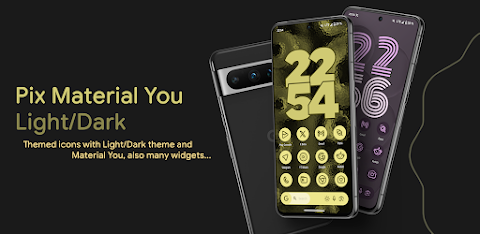
About the App
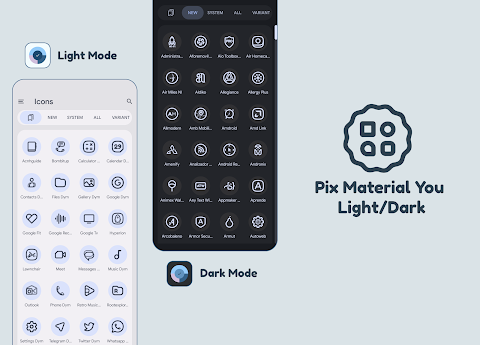
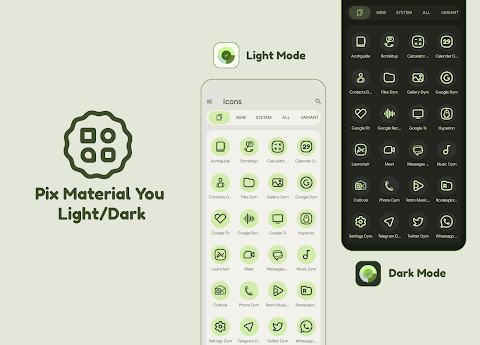
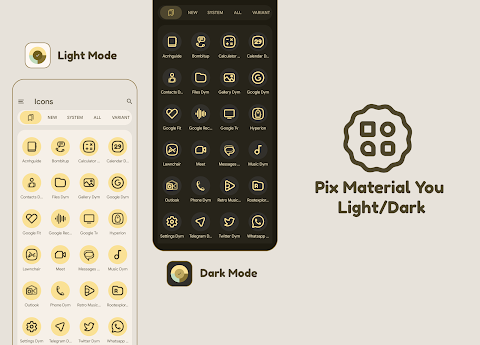
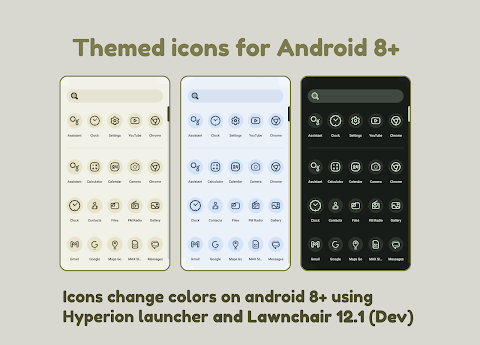
Pix Material You Light/Dark offers themed icons that work with custom launchers to enhance your Android device. These icons change colors based on your wallpaper and system accents. They also adapt to the device's light and dark mode settings, providing a seamless user experience. If you're using a stock launcher, there are instructions below on how to apply these icons as well.
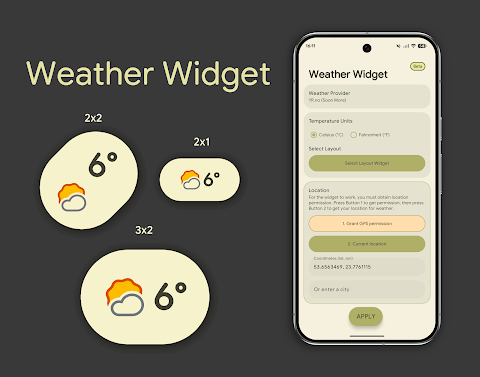
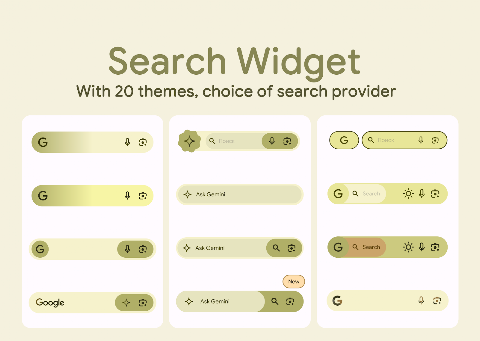
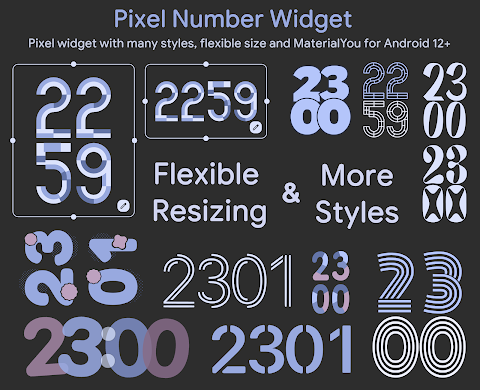
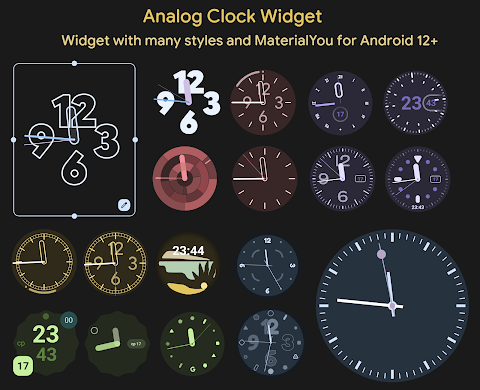
In this app, you will find over 26,000 adaptive icons that offer a dynamic look for your device. It also comes with themed widgets for Android 12+, including a weather widget with multiple styles, an analog clock widget, a search widget, a numbers clock widget, a date glance widget, and options for tablet users too. Additionally, you'll enjoy exclusive themed wallpapers that help personalize your home screen.
To use Pix Material You Light/Dark effectively, first, open the app to check your license. After that, you can customize your icons easily.
If you want to change icon colors automatically on devices running Android 8 or higher, you need to use the Lawnchair Launcher version 12.1 or higher. Simply activate "Themed Icons" for your home screen and app drawer. Alternatively, if you use Hyperion Launcher (in beta), you can set your color scheme by navigating to Hyperion > Colors > Theme and selecting your wallpaper color. Don’t forget to turn on themed icons in the iconography settings of Hyperion.
For devices running Android 12+, you can use any compatible launcher to change icon colors. However, remember that after changing your wallpaper or system accent, you will need to reapply the icon pack. If you use a launcher marked as “Change Colors Automatically,” this process can be easier.
Switching between light and dark modes is straightforward too. After changing your device’s theme, just reapply the icon pack, or choose another one and then select Pix Material You Light/Dark again, unless your launcher automatically handles color changes.
Additionally, if you want to customize the shape of your icons, adaptive icons will display different shapes based on your device model. For example, they might show as circles on some devices and as squircles on others. If your default launcher does not support this feature, you will need a custom launcher to enable it.
Please read the full description to understand how the app works. Remember to reapply your icon pack to change colors, except for launchers that change colors automatically.
For the best results, you may want to use launchers that reliably change colors:
- For Android 8+, try Lawnchair 12.1–14, Hyperion (Beta), Kvaesitso, or Smart Launcher (Beta).
- For Android 12+, options like Niagara Launcher, Nova Launcher (Beta 8.0.4+), AIO Launcher, Stario Launcher, and Pixel Launcher provide great support.
If you need to reapply icons after changing your wallpaper or accent on Android 12+, you can use Action Launcher, Ruthless Launcher, and others. For Stock One UI Launcher users, you can use Theme Park to change the color of your icons.
Should you have any issues, technical support is available via Telegram at the link provided. Get the most out of your Android device with Pix Material You Light/Dark and enjoy a beautifully customized experience.
In this app, you will find over 26,000 adaptive icons that offer a dynamic look for your device. It also comes with themed widgets for Android 12+, including a weather widget with multiple styles, an analog clock widget, a search widget, a numbers clock widget, a date glance widget, and options for tablet users too. Additionally, you'll enjoy exclusive themed wallpapers that help personalize your home screen.
To use Pix Material You Light/Dark effectively, first, open the app to check your license. After that, you can customize your icons easily.
If you want to change icon colors automatically on devices running Android 8 or higher, you need to use the Lawnchair Launcher version 12.1 or higher. Simply activate "Themed Icons" for your home screen and app drawer. Alternatively, if you use Hyperion Launcher (in beta), you can set your color scheme by navigating to Hyperion > Colors > Theme and selecting your wallpaper color. Don’t forget to turn on themed icons in the iconography settings of Hyperion.
For devices running Android 12+, you can use any compatible launcher to change icon colors. However, remember that after changing your wallpaper or system accent, you will need to reapply the icon pack. If you use a launcher marked as “Change Colors Automatically,” this process can be easier.
Switching between light and dark modes is straightforward too. After changing your device’s theme, just reapply the icon pack, or choose another one and then select Pix Material You Light/Dark again, unless your launcher automatically handles color changes.
Additionally, if you want to customize the shape of your icons, adaptive icons will display different shapes based on your device model. For example, they might show as circles on some devices and as squircles on others. If your default launcher does not support this feature, you will need a custom launcher to enable it.
Please read the full description to understand how the app works. Remember to reapply your icon pack to change colors, except for launchers that change colors automatically.
For the best results, you may want to use launchers that reliably change colors:
- For Android 8+, try Lawnchair 12.1–14, Hyperion (Beta), Kvaesitso, or Smart Launcher (Beta).
- For Android 12+, options like Niagara Launcher, Nova Launcher (Beta 8.0.4+), AIO Launcher, Stario Launcher, and Pixel Launcher provide great support.
If you need to reapply icons after changing your wallpaper or accent on Android 12+, you can use Action Launcher, Ruthless Launcher, and others. For Stock One UI Launcher users, you can use Theme Park to change the color of your icons.
Should you have any issues, technical support is available via Telegram at the link provided. Get the most out of your Android device with Pix Material You Light/Dark and enjoy a beautifully customized experience.
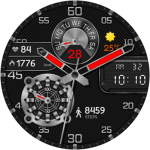
Digital Novall Watch Face
CERBER WATCH FACE
$0.99

NTV439 – Hybrid watch face
NTV Watchfaces
$0.99
$0.40
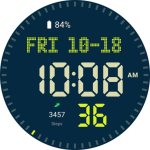
CELEST3100 Sport Watch
CELEST Watches
$1.99
$1.00