

$1.99
$1.55
22% Off
Pix Material Expressive Icons
PashaPuma Design


About the App
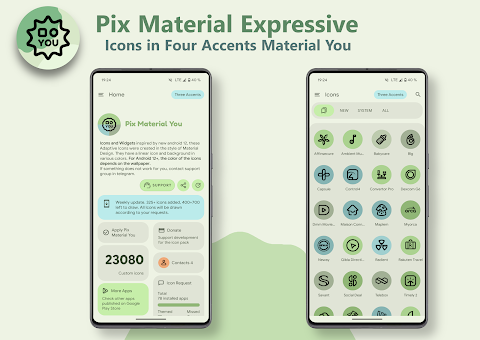
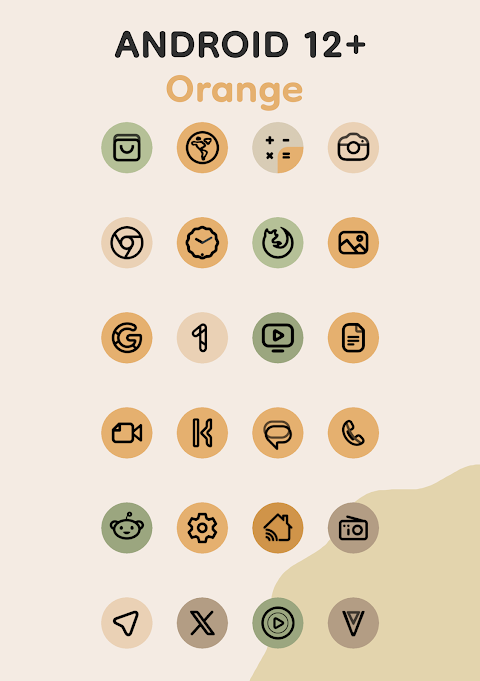
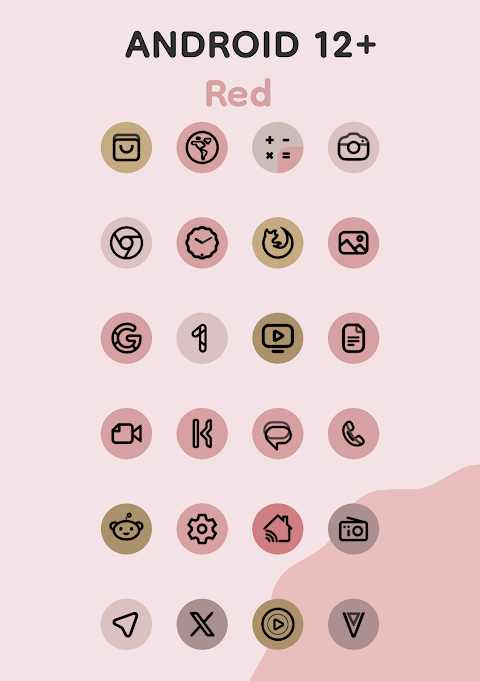
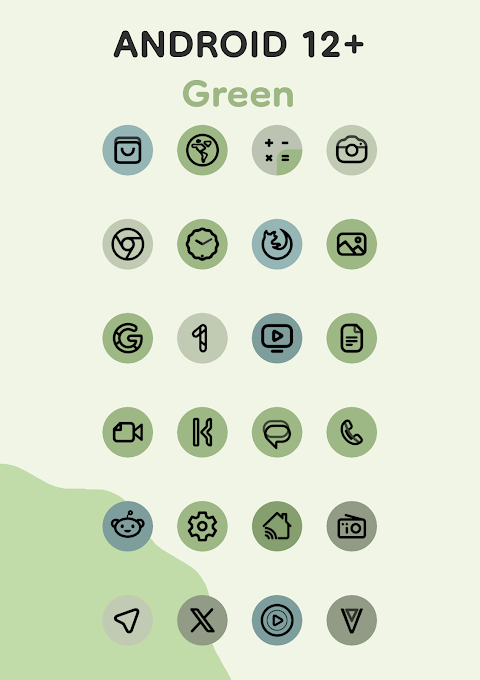
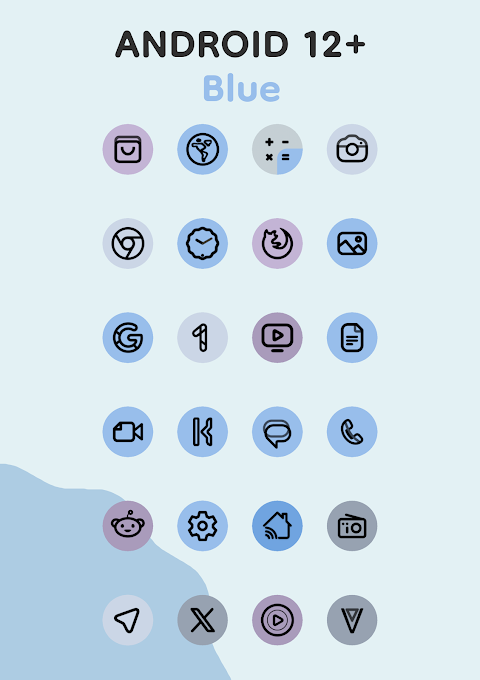
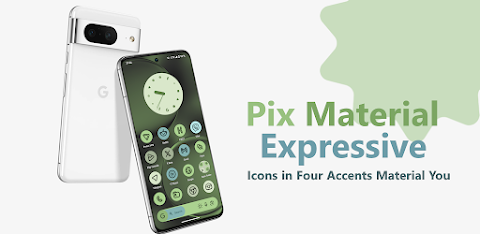
Refresh the appearance of your device with Pix Material Expressive Icons, a set of adaptive icons designed to fully support Material You. This app goes beyond the usual Monet palette by introducing four expressive accent colors. These vibrant colors help your icons stand out even more, making your device visually appealing.
Each icon features a clean linear icon style, which means they look modern and easy on the eyes. The background of the icons dynamically changes color based on your wallpaper, allowing for a seamless integration with your system's color scheme. This means you can create a unique and personalized style that fits your preferences.
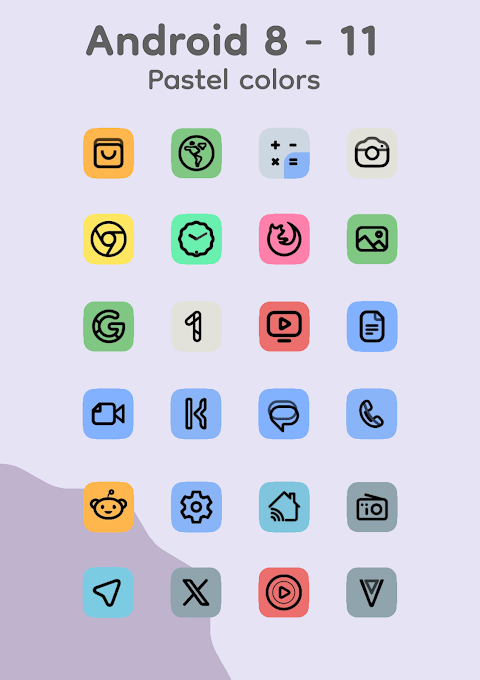
The icons are adaptive, which means they can change their shape when used with supported custom launchers. This feature gives you even greater customization options. If you're using Android 8-11, the icons will be in pastel colors since those versions do not support Monet. But for Android 12 and above, the colors of the icons and widgets depend on your wallpaper and use three Material You colors for added versatility.
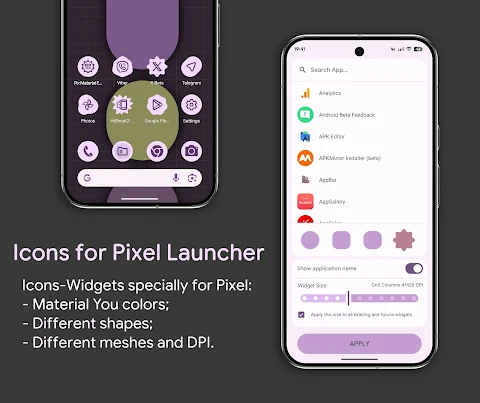
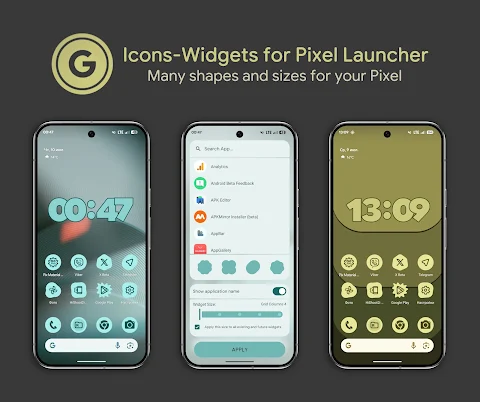
One of the key features of Pix Material Expressive Icons is the icon widget implementation. This widget is designed for launchers that don't normally support icon packs. It works best with Google Pixel devices, but you can also install it on other devices to enjoy its benefits. The icon widgets will change color in accordance with your wallpaper (thanks to Material You) and can also adapt to light or dark themes on your device.
With the icon widget, you can choose the icon shape using Material 3 Expressive, select the icon name, and customize the widget size for your screen grid. This allows for a look that closely resembles the themed icons in Pixel Launcher. The widgets come with icon animation, different icon sizes based on grid and DPI adjustments, and full interaction with the icon pack.
To use the icon widget, simply add it to your home screen by selecting "Widgets." Look for "Pix Material You" in the list of options. You can select the desired app, choose the shape of the icon, and then decide on the grid size that fits your preference.
After changing your wallpaper, if you want the icon colors to update, you'll need to reapply the icon pack. This step is not needed for launchers that automatically change colors. Additionally, don't forget to enable the system color palette from the wallpaper settings for a better experience.
The app includes a wide range of features, such as adaptive 24k+ icons, clock widgets, and a music widget. Access to home screen widgets is straightforward, and you'll find everything you need for a complete and enjoyable customization experience.
For those using Android 12 and above, remember that icon colors change only after you reapply the icon pack following a wallpaper change. If you have any questions or need help, technical support is available via Telegram.
Pix Material Expressive Icons is compatible with various launchers, including Nova Launcher, which automatically changes colors on Android 12+, Smart Launcher, Hyperion, Niagara Launcher, AIO Launcher, Stario Launcher, OneUI Launcher (using Theme Park), Action Launcher, Lawnchair, and many others.
This app is designed for anyone who wants to enhance their device’s look. With features like dynamic wallpaper colors, icon shapes selection, and widget size customization, you'll have all you need to make your device truly yours. Whether you’re a casual user or a customization enthusiast, Pix Material Expressive Icons offers the freedom to personalize your experience in a simple and effective way.
Each icon features a clean linear icon style, which means they look modern and easy on the eyes. The background of the icons dynamically changes color based on your wallpaper, allowing for a seamless integration with your system's color scheme. This means you can create a unique and personalized style that fits your preferences.
The icons are adaptive, which means they can change their shape when used with supported custom launchers. This feature gives you even greater customization options. If you're using Android 8-11, the icons will be in pastel colors since those versions do not support Monet. But for Android 12 and above, the colors of the icons and widgets depend on your wallpaper and use three Material You colors for added versatility.
One of the key features of Pix Material Expressive Icons is the icon widget implementation. This widget is designed for launchers that don't normally support icon packs. It works best with Google Pixel devices, but you can also install it on other devices to enjoy its benefits. The icon widgets will change color in accordance with your wallpaper (thanks to Material You) and can also adapt to light or dark themes on your device.
With the icon widget, you can choose the icon shape using Material 3 Expressive, select the icon name, and customize the widget size for your screen grid. This allows for a look that closely resembles the themed icons in Pixel Launcher. The widgets come with icon animation, different icon sizes based on grid and DPI adjustments, and full interaction with the icon pack.
To use the icon widget, simply add it to your home screen by selecting "Widgets." Look for "Pix Material You" in the list of options. You can select the desired app, choose the shape of the icon, and then decide on the grid size that fits your preference.
After changing your wallpaper, if you want the icon colors to update, you'll need to reapply the icon pack. This step is not needed for launchers that automatically change colors. Additionally, don't forget to enable the system color palette from the wallpaper settings for a better experience.
The app includes a wide range of features, such as adaptive 24k+ icons, clock widgets, and a music widget. Access to home screen widgets is straightforward, and you'll find everything you need for a complete and enjoyable customization experience.
For those using Android 12 and above, remember that icon colors change only after you reapply the icon pack following a wallpaper change. If you have any questions or need help, technical support is available via Telegram.
Pix Material Expressive Icons is compatible with various launchers, including Nova Launcher, which automatically changes colors on Android 12+, Smart Launcher, Hyperion, Niagara Launcher, AIO Launcher, Stario Launcher, OneUI Launcher (using Theme Park), Action Launcher, Lawnchair, and many others.
This app is designed for anyone who wants to enhance their device’s look. With features like dynamic wallpaper colors, icon shapes selection, and widget size customization, you'll have all you need to make your device truly yours. Whether you’re a casual user or a customization enthusiast, Pix Material Expressive Icons offers the freedom to personalize your experience in a simple and effective way.
Brushed Metallic Icon Pack
Padmanabhan
$0.49
$0.19
Sense X – Icon Pack
Cris87
$1.89
$0.39

Spring Season Icon Pack
PizzApp Design
$0.99
$0.69