

$2.99
$1.99
33% Off
PDF Reader – PDF Viewer
Tips Box




About the App
PDF Reader is a simple, fast, and powerful tool designed for anyone needing to read and manage PDF documents easily. Whether you are a student, a professional, or someone who just wants a smooth reading experience, this PDF Reader focuses on your comfort and usability.
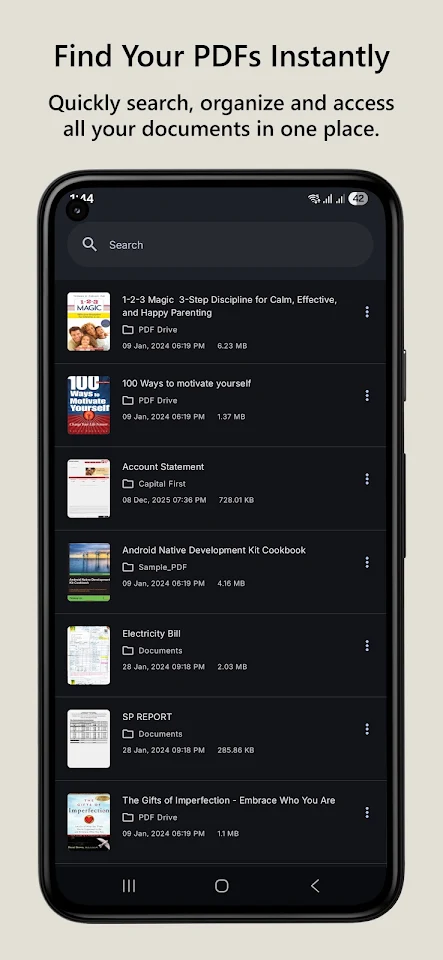
With this lightweight PDF viewer, you can open, read, search, convert, and manage your PDF files effortlessly. The app features a beautiful Material You design that makes it visually appealing while being easy to use.
When you want fast PDF reading, this PDF Reader allows you to open files instantly. It offers smooth scrolling navigation, letting you choose between vertical or horizontal scroll modes. This design is perfect for long reading sessions, helping you focus without lag or distractions.
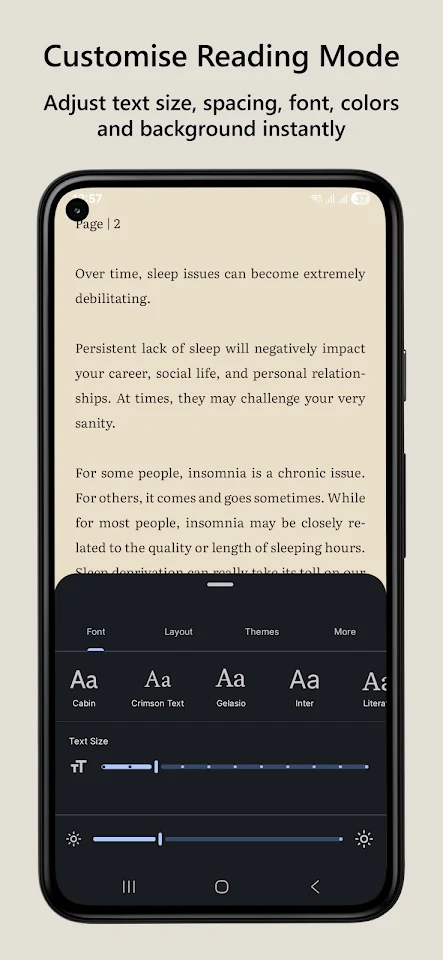
One of the standout features is the advanced reading mode, where you can fully customize your experience. Adjust the text size, choose custom fonts, and modify line spacing, margins, brightness, and background colors to create a layout that's comfortable for you. Plus, if you prefer to read in dim lighting, the dark mode for reading reduces eye strain and makes it easier to focus.
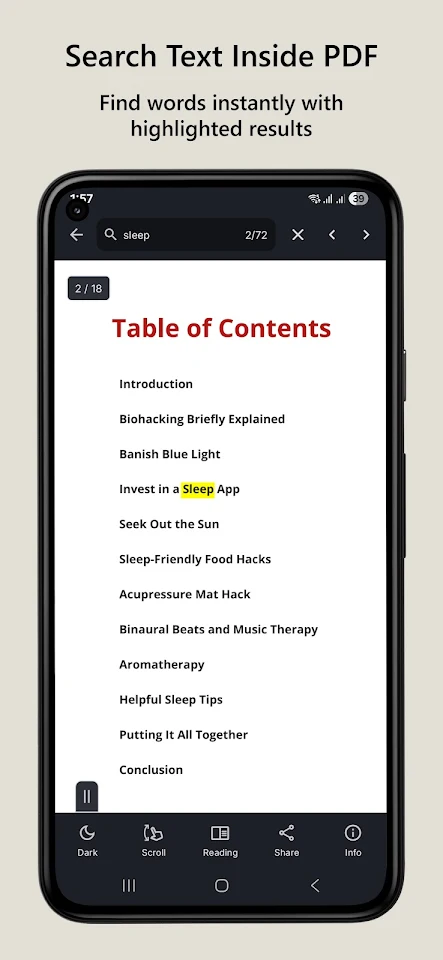
Finding specific information is easy with the text search in PDFs. You can locate any word or phrase quickly, with highlighted results to guide you. This feature is especially helpful for students reading materials, professionals reviewing documents, and anyone navigating large PDFs.
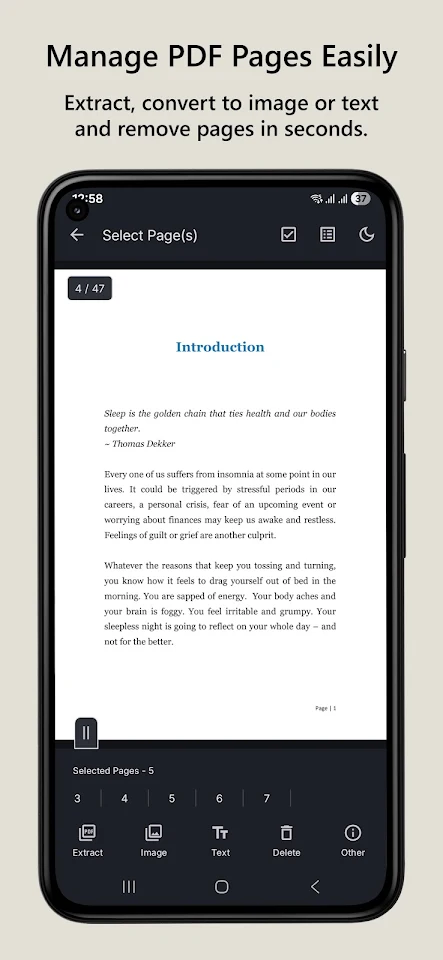
For easier navigation, the built-in table of contents lets you jump directly to chapters. This means no more endless scrolling through long PDFs. Additionally, you can extract pages from PDF files or convert PDF to image formats like JPG or PNG. This is great for sharing specific pages or creating compilations.
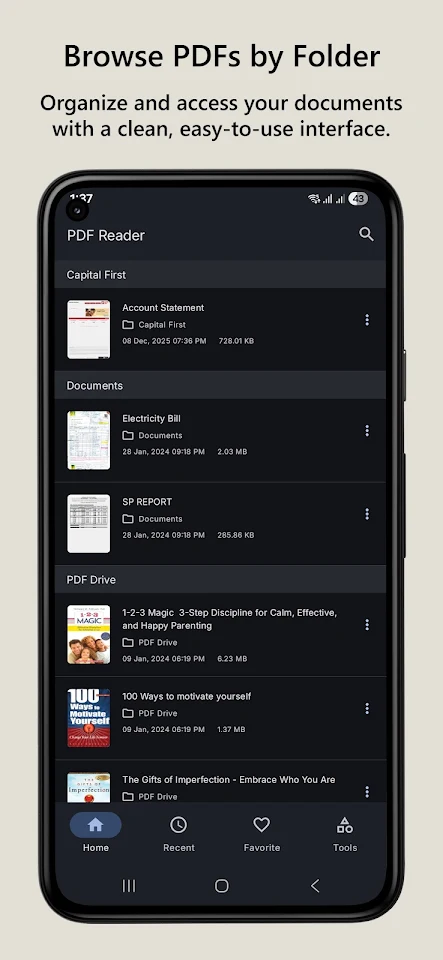
PDF Reader also makes it simple to select and share text from any page. This is useful for taking notes, messaging, or conducting research. Organizing PDF files is made easy with folder-based browsing, where you can access your documents the way you choose. You can also keep track of your most-used files with favorites for quick access and check the recently opened files section for convenience.
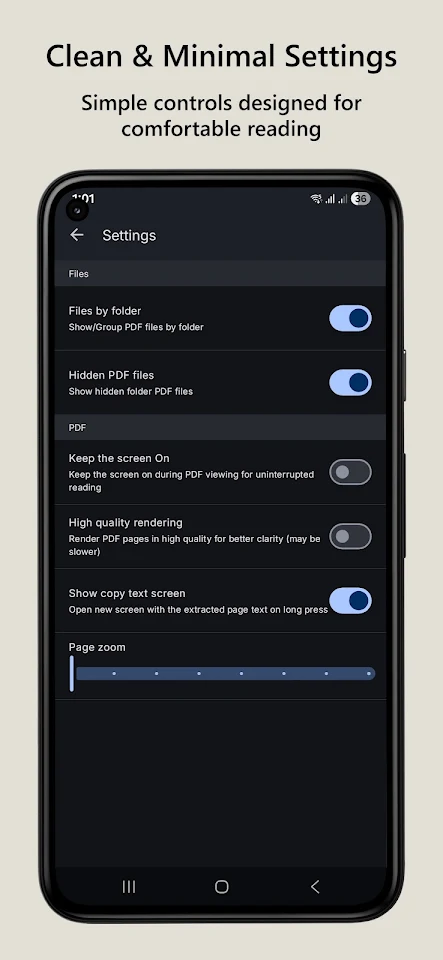
The settings in this app are clean and minimal, ensuring that you can read comfortably. It offers simple controls to keep the screen on while reading, high-quality text rendering, and options to zoom in on pages. The interface is designed to be clutter-free, letting you focus on what's important.
The PDF Reader is efficient and doesn't use much battery, making it ideal for offline PDF reading when you don't have an internet connection. All PDF processing is done locally on your device, ensuring that your documents stay private and secure.
This app is perfect for students reading study materials, professionals reviewing documents, and anyone who needs an efficient way to manage PDF files. Long reading sessions become comfortable with the features designed for your needs.
In summary, PDF Reader is a reliable and user-focused tool that offers a smooth and powerful reading experience without unnecessary distractions. Whether you are reading books, notes, reports, or manuals, everything just works seamlessly. If you have any questions or feedback, feel free to reach out to us through the "About App" section inside the app.
With this lightweight PDF viewer, you can open, read, search, convert, and manage your PDF files effortlessly. The app features a beautiful Material You design that makes it visually appealing while being easy to use.
When you want fast PDF reading, this PDF Reader allows you to open files instantly. It offers smooth scrolling navigation, letting you choose between vertical or horizontal scroll modes. This design is perfect for long reading sessions, helping you focus without lag or distractions.
One of the standout features is the advanced reading mode, where you can fully customize your experience. Adjust the text size, choose custom fonts, and modify line spacing, margins, brightness, and background colors to create a layout that's comfortable for you. Plus, if you prefer to read in dim lighting, the dark mode for reading reduces eye strain and makes it easier to focus.
Finding specific information is easy with the text search in PDFs. You can locate any word or phrase quickly, with highlighted results to guide you. This feature is especially helpful for students reading materials, professionals reviewing documents, and anyone navigating large PDFs.
For easier navigation, the built-in table of contents lets you jump directly to chapters. This means no more endless scrolling through long PDFs. Additionally, you can extract pages from PDF files or convert PDF to image formats like JPG or PNG. This is great for sharing specific pages or creating compilations.
PDF Reader also makes it simple to select and share text from any page. This is useful for taking notes, messaging, or conducting research. Organizing PDF files is made easy with folder-based browsing, where you can access your documents the way you choose. You can also keep track of your most-used files with favorites for quick access and check the recently opened files section for convenience.
The settings in this app are clean and minimal, ensuring that you can read comfortably. It offers simple controls to keep the screen on while reading, high-quality text rendering, and options to zoom in on pages. The interface is designed to be clutter-free, letting you focus on what's important.
The PDF Reader is efficient and doesn't use much battery, making it ideal for offline PDF reading when you don't have an internet connection. All PDF processing is done locally on your device, ensuring that your documents stay private and secure.
This app is perfect for students reading study materials, professionals reviewing documents, and anyone who needs an efficient way to manage PDF files. Long reading sessions become comfortable with the features designed for your needs.
In summary, PDF Reader is a reliable and user-focused tool that offers a smooth and powerful reading experience without unnecessary distractions. Whether you are reading books, notes, reports, or manuals, everything just works seamlessly. If you have any questions or feedback, feel free to reach out to us through the "About App" section inside the app.

Turbo Cloud VPN Pro – Premium
GEO SOFTECH
$1.29
$0.29
ViewOnly Secure- Save Messages
Tassry Software
$2.49

Simple App Locker
Yogesh Dama
$0.99