

$1.49
$0.29
81% Off
Orangediant – Icon Pack
GomoTheGom







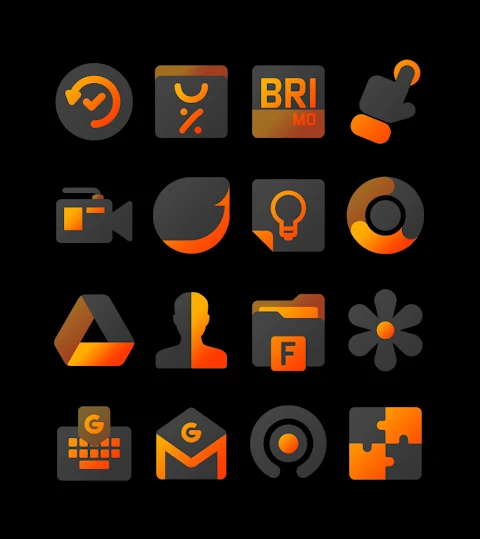



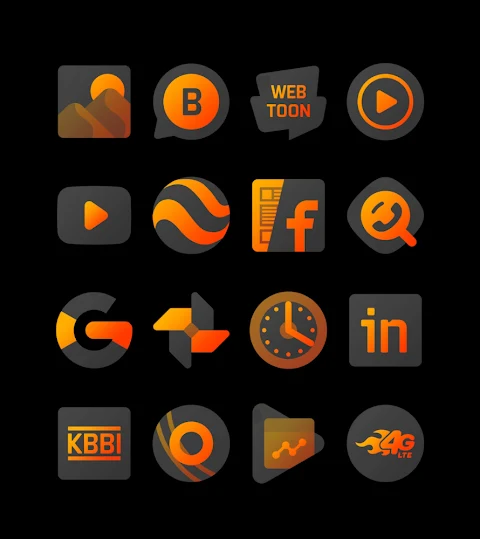


About the App
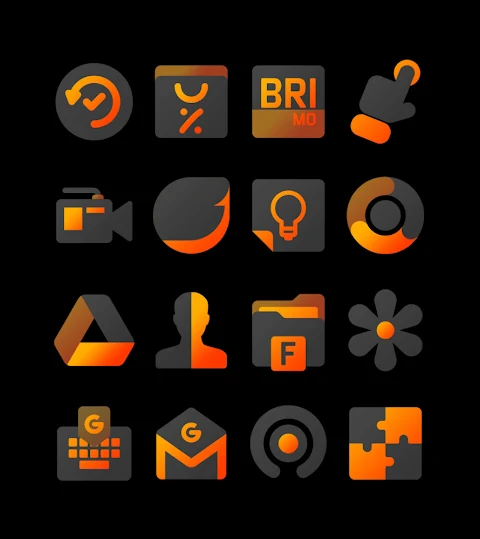
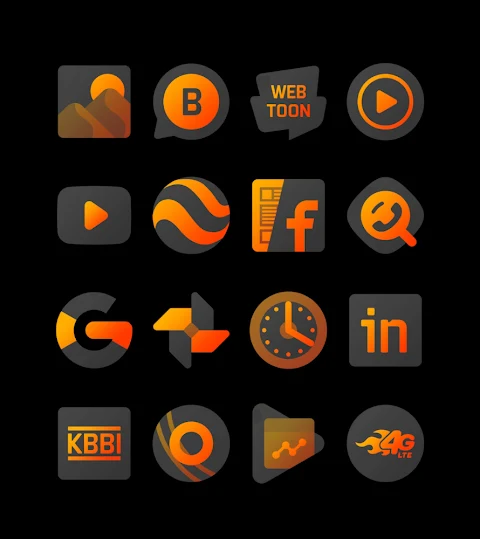
Orangediant is a vibrant orange black gradient icon pack designed to enhance your device's look and feel. The warm color palette of this icon pack makes it visually appealing and inviting.
With over 3000 icons and counting, Orangediant provides a diverse collection to choose from. Each icon boasts a high-definition resolution of 256x256 pixels, ensuring clarity and sharpness on your screen. You can also enjoy wallpapers included with the pack, adding to the overall aesthetic of your device.
The icon request feature allows users to suggest new icons, ensuring the pack continually evolves to meet your needs. Whether you're looking to refresh your device or explore new themes, Orangediant is a great choice for anyone who loves customization.
To apply the Orangediant icon pack, you will need a compatible launcher. It supports popular launchers like Nova Launcher and Evie Launcher, among others. Here’s how to apply it step-by-step:
1. Open the Orangediant icon pack app on your device.
2. Go to the Apply Icon Pack Screen.
3. A list of supported launchers will appear. Choose Nova Launcher or whatever launcher you've installed on your phone.
4. The app will then automatically apply the icons from the Orangediant icon pack to your chosen launcher.
If your launcher isn’t showing up, you can also apply the icons directly from the launcher settings.
If you're using Sony Xperia Home Launcher, it is compatible as well, although it may require a different process. To apply the Orangediant icon pack on your Sony Xperia device, follow these steps:
1. Long press on your main screen.
2. Open the settings menu.
3. Scroll down to the appearance icon setting.
4. Select the Orangediant icon pack.
5. You’re all set! Your Sony Xperia will now display the Orangediant icons.
Please note that the icon pack only works with Sony Xperia Home Launcher version 10.0.A.0.8 or higher.
In addition to Nova and Evie, Orangediant supports many other launchers. You can customize your device with icons for Apex Launcher, ADW Launcher, ABC Launcher, Next Launcher, Holo Launcher, Lucid Launcher, M Launcher, Action Launcher, Aviate Launcher, Smart Launcher, Go Launcher, and Zero Launcher. Please keep in mind that Go Launcher and Zero Launcher do not support icon masking.
For those looking to find more design inspiration, you can connect with us on social media for updates. Follow us on Google+, Instagram, and Twitter for more design information related to Orangediant.
A special thanks goes to Dani Mahardika for the Candybar Dashboard, which helps power this icon pack.
Whether you're new to mobile personalization or a seasoned pro, Orangediant is here to elevate your device’s style with eye-catching orange themed icons and exceptional customization options.
With over 3000 icons and counting, Orangediant provides a diverse collection to choose from. Each icon boasts a high-definition resolution of 256x256 pixels, ensuring clarity and sharpness on your screen. You can also enjoy wallpapers included with the pack, adding to the overall aesthetic of your device.
The icon request feature allows users to suggest new icons, ensuring the pack continually evolves to meet your needs. Whether you're looking to refresh your device or explore new themes, Orangediant is a great choice for anyone who loves customization.
To apply the Orangediant icon pack, you will need a compatible launcher. It supports popular launchers like Nova Launcher and Evie Launcher, among others. Here’s how to apply it step-by-step:
1. Open the Orangediant icon pack app on your device.
2. Go to the Apply Icon Pack Screen.
3. A list of supported launchers will appear. Choose Nova Launcher or whatever launcher you've installed on your phone.
4. The app will then automatically apply the icons from the Orangediant icon pack to your chosen launcher.
If your launcher isn’t showing up, you can also apply the icons directly from the launcher settings.
If you're using Sony Xperia Home Launcher, it is compatible as well, although it may require a different process. To apply the Orangediant icon pack on your Sony Xperia device, follow these steps:
1. Long press on your main screen.
2. Open the settings menu.
3. Scroll down to the appearance icon setting.
4. Select the Orangediant icon pack.
5. You’re all set! Your Sony Xperia will now display the Orangediant icons.
Please note that the icon pack only works with Sony Xperia Home Launcher version 10.0.A.0.8 or higher.
In addition to Nova and Evie, Orangediant supports many other launchers. You can customize your device with icons for Apex Launcher, ADW Launcher, ABC Launcher, Next Launcher, Holo Launcher, Lucid Launcher, M Launcher, Action Launcher, Aviate Launcher, Smart Launcher, Go Launcher, and Zero Launcher. Please keep in mind that Go Launcher and Zero Launcher do not support icon masking.
For those looking to find more design inspiration, you can connect with us on social media for updates. Follow us on Google+, Instagram, and Twitter for more design information related to Orangediant.
A special thanks goes to Dani Mahardika for the Candybar Dashboard, which helps power this icon pack.
Whether you're new to mobile personalization or a seasoned pro, Orangediant is here to elevate your device’s style with eye-catching orange themed icons and exceptional customization options.
DADAM78: Digital Watch Face
DADAM Watch Faces
$1.89
$0.99

Night Void Icon Pack
PizzApp Design
$0.99
$0.69

Echo KWGT
Raj Arya Designs
$0.99
$0.50