
$0.99
$0.49
51% Off
One UI 3D Dark Icon Pack
LKN9X

About the App
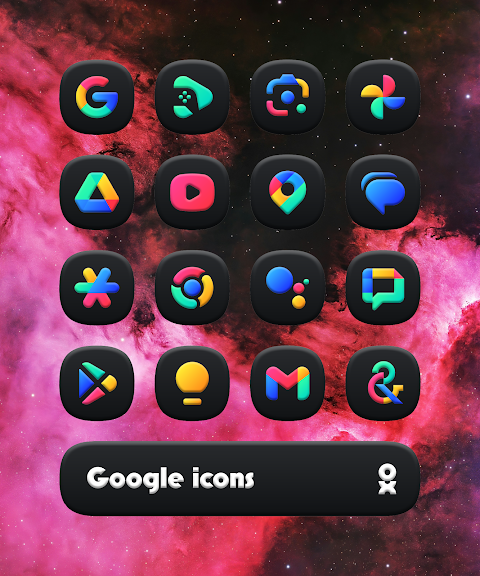
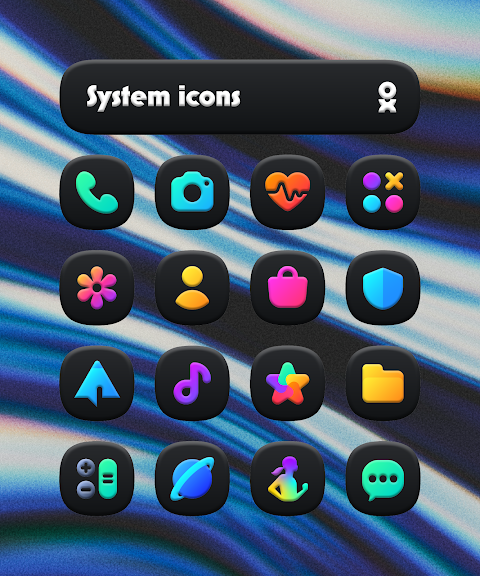
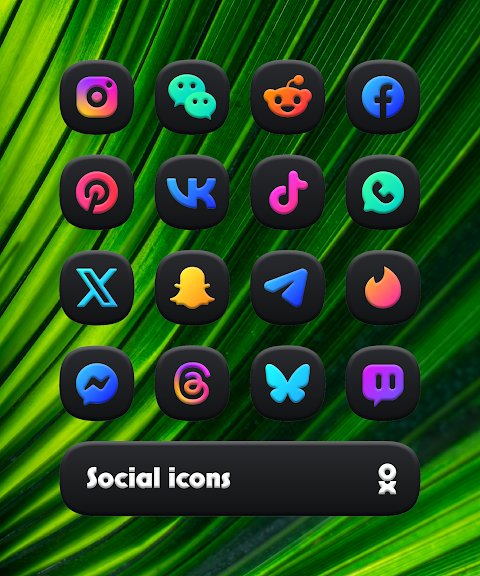
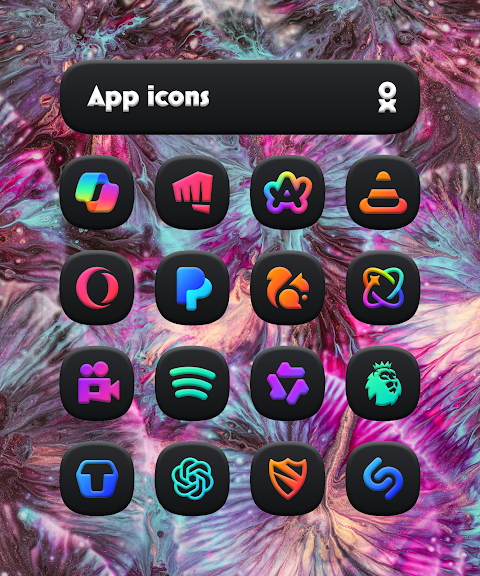
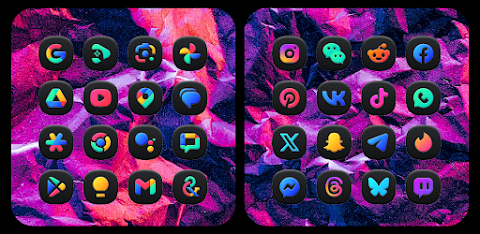
The One UI 3D Dark Icon Pack offers a stunning collection of squircle icons designed with a vibrant, modern touch. With its sleek 3D aesthetic, this icon pack is perfect for anyone looking to elevate their mobile experience. Inspired by Samsung’s One UI design, these icons blend beautifully with your device's interface, creating an elegant look that stands out.
This premium icon collection includes over 6000 icons, ensuring you have plenty of choices to customize your screen. To enhance your experience, the pack also features cloud wallpapers that complement the icons, and an icon request tool that allows you to ask for specific designs. Regular updates mean that the One UI 3D Dark Icon Pack will keep evolving to meet your customization needs.
Applying the icon pack is straightforward. First, you'll need to install a supported launcher. Once that is done, open the One UI 3D Dark Icon Pack app, navigate to the Apply section, and select your launcher from the list. If your launcher isn't listed, you can apply it manually through your launcher's settings.
This icon pack is compatible with various supported launchers, including Smart Launcher 6, Niagara Launcher, Motorola Launcher, Nothing Launcher, and Nova Launcher. You can also use it with Lawnchair Launcher, Rootless Pixel Launcher, Shade Launcher, Lean Launcher, Hyperion Launcher, Posidon Launcher, Action Launcher, and Stario Launcher, among many others.
It’s important to note that to use the One UI 3D Dark Icon Pack, a supported launcher is required. For users of Pixel Launcher, it's recommended to use the pack with the Shortcut Maker. If you're using Samsung One UI, you should make use of Theme Park for the best results. For Nova Launcher users, make sure shadow settings are enabled to enjoy the full effect of the icons.
Additionally, if you're interested in customizing your widgets, Kustom Widgets can be used, but please keep in mind that KWGT and KWGT PRO (which is a paid app) are necessary for that functionality. Before reaching out for help, it's a good idea to check the in-app FAQ for any questions you might have.
The One UI 3D Dark Icon Pack is designed to enhance your mobile customization experience, allowing you to transform your device into a stylish and functional interface. With its elegant design and extensive options, this icon pack is a must-have for anyone looking to give their phone a fresh new look.
This premium icon collection includes over 6000 icons, ensuring you have plenty of choices to customize your screen. To enhance your experience, the pack also features cloud wallpapers that complement the icons, and an icon request tool that allows you to ask for specific designs. Regular updates mean that the One UI 3D Dark Icon Pack will keep evolving to meet your customization needs.
Applying the icon pack is straightforward. First, you'll need to install a supported launcher. Once that is done, open the One UI 3D Dark Icon Pack app, navigate to the Apply section, and select your launcher from the list. If your launcher isn't listed, you can apply it manually through your launcher's settings.
This icon pack is compatible with various supported launchers, including Smart Launcher 6, Niagara Launcher, Motorola Launcher, Nothing Launcher, and Nova Launcher. You can also use it with Lawnchair Launcher, Rootless Pixel Launcher, Shade Launcher, Lean Launcher, Hyperion Launcher, Posidon Launcher, Action Launcher, and Stario Launcher, among many others.
It’s important to note that to use the One UI 3D Dark Icon Pack, a supported launcher is required. For users of Pixel Launcher, it's recommended to use the pack with the Shortcut Maker. If you're using Samsung One UI, you should make use of Theme Park for the best results. For Nova Launcher users, make sure shadow settings are enabled to enjoy the full effect of the icons.
Additionally, if you're interested in customizing your widgets, Kustom Widgets can be used, but please keep in mind that KWGT and KWGT PRO (which is a paid app) are necessary for that functionality. Before reaching out for help, it's a good idea to check the in-app FAQ for any questions you might have.
The One UI 3D Dark Icon Pack is designed to enhance your mobile customization experience, allowing you to transform your device into a stylish and functional interface. With its elegant design and extensive options, this icon pack is a must-have for anyone looking to give their phone a fresh new look.

HMKWatch Digital 123
HMKWatch
$0.99
FREE
ProCaptain: Analog Pilot Watch
Rayan's
$0.99
$0.50
CELEST5658 Sport Watch
CELEST Watches
$1.49
$0.75