
$1.99
FREE
100% Off
Music Info — Song Metadata
Jordan Hipwell


About the App
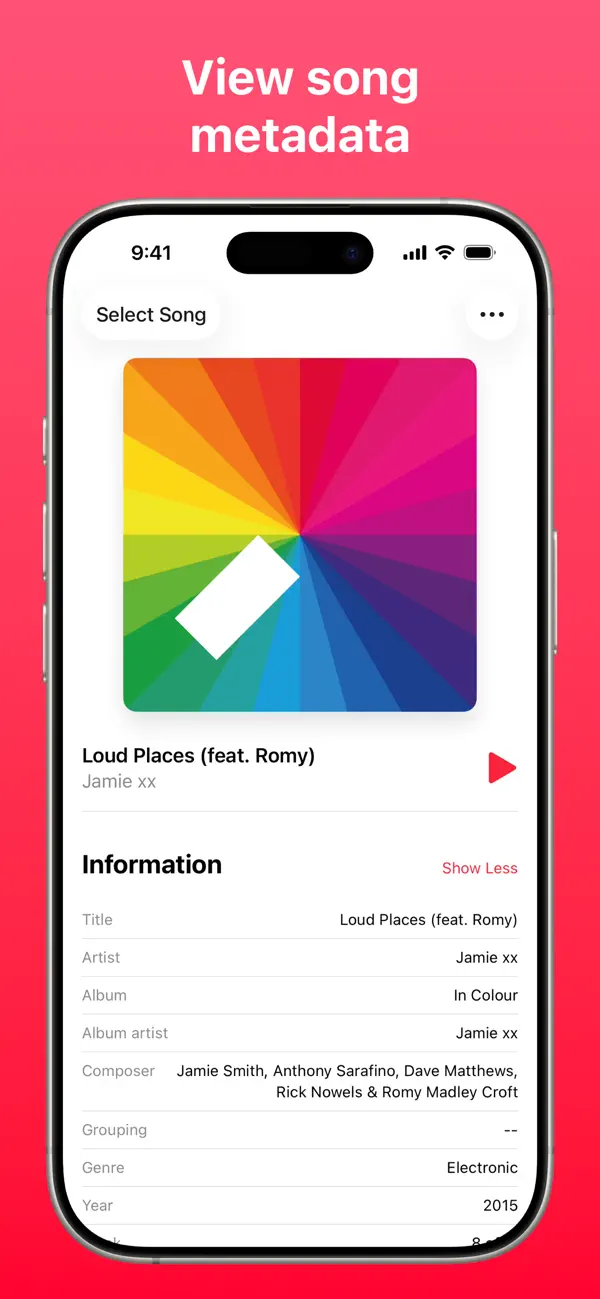
Music Info — Song Metadata lets you explore detailed information about songs in your library. You can view key aspects such as play count, skip count, release date, album artist, composer, genre, year, comments, lyrics, and much more.
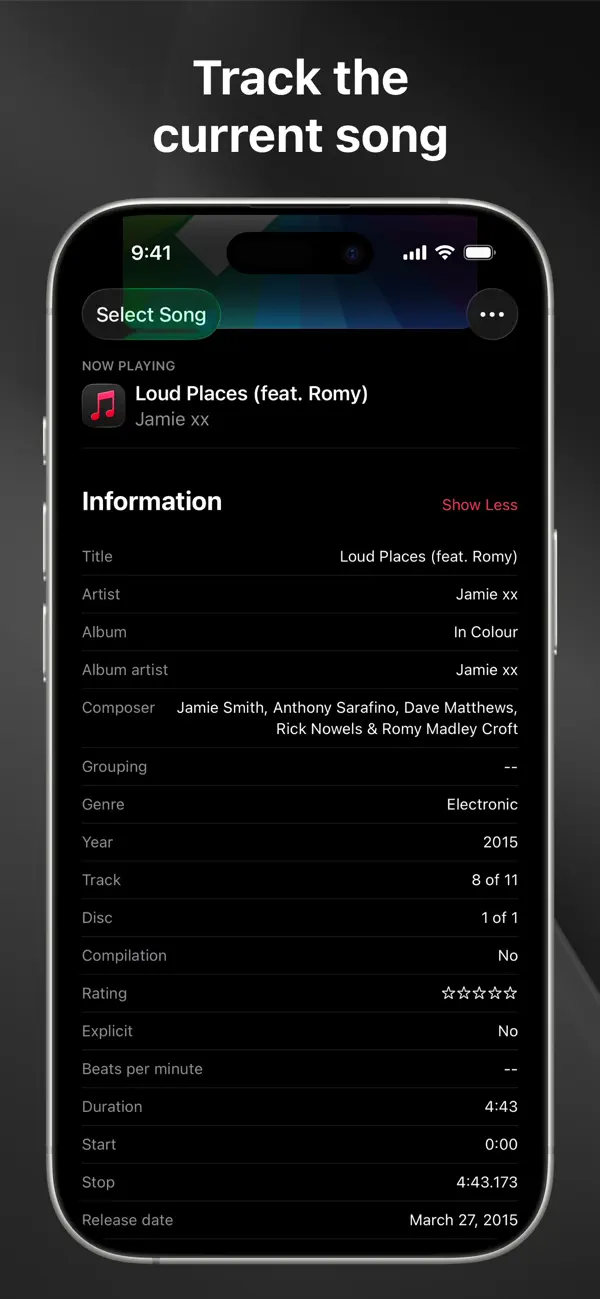
Are you using Apple's Music app on your iPhone or iPad? While the macOS version shows plenty of information about the songs you're listening to, the iOS version doesn’t offer the same detailed song metadata. Thankfully, Music Info provides the solution.
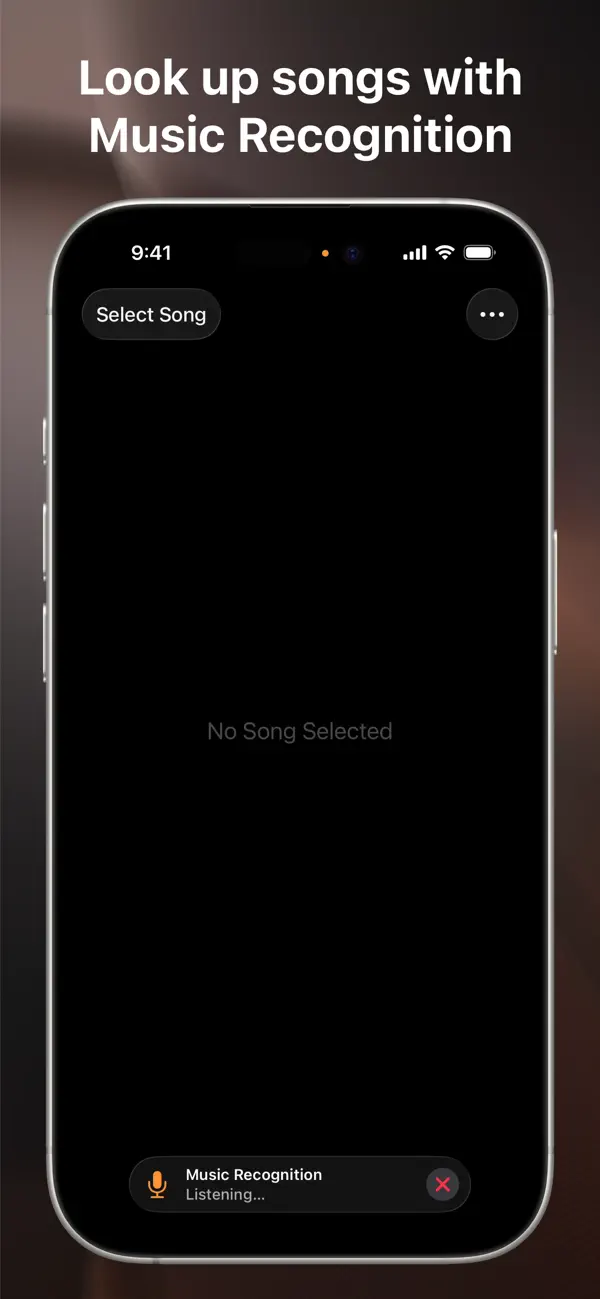
With Music Info, you have convenient options to view song info. When you open the app, it automatically displays the song that is currently playing in the Music app. It updates automatically when the track changes. You can select any song from your library, use music recognition powered by Shazam to look up a track, or simply drag and drop a song from the Music app into Music Info.
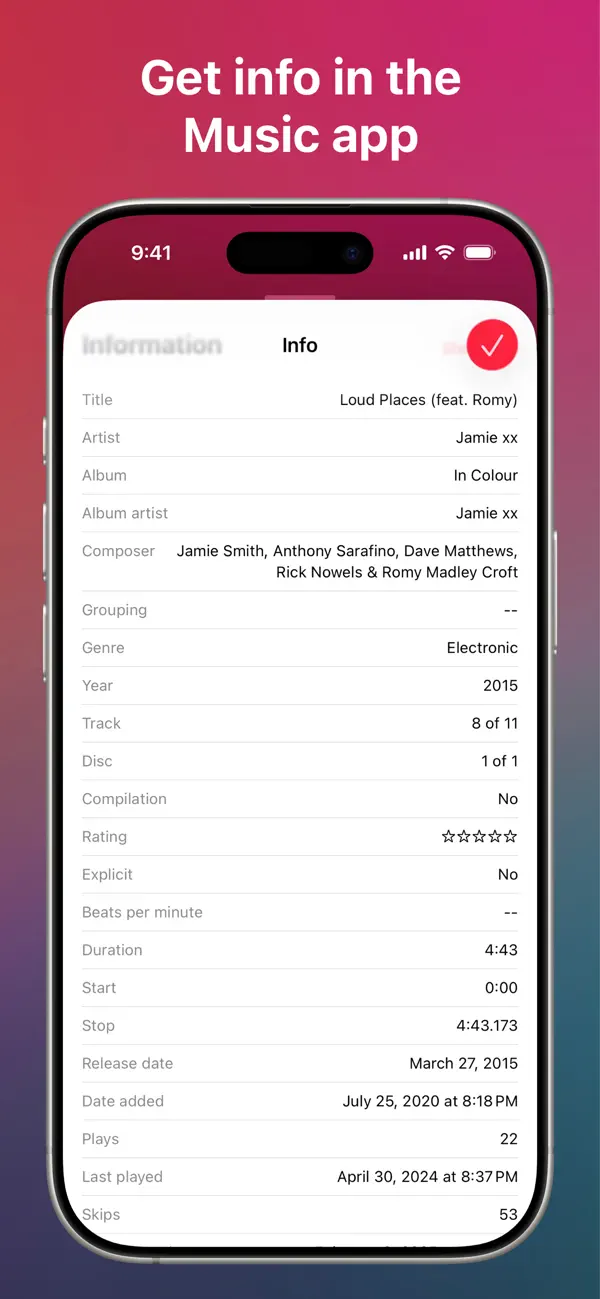
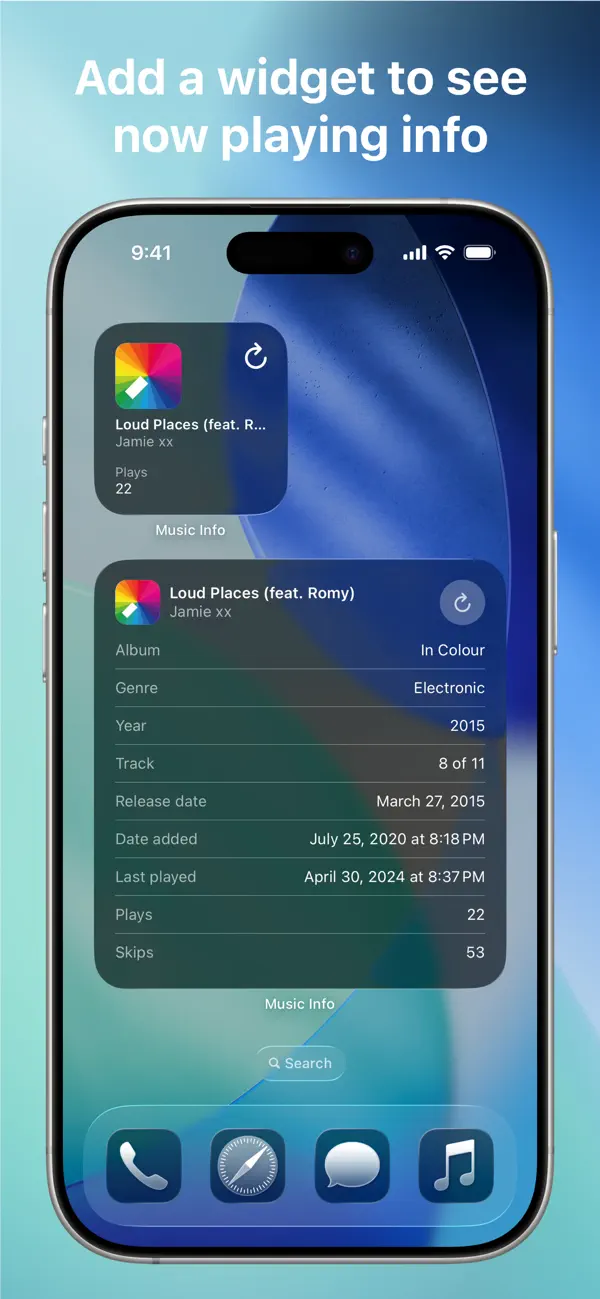
Another great feature is the share sheet action, which lets you get information directly within the Music app. This means you can access the missing "Get Info" button right where you need it. You can also add customizable widgets for your Home Screen, iPad lock screen, and CarPlay. This lets you view information about the song currently playing and customize what song properties are visible.
Music Info has several additional features that enhance your experience. You can reorder or hide certain information, tap and hold to copy details or song artwork, and even select words from lyrics to look up, translate, copy, or share. You can play the selected song in the app, choose between light and dark mode, and use app shortcuts for easy navigation. There are home screen quick actions, menu bar support, keyboard shortcuts, and even the ability to open multiple windows on an iPad. With Music Info, you won't see any ads, and there are no tracking or subscription fees.
The app works seamlessly with the Music app, leveraging the metadata saved for each song in your library. This means you can access all songs, whether they were added via Apple Music, purchased, or synced from a computer. Songs in the Apple Music library that haven’t been added may show limited information, but Music Info makes it easy to retrieve song info, even if you’re offline.
Here are a few things to keep in mind. First, song metadata cannot be edited on iOS and iPadOS. You don’t need an Apple Music subscription to use the app. Music Info is designed to work only with songs in your library and does not support third-party music services. Additionally, lyrics must be added to your songs via Music or iTunes on a Mac or PC.
Music Info Unlimited allows you to view information for up to 15 songs for free. If you'd like unlimited access on all your devices, you can make a one-time in-app purchase. No recurring payments are required.
With Music Info, all the essential song metadata is at your fingertips. Explore artwork, title, artist, album, album artist, composer, grouping, genre, year, track, disc, compilation, rating, explicit content rating, beats per minute, duration, release date, date added, plays, last played date, skips, last skipped, comments, and lyrics.
Enhance your music library management and enjoy better song info retrieval with Music Info. Whether it's checking a song's skip count or last played date, this app provides everything you need in a simple and easy-to-use interface. Discover the complete world of song metadata today with Music Info!
Are you using Apple's Music app on your iPhone or iPad? While the macOS version shows plenty of information about the songs you're listening to, the iOS version doesn’t offer the same detailed song metadata. Thankfully, Music Info provides the solution.
With Music Info, you have convenient options to view song info. When you open the app, it automatically displays the song that is currently playing in the Music app. It updates automatically when the track changes. You can select any song from your library, use music recognition powered by Shazam to look up a track, or simply drag and drop a song from the Music app into Music Info.
Another great feature is the share sheet action, which lets you get information directly within the Music app. This means you can access the missing "Get Info" button right where you need it. You can also add customizable widgets for your Home Screen, iPad lock screen, and CarPlay. This lets you view information about the song currently playing and customize what song properties are visible.
Music Info has several additional features that enhance your experience. You can reorder or hide certain information, tap and hold to copy details or song artwork, and even select words from lyrics to look up, translate, copy, or share. You can play the selected song in the app, choose between light and dark mode, and use app shortcuts for easy navigation. There are home screen quick actions, menu bar support, keyboard shortcuts, and even the ability to open multiple windows on an iPad. With Music Info, you won't see any ads, and there are no tracking or subscription fees.
The app works seamlessly with the Music app, leveraging the metadata saved for each song in your library. This means you can access all songs, whether they were added via Apple Music, purchased, or synced from a computer. Songs in the Apple Music library that haven’t been added may show limited information, but Music Info makes it easy to retrieve song info, even if you’re offline.
Here are a few things to keep in mind. First, song metadata cannot be edited on iOS and iPadOS. You don’t need an Apple Music subscription to use the app. Music Info is designed to work only with songs in your library and does not support third-party music services. Additionally, lyrics must be added to your songs via Music or iTunes on a Mac or PC.
Music Info Unlimited allows you to view information for up to 15 songs for free. If you'd like unlimited access on all your devices, you can make a one-time in-app purchase. No recurring payments are required.
With Music Info, all the essential song metadata is at your fingertips. Explore artwork, title, artist, album, album artist, composer, grouping, genre, year, track, disc, compilation, rating, explicit content rating, beats per minute, duration, release date, date added, plays, last played date, skips, last skipped, comments, and lyrics.
Enhance your music library management and enjoy better song info retrieval with Music Info. Whether it's checking a song's skip count or last played date, this app provides everything you need in a simple and easy-to-use interface. Discover the complete world of song metadata today with Music Info!

Copperhead
4Pockets.com
$14.99
$4.99

Harmonicer
Kai Aras
$7.99
$4.99

EG Nodes
Elliott Garage
$19.99
$12.99