

$0.99
$0.49
51% Off
Minimal Widgets For KWGT
Zeffi Setups





About the App
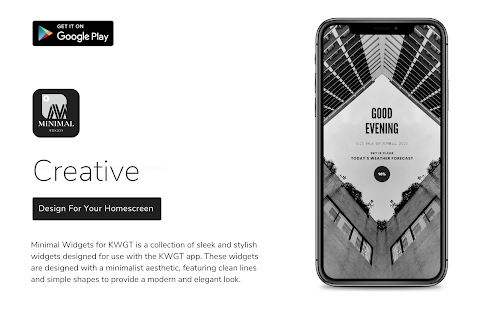
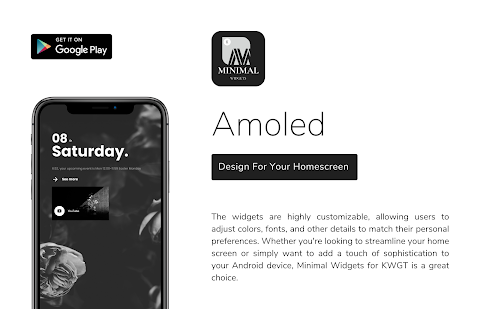
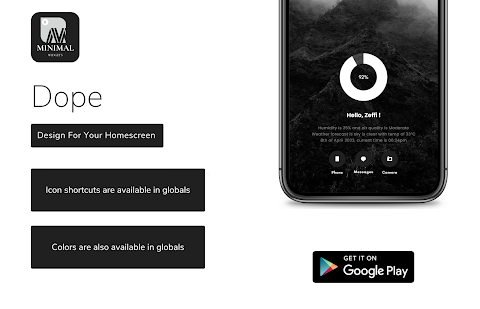
Minimal Widgets for KWGT is a collection of sleek design widgets created for the KWGT widget app. These widgets focus on simplicity and elegance, making them ideal for anyone who wants to add a touch of minimalism to their home screen.
Each of the widgets has a clean and modern design that uses simple shapes, typography, and color schemes. You can easily choose from various widgets, including a weather display widget, a battery level widget, a time display widget, or even a favorite quote widget. This variety ensures there's a widget for every need.
With Minimal Widgets for KWGT, you can customize the widgets to match your personal style. You have the option for personal style customization, allowing you to adjust colors, fonts, and layouts. This way, you can create a unique look that truly reflects your personality.
If you want to enhance your home screen without overwhelming it, Minimal Widgets for KWGT is the perfect choice. The elegant widget collection offers high-quality unique designs that can seamlessly integrate into your setup. You can download it from the Play Store and start customizing your widgets right away.
The app has been released with 40 unique designs, and there will be regular updates for widgets in the future, adding even more options. Please remember that Minimal Widgets is not a stand-alone app. To use it, you will need the KWGT PRO application, as the iconic widgets for KWGT rely on it.
To get started, you’ll also want a custom launcher, like Nova launcher, for the best experience. Here’s how to install the widgets:
First, download Minimal Widgets and the KWGT PRO application. Next, long tap on your home screen and choose “Widget.” From there, select the KWGT Widget. Then tap on the widget and choose the installed Minimal Widgets. Select any widget you like, and you're all set to enjoy your updated home screen.
Sometimes, the widget might not be the right size. In that case, you can use the widget scaling options in the KWGT settings to adjust it properly.
If you have any questions or run into issues, please feel free to contact for support. You can reach out to me on Twitter @Zeffisetups, on Instagram @zeffi.setups, or email me at zeffisetups@gmail.com.
Enjoy creating your perfect home screen with Minimal Widgets for KWGT!
Each of the widgets has a clean and modern design that uses simple shapes, typography, and color schemes. You can easily choose from various widgets, including a weather display widget, a battery level widget, a time display widget, or even a favorite quote widget. This variety ensures there's a widget for every need.
With Minimal Widgets for KWGT, you can customize the widgets to match your personal style. You have the option for personal style customization, allowing you to adjust colors, fonts, and layouts. This way, you can create a unique look that truly reflects your personality.
If you want to enhance your home screen without overwhelming it, Minimal Widgets for KWGT is the perfect choice. The elegant widget collection offers high-quality unique designs that can seamlessly integrate into your setup. You can download it from the Play Store and start customizing your widgets right away.
The app has been released with 40 unique designs, and there will be regular updates for widgets in the future, adding even more options. Please remember that Minimal Widgets is not a stand-alone app. To use it, you will need the KWGT PRO application, as the iconic widgets for KWGT rely on it.
To get started, you’ll also want a custom launcher, like Nova launcher, for the best experience. Here’s how to install the widgets:
First, download Minimal Widgets and the KWGT PRO application. Next, long tap on your home screen and choose “Widget.” From there, select the KWGT Widget. Then tap on the widget and choose the installed Minimal Widgets. Select any widget you like, and you're all set to enjoy your updated home screen.
Sometimes, the widget might not be the right size. In that case, you can use the widget scaling options in the KWGT settings to adjust it properly.
If you have any questions or run into issues, please feel free to contact for support. You can reach out to me on Twitter @Zeffisetups, on Instagram @zeffi.setups, or email me at zeffisetups@gmail.com.
Enjoy creating your perfect home screen with Minimal Widgets for KWGT!

Frizzy KWGT
Raj Arya Designs
$0.99
$0.50
NTV134 – Unlimited Watch Face
NTV Watchfaces
$0.99
$0.40
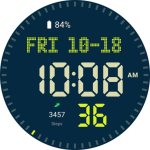
CELEST3100 Sport Watch
CELEST Watches
$1.99
$1.00