

$4.99
FREE
100% Off
Metron (Pro Metronome)
Antonio Nunes


About the App
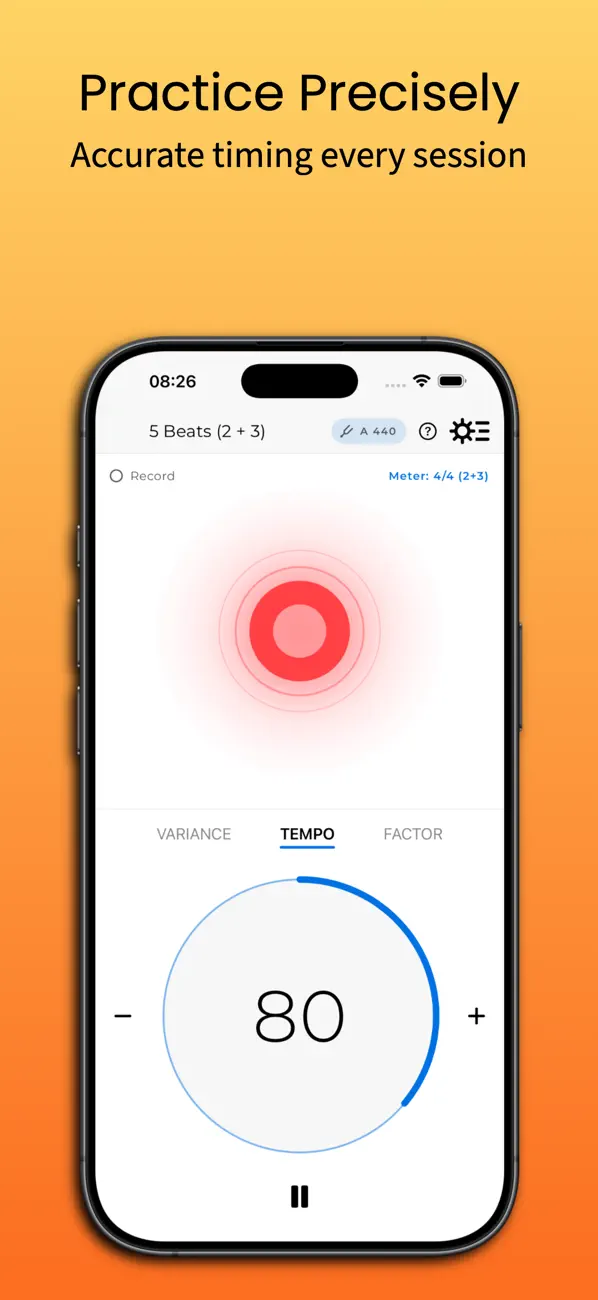
Metron is an accurate metronome that has gained popularity since its launch and was featured as "New and Noteworthy" by Apple in March 2010. Created by a classically trained musician, this app helps both amateurs and professionals practice runs, excerpts, and full compositions effectively. With its intuitive front panel, users can quickly launch the app and start practicing right away, just like they would with any basic metronome.
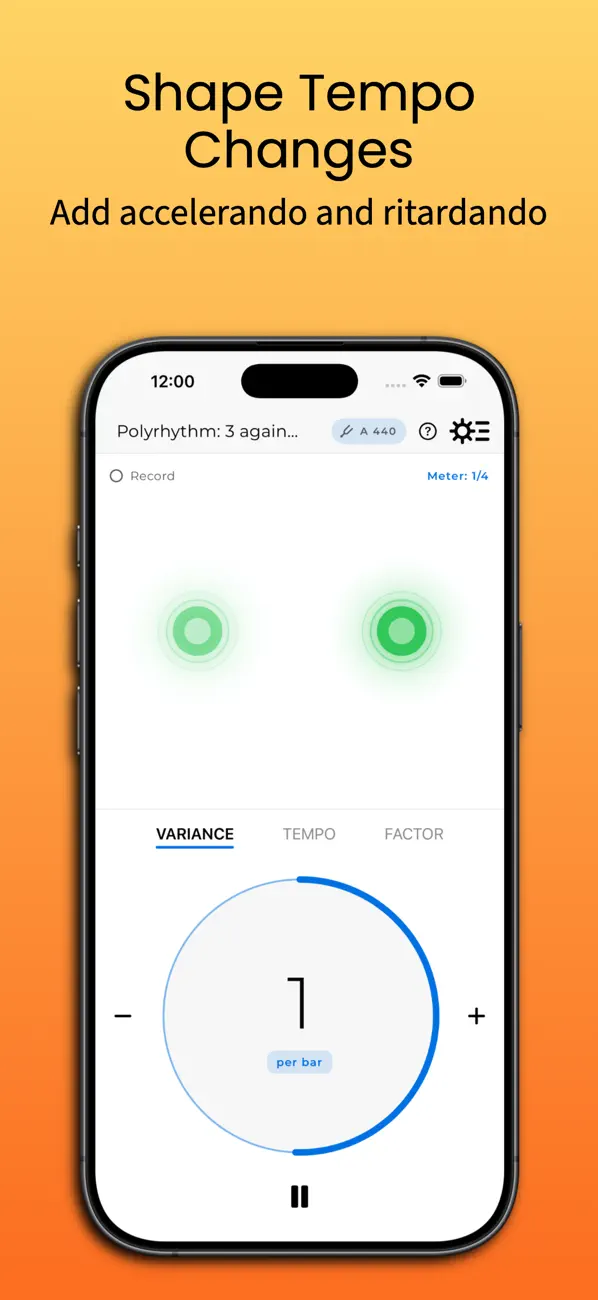
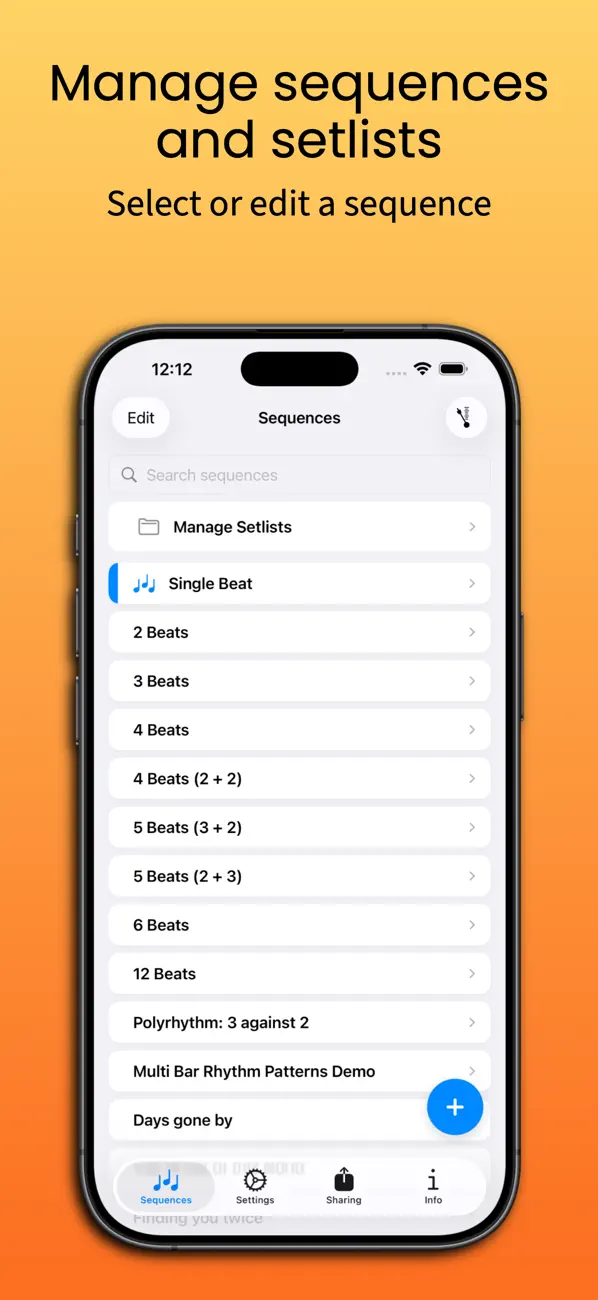
One of the standout features of Metron is its support for a variety of time signatures. With easy access to commonly used time signatures, users can define new sequences or edit existing ones. The app also offers tempo scaling, making it handy for more elaborate sequences. Metron’s advanced playback engine ensures real-time accuracy, allowing users to perform dynamic accelerando and ritardando features while they play.
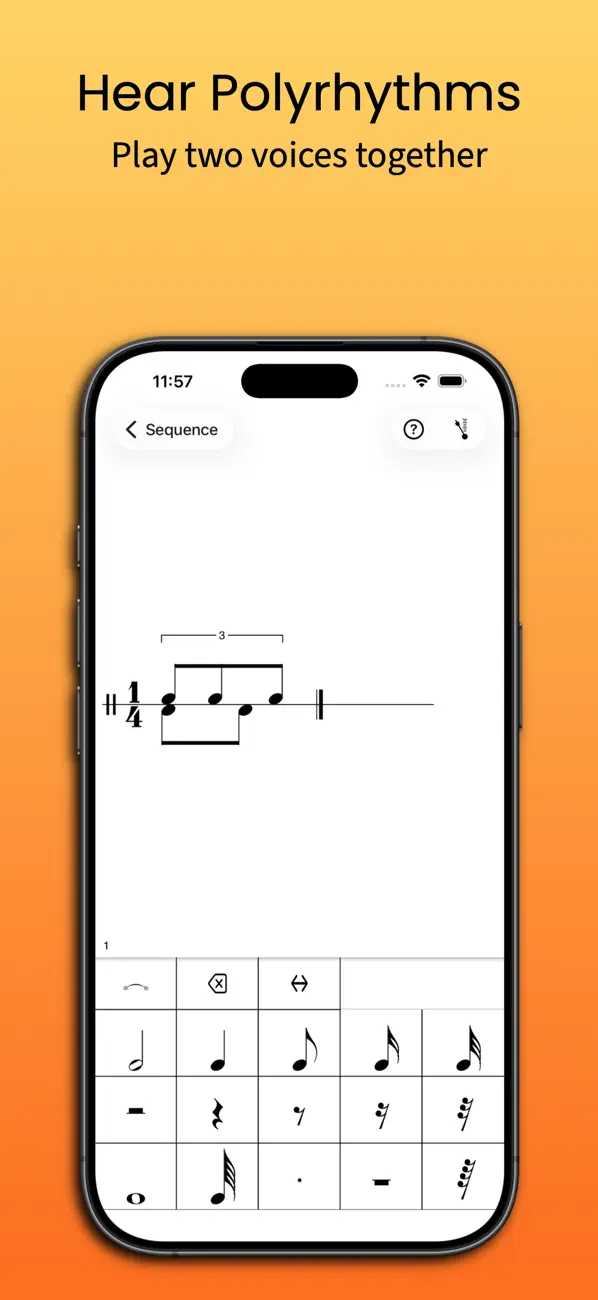
The built-in notation based sequencer offers detailed control over tempo and time signature changes. Users can create rhythmic patterns with tuplets and play two voices at once, which is ideal for exploring complex polyrhythms. This feature enables musicians to experience intricate beats like three against two or five against four with ease.
A helpful first run walkthrough guides users to get oriented quickly, while a comprehensive user manual is available for further assistance. Metron is free to download, and users can access more advanced features through a one-time Metron Pro unlock.
In Metron, the metronome can be used in both portrait and landscape mode. The tempo can be set from 1 to 999 beats per minute, providing flexibility for different practice needs. Additionally, the tap-pad tempo setting allows users to set the metronome tempo by simply tapping on the screen. There is also an option for seamless background play, so you can continue working while multitasking.
Users can record Metron sessions to create audio files, which can be easily shared. Exporting MIDI tempo tracks allows users to take their practice tempo map directly into a Digital Audio Workstation (DAW). The setlist control feature helps musicians navigate long sequences with rehearsal numbers, making it easier to stay organized.
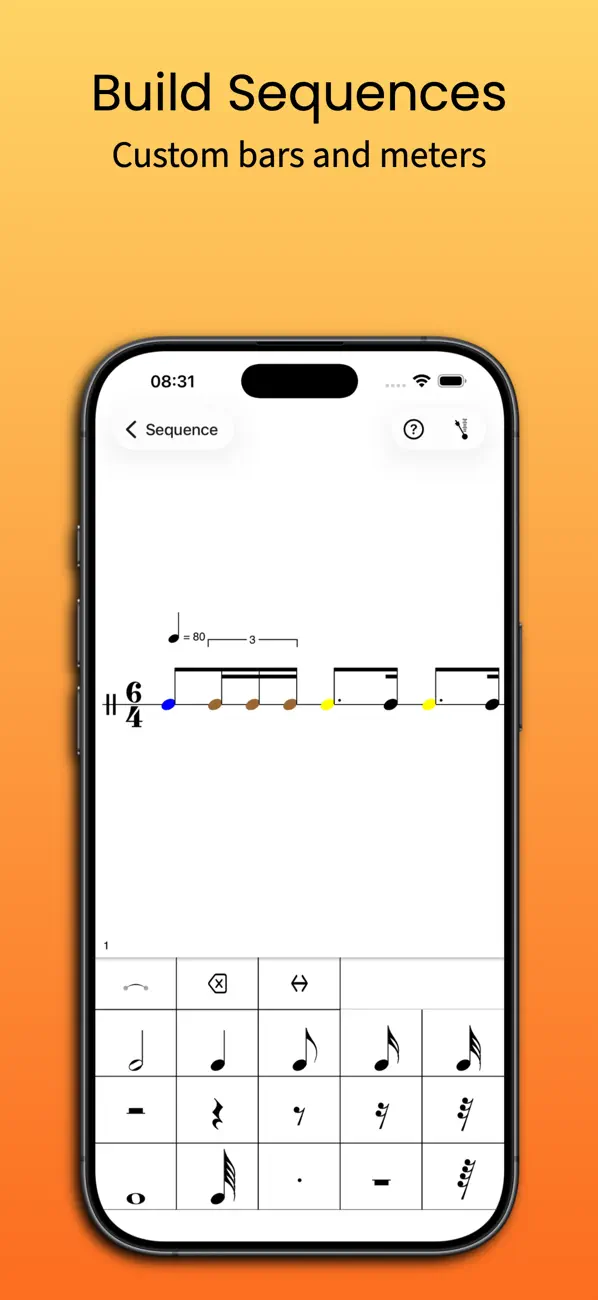
Metron also offers a sequencer that lets you create your own library with as many sequences as you like. Each sequence can have its own unique bars, allowing for complex time signatures and custom accent settings. Users can freely enter notes into bars to create various rhythmic patterns, such as triplets or swing, while assigning custom colors and sounds to any beat or rhythmic component.
Editing in Metron is done using a staff score that supports two voices, following traditional western music notation. Users can drag and drop elements into the score or utilize a cursor-based insert mode for faster editing. This flexibility allows for intricate and personalized rhythm creation.
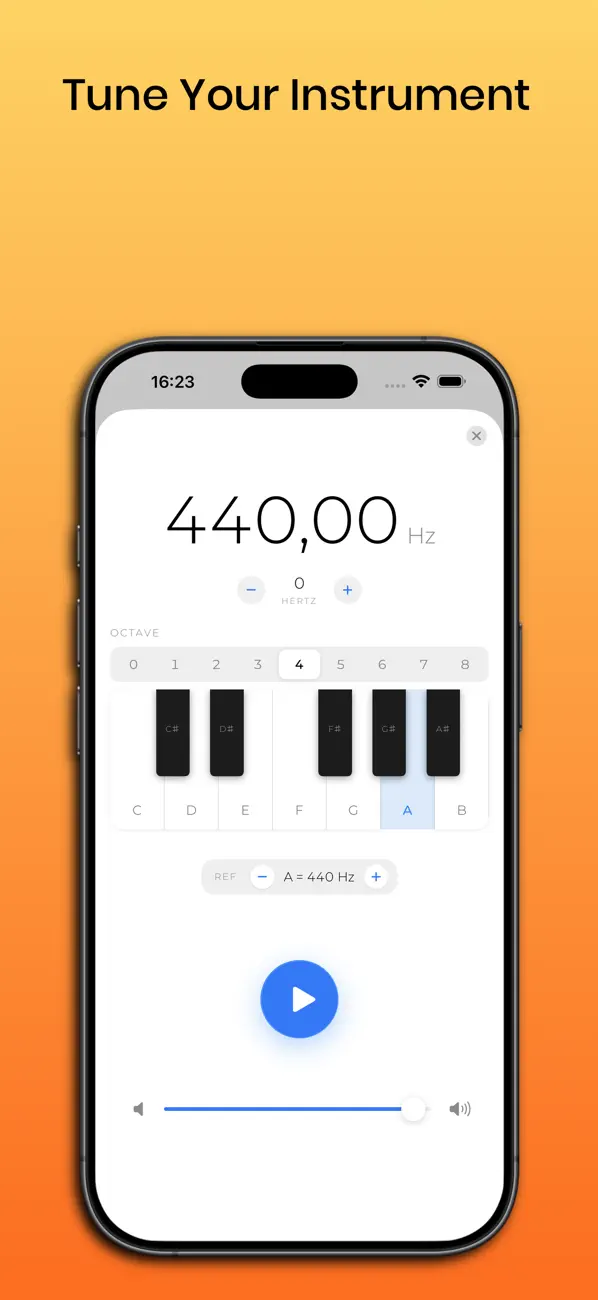
For tuning instruments, Metron includes a pitch pipe feature, enabling users to choose any pitch within nine octaves. This makes it easy for musicians to ensure their instruments are perfectly in tune.
With all these features, Metron provides everything needed for effective musical practice. Whether you are an amateur or a professional musician, you will find Metron to be a valuable tool for improving your skills and exploring new musical landscapes.
One of the standout features of Metron is its support for a variety of time signatures. With easy access to commonly used time signatures, users can define new sequences or edit existing ones. The app also offers tempo scaling, making it handy for more elaborate sequences. Metron’s advanced playback engine ensures real-time accuracy, allowing users to perform dynamic accelerando and ritardando features while they play.
The built-in notation based sequencer offers detailed control over tempo and time signature changes. Users can create rhythmic patterns with tuplets and play two voices at once, which is ideal for exploring complex polyrhythms. This feature enables musicians to experience intricate beats like three against two or five against four with ease.
A helpful first run walkthrough guides users to get oriented quickly, while a comprehensive user manual is available for further assistance. Metron is free to download, and users can access more advanced features through a one-time Metron Pro unlock.
In Metron, the metronome can be used in both portrait and landscape mode. The tempo can be set from 1 to 999 beats per minute, providing flexibility for different practice needs. Additionally, the tap-pad tempo setting allows users to set the metronome tempo by simply tapping on the screen. There is also an option for seamless background play, so you can continue working while multitasking.
Users can record Metron sessions to create audio files, which can be easily shared. Exporting MIDI tempo tracks allows users to take their practice tempo map directly into a Digital Audio Workstation (DAW). The setlist control feature helps musicians navigate long sequences with rehearsal numbers, making it easier to stay organized.
Metron also offers a sequencer that lets you create your own library with as many sequences as you like. Each sequence can have its own unique bars, allowing for complex time signatures and custom accent settings. Users can freely enter notes into bars to create various rhythmic patterns, such as triplets or swing, while assigning custom colors and sounds to any beat or rhythmic component.
Editing in Metron is done using a staff score that supports two voices, following traditional western music notation. Users can drag and drop elements into the score or utilize a cursor-based insert mode for faster editing. This flexibility allows for intricate and personalized rhythm creation.
For tuning instruments, Metron includes a pitch pipe feature, enabling users to choose any pitch within nine octaves. This makes it easy for musicians to ensure their instruments are perfectly in tune.
With all these features, Metron provides everything needed for effective musical practice. Whether you are an amateur or a professional musician, you will find Metron to be a valuable tool for improving your skills and exploring new musical landscapes.

UltraTap Delay
Eventide
$14.99
$7.99

iMPC Pro 2
Akai Professional
$24.99
$6.29

K7D – Tape Delay
Imaginando Lda
$5.39
$2.79