

$0.99
$0.49
51% Off
LuX : Adaptive Icon pack
JustNewDesigns


About the App
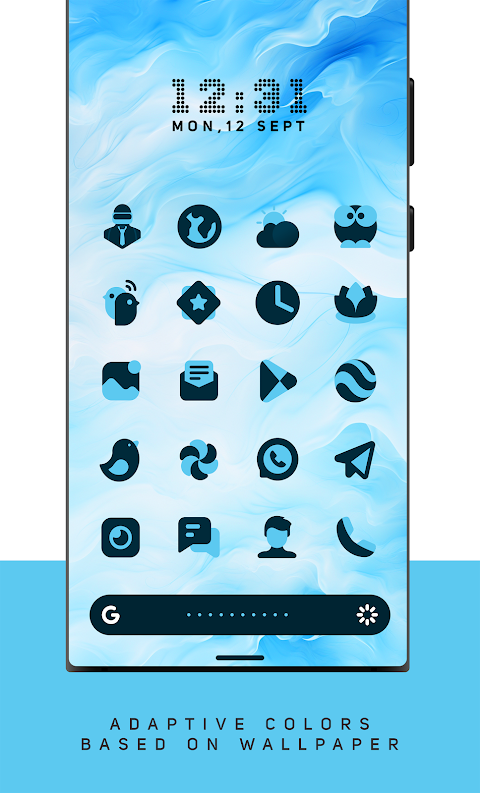
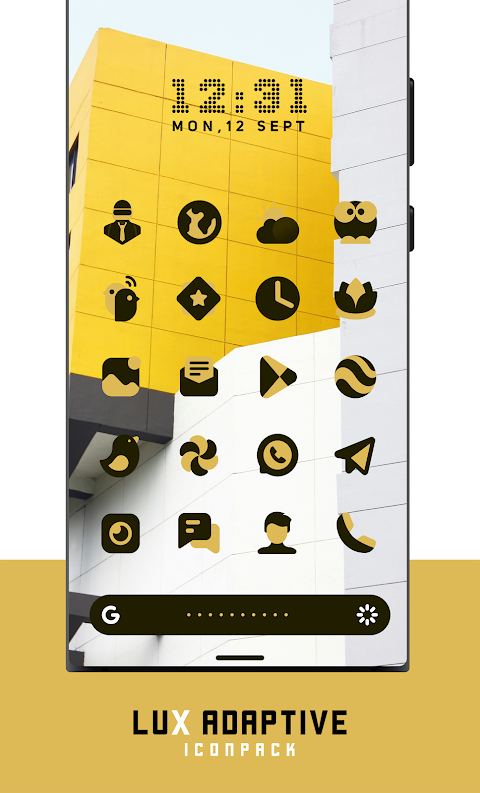
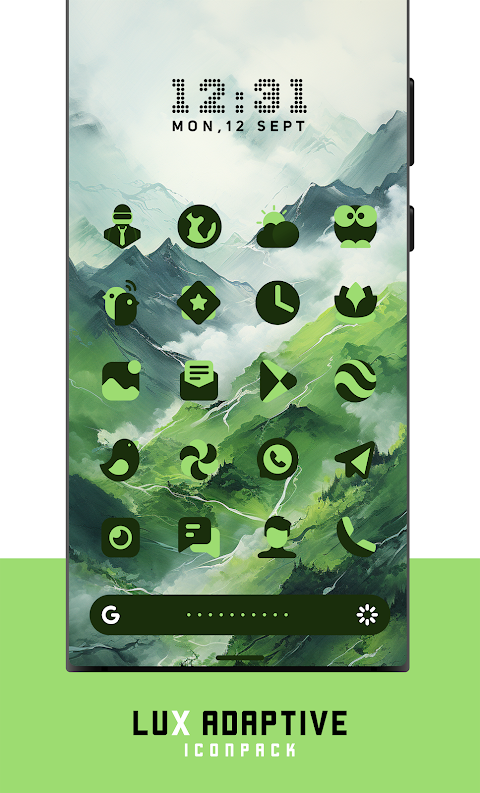
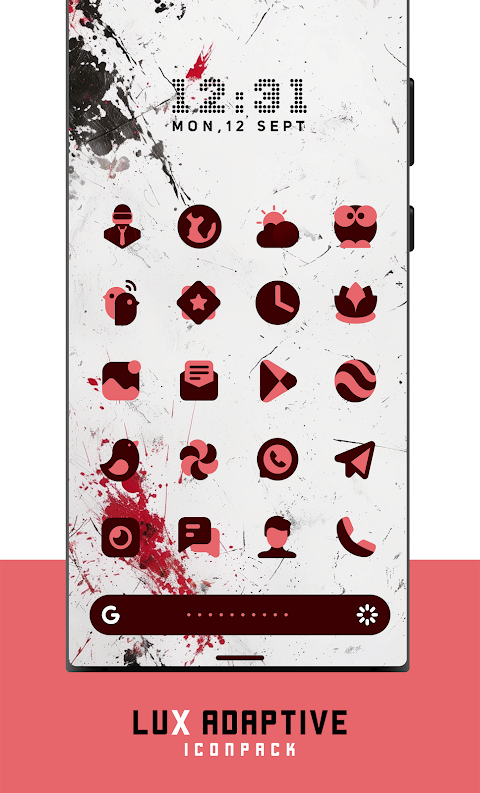
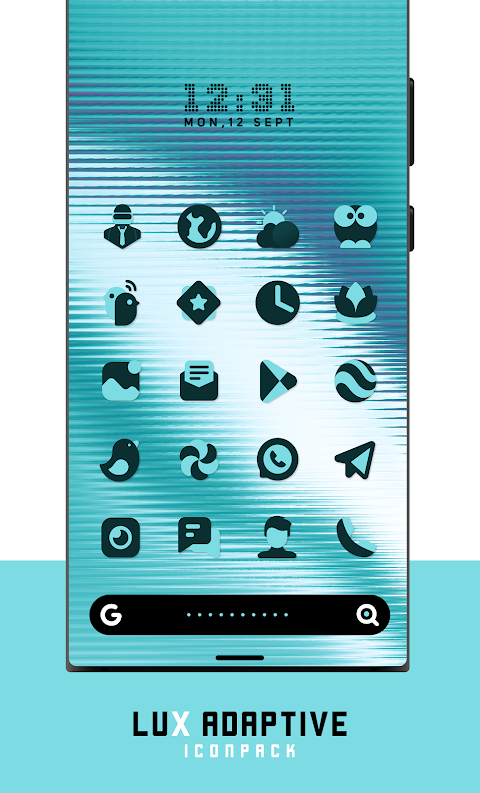
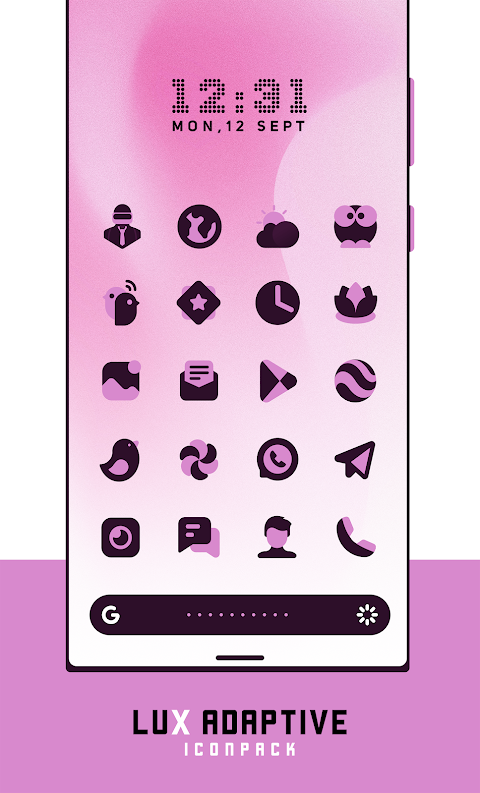
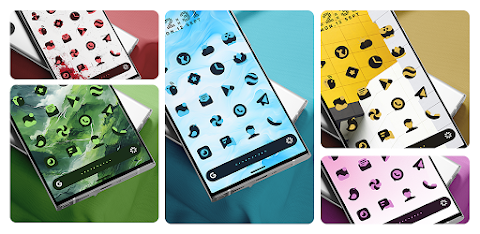
LuX Adaptive Icon Pack is designed to enhance your device by automatically adjusting the colors of its icons based on your wallpapers. This offers a dynamic integration with your device's theme, providing a seamless and personalized experience. With each icon meticulously crafted, LuX transforms your device into a visual delight, making it not just functional but also a stunning work of art.
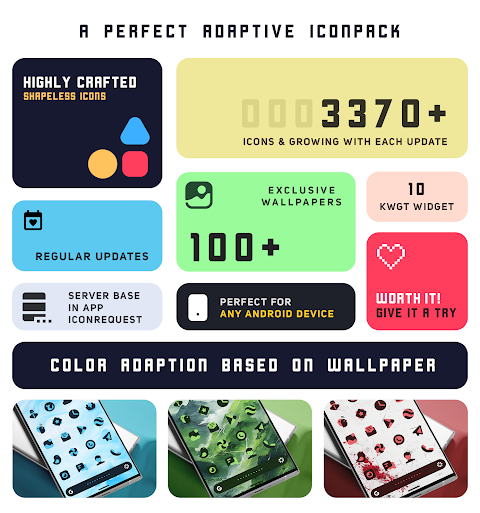
This adaptive icon pack boasts over 4000 icons and a collection of high-quality wallpapers that complement this variety. You'll find matching wallpapers that go perfectly with your chosen icons, helping you achieve a cohesive look. Additionally, LuX includes more than 10 KWGT widgets, bringing an extra layer of customization to your home screen.
One of the key features of LuX is its ability to adapt icon colors based on your selected wallpaper. This feature is only supported on Android 12 and later versions, ensuring you get the best visual impact. The dynamic calendar integrates smoothly as well, allowing you to keep track of your events in style. With a material dashboard, you’ll find navigating through the app easy and intuitive.
LuX Adaptive Icon Pack also offers custom folder icons and category-based icons. Users can benefit from the icon preview and search feature, making it easier to find your desired icons. If you happen to miss an icon or want something specific, the server-based icon request feature lets you reach out for additions that suit your needs.
This frequently updated icon pack guarantees that you’ll always have new and stunning icon designs at your fingertips. It is a top-notch choice for anyone interested in mobile customization and those who enjoy a luxurious touch to their device themes. Frequent updates mean the collection will keep growing, ensuring that LuX stays fresh and relevant.
Before installation, there are some theme launcher requirements to keep in mind. You will need a supported launcher to use this icon pack effectively. In some cases, you might need to apply the icon pack again to see changes in icon colors. If your default launcher doesn't support icon packs, you may need to switch to one that does.
You can find an FAQ section within the app to assist you with common questions, so be sure to check that before reaching out directly. If you need an icon that is missing, simply send an icon request, and the team behind LuX will strive to accommodate your wishes as soon as possible.
Did you know that, on average, a user checks their device more than 50 times a day? With LuX Adaptive Icon Pack, each of those times can be a real pleasure, enhancing your user interface experience.
To use the LuX Icon Pack, start by installing a supported theme launcher. Then, open the LuX Icon Pack, go to the apply section, and select your launcher to apply the icons. If you don’t find your launcher in the list, you can also apply the icon pack via your launcher settings.
Supported launchers include popular options like Nova Launcher, Action Launcher, and Apex Launcher among many others. Some devices, such as OnePlus and Poco, may allow you to apply the icon pack without an additional launcher.
For those who appreciate creative icon designs, LuX offers visual customization tools that make personalizing your device both easy and enjoyable. The color adaptive features ensure that your device remains visually interesting and harmonious with your chosen backgrounds.
Discover the world of personalized device themes with the LuX Adaptive Icon Pack and enjoy a frequently updated selection that continuously enhances your mobile environment. If you have any questions or issues, feel free to reach out via email or through social media; support is ready and eager to help you.
Experience the luxury of customization with LuX and give your device a fresh new look every day!
This adaptive icon pack boasts over 4000 icons and a collection of high-quality wallpapers that complement this variety. You'll find matching wallpapers that go perfectly with your chosen icons, helping you achieve a cohesive look. Additionally, LuX includes more than 10 KWGT widgets, bringing an extra layer of customization to your home screen.
One of the key features of LuX is its ability to adapt icon colors based on your selected wallpaper. This feature is only supported on Android 12 and later versions, ensuring you get the best visual impact. The dynamic calendar integrates smoothly as well, allowing you to keep track of your events in style. With a material dashboard, you’ll find navigating through the app easy and intuitive.
LuX Adaptive Icon Pack also offers custom folder icons and category-based icons. Users can benefit from the icon preview and search feature, making it easier to find your desired icons. If you happen to miss an icon or want something specific, the server-based icon request feature lets you reach out for additions that suit your needs.
This frequently updated icon pack guarantees that you’ll always have new and stunning icon designs at your fingertips. It is a top-notch choice for anyone interested in mobile customization and those who enjoy a luxurious touch to their device themes. Frequent updates mean the collection will keep growing, ensuring that LuX stays fresh and relevant.
Before installation, there are some theme launcher requirements to keep in mind. You will need a supported launcher to use this icon pack effectively. In some cases, you might need to apply the icon pack again to see changes in icon colors. If your default launcher doesn't support icon packs, you may need to switch to one that does.
You can find an FAQ section within the app to assist you with common questions, so be sure to check that before reaching out directly. If you need an icon that is missing, simply send an icon request, and the team behind LuX will strive to accommodate your wishes as soon as possible.
Did you know that, on average, a user checks their device more than 50 times a day? With LuX Adaptive Icon Pack, each of those times can be a real pleasure, enhancing your user interface experience.
To use the LuX Icon Pack, start by installing a supported theme launcher. Then, open the LuX Icon Pack, go to the apply section, and select your launcher to apply the icons. If you don’t find your launcher in the list, you can also apply the icon pack via your launcher settings.
Supported launchers include popular options like Nova Launcher, Action Launcher, and Apex Launcher among many others. Some devices, such as OnePlus and Poco, may allow you to apply the icon pack without an additional launcher.
For those who appreciate creative icon designs, LuX offers visual customization tools that make personalizing your device both easy and enjoyable. The color adaptive features ensure that your device remains visually interesting and harmonious with your chosen backgrounds.
Discover the world of personalized device themes with the LuX Adaptive Icon Pack and enjoy a frequently updated selection that continuously enhances your mobile environment. If you have any questions or issues, feel free to reach out via email or through social media; support is ready and eager to help you.
Experience the luxury of customization with LuX and give your device a fresh new look every day!

Aesthetic Icon Pack
PizzApp Design
$0.99
$0.69

Plush Iconpack – Premium Icons
Stark Designs
$1.39
$0.70
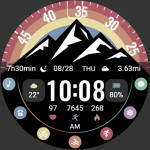
【Animated】Mountain Rainbow
ZKin
$2.99