
![[KNA030] BIG NUM](https://appdovo.com/wp-content/uploads/2026/07/com.watchfacestudio.kna030A9m4evf-POlPPF0A6L-w-1-300x300.webp)
$0.99
$0.19
81% Off
[KNA030] BIG NUM
KNA TH Watch Faces

![[KNA030] BIG NUM screenshot](https://appdovo.com/wp-content/uploads/2026/07/com.watchfacestudio.kna030wBXWnF-2SEJJzBIaHM7Q.webp)
![[KNA030] BIG NUM screenshot](https://appdovo.com/wp-content/uploads/2026/07/com.watchfacestudio.kna030raM0Q4ONEa6BSCTq7TPw.webp)
![[KNA030] BIG NUM screenshot](https://appdovo.com/wp-content/uploads/2026/07/com.watchfacestudio.kna030GaOBnyapIMMLRtFXGMXx.webp)
![[KNA030] BIG NUM screenshot](https://appdovo.com/wp-content/uploads/2026/07/com.watchfacestudio.kna030uRZZxizVkSIgHyYMdE4T.webp)
![[KNA030] BIG NUM screenshot](https://appdovo.com/wp-content/uploads/2026/07/com.watchfacestudio.kna030wWG1bWp0z04ho4RQfmIF.webp)
![[KNA030] BIG NUM screenshot](https://appdovo.com/wp-content/uploads/2026/07/com.watchfacestudio.kna030A9m4evf-POlPPF0A6L-w.webp)
![[KNA030] BIG NUM screenshot](https://appdovo.com/wp-content/uploads/2026/07/com.watchfacestudio.kna030sEtjmH8tgSoOkrrrBXRC.webp)
![[KNA030] BIG NUM screenshot](https://appdovo.com/wp-content/uploads/2026/07/com.watchfacestudio.kna030HnVcEFZqOqVYq5vacTmu.webp)
![[KNA030] BIG NUM screenshot](https://appdovo.com/wp-content/uploads/2026/07/com.watchfacestudio.kna030oUenHWAQgEcebhdgugGN.webp)
![[KNA030] BIG NUM screenshot](https://appdovo.com/wp-content/uploads/2026/07/com.watchfacestudio.kna030o_ZrGRJUWILteswUF01U.webp)
![[KNA030] BIG NUM screenshot](https://appdovo.com/wp-content/uploads/2026/07/com.watchfacestudio.kna030YqtWy35PhXjUfM3yKqVy.webp)
About the App
KNA030 BIG NUM is a Wear OS watch face designed for smartwatches. This app allows you to customize your watch with various features and data options. Whether you prefer a big digital style or want to see the time in a 12 hour time format or a 24 hour time format, this watch face has you covered.
Before you install KNA030 BIG NUM, it's important to check your watch compatibility with Wear OS. Make sure you have updated your Android to the latest version. Compatible devices include API level 30+ such as Google Pixel, Galaxy Watch 4, Galaxy Watch 5, Galaxy Watch 6, and other Wear OS models. Please note that the Galaxy Watch 3 and Galaxy Active are not Wear OS devices.
After installing the watch face, remember that it won’t automatically appear on your watch screen. You'll need to set it up manually on your watch's display. This can be done easily with a few simple steps.
KNA030 BIG NUM comes with some great features. You can see a date display, day of week display, and month display. There are also two customizable complications, which allow you to choose any data you want to show on your watch face. For example, you can select a weather complication, world clock complication, sunset/sunrise complication, or a barometer complication. In addition, there are four tab shortcuts for quick access to your favorite functions.
To customize the watch face, just touch and hold the display. Then, tap on the customize option to make it your own. The always on display feature ensures you can always see the time and information you need, without having to wake up your watch.
While KNA030 BIG NUM includes many useful features, some options may not be available on all watches. If you need help or have any questions, feel free to contact us at sombatcsus@gmail.com.
Thank you for your support, and enjoy using KNA030 BIG NUM to enhance your Wear OS smartwatch experience!
Before you install KNA030 BIG NUM, it's important to check your watch compatibility with Wear OS. Make sure you have updated your Android to the latest version. Compatible devices include API level 30+ such as Google Pixel, Galaxy Watch 4, Galaxy Watch 5, Galaxy Watch 6, and other Wear OS models. Please note that the Galaxy Watch 3 and Galaxy Active are not Wear OS devices.
After installing the watch face, remember that it won’t automatically appear on your watch screen. You'll need to set it up manually on your watch's display. This can be done easily with a few simple steps.
KNA030 BIG NUM comes with some great features. You can see a date display, day of week display, and month display. There are also two customizable complications, which allow you to choose any data you want to show on your watch face. For example, you can select a weather complication, world clock complication, sunset/sunrise complication, or a barometer complication. In addition, there are four tab shortcuts for quick access to your favorite functions.
To customize the watch face, just touch and hold the display. Then, tap on the customize option to make it your own. The always on display feature ensures you can always see the time and information you need, without having to wake up your watch.
While KNA030 BIG NUM includes many useful features, some options may not be available on all watches. If you need help or have any questions, feel free to contact us at sombatcsus@gmail.com.
Thank you for your support, and enjoy using KNA030 BIG NUM to enhance your Wear OS smartwatch experience!
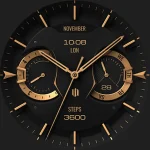
S4U Milan – Luxury watch face
styles4you
$1.49
$0.60

Stealth Watch Face
amoledwatchfaces™
$1.79
$1.25

Rubuk – Square Icon Pack
GomoTheGom
$1.49
$0.29