

$2.99
FREE
100% Off
Kiosk — Editable Browser
Marco Tini

About the App
Kiosk is a unique and small browser designed for people who want to take control over the internet. With Kiosk, you can decide how the web looks, what it shows, and what runs on it.
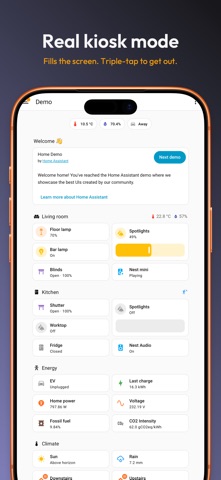
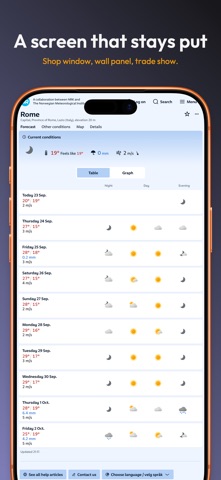
When you use Kiosk Mode, you enjoy real fullscreen browsing. This means no distractions, no toolbars, just the content you care about. If you need to exit, simply triple-tap the screen—there's no complicated setup like Guided Access nor annoying system prompts. This feature is perfect for turning your iPad into a dedicated display for various uses, such as a shop window, a trade show, an info point, or even a smart-home panel on your wall. It’s good to know that the triple-tap is the only way to exit, not a passcode. For settings where public access is needed, you can pair Kiosk with Guided Access for a smoother experience at an unattended public terminal.
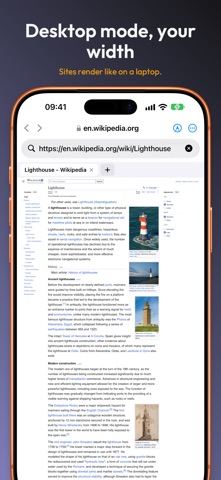
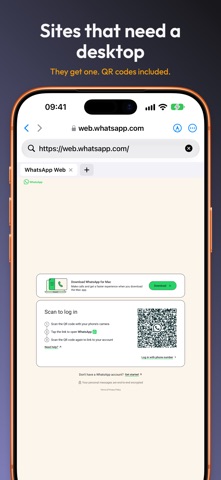
Kiosk also offers Desktop Mode, which allows for more comfortable browsing. You can set a configurable viewport resolution so that websites display as they would on a laptop. This avoids the cramped mobile layout that usually comes with iOS. You can easily switch user agents—such as Chrome, Safari, Firefox, or Edge—with just a tap, making Kiosk an editable browser that fits your needs.
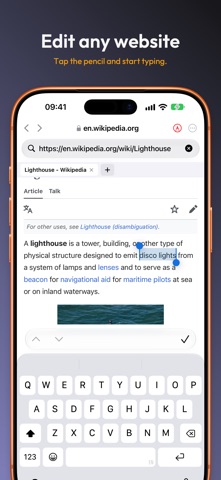
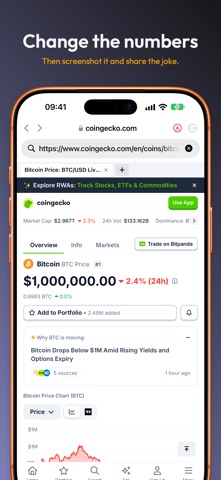
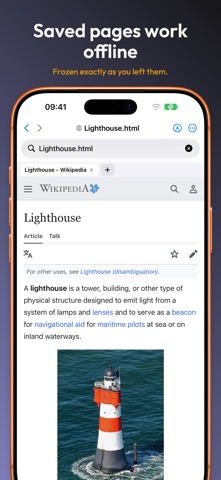
Perhaps the most exciting feature is that you can edit any website. By tapping a pencil icon, the page becomes editable. This means you can change headlines, fix prices, hide banners, or rewrite sentences. After editing, you can take a screenshot, share it, or save it as an HTML snapshot that you can access offline later.
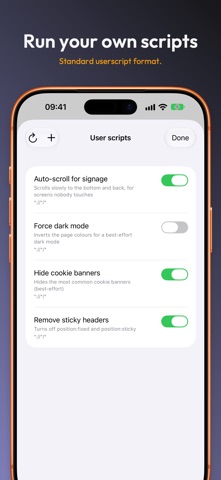
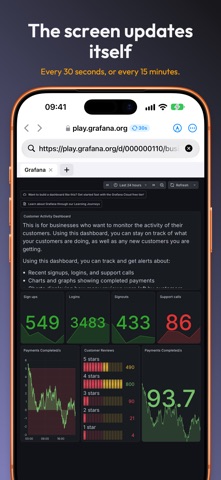
Kiosk supports JavaScript integration, meaning you can run your own scripts on selected websites every time they load. This is useful for forcing dark mode, hiding cookie banners, or adding quick shortcuts. Scripts follow a standard userscript format; just drop a .js file into the designated folder, and it runs smoothly. There are also three example scripts included to get you started. You can configure any page to auto-reload—whether every 30 seconds, minute, or five minutes—so dashboards and signs stay current without needing to refresh them manually.
One of the standout features of Kiosk is its ability to set up digital signage on your own network. It accepts self-signed certificates right out of the box, so things like home dashboards, routers, or staging servers work seamlessly on your local area network. This means you don’t have to deal with cloud services or sign-in prompts, making it simple and efficient.
Kiosk is built like a real browser, featuring tab management that retains scroll position and form states, bookmark management, history tracking, and the ability for JSON export of everything you’ve saved. This ensures you have easy access to what you need.
With Kiosk, you have the option to use Spaces, where bookmarks, history, scripts, snapshots, and custom settings are organized in straightforward folders on your device. You can even use AirDrop functionality to quickly share a Space with another iPad, transferring your entire setup effortlessly.
If you want Kiosk to be your default browser, you can easily set it up in your device's settings. Just go to Settings > Apps > Default Apps > Browser > Kiosk, and every link you tap will open in Kiosk.
Privacy is a core part of Kiosk. There are no accounts or cloud services required, meaning no tracking takes place. You can even block web fonts to help keep trackers from identifying you through your font list. This privacy-first approach continues to work even after clearing cookies or changing your IP address.
Kiosk Unlimited is an optional feature that lets you try everything first. You get to edit three pages, run one 15-minute kiosk session, keep three snapshots, and add one script and user agent of your own. You can change the desktop width and see the page redraw instantly, or switch on auto-reload to observe it in action. After experiencing these features, you can decide if you want to upgrade.
Kiosk Unlimited is a one-time purchase, not a subscription. When you unlock it, you can edit as often as you wish, enjoy kiosk mode without session limits, and use your own scripts and user agents without any restrictions. You can save unlimited snapshots, too.
You can still access the essential features for free, including the browser itself—like tabs, bookmarks, history, search engines, and desktop mode. You also get twelve built-in user agents, three bundled scripts, default browser settings, privacy controls, JSON export, and Spaces. Importantly, nothing you create is ever hidden or deleted.
There’s no subscription required now or in the future. If you already own Kiosk, you automatically have Kiosk Unlimited forever, including any new features added. There’s nothing to buy again or restore.
Kiosk works across every device, including iPhone, iPad, and Mac (Apple Silicon), all in one app. It is under 1 MB and is available in more than 40 languages. Kiosk is developed by one dedicated individual who uses this app every day, ensuring it meets real user needs.
When you use Kiosk Mode, you enjoy real fullscreen browsing. This means no distractions, no toolbars, just the content you care about. If you need to exit, simply triple-tap the screen—there's no complicated setup like Guided Access nor annoying system prompts. This feature is perfect for turning your iPad into a dedicated display for various uses, such as a shop window, a trade show, an info point, or even a smart-home panel on your wall. It’s good to know that the triple-tap is the only way to exit, not a passcode. For settings where public access is needed, you can pair Kiosk with Guided Access for a smoother experience at an unattended public terminal.
Kiosk also offers Desktop Mode, which allows for more comfortable browsing. You can set a configurable viewport resolution so that websites display as they would on a laptop. This avoids the cramped mobile layout that usually comes with iOS. You can easily switch user agents—such as Chrome, Safari, Firefox, or Edge—with just a tap, making Kiosk an editable browser that fits your needs.
Perhaps the most exciting feature is that you can edit any website. By tapping a pencil icon, the page becomes editable. This means you can change headlines, fix prices, hide banners, or rewrite sentences. After editing, you can take a screenshot, share it, or save it as an HTML snapshot that you can access offline later.
Kiosk supports JavaScript integration, meaning you can run your own scripts on selected websites every time they load. This is useful for forcing dark mode, hiding cookie banners, or adding quick shortcuts. Scripts follow a standard userscript format; just drop a .js file into the designated folder, and it runs smoothly. There are also three example scripts included to get you started. You can configure any page to auto-reload—whether every 30 seconds, minute, or five minutes—so dashboards and signs stay current without needing to refresh them manually.
One of the standout features of Kiosk is its ability to set up digital signage on your own network. It accepts self-signed certificates right out of the box, so things like home dashboards, routers, or staging servers work seamlessly on your local area network. This means you don’t have to deal with cloud services or sign-in prompts, making it simple and efficient.
Kiosk is built like a real browser, featuring tab management that retains scroll position and form states, bookmark management, history tracking, and the ability for JSON export of everything you’ve saved. This ensures you have easy access to what you need.
With Kiosk, you have the option to use Spaces, where bookmarks, history, scripts, snapshots, and custom settings are organized in straightforward folders on your device. You can even use AirDrop functionality to quickly share a Space with another iPad, transferring your entire setup effortlessly.
If you want Kiosk to be your default browser, you can easily set it up in your device's settings. Just go to Settings > Apps > Default Apps > Browser > Kiosk, and every link you tap will open in Kiosk.
Privacy is a core part of Kiosk. There are no accounts or cloud services required, meaning no tracking takes place. You can even block web fonts to help keep trackers from identifying you through your font list. This privacy-first approach continues to work even after clearing cookies or changing your IP address.
Kiosk Unlimited is an optional feature that lets you try everything first. You get to edit three pages, run one 15-minute kiosk session, keep three snapshots, and add one script and user agent of your own. You can change the desktop width and see the page redraw instantly, or switch on auto-reload to observe it in action. After experiencing these features, you can decide if you want to upgrade.
Kiosk Unlimited is a one-time purchase, not a subscription. When you unlock it, you can edit as often as you wish, enjoy kiosk mode without session limits, and use your own scripts and user agents without any restrictions. You can save unlimited snapshots, too.
You can still access the essential features for free, including the browser itself—like tabs, bookmarks, history, search engines, and desktop mode. You also get twelve built-in user agents, three bundled scripts, default browser settings, privacy controls, JSON export, and Spaces. Importantly, nothing you create is ever hidden or deleted.
There’s no subscription required now or in the future. If you already own Kiosk, you automatically have Kiosk Unlimited forever, including any new features added. There’s nothing to buy again or restore.
Kiosk works across every device, including iPhone, iPad, and Mac (Apple Silicon), all in one app. It is under 1 MB and is available in more than 40 languages. Kiosk is developed by one dedicated individual who uses this app every day, ensuring it meets real user needs.

MongoLime – manage databases
Mobibean, LLC
$14.99
$9.99
iSocketTool
珣 张
$1.99

Site Checker: Down Detector
Tamara Dudarenko
$1.99
$1.90