
$1.49
$0.49
67% Off
Gradia – Icon Pack
GomoTheGom



About the App
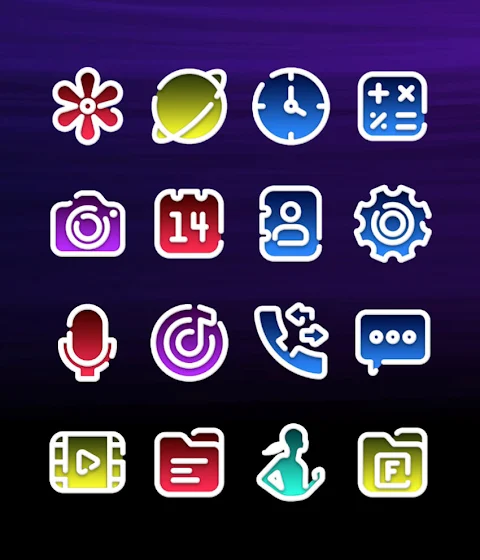
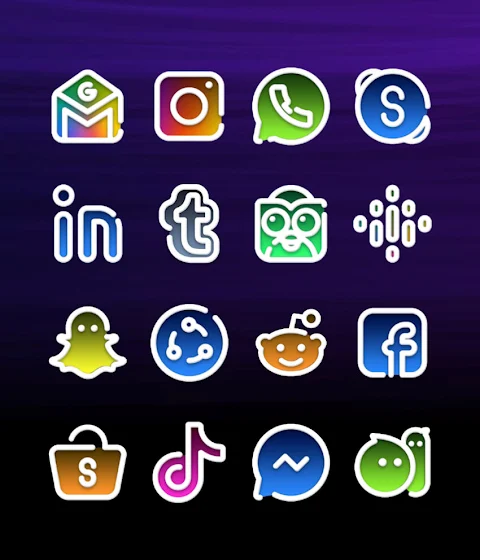
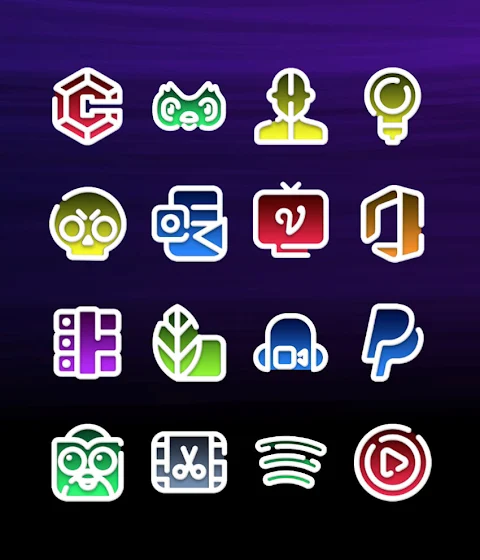
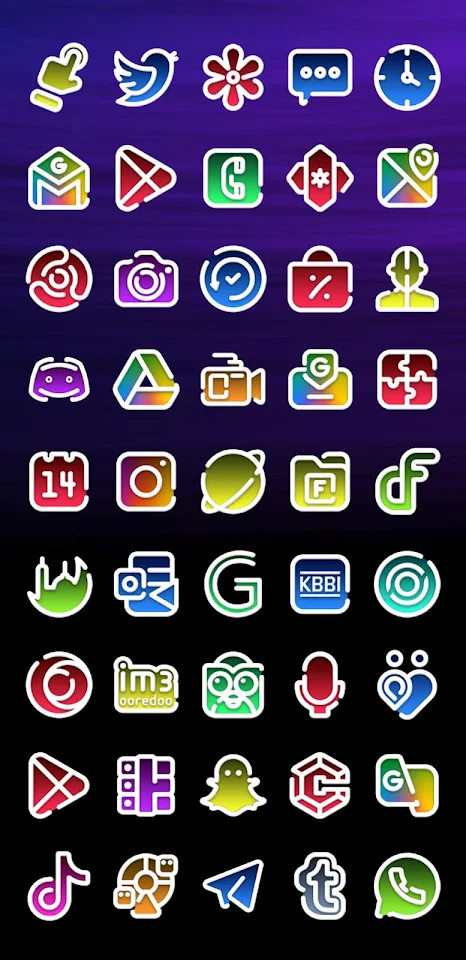
Gradia is a vibrant gradient icon pack designed to brighten up your device. With its colorful and refreshing line style icons, Gradia is a wonderful way to bring a new look to your phone.
This icon pack offers over 3,500 high-quality icons, each sized at 254x254 pixels, and it continues to expand with regular updates. You can also download high-quality wallpapers to enhance your home screen, making your device truly unique. If you find that some apps are missing icons, don't worry! Gradia includes a free icon request feature, allowing you to ask for icons for any apps that aren’t covered yet.
Applying Gradia is simple, especially if you use a compatible launcher like Nova or Lawnchair, which are recommended for the best experience. Once you install a launcher, just open Gradia Icon Pack and apply it directly. If your launcher isn't listed, you can still set it up through your phone's launcher theme or icon change settings. Simply select Gradia from the available choices.
Gradia also comes with an icon management dashboard. This user-friendly feature helps you organize your icons easily. You can try icons on your current wallpaper using the dashboard icon preview option, letting you see how they look before applying them. This makes it easier to customize your home screen to fit your personal style.
You will benefit from frequent updates, ensuring that your Gradia icon pack continues to grow and evolve. Long-term support means that you can count on us for assistance whenever you might need it. If you encounter any issues, we are here to help. Just reach out, and we will respond quickly with support.
Gradia is compatible with many popular launchers. You can apply it via the dashboard to well-known launchers like Action Launcher, Apex Launcher, and Evie Launcher. Additionally, Gradia works seamlessly with Poco Launcher, Holo Launcher, and ZenUI Launcher. For those who prefer other options, you can apply the icon pack through theme settings in launchers such as Arrow Launcher and EverythingMe.
Remember, to use Gradia without problems, a supported launcher is necessary. If you have issues with Go Launcher, you can adjust the icon pack theme settings to correct them. If some main icons remain unchanged, just long touch the icon and use the replace menu to swap them out.
As for customization, Gradia offers options to tweak icon shapes, especially if you're using Nova Launcher. You can turn off rounding of icons to get the exact look you want.
With Gradia, you have desktop customization tools that make mobile personalization enjoyable and straightforward. It's a delightful way to enhance your device’s appearance while having fun with different styles.
So go ahead, install Gradia – the colorful gradient icon pack that makes your phone not only beautiful but uniquely yours!
This icon pack offers over 3,500 high-quality icons, each sized at 254x254 pixels, and it continues to expand with regular updates. You can also download high-quality wallpapers to enhance your home screen, making your device truly unique. If you find that some apps are missing icons, don't worry! Gradia includes a free icon request feature, allowing you to ask for icons for any apps that aren’t covered yet.
Applying Gradia is simple, especially if you use a compatible launcher like Nova or Lawnchair, which are recommended for the best experience. Once you install a launcher, just open Gradia Icon Pack and apply it directly. If your launcher isn't listed, you can still set it up through your phone's launcher theme or icon change settings. Simply select Gradia from the available choices.
Gradia also comes with an icon management dashboard. This user-friendly feature helps you organize your icons easily. You can try icons on your current wallpaper using the dashboard icon preview option, letting you see how they look before applying them. This makes it easier to customize your home screen to fit your personal style.
You will benefit from frequent updates, ensuring that your Gradia icon pack continues to grow and evolve. Long-term support means that you can count on us for assistance whenever you might need it. If you encounter any issues, we are here to help. Just reach out, and we will respond quickly with support.
Gradia is compatible with many popular launchers. You can apply it via the dashboard to well-known launchers like Action Launcher, Apex Launcher, and Evie Launcher. Additionally, Gradia works seamlessly with Poco Launcher, Holo Launcher, and ZenUI Launcher. For those who prefer other options, you can apply the icon pack through theme settings in launchers such as Arrow Launcher and EverythingMe.
Remember, to use Gradia without problems, a supported launcher is necessary. If you have issues with Go Launcher, you can adjust the icon pack theme settings to correct them. If some main icons remain unchanged, just long touch the icon and use the replace menu to swap them out.
As for customization, Gradia offers options to tweak icon shapes, especially if you're using Nova Launcher. You can turn off rounding of icons to get the exact look you want.
With Gradia, you have desktop customization tools that make mobile personalization enjoyable and straightforward. It's a delightful way to enhance your device’s appearance while having fun with different styles.
So go ahead, install Gradia – the colorful gradient icon pack that makes your phone not only beautiful but uniquely yours!
DM156 Informative Modern Face
Dominus Mathias | Watch Faces
$3.49
$1.49

h021 Happy Colorful Analog
Happy Watch Faces
$3.99
TAG CARRERA Hybrid Watch Face
PiT Watch Faces
$0.99
$0.39