
$1.49
$0.30
80% Off
Glass HD – Icon Pack
Olivera Onias Design



About the App
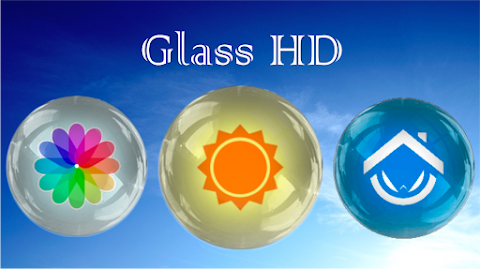
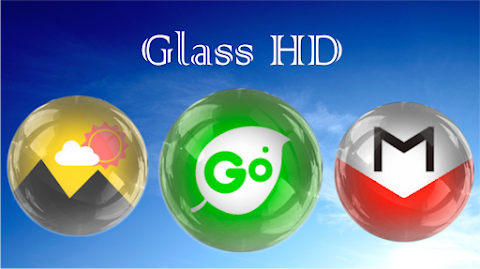
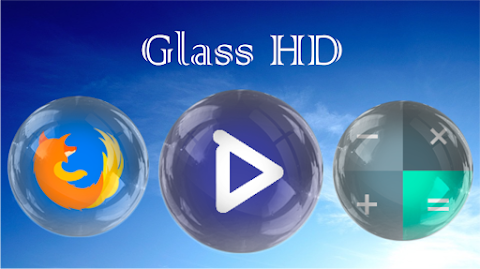
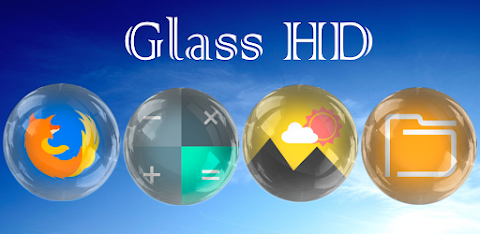
Glass HD - Icon Pack is a stunning icon pack designed to enhance the look of your mobile device. With a bright and appealing style, it offers a collection of over 4,300 custom icons that you can easily apply to make your home screen unique.
To use the Glass HD - Icon Pack, you'll need a launcher installed on your phone. A launcher helps manage the appearance of your home screen and is essential for applying the icon pack. Simply open the Glass HD application and go to the menu in the upper left corner. There, you'll find options to set or apply the icons. The app will display the supported launchers, and you can choose the one you prefer. If you don’t have any launchers installed yet, you can select one, and it will direct you to a download link.
This icon pack supports various launchers, including Nova launcher support, Smart launcher support, and Action launcher support. You will also find compatibility with Apex launcher, ADW launcher integration, and many more, such as L launcher support, Aviate launcher compatibility, and CM Themes support.
The Glass HD - Icon Pack features icons with a resolution of 192x192 pixels, ensuring they look sharp and clear on your screen. However, please note that support is limited for Go launcher due to its icon masking limitations. Additionally, it is not compatible with the default launcher on Samsung or Huawei devices.
The design of Glass HD is created using the CandyBar board, which allows for comprehensive icon masking to cover 100% of your icons. It also has a dynamic calendar feature, so your calendar icon will update with the correct date, keeping your home screen fresh and informative.
Using the application is straightforward. You can easily customize your device by selecting icons and adjusting settings. The graphic interface is available in multiple languages, making it accessible to users worldwide. This ensures that everyone can enjoy the interface customization features the app provides.
You can check for launcher compatibility through the app, ensuring that your selected launcher works perfectly with the Glass HD - Icon Pack. The instructions for applying the icon pack are simple and clear, allowing users to navigate effortlessly through the setup process.
In summary, Glass HD - Icon Pack is a great choice for anyone looking to personalize their device with beautiful icons. With a variety of icon customization options and support for multiple launchers, it allows for a unique and pleasing home screen experience. Explore the icon pack download link within the app and start transforming your phone today.
To use the Glass HD - Icon Pack, you'll need a launcher installed on your phone. A launcher helps manage the appearance of your home screen and is essential for applying the icon pack. Simply open the Glass HD application and go to the menu in the upper left corner. There, you'll find options to set or apply the icons. The app will display the supported launchers, and you can choose the one you prefer. If you don’t have any launchers installed yet, you can select one, and it will direct you to a download link.
This icon pack supports various launchers, including Nova launcher support, Smart launcher support, and Action launcher support. You will also find compatibility with Apex launcher, ADW launcher integration, and many more, such as L launcher support, Aviate launcher compatibility, and CM Themes support.
The Glass HD - Icon Pack features icons with a resolution of 192x192 pixels, ensuring they look sharp and clear on your screen. However, please note that support is limited for Go launcher due to its icon masking limitations. Additionally, it is not compatible with the default launcher on Samsung or Huawei devices.
The design of Glass HD is created using the CandyBar board, which allows for comprehensive icon masking to cover 100% of your icons. It also has a dynamic calendar feature, so your calendar icon will update with the correct date, keeping your home screen fresh and informative.
Using the application is straightforward. You can easily customize your device by selecting icons and adjusting settings. The graphic interface is available in multiple languages, making it accessible to users worldwide. This ensures that everyone can enjoy the interface customization features the app provides.
You can check for launcher compatibility through the app, ensuring that your selected launcher works perfectly with the Glass HD - Icon Pack. The instructions for applying the icon pack are simple and clear, allowing users to navigate effortlessly through the setup process.
In summary, Glass HD - Icon Pack is a great choice for anyone looking to personalize their device with beautiful icons. With a variety of icon customization options and support for multiple launchers, it allows for a unique and pleasing home screen experience. Explore the icon pack download link within the app and start transforming your phone today.
![[69D] Virtue Analog Watch](https://appdovo.com/wp-content/uploads/2026/06/com.sixty9design.virtue_1rbyRZHe2NTKO4pWjY4-1-150x150.webp)
[69D] Virtue Analog Watch
69 Design
$1.49
$0.30
Starry Night Widget ZKin Watch
ZKin
$2.99
FREE
DADAM130: Digital Watch Face
DADAM Watch Faces
$1.49
$0.19