

$2.49
$1.25
50% Off
GitPocket – GitHub Client
EifelBytes

About the App
GitPocket is a versatile GitHub client and git client for Android that helps you manage your repositories directly from your phone or tablet. With GitPocket, you can easily connect to your GitHub account and perform a variety of tasks. Whether you want to review pull requests or browse your code, GitPocket makes it simple.
To get started, you can log in securely using GitHub OAuth, which means you don’t need to enter a password. This keeps your information safe while you enjoy the app’s features.
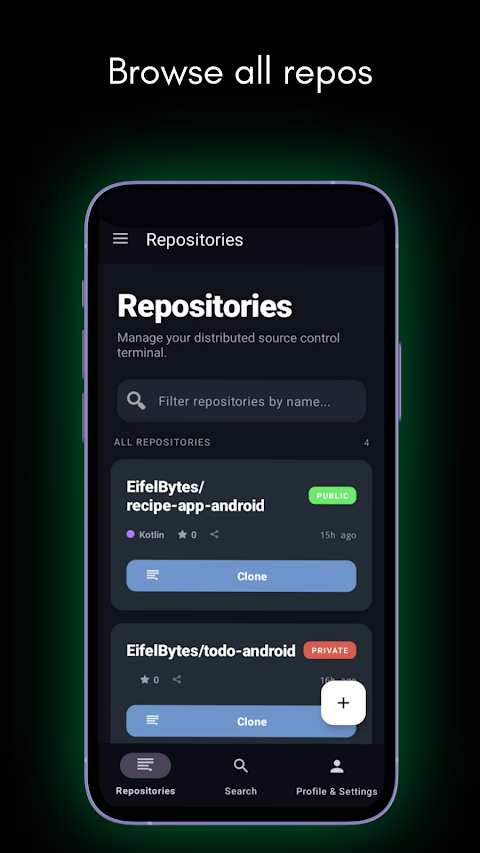
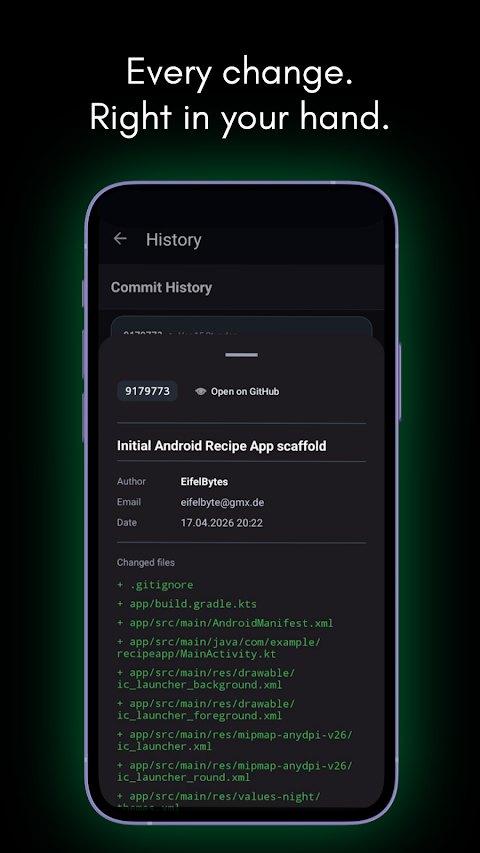
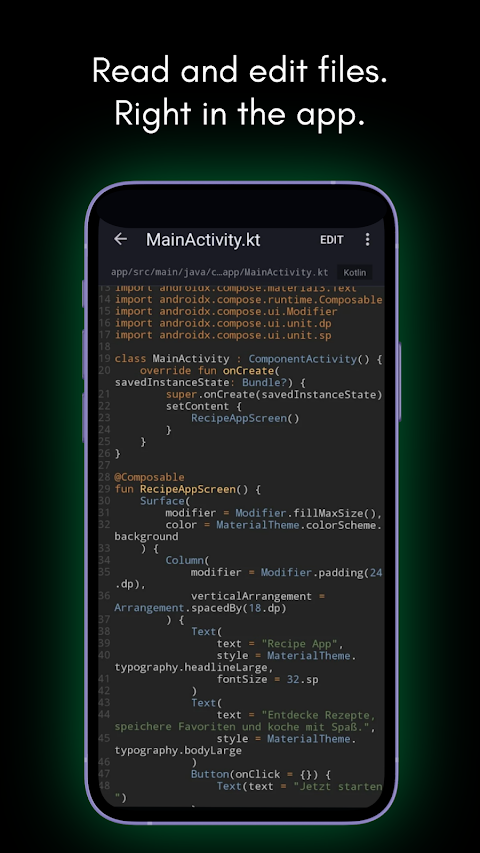
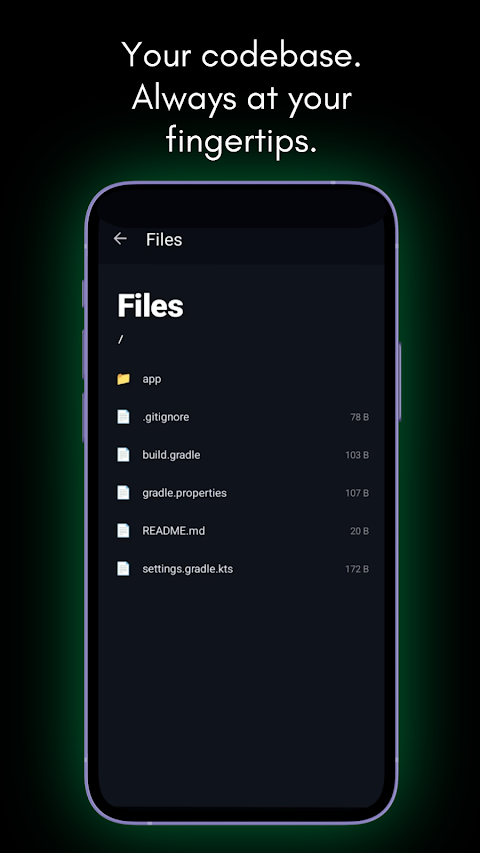
With GitPocket, you can browse and search all your GitHub repositories. You have the option to clone repositories to your device, whether in your Documents, Downloads, or a custom folder. You can view repository details, including branches and commit history, and there's a handy file browser to help you navigate your local git repository.
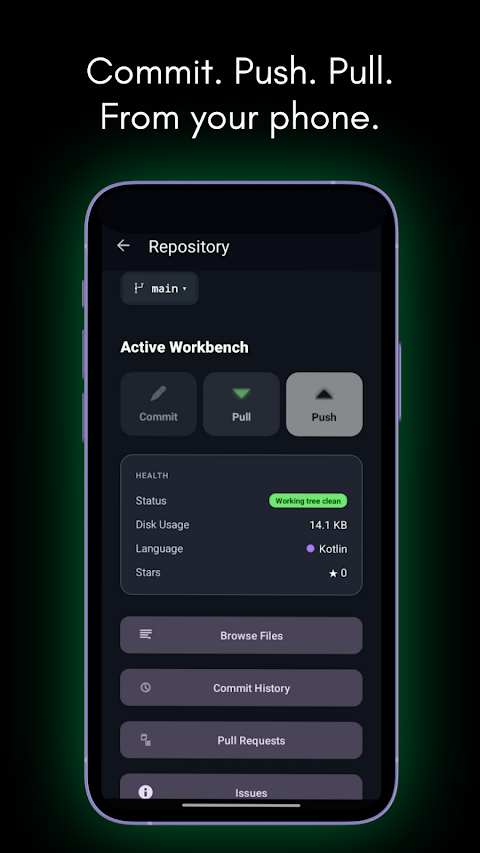
When it comes to git operations, you can easily pull, push, and commit changes right from your Android device. The app also displays local changes as a colored Unified Diff, so you can see what has changed at a glance. If you need to stash and restore changes, GitPocket allows you to do that too. Plus, if you run into any merge conflicts, the built-in merge conflict resolver will assist you. You can revert changes to individual files or undo all changes with ease.
Managing pull requests is straightforward with GitPocket. You can view open pull requests, closed pull requests, and merged pull requests. Additionally, creating new pull requests is simple, thanks to branch selection. While reviewing code changes, you’ll see syntax-highlighted diffs that make understanding the changes easier. You can also submit code reviews by approving, requesting changes, or adding comments. If everything looks good, you can merge pull requests directly from the app.
When it comes to issues, GitPocket allows you to view and filter issues by state. You can read issue details and comments, all rendered with Markdown for better clarity. Posting comments on issues is also a breeze.
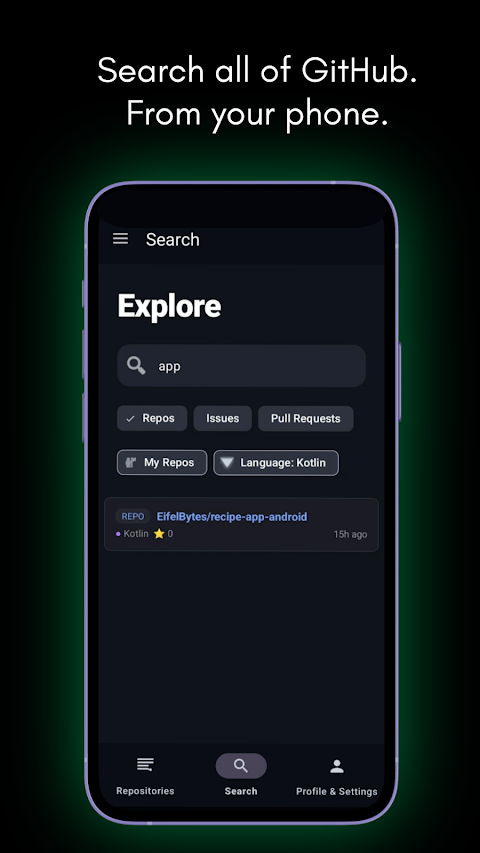
Searching for repositories, issues, and pull requests is efficient with GitPocket. The app features an infinite scroll option for large result sets, making it easy to navigate through your findings.
Privacy and security are priorities in GitPocket. Using the GitHub OAuth Device Flow means no password is stored in the app. All your credentials are encrypted on-device with AES-256, ensuring your data remains secure. You'll also appreciate that there is no tracking or analytics, so your usage stays private. All data remains between you and GitHub.
GitPocket is the mobile git client for developers who want full GitHub access on Android. Whether you need to manage your code, review pull requests, or stay on top of your repositories, GitPocket offers all these features right at your fingertips. It’s designed for developers who want a powerful, easy-to-use tool that allows them to handle their GitHub needs wherever they are.
To get started, you can log in securely using GitHub OAuth, which means you don’t need to enter a password. This keeps your information safe while you enjoy the app’s features.
With GitPocket, you can browse and search all your GitHub repositories. You have the option to clone repositories to your device, whether in your Documents, Downloads, or a custom folder. You can view repository details, including branches and commit history, and there's a handy file browser to help you navigate your local git repository.
When it comes to git operations, you can easily pull, push, and commit changes right from your Android device. The app also displays local changes as a colored Unified Diff, so you can see what has changed at a glance. If you need to stash and restore changes, GitPocket allows you to do that too. Plus, if you run into any merge conflicts, the built-in merge conflict resolver will assist you. You can revert changes to individual files or undo all changes with ease.
Managing pull requests is straightforward with GitPocket. You can view open pull requests, closed pull requests, and merged pull requests. Additionally, creating new pull requests is simple, thanks to branch selection. While reviewing code changes, you’ll see syntax-highlighted diffs that make understanding the changes easier. You can also submit code reviews by approving, requesting changes, or adding comments. If everything looks good, you can merge pull requests directly from the app.
When it comes to issues, GitPocket allows you to view and filter issues by state. You can read issue details and comments, all rendered with Markdown for better clarity. Posting comments on issues is also a breeze.
Searching for repositories, issues, and pull requests is efficient with GitPocket. The app features an infinite scroll option for large result sets, making it easy to navigate through your findings.
Privacy and security are priorities in GitPocket. Using the GitHub OAuth Device Flow means no password is stored in the app. All your credentials are encrypted on-device with AES-256, ensuring your data remains secure. You'll also appreciate that there is no tracking or analytics, so your usage stays private. All data remains between you and GitHub.
GitPocket is the mobile git client for developers who want full GitHub access on Android. Whether you need to manage your code, review pull requests, or stay on top of your repositories, GitPocket offers all these features right at your fingertips. It’s designed for developers who want a powerful, easy-to-use tool that allows them to handle their GitHub needs wherever they are.

FPS Meter Real-time Display
Forge Lynx
$0.49
$0.34

Number to word convert offline
Power Mind Apps
$0.99
FREE

Wifi Analyzer Pro
Webprovider
$3.99
$2.99