

$1.49
FREE
100% Off
FUTURE
Freiberg watches







About the App
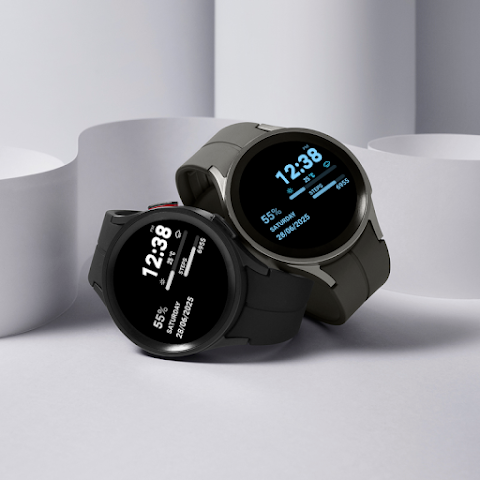
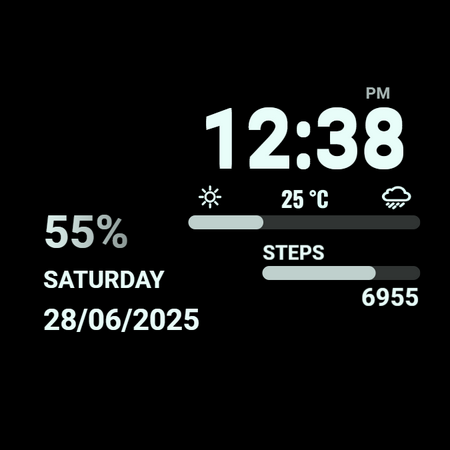
FUTURE is a special clock face designed for Wear OS. It works with your smartwatch, helping you keep track of time and other useful information right on your wrist. This app is perfect for anyone with a Wear OS watch who wants to customize their watch face easily.
After downloading the mobile application, you'll see a helpful message when you first open it. To start installing the watch face on your device, simply tap on the watch face image. To make the connection faster, open the GALAXY WEARABLE app or another clock management program. As soon as you do this, the downloading will begin right away. Once you have installed the watch face, you can delete the companion app if you want.
After the installation is complete, you can explore the watch face library to find different designs and choose the one you like best. Remember, after installation, your phone will display a refund link that is visible on the watch. To find a watch face, don’t press the refund option. Instead, take your time browsing through the watch face library to discover what’s available.
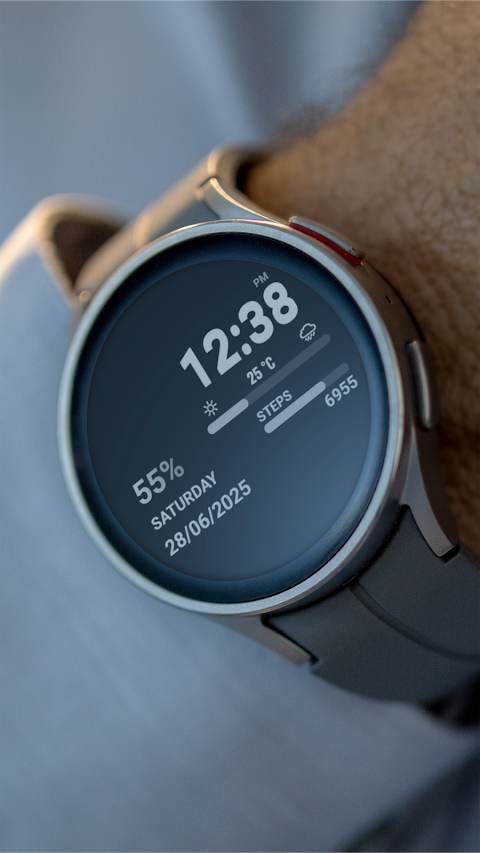
FUTURE offers several useful features to enhance your experience. It includes an AM/PM marker, which is perfect if you like the 12-hour time format. You can also switch between the 12-hour and 24-hour time formats through your phone settings, making it easy to set your preferred display.
You’ll find a precipitation probability scale, so you can check the chance of rain right from your watch. Additionally, there’s an outdoor temperature indicator, giving you valuable weather information at a glance. FUTURE also keeps track of your steps with a steps progress bar, designed to help you reach your daily goal of 10,000 steps.
The battery percentage indicator shows you how much power you have left on your watch. It keeps things simple, providing just the essential information. You can also see the days of the week displayed clearly on the watch face, making it easy to keep up with your schedule.
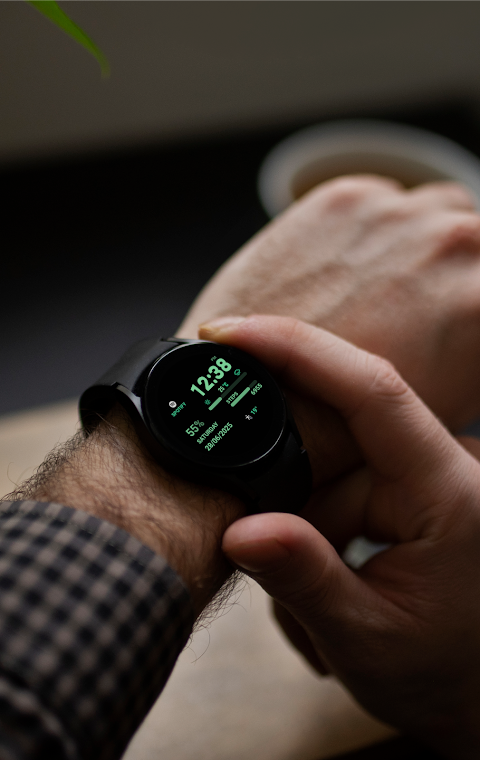
Another great feature of FUTURE is its customizable watch face. You can change colors easily by using the tap and hold customization option. This allows you to personalize your watch face to match your style. Plus, you have quick access to your alarm, calendar, and battery status. You can even set up two custom shortcuts for actions that matter to you, providing quick access to your favorite features.
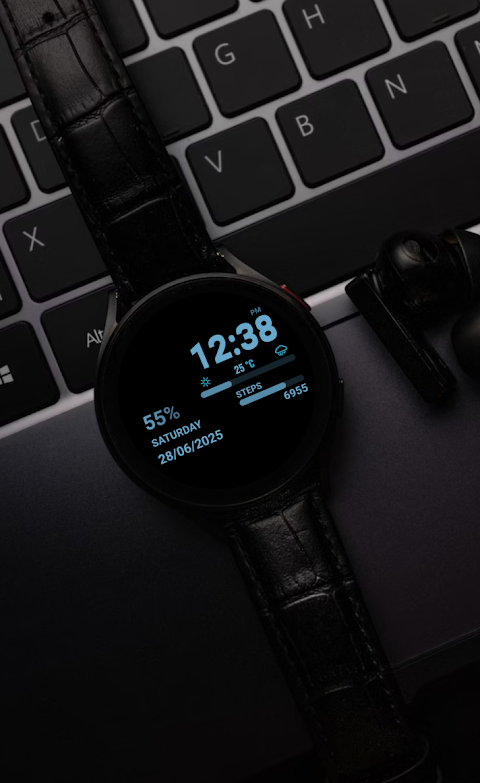
FUTURE also includes an always on display feature. This means you can glance at your watch anytime to see the time and important information without needing to wake it up.
The app has a user-friendly interface, making it simple for anyone to use, whether you’re familiar with wearable technology or not.
If you have any feedback or suggestions, feel free to reach out via email at freibergclockfaces@gmail.com. Enjoy your customizable and functional Wear OS clock face with FUTURE!
After downloading the mobile application, you'll see a helpful message when you first open it. To start installing the watch face on your device, simply tap on the watch face image. To make the connection faster, open the GALAXY WEARABLE app or another clock management program. As soon as you do this, the downloading will begin right away. Once you have installed the watch face, you can delete the companion app if you want.
After the installation is complete, you can explore the watch face library to find different designs and choose the one you like best. Remember, after installation, your phone will display a refund link that is visible on the watch. To find a watch face, don’t press the refund option. Instead, take your time browsing through the watch face library to discover what’s available.
FUTURE offers several useful features to enhance your experience. It includes an AM/PM marker, which is perfect if you like the 12-hour time format. You can also switch between the 12-hour and 24-hour time formats through your phone settings, making it easy to set your preferred display.
You’ll find a precipitation probability scale, so you can check the chance of rain right from your watch. Additionally, there’s an outdoor temperature indicator, giving you valuable weather information at a glance. FUTURE also keeps track of your steps with a steps progress bar, designed to help you reach your daily goal of 10,000 steps.
The battery percentage indicator shows you how much power you have left on your watch. It keeps things simple, providing just the essential information. You can also see the days of the week displayed clearly on the watch face, making it easy to keep up with your schedule.
Another great feature of FUTURE is its customizable watch face. You can change colors easily by using the tap and hold customization option. This allows you to personalize your watch face to match your style. Plus, you have quick access to your alarm, calendar, and battery status. You can even set up two custom shortcuts for actions that matter to you, providing quick access to your favorite features.
FUTURE also includes an always on display feature. This means you can glance at your watch anytime to see the time and important information without needing to wake it up.
The app has a user-friendly interface, making it simple for anyone to use, whether you’re familiar with wearable technology or not.
If you have any feedback or suggestions, feel free to reach out via email at freibergclockfaces@gmail.com. Enjoy your customizable and functional Wear OS clock face with FUTURE!

Takoizu Cyan – Icon Pack
Panoto Gomo
$0.99
$0.49

OneYou Icon Pack
PashaPuma Design
$1.49
$0.89
DADAM61: Traditional Watch
DADAM Watch Faces
$1.89
$0.95