

$1.49
FREE
100% Off
Fledermaus – Square Icon Pack
GomoTheGom

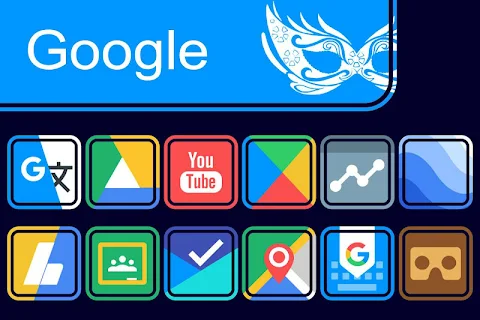
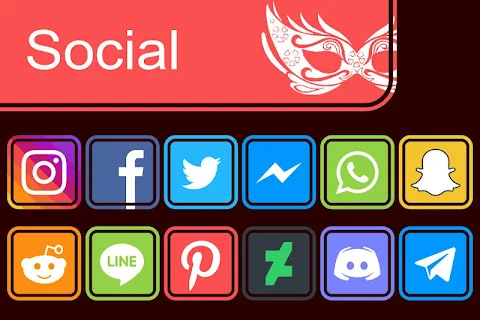

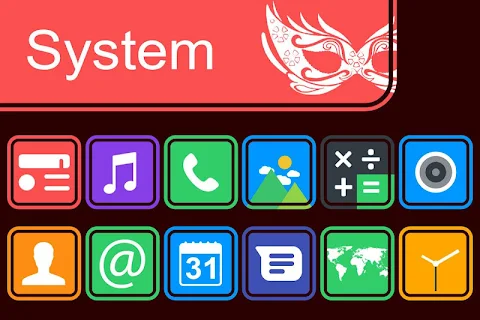
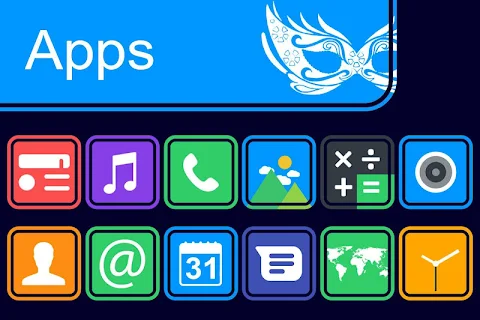

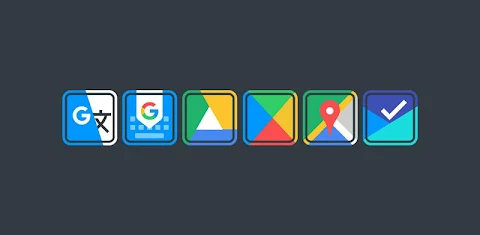
About the App
Fledermaus Icon Pack is a fun and creative way to change the look of your phone's screen. This icon pack works with many popular launchers, making it easy to customize your device. If you want to apply the Fledermaus Icon Pack, just follow these simple steps.
First, open the Fledermaus Icon Pack app on your device. Once you’re in, go to the screen that allows you to apply the icon pack. Here, you’ll see a list of compatible launchers, including Nova Launcher and Evie Launcher, among others. If you have Nova Launcher installed, you can select it to apply the icons effortlessly. The app will automatically use the icons from Fledermaus for Nova Launcher.
If you can't find your launcher while trying to apply the icon pack, don’t worry. You can also apply the Fledermaus Icon Pack directly from your launcher settings.
For users of the Sony Xperia Home Launcher, the process is a bit different, but it's still easy. Simply long press on your main screen, then go into settings. Scroll down to the appearance icon settings where you can choose the Fledermaus Icon Pack. Once you select it, your Sony Xperia will be updated to use these stylish icons. Please note that this icon pack is only supported on Sony Xperia Home Launcher version 10.0.A.0.8 or later.
Fledermaus Icon Pack is compatible with many other launchers, too. These include Apex Launcher, ADW Launcher, ABC Launcher, Next Launcher, Holo Launcher, Lucid Launcher, M Launcher, Action Launcher, Aviate Launcher, Smart Launcher, Go Launcher, and Zero Launcher. However, keep in mind that Go Launcher and Zero Launcher do not support icon masking.
One of the exciting features of the Fledermaus Icon Pack is that it includes over 5000 icons, and this number keeps growing. If you ever have unthemed icons, the Iconback feature will help blend them in nicely. You can also explore more than 36 HD wallpapers to find the perfect background for your screen. The pack offers alternate icons as well, so you can choose the ones that best fit your style.
Additionally, users can make requests for new icons, ensuring that the icon pack stays fresh and relevant to your needs. The icons are designed in HD resolution (192x192 pixels), providing clear and vibrant visuals for all your apps.
Using Fledermaus Icon Pack is a wonderful way to personalize your mobile experience. It allows for customization for launchers, enhancing the overall look of your device. Whether you're looking to refresh your apps or make a bold statement, this icon pack offers extensive options for mobile personalization and custom icon design.
For more information about the design and updates, you can connect with us on Google+, Instagram, and Twitter. Enjoy elevating your phone's look with Fledermaus Icon Pack!
First, open the Fledermaus Icon Pack app on your device. Once you’re in, go to the screen that allows you to apply the icon pack. Here, you’ll see a list of compatible launchers, including Nova Launcher and Evie Launcher, among others. If you have Nova Launcher installed, you can select it to apply the icons effortlessly. The app will automatically use the icons from Fledermaus for Nova Launcher.
If you can't find your launcher while trying to apply the icon pack, don’t worry. You can also apply the Fledermaus Icon Pack directly from your launcher settings.
For users of the Sony Xperia Home Launcher, the process is a bit different, but it's still easy. Simply long press on your main screen, then go into settings. Scroll down to the appearance icon settings where you can choose the Fledermaus Icon Pack. Once you select it, your Sony Xperia will be updated to use these stylish icons. Please note that this icon pack is only supported on Sony Xperia Home Launcher version 10.0.A.0.8 or later.
Fledermaus Icon Pack is compatible with many other launchers, too. These include Apex Launcher, ADW Launcher, ABC Launcher, Next Launcher, Holo Launcher, Lucid Launcher, M Launcher, Action Launcher, Aviate Launcher, Smart Launcher, Go Launcher, and Zero Launcher. However, keep in mind that Go Launcher and Zero Launcher do not support icon masking.
One of the exciting features of the Fledermaus Icon Pack is that it includes over 5000 icons, and this number keeps growing. If you ever have unthemed icons, the Iconback feature will help blend them in nicely. You can also explore more than 36 HD wallpapers to find the perfect background for your screen. The pack offers alternate icons as well, so you can choose the ones that best fit your style.
Additionally, users can make requests for new icons, ensuring that the icon pack stays fresh and relevant to your needs. The icons are designed in HD resolution (192x192 pixels), providing clear and vibrant visuals for all your apps.
Using Fledermaus Icon Pack is a wonderful way to personalize your mobile experience. It allows for customization for launchers, enhancing the overall look of your device. Whether you're looking to refresh your apps or make a bold statement, this icon pack offers extensive options for mobile personalization and custom icon design.
For more information about the design and updates, you can connect with us on Google+, Instagram, and Twitter. Enjoy elevating your phone's look with Fledermaus Icon Pack!
ROLEX Royal Watch Face
SHROUDED STUDIO
$1.49
$0.39
Wayfarer Watch Face
amoledwatchfaces™
$1.99
$1.39
ZKin Watch Colored Arc Circle
ZKin
$2.99
$0.99