
$0.69
$0.35
49% Off
Fitness Core
ChronoHarvest

About the App
Fitness Core is an easy-to-use watch face designed for various Wear OS devices, including the popular Galaxy Watch. If you are a Galaxy Watch user, be aware that the Samsung Wearable app sometimes has trouble syncing and loading complex watch faces. To solve this, it’s best to customize the Fitness Core watch face directly on your device until Samsung improves the app.
This watch face works with all Wear OS devices that have API Level 34 or higher, including those running Wear OS 4 and later versions. Some features might not be available on all watches, so keep that in mind while using Fitness Core.
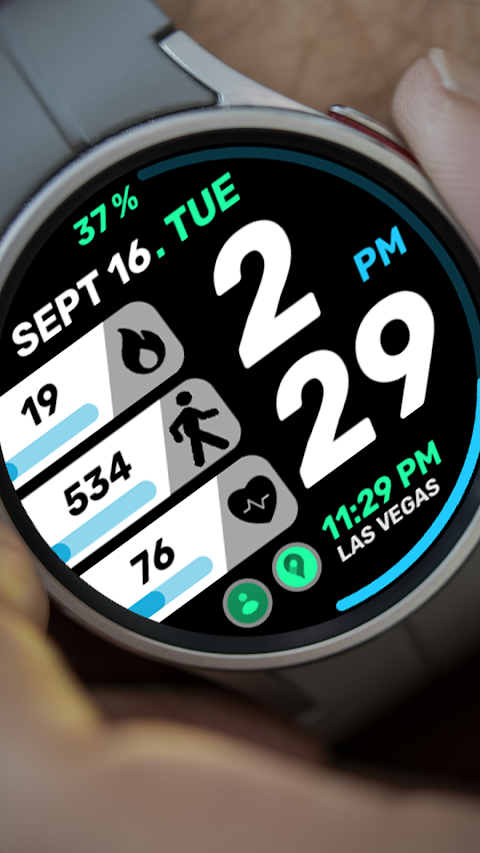
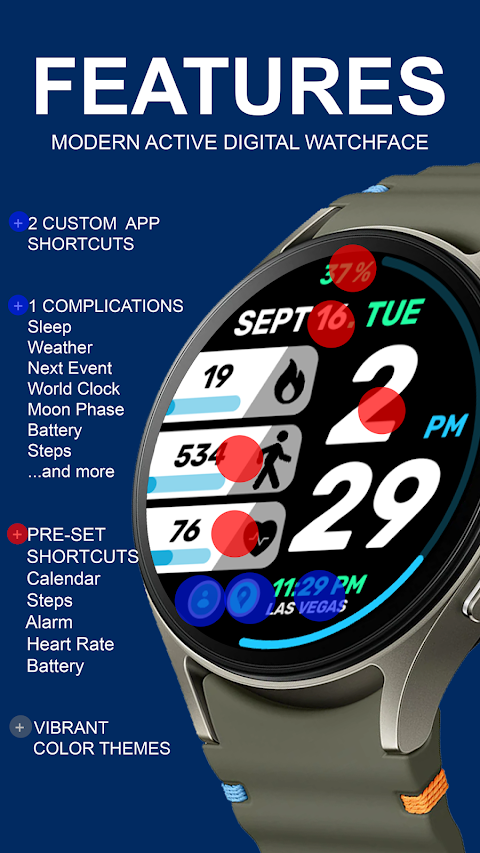
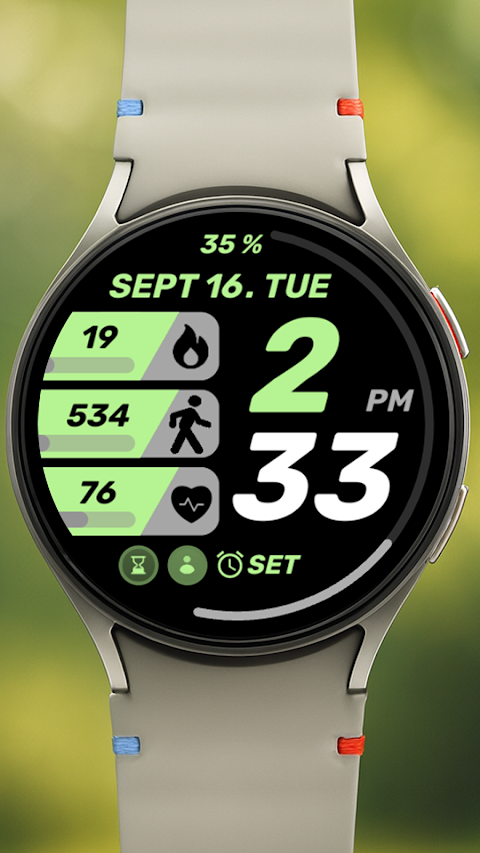
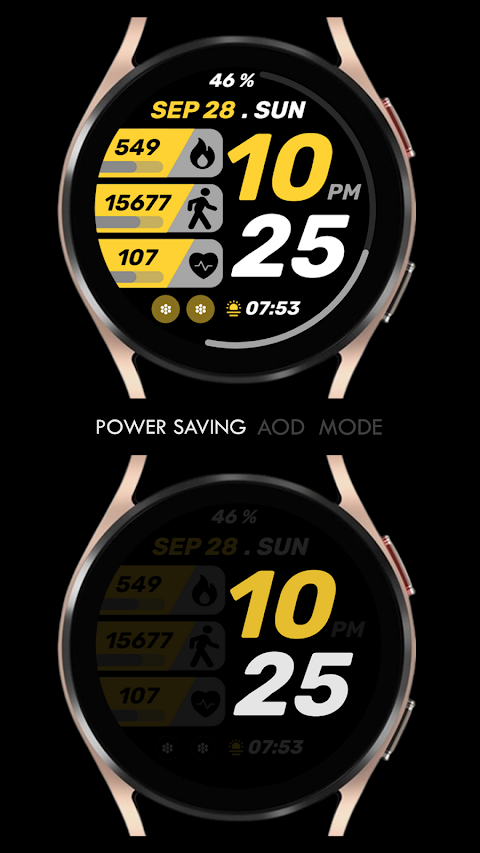
One of the exciting features of Fitness Core is the modern fitness digital clock. This clock not only looks stylish but also serves as a reliable timepiece. The watch face includes pre-set app shortcuts, which means you can quickly access your Alarm, Calendar, Battery, Heart Rate Monitoring, and Steps Tracking with just a tap. In addition, there are two customizable app shortcuts where you can choose other apps you frequently use.
You can also personalize your experience further with a custom complication. This allows you to display information that matters most to you, such as the Date and Time, weather data, steps taken, sunset/sunrise information, a world clock, or even reminders for your next appointment. If you wish to include even more personalized info, you may need to install third-party complications, which adds flexibility for users who like to tailor their watch face.
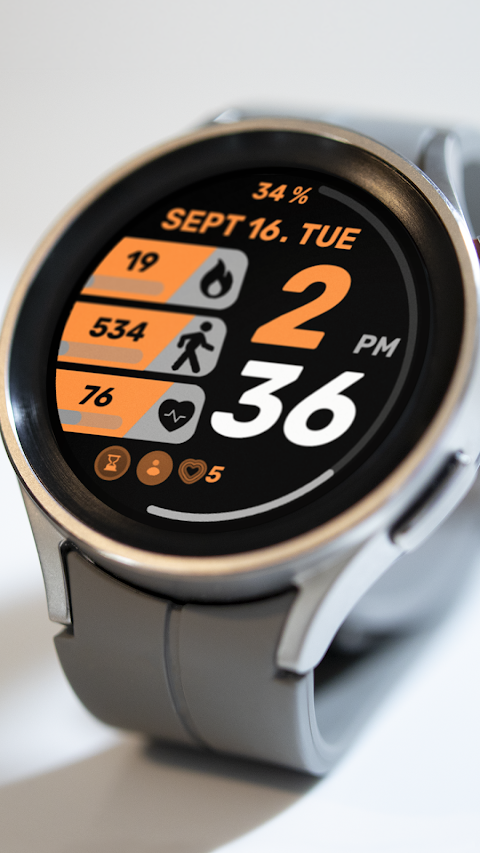
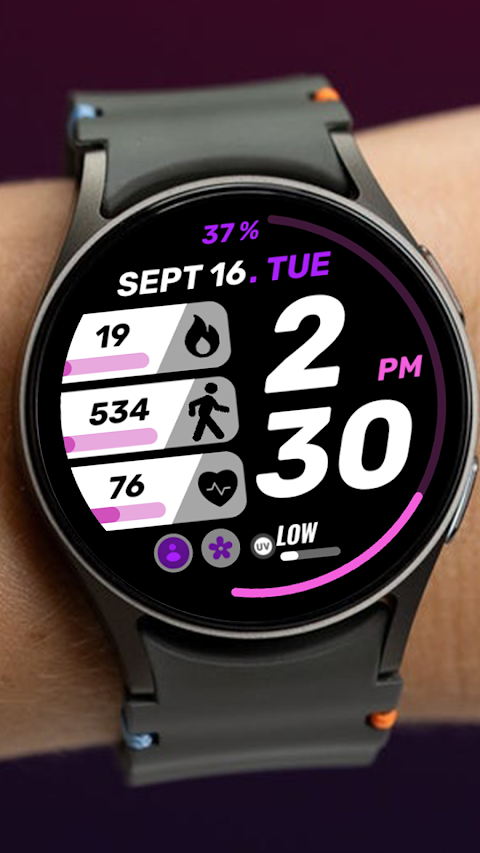
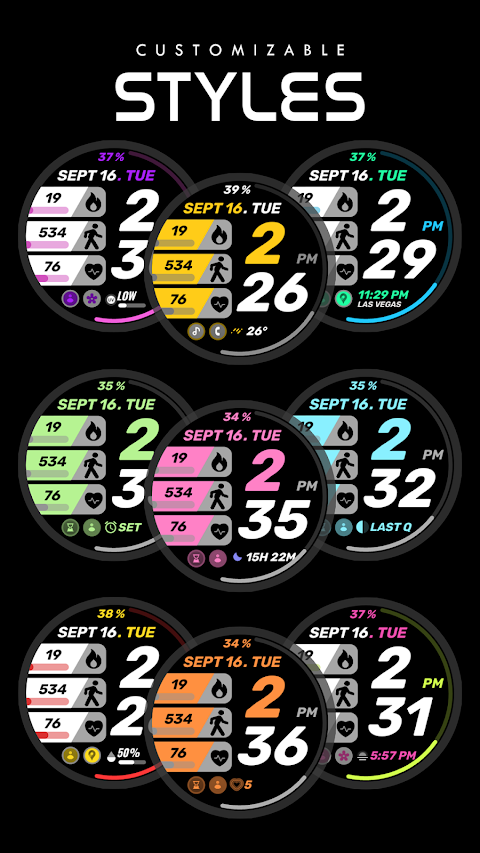
Custom themes let you enhance the watch face’s look to match your style and preferences. With Fitness Core, you have the freedom to change how it appears, ensuring it always fits your mood or outfit.
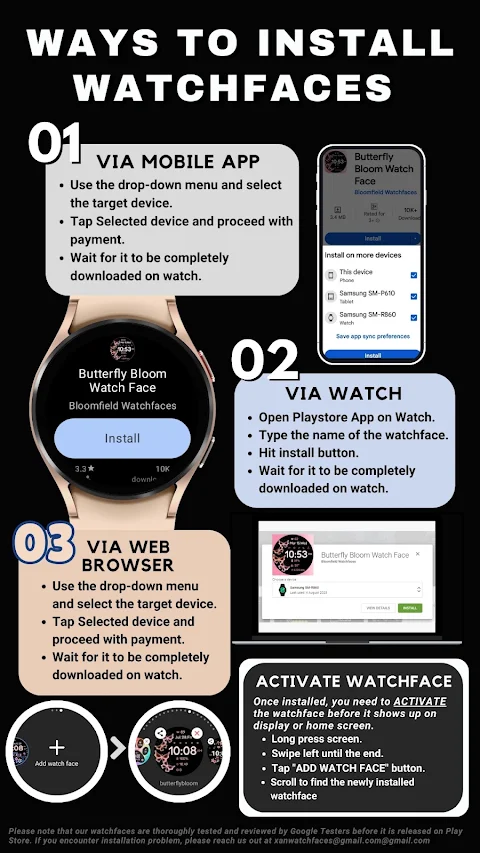
When installing the watch face, there are some important notes to keep in mind. First, the watch faces usually install automatically on your Wear OS watch. Make sure your watch is synced to the phone using the same email address for a smooth installation process. After downloading, please wait a few minutes for the watch face to transfer completely. You’ll receive a notification on your watch once the watch face has been installed successfully. If you do not see this notification, you can go to the Playstore on your watch and search for "Fitness Core."
After installation, the watch faces might not change automatically. To see Fitness Core, go back to your home display. Simply tap and hold the display, swipe to the end, and tap the plus sign to add the new watch face. You can rotate the bezel or scroll to find Fitness Core easily.
To function properly, Fitness Core requires you to allow and enable all permissions from your phone's settings. This is crucial for the watch face to work as intended.
Please note that according to our app refund policy, a refund is only available within 24 hours of purchase. If you have any issues or questions, feel free to reach out to us via email at xanwatchfaces@gmail.com. For a visual guide on installation, you can check our installation tutorial available online.
With Fitness Core, you can enjoy a blend of style and functionality right on your wrist. Customize it to suit your lifestyle and make every look your own.
This watch face works with all Wear OS devices that have API Level 34 or higher, including those running Wear OS 4 and later versions. Some features might not be available on all watches, so keep that in mind while using Fitness Core.
One of the exciting features of Fitness Core is the modern fitness digital clock. This clock not only looks stylish but also serves as a reliable timepiece. The watch face includes pre-set app shortcuts, which means you can quickly access your Alarm, Calendar, Battery, Heart Rate Monitoring, and Steps Tracking with just a tap. In addition, there are two customizable app shortcuts where you can choose other apps you frequently use.
You can also personalize your experience further with a custom complication. This allows you to display information that matters most to you, such as the Date and Time, weather data, steps taken, sunset/sunrise information, a world clock, or even reminders for your next appointment. If you wish to include even more personalized info, you may need to install third-party complications, which adds flexibility for users who like to tailor their watch face.
Custom themes let you enhance the watch face’s look to match your style and preferences. With Fitness Core, you have the freedom to change how it appears, ensuring it always fits your mood or outfit.
When installing the watch face, there are some important notes to keep in mind. First, the watch faces usually install automatically on your Wear OS watch. Make sure your watch is synced to the phone using the same email address for a smooth installation process. After downloading, please wait a few minutes for the watch face to transfer completely. You’ll receive a notification on your watch once the watch face has been installed successfully. If you do not see this notification, you can go to the Playstore on your watch and search for "Fitness Core."
After installation, the watch faces might not change automatically. To see Fitness Core, go back to your home display. Simply tap and hold the display, swipe to the end, and tap the plus sign to add the new watch face. You can rotate the bezel or scroll to find Fitness Core easily.
To function properly, Fitness Core requires you to allow and enable all permissions from your phone's settings. This is crucial for the watch face to work as intended.
Please note that according to our app refund policy, a refund is only available within 24 hours of purchase. If you have any issues or questions, feel free to reach out to us via email at xanwatchfaces@gmail.com. For a visual guide on installation, you can check our installation tutorial available online.
With Fitness Core, you can enjoy a blend of style and functionality right on your wrist. Customize it to suit your lifestyle and make every look your own.
Ultra Minimal Watch Face
Regarder Watch Faces
$0.99
$0.20
Xperia – Icon Pack
Cris87
$1.89
$0.39

Square KWGT
Raj Arya Designs
$1.49
$0.89