

$7.99
$4.99
38% Off
EE ToolKit PRO for iPad
Thomas Gruber



About the App
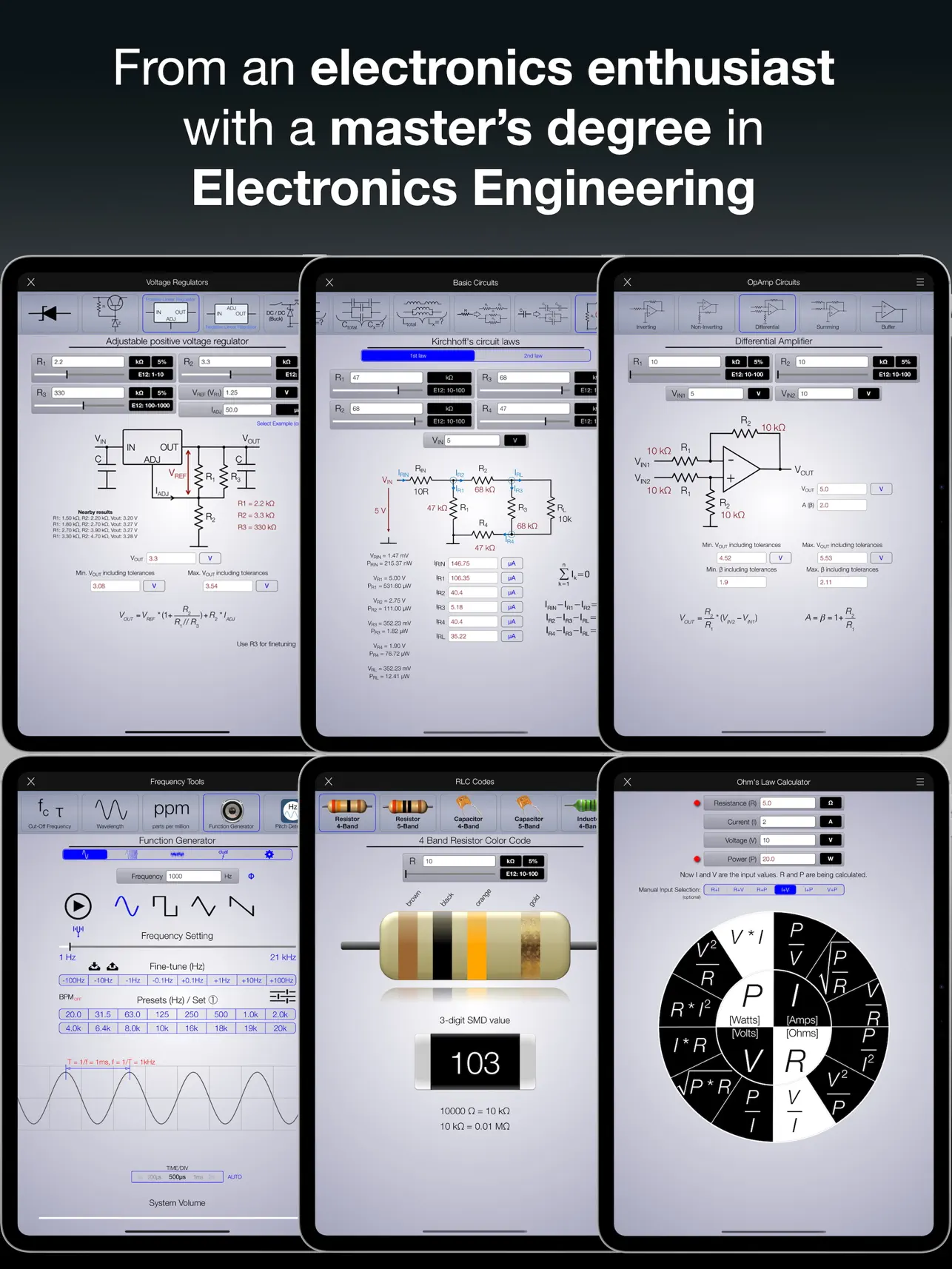
Introducing the EE ToolKit PRO for iPad, a new and highly rated app designed specifically for Electronics Engineering. Many users have shared that it is the best and most practical electronics app available in the iTunes App Store. Created by an electronics enthusiast who holds a master’s degree in Electronics Engineering, this app caters to a wide audience, including engineering students, hobbyists, and anyone interested in the field.
What sets the EE ToolKit PRO apart is its commitment to constant updates and powerful improvements. This ensures that users always have access to the latest features and tools. It's important to note that this version is specifically for iPad users. If you're looking for a universal app that works on both iPhone and iPad, please check out the EE ToolKit App with the red icon.
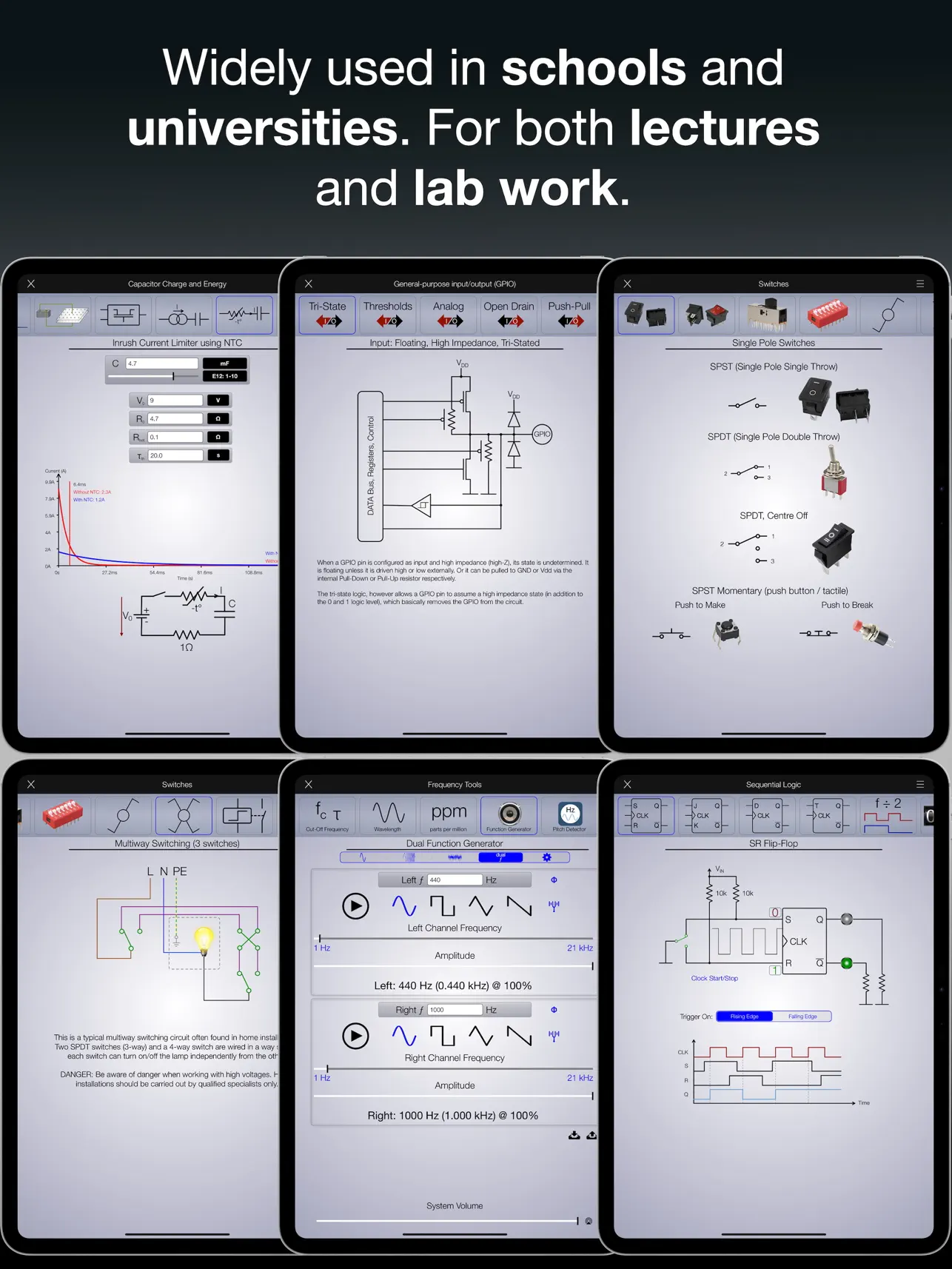
In schools and universities, the EE ToolKit PRO has become the preferred app for electronics studies. It is available through the Volume Purchase Program, which provides discounts for educational institutions. Many students, teachers, and professors have downloaded it to enhance their learning and professional careers.
Users have praised the app for its efficiency and reliability. One reviewer mentioned how the constant updates and massive feature additions make it an incredible value for anyone involved in electronics. The user-friendly interface makes navigating through the app easy, whether for academic use or practical applications in the field.
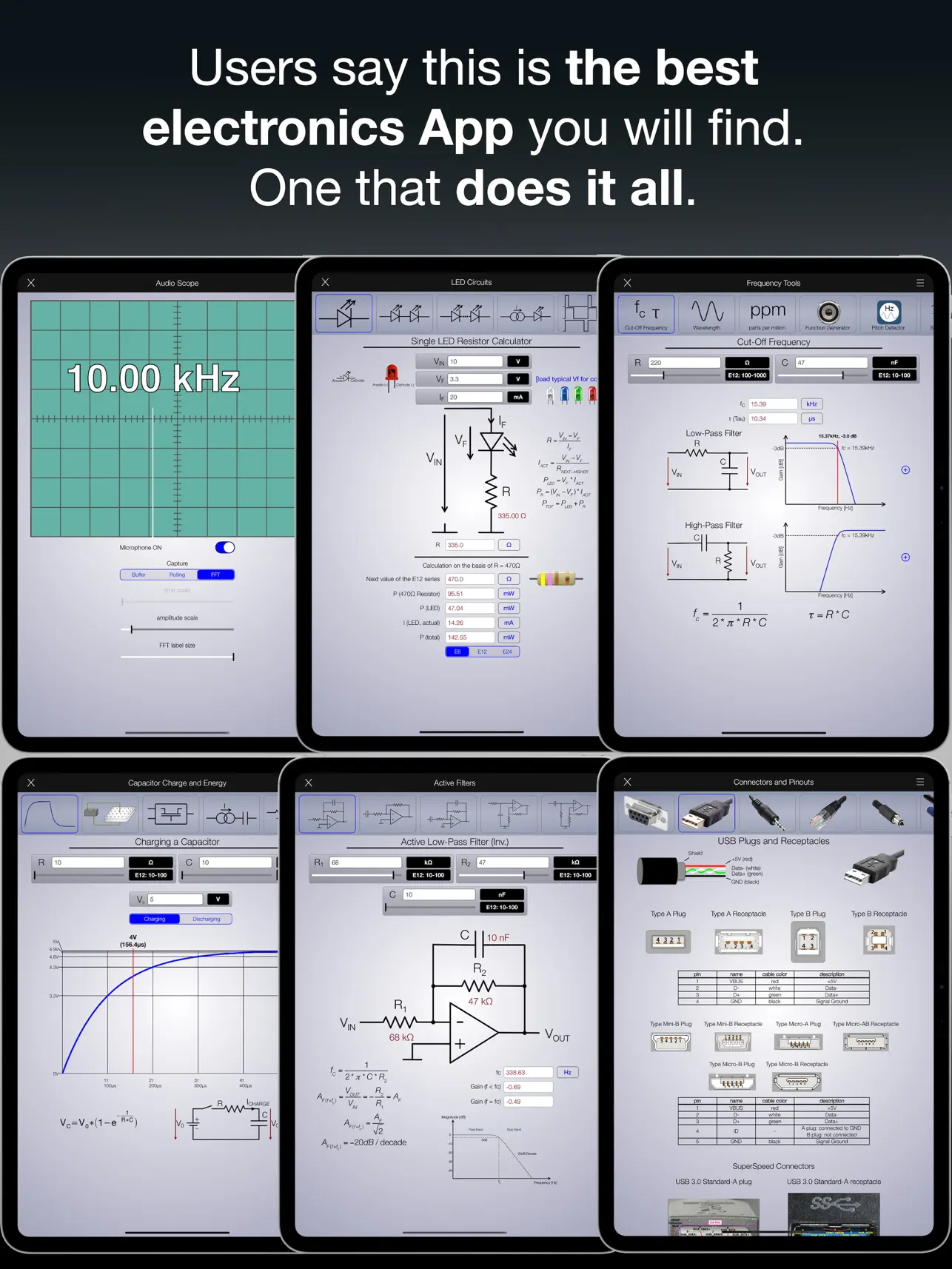
The latest version of the EE ToolKit PRO has made it an exceptional tool. Users note that it's a quick and effective tool for engineers, helping them manage tasks with ease. There are numerous features packed into this app that cater to all levels of expertise.
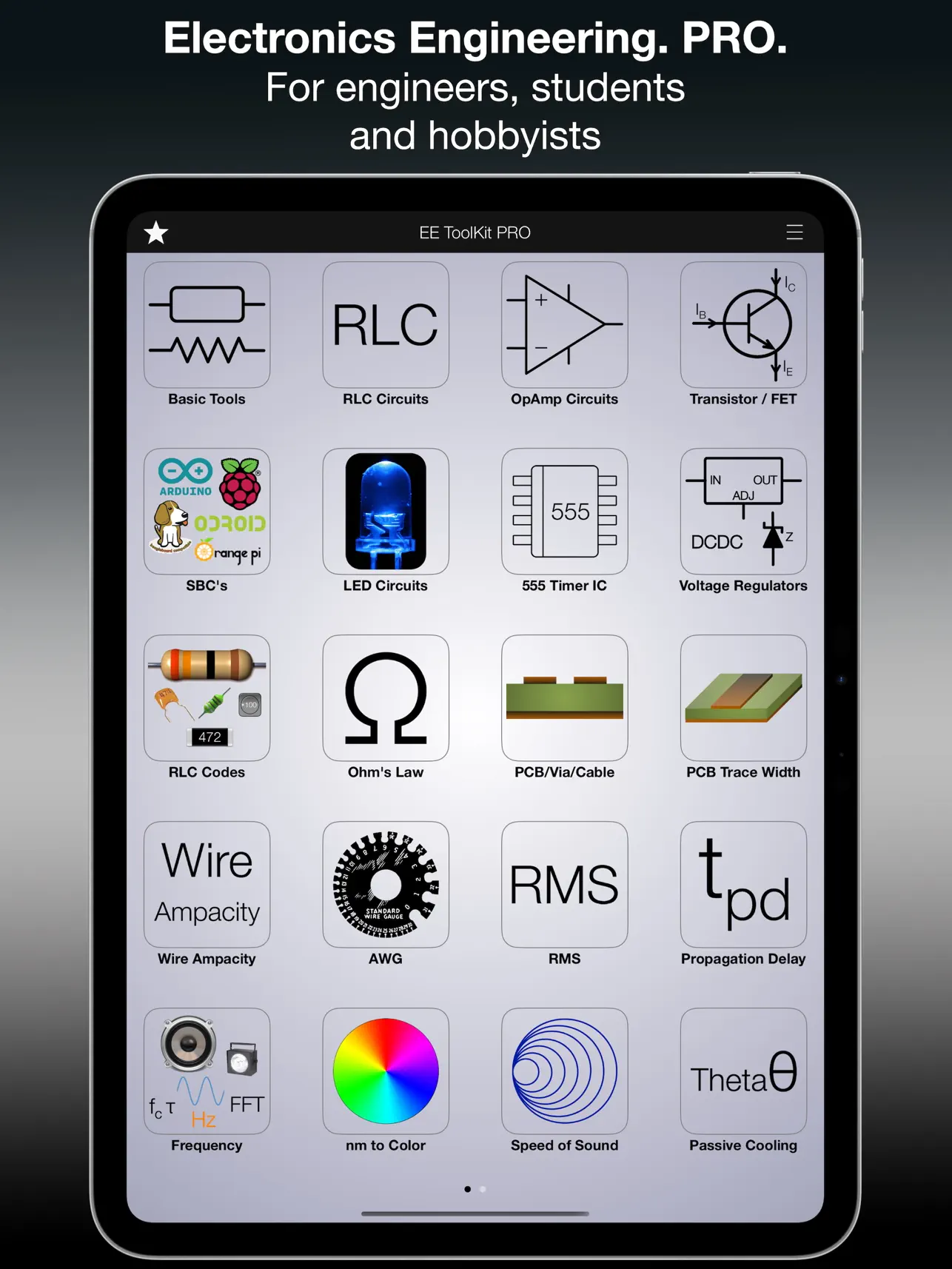
The EE ToolKit PRO includes more than 160 electronic applications, making it versatile for various tasks. It features an amazingly great multi-functional keyboard, which enhances usability. Users can take advantage of a wide selection of color code tools and SMD code tools, making component identification simpler.
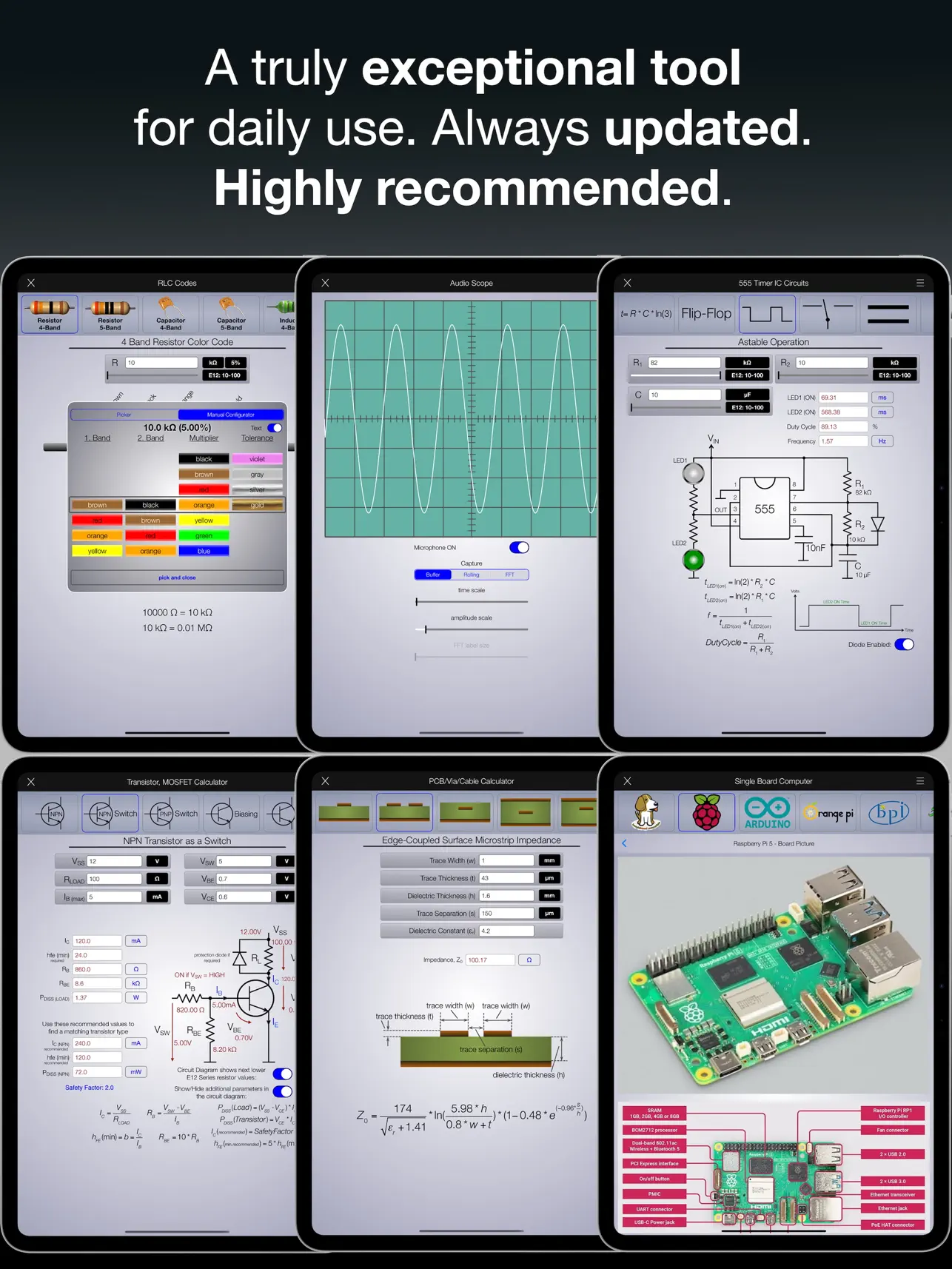
One particularly useful feature is the audio scope and frequency pitch detector, which aid in real-time sound analysis. The app also has a favorites page for storing tools that you use frequently, ensuring quick access when you need them. Additionally, it offers a full-featured frequency generator for conducting experiments.
Within the component reference section, users can find comprehensive information on 7400 Series components and PIC family components, with the ability to open PDF datasheets either live or via apps like iBooks. The app also includes 555 Timer Tools, complete with important application examples, making it easier to understand key concepts.
For those working with Single Board Computers, the EE ToolKit PRO boasts an extensive collection of over 120 different boards. There are also dedicated PCB trace impedance tools tailored for various structures, making circuit design much more accessible.
In addition to these features, the app provides unit conversion calculators that quickly convert measurements for you. Users can perform real-time circuit simulations of example circuits, enhancing the learning experience. The app supports preferred E series calculations, including sliders and min/max calculations, streamlining the process even further.
One of the highlights is the file manager for calculations, which allows users to save and load their individual work seamlessly. With built-in iCloud integration, users can keep their projects safe and accessible across their devices. The formula search tool includes quick links to essential tools, making it easy to find what you need.
Overall, the EE ToolKit PRO for iPad is a highly recommended electronics app that continues to receive constant updates and improvements. It is an excellent resource for both students and professionals in the field of Electronics Engineering. Whether you're a beginner or an experienced engineer, this app is designed to help you succeed with its wide range of capabilities and features tailored to your needs.
What sets the EE ToolKit PRO apart is its commitment to constant updates and powerful improvements. This ensures that users always have access to the latest features and tools. It's important to note that this version is specifically for iPad users. If you're looking for a universal app that works on both iPhone and iPad, please check out the EE ToolKit App with the red icon.
In schools and universities, the EE ToolKit PRO has become the preferred app for electronics studies. It is available through the Volume Purchase Program, which provides discounts for educational institutions. Many students, teachers, and professors have downloaded it to enhance their learning and professional careers.
Users have praised the app for its efficiency and reliability. One reviewer mentioned how the constant updates and massive feature additions make it an incredible value for anyone involved in electronics. The user-friendly interface makes navigating through the app easy, whether for academic use or practical applications in the field.
The latest version of the EE ToolKit PRO has made it an exceptional tool. Users note that it's a quick and effective tool for engineers, helping them manage tasks with ease. There are numerous features packed into this app that cater to all levels of expertise.
The EE ToolKit PRO includes more than 160 electronic applications, making it versatile for various tasks. It features an amazingly great multi-functional keyboard, which enhances usability. Users can take advantage of a wide selection of color code tools and SMD code tools, making component identification simpler.
One particularly useful feature is the audio scope and frequency pitch detector, which aid in real-time sound analysis. The app also has a favorites page for storing tools that you use frequently, ensuring quick access when you need them. Additionally, it offers a full-featured frequency generator for conducting experiments.
Within the component reference section, users can find comprehensive information on 7400 Series components and PIC family components, with the ability to open PDF datasheets either live or via apps like iBooks. The app also includes 555 Timer Tools, complete with important application examples, making it easier to understand key concepts.
For those working with Single Board Computers, the EE ToolKit PRO boasts an extensive collection of over 120 different boards. There are also dedicated PCB trace impedance tools tailored for various structures, making circuit design much more accessible.
In addition to these features, the app provides unit conversion calculators that quickly convert measurements for you. Users can perform real-time circuit simulations of example circuits, enhancing the learning experience. The app supports preferred E series calculations, including sliders and min/max calculations, streamlining the process even further.
One of the highlights is the file manager for calculations, which allows users to save and load their individual work seamlessly. With built-in iCloud integration, users can keep their projects safe and accessible across their devices. The formula search tool includes quick links to essential tools, making it easy to find what you need.
Overall, the EE ToolKit PRO for iPad is a highly recommended electronics app that continues to receive constant updates and improvements. It is an excellent resource for both students and professionals in the field of Electronics Engineering. Whether you're a beginner or an experienced engineer, this app is designed to help you succeed with its wide range of capabilities and features tailored to your needs.
Stairs-X Pro Stairs Calculator
TinuxSoft
$64.99
$45.49

Type Freely
Hassan Taleb
$0.99

AuditBricks: Site Audit Report
Raghvendra Bhargava
$9.99