
$3.99
FREE
100% Off
Drive Keyboard
RedErik

About the App
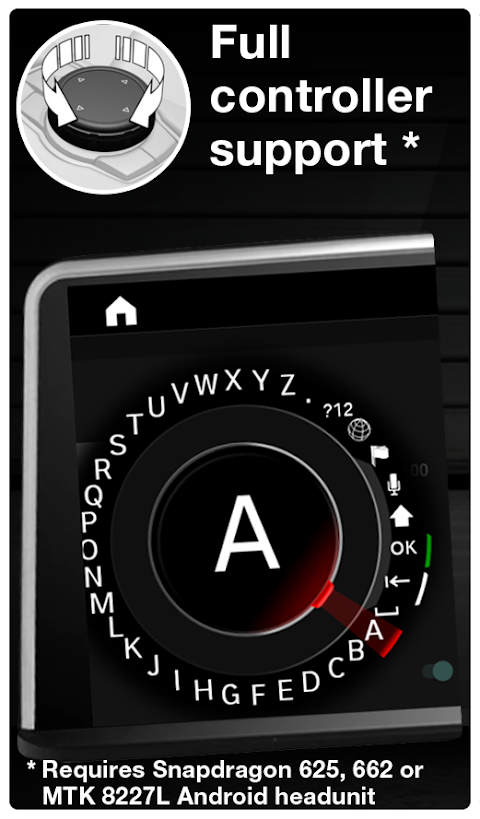
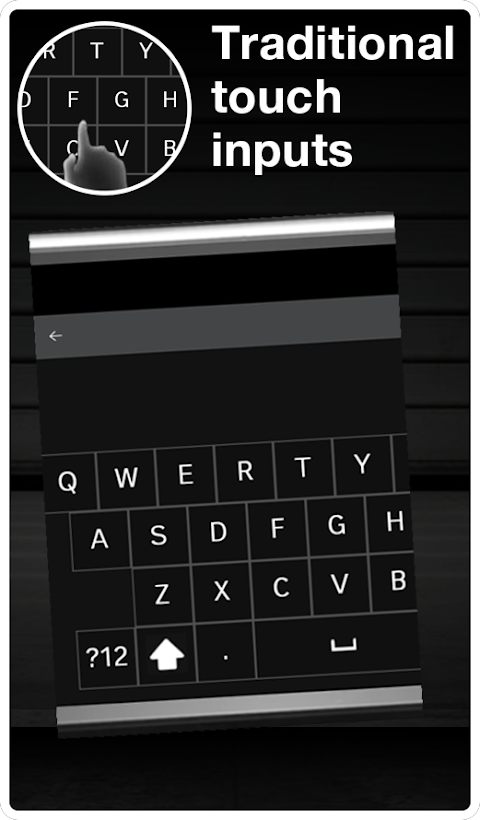
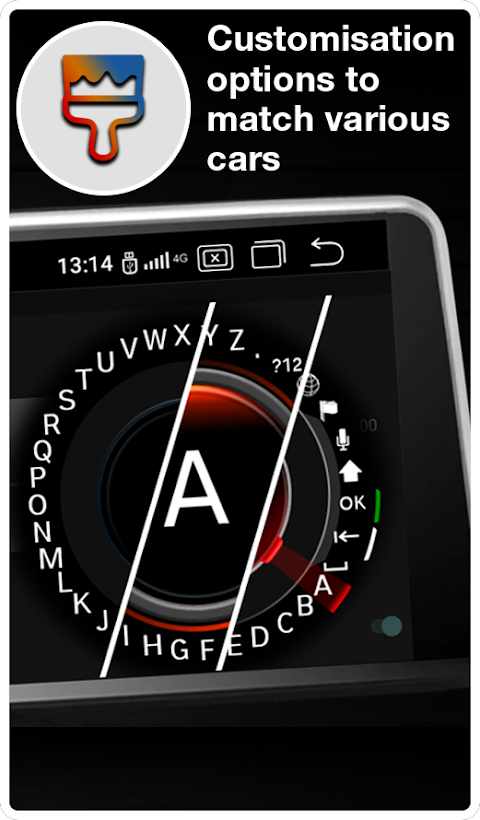
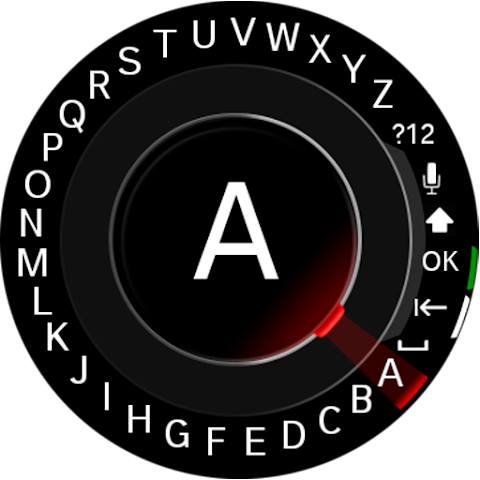
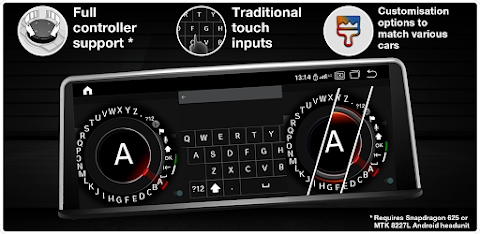
Drive Keyboard is a helpful app designed for keyboard inputs on automotive Android headunits. It primarily supports rotary controllers found in many modern cars, allowing users to input characters without needing to touch the screen. You can also use a traditional QWERTY keyboard layout with touch inputs.
Please note that development of Drive Keyboard has stopped. Since I no longer have an Android unit in my car since 2021, I cannot fix any issues or roll out new features. Many new devices running various firmware types have entered the market, making it difficult for me to support the app effectively. You can still attempt to remap some buttons if your device isn't listed as compatible, but I cannot guarantee it will work.
Drive Keyboard has been tested on several automotive Android headunits, including models powered by Snapdragon 625, Snapdragon 662/665, and MTK 8227L. It's essential to remember that this keyboard will not run correctly on smartphones or tablets. It requires DPAD inputs or rotary knob inputs to function properly. The app is designed to work in landscape mode and is optimized for screens with a resolution of 1280x480 and 1920x720. Other resolutions have not been tested.
If you are using Drive Keyboard, you will find support for various keyboard layouts. This includes rotary and touch keyboards that support Latin, Cyrillic, Greek, and Hebrew layouts, as well as touch keyboards featuring QWERTY, QWERTZ, and AZERTY options.
You can also enjoy the app in multiple languages. Supported app languages include Croatian, Dutch, English, French, German, Greek, Hebrew, Hungarian, Italian, Latvian, Lithuanian, Polish, Romanian, Slovenian, Spanish, and Russian. If you need assistance, there's a Discord support chat available for users.
However, there are a couple of issues to be aware of. First, the keyboard may not save as the default option. This could be due to poor memory management in some Chinese Android units, especially those running KSW firmware. When memory usage exceeds a certain threshold, the app may be killed off quickly. To improve performance, users are advised to remove any battery restrictions on the Drive Keyboard app, enabling unrestricted mode operation.
Another issue is that the keyboard might not be visible but can still accept inputs from the rotary controller. This bug appears to have been introduced with KSW firmware based on Android 13. Chinese developers have modified display metrics, which disrupts Drive Keyboard's ability to calculate keyboard positions accurately on the screen. Please make sure to update to the latest version that might address this.
Additionally, if you use the TomTom navigation app, you'll notice that it is not compatible with the rotary keyboard. Chinese Android headunits process knob presses differently, and the TomTom app overrides the ENTER key. As a result, the keyboard in rotary mode cannot function correctly. However, touch mode remains unaffected. Unfortunately, no fix will be released for this problem as it lies with TomTom and not with Drive Keyboard.
In summary, Drive Keyboard provides essential support for character input on automotive Android headunits. Its rotary controller support and various keyboard layouts ensure that you can easily navigate while driving. While there are some memory management challenges and compatibility issues to be mindful of, it continues to be a useful tool for automotive keyboard applications.
Please note that development of Drive Keyboard has stopped. Since I no longer have an Android unit in my car since 2021, I cannot fix any issues or roll out new features. Many new devices running various firmware types have entered the market, making it difficult for me to support the app effectively. You can still attempt to remap some buttons if your device isn't listed as compatible, but I cannot guarantee it will work.
Drive Keyboard has been tested on several automotive Android headunits, including models powered by Snapdragon 625, Snapdragon 662/665, and MTK 8227L. It's essential to remember that this keyboard will not run correctly on smartphones or tablets. It requires DPAD inputs or rotary knob inputs to function properly. The app is designed to work in landscape mode and is optimized for screens with a resolution of 1280x480 and 1920x720. Other resolutions have not been tested.
If you are using Drive Keyboard, you will find support for various keyboard layouts. This includes rotary and touch keyboards that support Latin, Cyrillic, Greek, and Hebrew layouts, as well as touch keyboards featuring QWERTY, QWERTZ, and AZERTY options.
You can also enjoy the app in multiple languages. Supported app languages include Croatian, Dutch, English, French, German, Greek, Hebrew, Hungarian, Italian, Latvian, Lithuanian, Polish, Romanian, Slovenian, Spanish, and Russian. If you need assistance, there's a Discord support chat available for users.
However, there are a couple of issues to be aware of. First, the keyboard may not save as the default option. This could be due to poor memory management in some Chinese Android units, especially those running KSW firmware. When memory usage exceeds a certain threshold, the app may be killed off quickly. To improve performance, users are advised to remove any battery restrictions on the Drive Keyboard app, enabling unrestricted mode operation.
Another issue is that the keyboard might not be visible but can still accept inputs from the rotary controller. This bug appears to have been introduced with KSW firmware based on Android 13. Chinese developers have modified display metrics, which disrupts Drive Keyboard's ability to calculate keyboard positions accurately on the screen. Please make sure to update to the latest version that might address this.
Additionally, if you use the TomTom navigation app, you'll notice that it is not compatible with the rotary keyboard. Chinese Android headunits process knob presses differently, and the TomTom app overrides the ENTER key. As a result, the keyboard in rotary mode cannot function correctly. However, touch mode remains unaffected. Unfortunately, no fix will be released for this problem as it lies with TomTom and not with Drive Keyboard.
In summary, Drive Keyboard provides essential support for character input on automotive Android headunits. Its rotary controller support and various keyboard layouts ensure that you can easily navigate while driving. While there are some memory management challenges and compatibility issues to be mindful of, it continues to be a useful tool for automotive keyboard applications.
Fire TV Remote Pro
Global Apps and Games
$4.49
FREE

KReader PRO
HK App - Kindle App Release
$3.99
$2.00

Game Booster Play Games Happy
System monitor tools lab - Cpu Ram Battery
$1.99
$0.99