
$1.99
$0.99
50% Off
Dream Camera
Michal Kasza

About the App
Dream Camera is a versatile photo and video tool that makes capturing great moments easy and enjoyable. It includes features like manual exposure mode and semi-automatic exposure mode, giving you the flexibility to adjust settings to your liking.
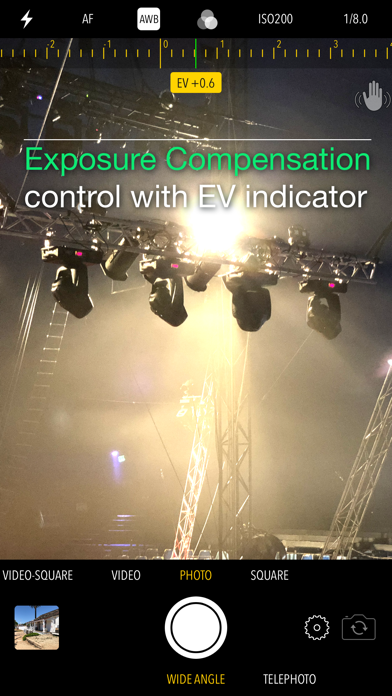
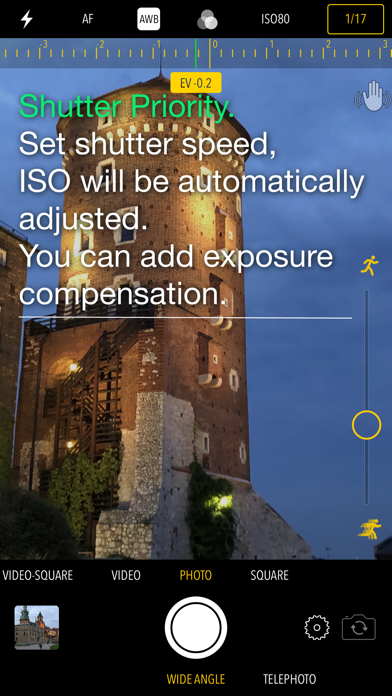
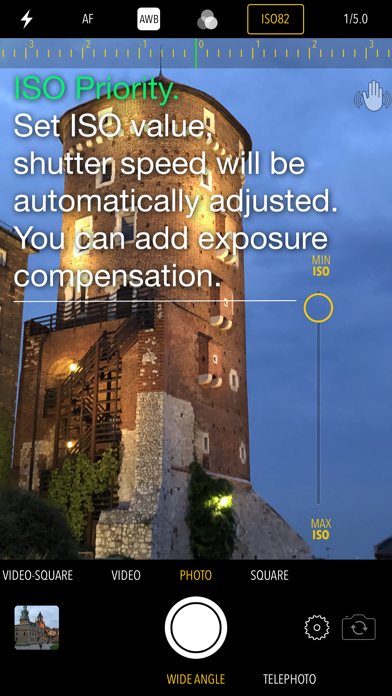
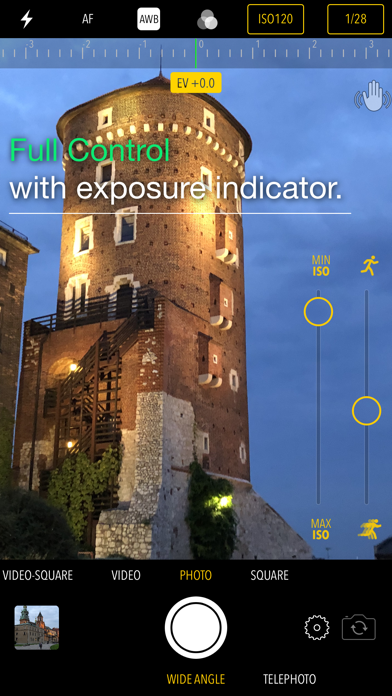
With Dream Camera, you have simple exposure compensation control at your fingertips. You can easily use the EV indicator by sliding your finger up or down anywhere on the screen. If you prefer a more structured approach, you can use the shutter priority mode. Just tap the shutter speed indicator and adjust the slider. The camera will automatically adjust ISO to help you get the perfect shot. Alternatively, there’s the ISO priority mode, where you can set the ISO and the shutter speed will adjust accordingly. For those who want full control options, you can select both shutter speed and ISO indicators and see how well your settings match with the exposure indicator.
The app also offers flash mode settings, allowing you to choose between on, off, or auto modes, making it easy to get the right lighting in any environment. When focusing, you can choose from auto focus mode, manual focus mode, macro focus mode for close-up shots, or landscape focus mode for wide shots.
Dream Camera provides various white balance presets, such as daylight white balance and cloudy white balance, to ensure your photos capture true colors. You can also select fluorescent white balance, Tungsten white balance, or candle white balance, depending on your shooting conditions.
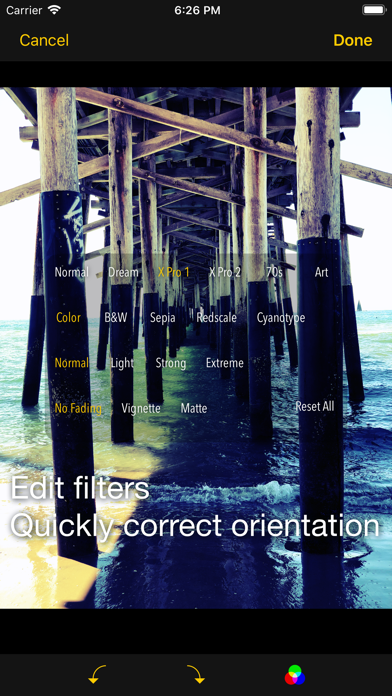
The app features a variety of customizable filters. You can experiment with effects like the Dream filter, XPro1 filter, or XPro2 filter, among others. You can also use filters like black and white or sepia to add a classic touch to your images. Adjust brightness and contrast with options that range from light to extreme, or explore edge effects like vignette or mate.
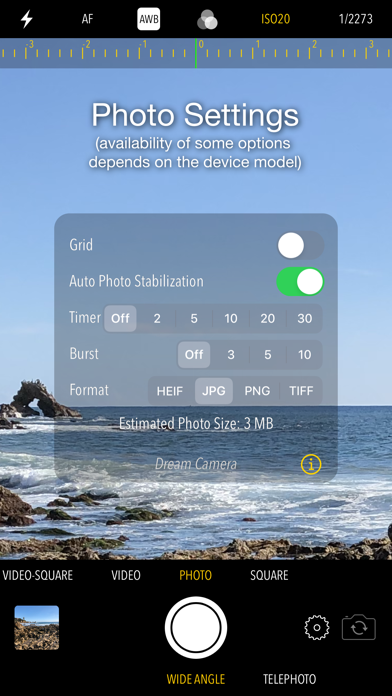
You can choose to shoot in different modes, including photo shooting modes and video shooting modes, allowing flexibility for any situation. When taking photos, there are helpful photo timer settings that let you set delays of 2, 5, 10, 20, or 30 seconds. The burst photo option allows you to capture multiple shots at once, with options for bursts of 3, 5, or 10 photos.
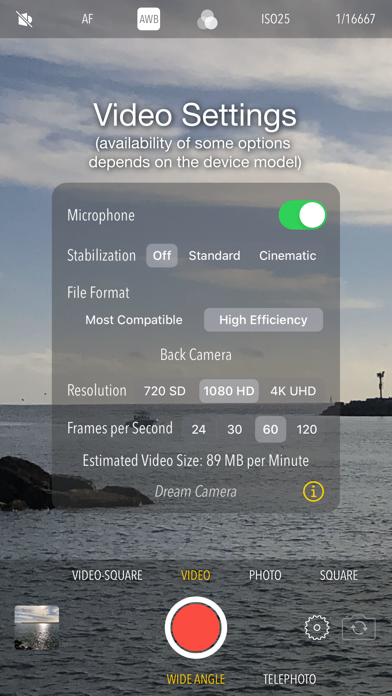
Dream Camera supports several file formats for your pictures and videos. You can save your images in JPG, PNG, TIFF, or HEIF file formats, if supported by your device. For videos, it uses H.264 or HEVC-H.265 video formats, ensuring good quality for your recordings. You can shoot videos in resolutions such as 720SD, 1080HD, or even 4K UHD, depending on your device capabilities. Moreover, you have control over frames per second, with options ranging from 24 to 120 frames, if your iPhone supports it.
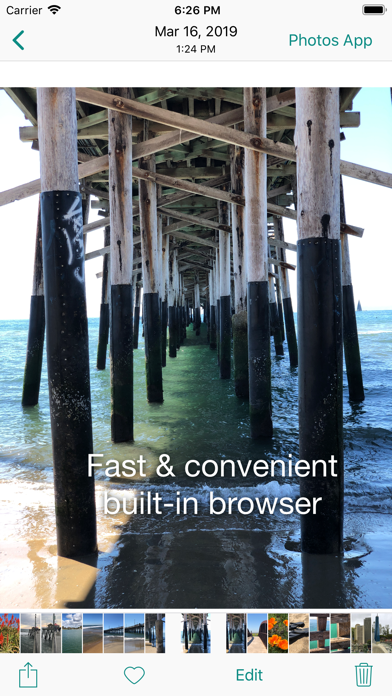
The photo editing features include an orientation correction tool, allowing you to make quick adjustments before sharing your photos. The built-in browser lets you preview and edit your photos, while also providing video playback. The scrubber bar functionality makes it easy to skim through your images and videos.
Once you’re done taking pictures or videos, Dream Camera saves everything directly to your Camera Roll. You can access your content later either through the app or via the standard Photos app on your device. Sharing your creations is a breeze with the iOS sharing features available.
Overall, Dream Camera makes taking pictures and videos fun and straightforward, letting you focus on capturing your best moments. Enjoy the art of photography!
With Dream Camera, you have simple exposure compensation control at your fingertips. You can easily use the EV indicator by sliding your finger up or down anywhere on the screen. If you prefer a more structured approach, you can use the shutter priority mode. Just tap the shutter speed indicator and adjust the slider. The camera will automatically adjust ISO to help you get the perfect shot. Alternatively, there’s the ISO priority mode, where you can set the ISO and the shutter speed will adjust accordingly. For those who want full control options, you can select both shutter speed and ISO indicators and see how well your settings match with the exposure indicator.
The app also offers flash mode settings, allowing you to choose between on, off, or auto modes, making it easy to get the right lighting in any environment. When focusing, you can choose from auto focus mode, manual focus mode, macro focus mode for close-up shots, or landscape focus mode for wide shots.
Dream Camera provides various white balance presets, such as daylight white balance and cloudy white balance, to ensure your photos capture true colors. You can also select fluorescent white balance, Tungsten white balance, or candle white balance, depending on your shooting conditions.
The app features a variety of customizable filters. You can experiment with effects like the Dream filter, XPro1 filter, or XPro2 filter, among others. You can also use filters like black and white or sepia to add a classic touch to your images. Adjust brightness and contrast with options that range from light to extreme, or explore edge effects like vignette or mate.
You can choose to shoot in different modes, including photo shooting modes and video shooting modes, allowing flexibility for any situation. When taking photos, there are helpful photo timer settings that let you set delays of 2, 5, 10, 20, or 30 seconds. The burst photo option allows you to capture multiple shots at once, with options for bursts of 3, 5, or 10 photos.
Dream Camera supports several file formats for your pictures and videos. You can save your images in JPG, PNG, TIFF, or HEIF file formats, if supported by your device. For videos, it uses H.264 or HEVC-H.265 video formats, ensuring good quality for your recordings. You can shoot videos in resolutions such as 720SD, 1080HD, or even 4K UHD, depending on your device capabilities. Moreover, you have control over frames per second, with options ranging from 24 to 120 frames, if your iPhone supports it.
The photo editing features include an orientation correction tool, allowing you to make quick adjustments before sharing your photos. The built-in browser lets you preview and edit your photos, while also providing video playback. The scrubber bar functionality makes it easy to skim through your images and videos.
Once you’re done taking pictures or videos, Dream Camera saves everything directly to your Camera Roll. You can access your content later either through the app or via the standard Photos app on your device. Sharing your creations is a breeze with the iOS sharing features available.
Overall, Dream Camera makes taking pictures and videos fun and straightforward, letting you focus on capturing your best moments. Enjoy the art of photography!

Threedi
Jeongun Kim
$0.99
Denoise: AI Voice Cleanup
Routes Software SRL
$1.99
PhotInfo
Enrico Bonaldo
$2.99
$0.99