
$2.79
FREE
100% Off
DM187 Chrome Roman Watch Face
Dominus Mathias | Watch Faces

About the App
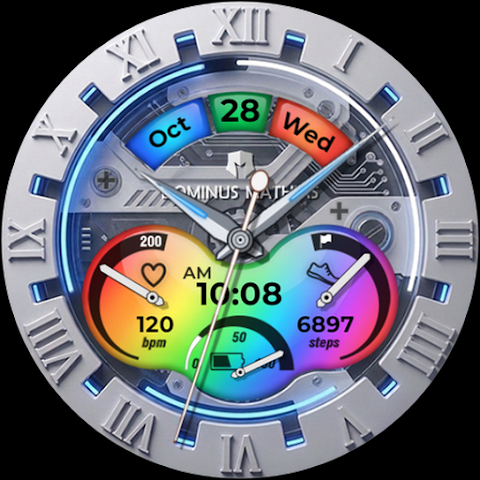
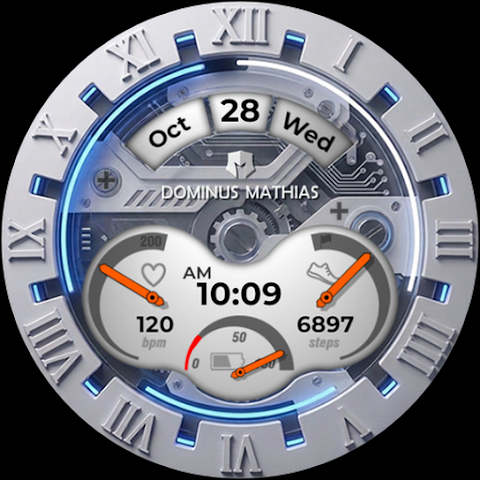
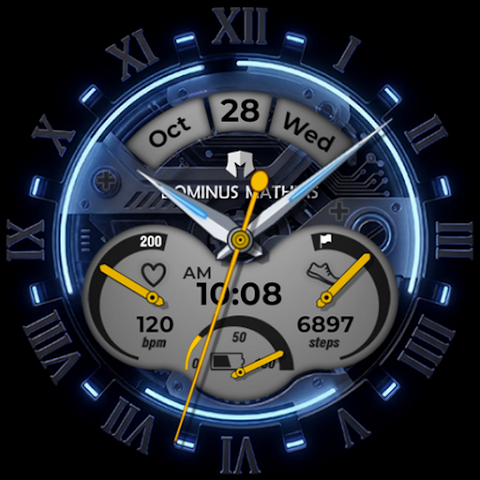
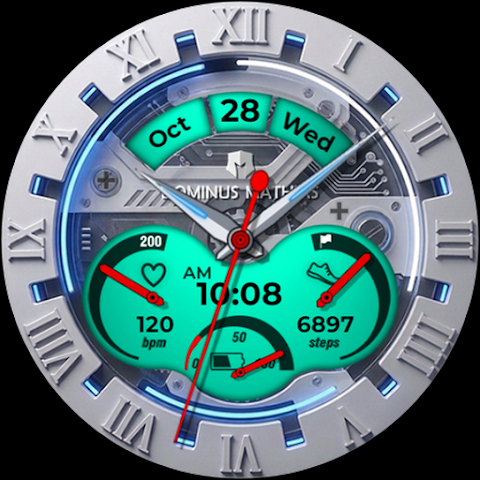
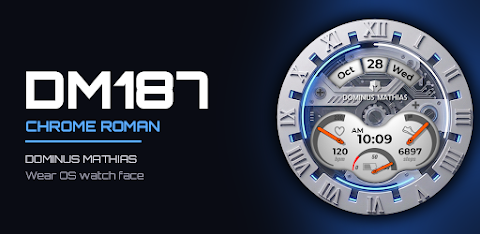
The DM187 Chrome Roman Watch Face perfectly blends classic style with modern functionality. It features a polished silver bezel that frames bold Roman numerals and a glowing blue ring, giving it a striking appearance. The mechanical see-through dial allows you to see the elegant components inside, while the clear digital time display keeps you informed at a glance. This watch face is ideal for anyone who appreciates a luxury chronograph look.
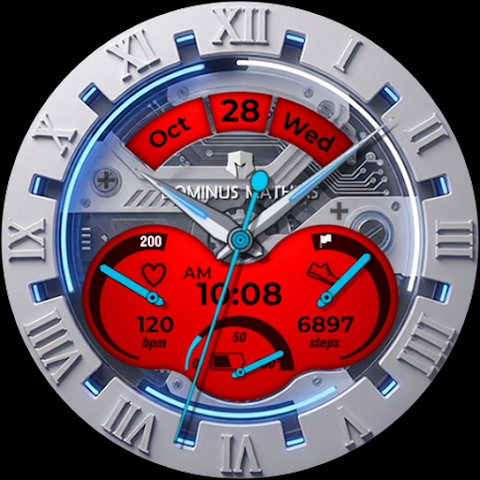
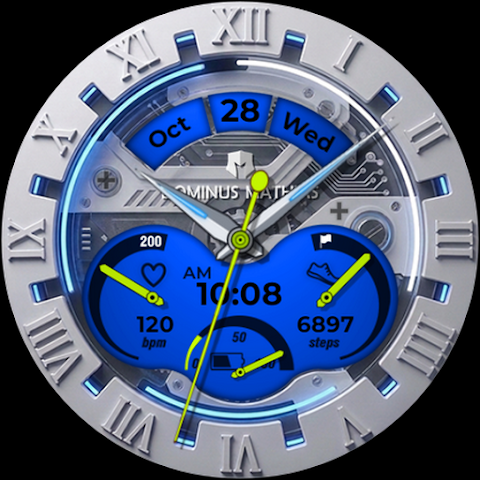
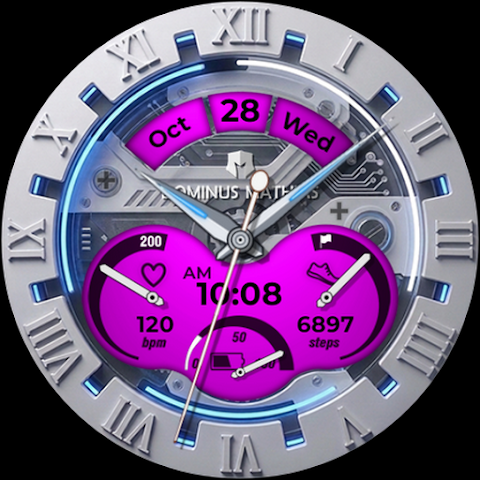
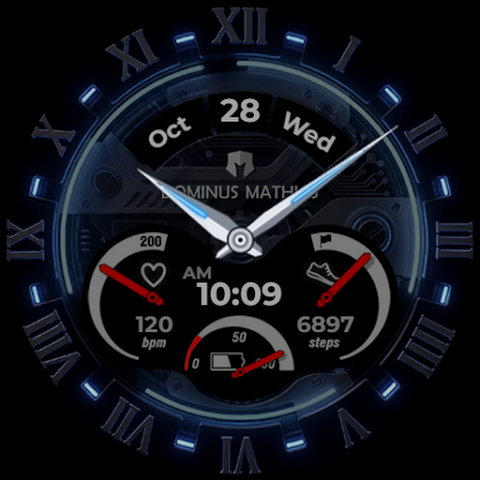
One of the standout features of the DM187 Chrome Roman Watch Face is its customization options. You can choose from 10 dial colors, including a unique Rainbow dial, to personalize the look to your taste. There are also 18 color accents available, allowing you to change the color of the dial details, hands, and second hand. You can select between a light chrome background or a dark style background, making it versatile for any occasion.
For those who like to keep track of their health and activities, this watch face offers practical tools. It displays both analog and digital time with support for 12H/24H format and an AM/PM display. You can easily check the date with a display that shows the month, day, and weekday. The watch face also includes a heart rate gauge, a step counter gauge, and a battery level gauge, all designed to give you important information at a glance.
The DM187 Chrome Roman Watch Face also features 2 app shortcuts, making it easy to quick-launch your favorite apps. The stylish Always-On Display mode keeps essential information visible without consuming too much battery.
Installation is straightforward. The companion app helps you easily install the watch face on your device. You can select your watch from the device list in the Google Play store, then follow the simple steps to add the watch face. Just touch and hold your current watch face, swipe left, and tap "Add watch face." If you’re using a Pixel Watch, you can select "Add new" to apply it.
This watch face is designed for compatibility with Wear OS watches, such as the Samsung Galaxy Watch and Google Pixel Watch. Please note that it is not compatible with Tizen or other non-Wear OS watches.
If you have any questions or ideas, feel free to reach out. We're here to help you get the most out of the DM187 Chrome Roman Watch Face. Enjoy the combination of luxury and practicality on your wrist!
One of the standout features of the DM187 Chrome Roman Watch Face is its customization options. You can choose from 10 dial colors, including a unique Rainbow dial, to personalize the look to your taste. There are also 18 color accents available, allowing you to change the color of the dial details, hands, and second hand. You can select between a light chrome background or a dark style background, making it versatile for any occasion.
For those who like to keep track of their health and activities, this watch face offers practical tools. It displays both analog and digital time with support for 12H/24H format and an AM/PM display. You can easily check the date with a display that shows the month, day, and weekday. The watch face also includes a heart rate gauge, a step counter gauge, and a battery level gauge, all designed to give you important information at a glance.
The DM187 Chrome Roman Watch Face also features 2 app shortcuts, making it easy to quick-launch your favorite apps. The stylish Always-On Display mode keeps essential information visible without consuming too much battery.
Installation is straightforward. The companion app helps you easily install the watch face on your device. You can select your watch from the device list in the Google Play store, then follow the simple steps to add the watch face. Just touch and hold your current watch face, swipe left, and tap "Add watch face." If you’re using a Pixel Watch, you can select "Add new" to apply it.
This watch face is designed for compatibility with Wear OS watches, such as the Samsung Galaxy Watch and Google Pixel Watch. Please note that it is not compatible with Tizen or other non-Wear OS watches.
If you have any questions or ideas, feel free to reach out. We're here to help you get the most out of the DM187 Chrome Roman Watch Face. Enjoy the combination of luxury and practicality on your wrist!
Old Style Watch Face
RADEFFFACTORY
$1.49
$0.75
h803 Weather Station Watchface
Happy Watch Faces
$4.79
FREE

CLA021 Analog Steel
DB Watch Face
$1.49
$0.75