

$1.49
$0.29
81% Off
Diamond – Icon Pack
GomoTheGom




About the App
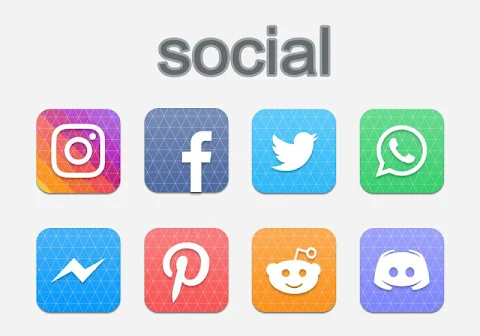
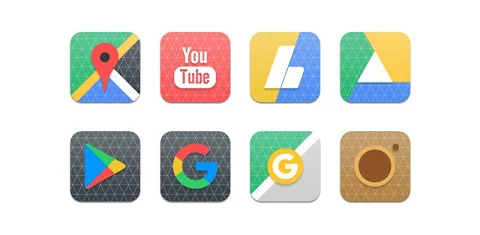
Diamond - Icon Pack is a helpful tool for anyone looking to customize their smartphone’s appearance. This app provides a vast collection of over 5000 icons, suitable for many popular launchers, including Nova Launcher, Evie Launcher, Apex Launcher, ADW Launcher, ABC Launcher, Next Launcher, Holo Launcher, Lucid Launcher, M Launcher, Action Launcher, Aviate Launcher, Smart Launcher, Go Launcher, and Zero Launcher.
To use the Diamond Icon Pack, simply follow these easy steps. Start by opening the app. Then, navigate to the "Apply Icon Pack" screen. Here, you will see a list of supported launchers, including Nova Launcher, which you can select if it is installed on your device. The app will automatically apply the icons from the Diamond Icon Pack to your chosen launcher, making the process quick and straightforward.
If you don't see your launcher when trying to apply the icon pack, don't worry. You can also apply the icons directly from your launcher’s settings. It's that simple!
For users of Sony Xperia Home Launcher, you can still enjoy Diamond Icon Pack, but you'll need to follow a different set of steps. Long press on your main screen and open the settings. Scroll down to the “Appearance” option and select the icon setting. Then, choose the Diamond Icon Pack from there. Note that the Diamond Icon Pack only works with Sony Xperia Home Launcher version 10.0.A.0.8 or higher.
Diamond Icon Pack is packed with features that enhance your device’s look. You get access to an extensive collection of over 5000 icons, ensuring you have plenty of options to choose from. If some of your icons are not themed, the app provides an icon back for unthemed icons, giving your interface a consistent appearance.
Additionally, you will find 36+ HD wallpapers included in the app, which can further personalize your user interface. You can also select alternate icons if you want a different style for specific apps. If you have a special request for an icon, there is an icon request feature that allows you to suggest new designs.
Every icon in the Diamond Icon Pack is designed with high-quality in mind, featuring an HD icon resolution of 192x192 pixels.
This app makes customizing your phone's icons easy and enjoyable. You can explore various themes for Android while enhancing your smartphone's user interface. Whether you’re looking to personalize your phone or simply change the look of your icons, Diamond Icon Pack has the tools you need. Enjoy the freedom to create a unique mobile experience with beautiful modern icon designs that make your device truly your own.
To use the Diamond Icon Pack, simply follow these easy steps. Start by opening the app. Then, navigate to the "Apply Icon Pack" screen. Here, you will see a list of supported launchers, including Nova Launcher, which you can select if it is installed on your device. The app will automatically apply the icons from the Diamond Icon Pack to your chosen launcher, making the process quick and straightforward.
If you don't see your launcher when trying to apply the icon pack, don't worry. You can also apply the icons directly from your launcher’s settings. It's that simple!
For users of Sony Xperia Home Launcher, you can still enjoy Diamond Icon Pack, but you'll need to follow a different set of steps. Long press on your main screen and open the settings. Scroll down to the “Appearance” option and select the icon setting. Then, choose the Diamond Icon Pack from there. Note that the Diamond Icon Pack only works with Sony Xperia Home Launcher version 10.0.A.0.8 or higher.
Diamond Icon Pack is packed with features that enhance your device’s look. You get access to an extensive collection of over 5000 icons, ensuring you have plenty of options to choose from. If some of your icons are not themed, the app provides an icon back for unthemed icons, giving your interface a consistent appearance.
Additionally, you will find 36+ HD wallpapers included in the app, which can further personalize your user interface. You can also select alternate icons if you want a different style for specific apps. If you have a special request for an icon, there is an icon request feature that allows you to suggest new designs.
Every icon in the Diamond Icon Pack is designed with high-quality in mind, featuring an HD icon resolution of 192x192 pixels.
This app makes customizing your phone's icons easy and enjoyable. You can explore various themes for Android while enhancing your smartphone's user interface. Whether you’re looking to personalize your phone or simply change the look of your icons, Diamond Icon Pack has the tools you need. Enjoy the freedom to create a unique mobile experience with beautiful modern icon designs that make your device truly your own.
Xperia – Icon Pack
Cris87
$1.89
$0.39

WFP 308 Business watch face
WFProduction by Alexandr Kovalev
$2.49
$1.25

Rediant – icon Pack
GomoTheGom
$1.49
FREE