

$9.99
$6.99
30% Off
Dee Jellie: Jellyfin Media
Flore Technologies, LLC.

About the App
Dee Jellie is a native Jellyfin player that lets you access your music and video library. To get started, you need a Jellyfin Media Server and an account. This app doesn't come with any media or hosting services included, but all core functionality is there with your purchase.
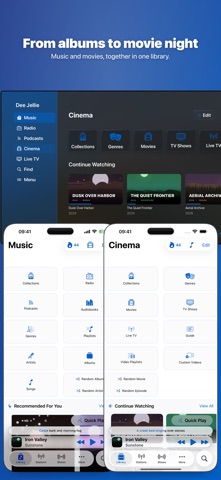
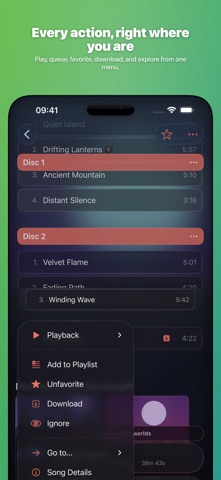
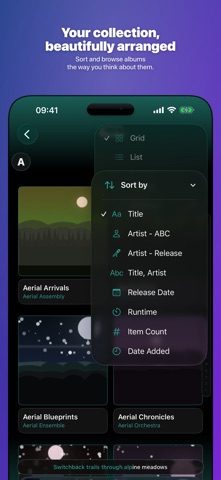
With Dee Jellie, you can stream your self-hosted Jellyfin music, movies, and TV shows on devices like your iPhone, iPad, Mac, Apple Watch, Apple TV, and even your CarPlay system. It allows you to browse through albums, artists, playlists, shows, podcasts, audiobooks, and live radio—all in one place.
The app features a simple setup for your Jellyfin server, enabling you to play the music and video files you host yourself. You can view your entire library, complete with artwork, without having to migrate anything. This ease of use makes Dee Jellie a great choice for anyone who already uses Jellyfin.
One of the standout features of Dee Jellie is its discovery tools. You can find Dee Jellie’s Picks, which include trending albums and new releases from artists in your library. The app also suggests movies and shows based on your viewing history. You can request specific albums, movies, or shows through Seerr, or ask the built-in AI assistant for recommended content based on what you like. This feature requires Apple Intelligence.
For movie lovers, the Cinema Mode provides a cinematic experience with 4K HDR movies, complete with subtitles and the option to watch Live TV. You can easily pick up where you left off, use AirPlay for bigger screens, or stream on your Apple TV.
Dee Jellie supports multiple servers, allowing you to mix content from various Jellyfin servers into one playlist. You can unlock additional features like OpenSubsonic and Echolair with in-app purchases to expand your options even further. The Quick Connect feature helps you sign in quickly on new devices.
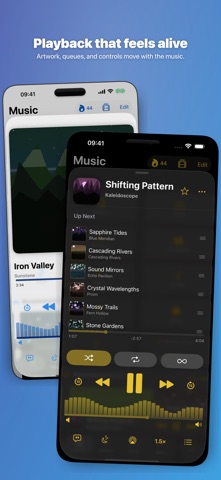
When it comes to playback, Dee Jellie offers high-quality options. You can enjoy lossless FLAC playback, gapless playback, and even adjust the play speed from 0.5x to 3x. Other features include volume normalization, sleep timers, Infinity playback, surround sound, and object-based spatial audio.
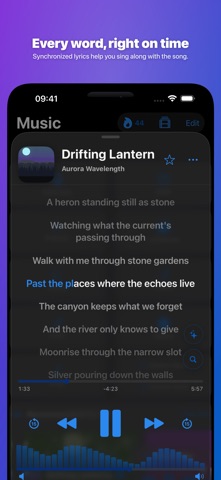
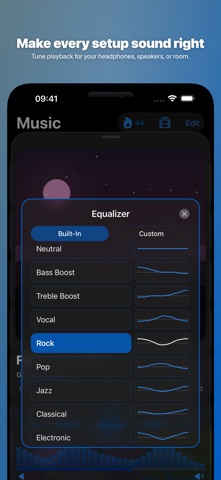
If you enjoy lyrics, Dee Jellie provides synced lyrics that update as you scrub through songs. You can tap any line to find specific parts of a song quickly. The app also features a 16-band equalizer with profiles tuned for different genres, along with a real-time visualizer. For Supporters, there is an option to create custom EQ profiles.
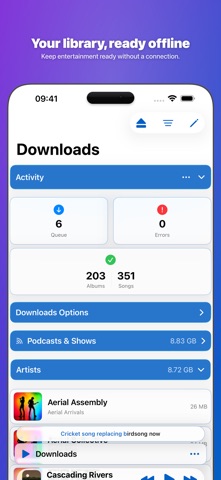
Offline downloads are easy with Dee Jellie. You can download your favorite albums, songs, or episodes with just one tap. You can choose the original version or set a bitrate cap to save data, allowing you to enjoy your content offline automatically.
The app is also network-aware, applying rules for each network you connect to, including direct play options, quality settings, and data limits. You can adjust these smart defaults to fit your needs.
For those who use Apple Watch, Dee Jellie serves as a remote control for your iPhone player. Supporters can access a full player on their watch, enabling direct streaming and downloads without needing the iPhone.
CarPlay support allows you to safely browse and play your library from your car's display, making it convenient for drivers. You can also use Apple TV browsing to enjoy Dee Jellie from your couch, where Supporters can host Party Mode. This feature lets anyone nearby with the app shape the shared listening queue.
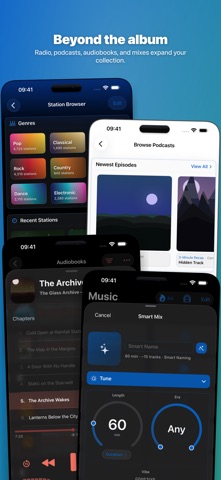
Dee Jellie also integrates public podcasts, allowing you to subscribe and stream new episodes as they become available. Supporters can download specific episodes for offline listening. Audiobooks support is included, featuring full chapter support, cross-device resume, and timestamped bookmarks.
You can tune into over 55,000 community live radio stations worldwide, browsing by genre or country and saving your favorites either locally or on your servers. The app features dynamic soundscapes for focus, relaxation, or sleep with options like rain, thunder, and white noise. These sounds are generated live on your device and can be layered for a personalized experience.
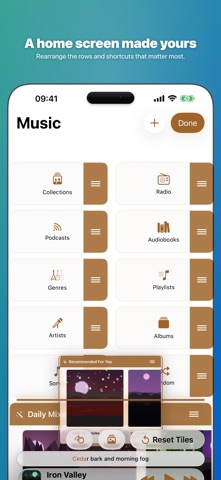
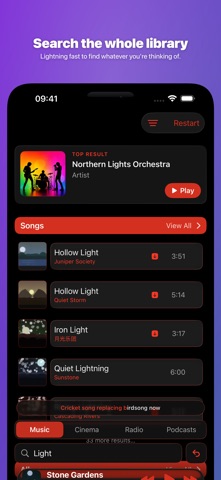
Siri integration and Spotlight search make it easy to play your content hands-free. “Now Playing” shortcuts can be added to your Home and Lock screen for quick access to your media. Dee Jellie also generates Smart Mix playlists based on your favorite genres or decades. Supporters can save rulesets for future use.
For those who love to track their viewing habits, Dee Jellie offers Trakt scrobbling to send your watched content automatically. With over 500 achievements to unlock, you can also gain listening insights to better understand your habits.
Dee Jellie prioritizes privacy with its privacy-first defaults. There is no tracking, no analytics, and no in-app advertisements. Your library is sourced from your signed-in servers, and preferences are synchronized using iCloud or optional account services.
For any support needs, you can easily reach the team via email. With all these functionalities, Dee Jellie makes managing and enjoying your media library more accessible and enjoyable.
With Dee Jellie, you can stream your self-hosted Jellyfin music, movies, and TV shows on devices like your iPhone, iPad, Mac, Apple Watch, Apple TV, and even your CarPlay system. It allows you to browse through albums, artists, playlists, shows, podcasts, audiobooks, and live radio—all in one place.
The app features a simple setup for your Jellyfin server, enabling you to play the music and video files you host yourself. You can view your entire library, complete with artwork, without having to migrate anything. This ease of use makes Dee Jellie a great choice for anyone who already uses Jellyfin.
One of the standout features of Dee Jellie is its discovery tools. You can find Dee Jellie’s Picks, which include trending albums and new releases from artists in your library. The app also suggests movies and shows based on your viewing history. You can request specific albums, movies, or shows through Seerr, or ask the built-in AI assistant for recommended content based on what you like. This feature requires Apple Intelligence.
For movie lovers, the Cinema Mode provides a cinematic experience with 4K HDR movies, complete with subtitles and the option to watch Live TV. You can easily pick up where you left off, use AirPlay for bigger screens, or stream on your Apple TV.
Dee Jellie supports multiple servers, allowing you to mix content from various Jellyfin servers into one playlist. You can unlock additional features like OpenSubsonic and Echolair with in-app purchases to expand your options even further. The Quick Connect feature helps you sign in quickly on new devices.
When it comes to playback, Dee Jellie offers high-quality options. You can enjoy lossless FLAC playback, gapless playback, and even adjust the play speed from 0.5x to 3x. Other features include volume normalization, sleep timers, Infinity playback, surround sound, and object-based spatial audio.
If you enjoy lyrics, Dee Jellie provides synced lyrics that update as you scrub through songs. You can tap any line to find specific parts of a song quickly. The app also features a 16-band equalizer with profiles tuned for different genres, along with a real-time visualizer. For Supporters, there is an option to create custom EQ profiles.
Offline downloads are easy with Dee Jellie. You can download your favorite albums, songs, or episodes with just one tap. You can choose the original version or set a bitrate cap to save data, allowing you to enjoy your content offline automatically.
The app is also network-aware, applying rules for each network you connect to, including direct play options, quality settings, and data limits. You can adjust these smart defaults to fit your needs.
For those who use Apple Watch, Dee Jellie serves as a remote control for your iPhone player. Supporters can access a full player on their watch, enabling direct streaming and downloads without needing the iPhone.
CarPlay support allows you to safely browse and play your library from your car's display, making it convenient for drivers. You can also use Apple TV browsing to enjoy Dee Jellie from your couch, where Supporters can host Party Mode. This feature lets anyone nearby with the app shape the shared listening queue.
Dee Jellie also integrates public podcasts, allowing you to subscribe and stream new episodes as they become available. Supporters can download specific episodes for offline listening. Audiobooks support is included, featuring full chapter support, cross-device resume, and timestamped bookmarks.
You can tune into over 55,000 community live radio stations worldwide, browsing by genre or country and saving your favorites either locally or on your servers. The app features dynamic soundscapes for focus, relaxation, or sleep with options like rain, thunder, and white noise. These sounds are generated live on your device and can be layered for a personalized experience.
Siri integration and Spotlight search make it easy to play your content hands-free. “Now Playing” shortcuts can be added to your Home and Lock screen for quick access to your media. Dee Jellie also generates Smart Mix playlists based on your favorite genres or decades. Supporters can save rulesets for future use.
For those who love to track their viewing habits, Dee Jellie offers Trakt scrobbling to send your watched content automatically. With over 500 achievements to unlock, you can also gain listening insights to better understand your habits.
Dee Jellie prioritizes privacy with its privacy-first defaults. There is no tracking, no analytics, and no in-app advertisements. Your library is sourced from your signed-in servers, and preferences are synchronized using iCloud or optional account services.
For any support needs, you can easily reach the team via email. With all these functionalities, Dee Jellie makes managing and enjoying your media library more accessible and enjoyable.

Walkout Song DJ
Joseph Vidunas
$6.99

TheStrip by DDMF
Christian Siedschlag
$11.99
$5.99

UltraTap Delay
Eventide
$14.99
$7.99