

$3.99
FREE
100% Off
Cully – Photo Cleaner
YOU&VI UG

About the App
Cully - Photo Cleaner helps you manage your photo library easily, day by day. If you have over 20,000 photos and feel overwhelmed about where to start, Cully is here to change that.
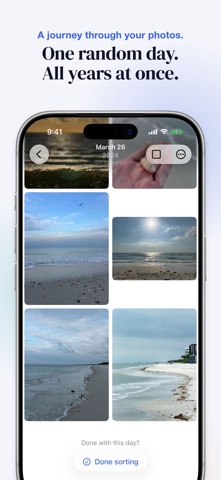
The app has a simple idea: pick a random date, and you can browse all your photos from that day, no matter what year they are from. This gives you a different slice of your life every time you use it. You can keep the best photos you want and delete the rest. Just spend five minutes a day, and your library will start to feel lighter.
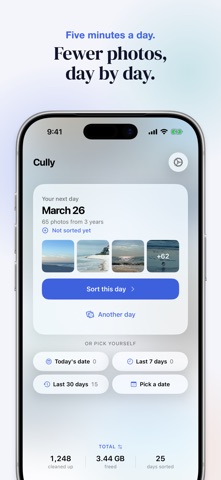
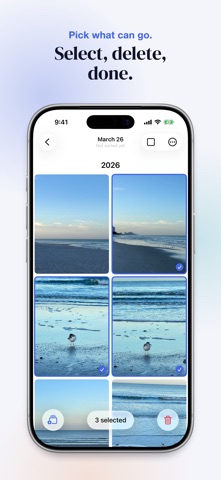
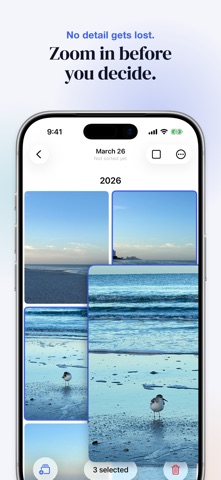
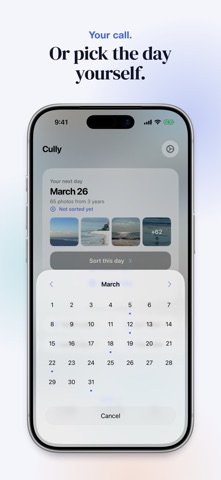
Here’s how Cully works. The app suggests a random date for you. You will instantly see all the photos you took on that date across all those years. If you’re not in the mood, you can roll again or pick any date from the calendar, where you’ll see which days you’ve already sorted. As you scroll through your photo selection grid, you can easily choose photos and zoom in for a closer look. Every time you delete a photo, it will ask for your deletion confirmation. Deleted photos go to a Recently Deleted folder, where you can restore them within 30 days if you change your mind.
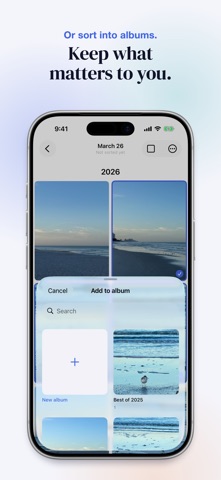
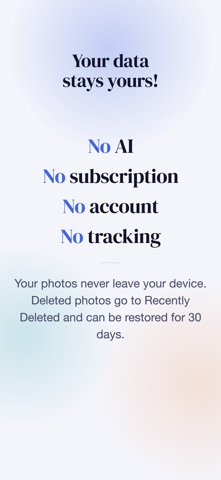
Cully prioritizes your user privacy. There is no account required to use it, and your photos stay on your device with local data storage. The app uses smart random sorting, which helps you focus on days you haven’t sorted yet. If you want to keep some photos instead of deleting them, you can use album creation to store them safely.
At the end of each session, you decide when a day is done. Sorted days will show up in your photo deletion stats and calendar. If you have Live Photos or videos, you can play those right in the grid. You can also choose full quality sharing with a simple long-press or right-click on any photo.
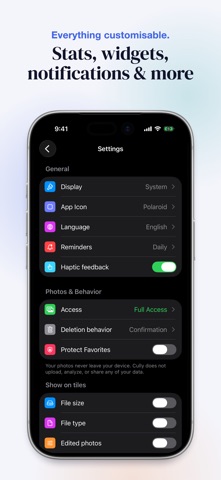
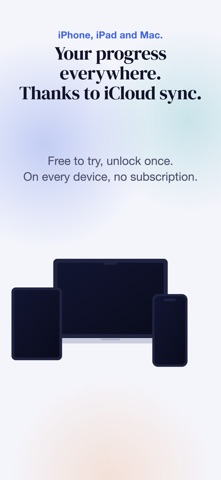
To help you stay on track, Cully includes optional reminders to keep you motivated. There are also deletion widgets that show your stats at a glance. Whether you use an iPhone, iPad, or Mac, you can easily enjoy Cully’s features across all devices, thanks to iCloud synchronization.
You can try Cully for free with your first five sorting days. This allows you to sort photos from five different dates without any time limit. After that, a one-time purchase unlocks unlimited sorting, so you can use it on all your devices without a subscription.
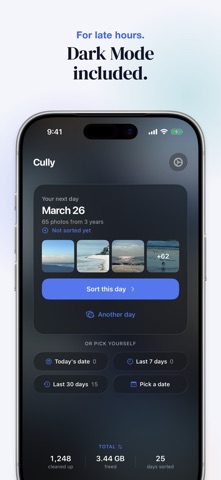
Using quick actions access, you can jump straight to a random day, today’s date, or even look back at the last 7 or 30 days of your photos. Cully features a minimalist design that makes easy photo selection possible.
The app helps with storage optimization by guiding you through deleting duplicates and needless photos. Cully was created to solve the problem of a growing photo library without a good way to clean it up. You can enjoy user-controlled sorting without the need for complicated features like AI or analytics.
Made in Berlin, Cully is a photo management app designed for you to start decluttering your photos with ease. Just open it and get started!
The app has a simple idea: pick a random date, and you can browse all your photos from that day, no matter what year they are from. This gives you a different slice of your life every time you use it. You can keep the best photos you want and delete the rest. Just spend five minutes a day, and your library will start to feel lighter.
Here’s how Cully works. The app suggests a random date for you. You will instantly see all the photos you took on that date across all those years. If you’re not in the mood, you can roll again or pick any date from the calendar, where you’ll see which days you’ve already sorted. As you scroll through your photo selection grid, you can easily choose photos and zoom in for a closer look. Every time you delete a photo, it will ask for your deletion confirmation. Deleted photos go to a Recently Deleted folder, where you can restore them within 30 days if you change your mind.
Cully prioritizes your user privacy. There is no account required to use it, and your photos stay on your device with local data storage. The app uses smart random sorting, which helps you focus on days you haven’t sorted yet. If you want to keep some photos instead of deleting them, you can use album creation to store them safely.
At the end of each session, you decide when a day is done. Sorted days will show up in your photo deletion stats and calendar. If you have Live Photos or videos, you can play those right in the grid. You can also choose full quality sharing with a simple long-press or right-click on any photo.
To help you stay on track, Cully includes optional reminders to keep you motivated. There are also deletion widgets that show your stats at a glance. Whether you use an iPhone, iPad, or Mac, you can easily enjoy Cully’s features across all devices, thanks to iCloud synchronization.
You can try Cully for free with your first five sorting days. This allows you to sort photos from five different dates without any time limit. After that, a one-time purchase unlocks unlimited sorting, so you can use it on all your devices without a subscription.
Using quick actions access, you can jump straight to a random day, today’s date, or even look back at the last 7 or 30 days of your photos. Cully features a minimalist design that makes easy photo selection possible.
The app helps with storage optimization by guiding you through deleting duplicates and needless photos. Cully was created to solve the problem of a growing photo library without a good way to clean it up. You can enjoy user-controlled sorting without the need for complicated features like AI or analytics.
Made in Berlin, Cully is a photo management app designed for you to start decluttering your photos with ease. Just open it and get started!

Loop Videos – Repeater
Maroun Abi Ramia
$0.99

Fast Forward Videos -Boomerang
Maroun Abi Ramia
$0.99

SCamera
卓艺 蒋
$2.99