
$1.99
$1.00
50% Off
CELEST5495 Artistic Watch
CELEST Watches

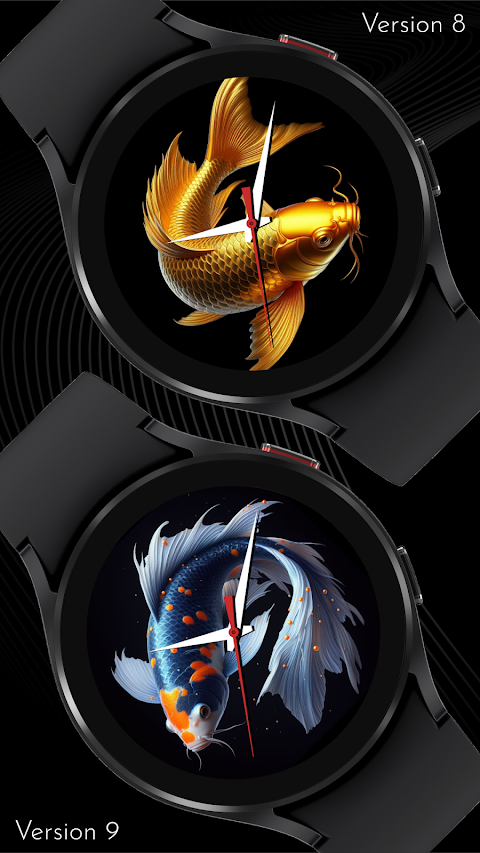


About the App
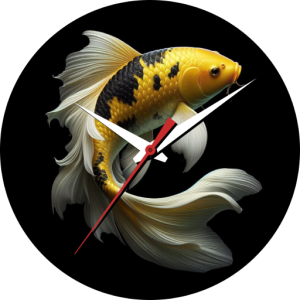
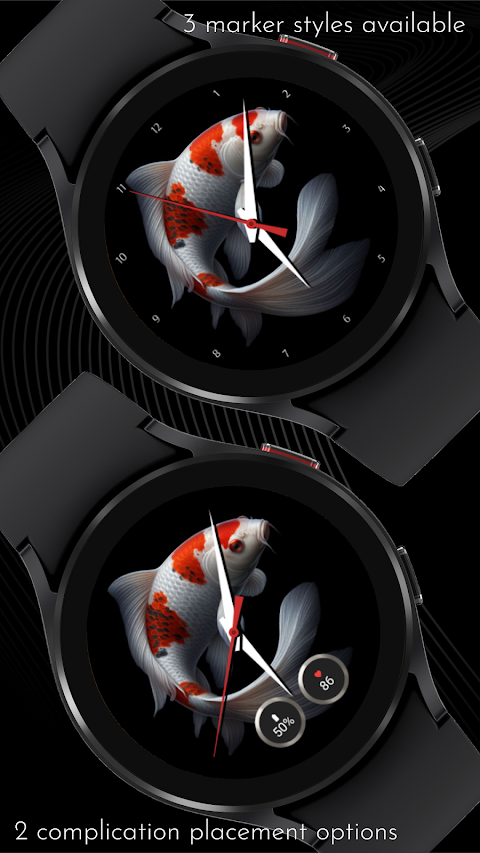
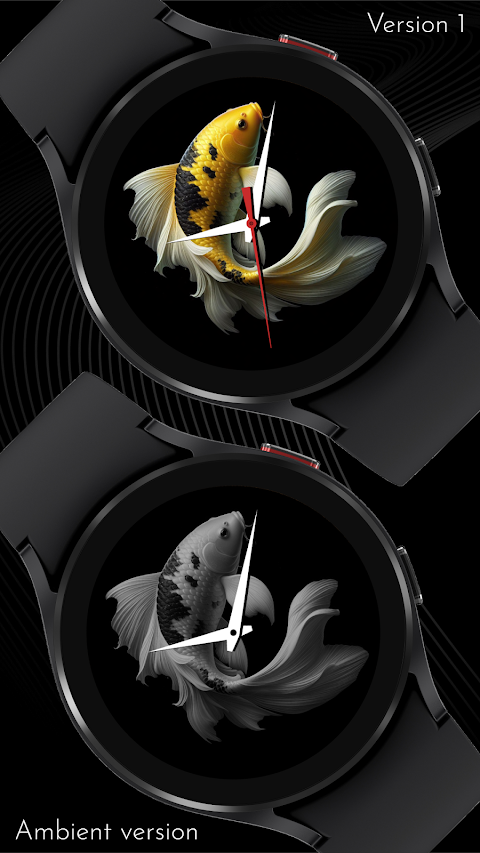
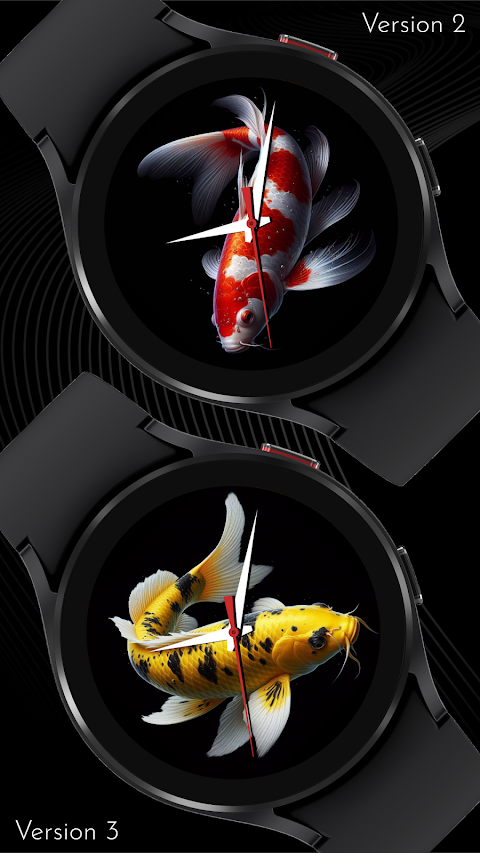
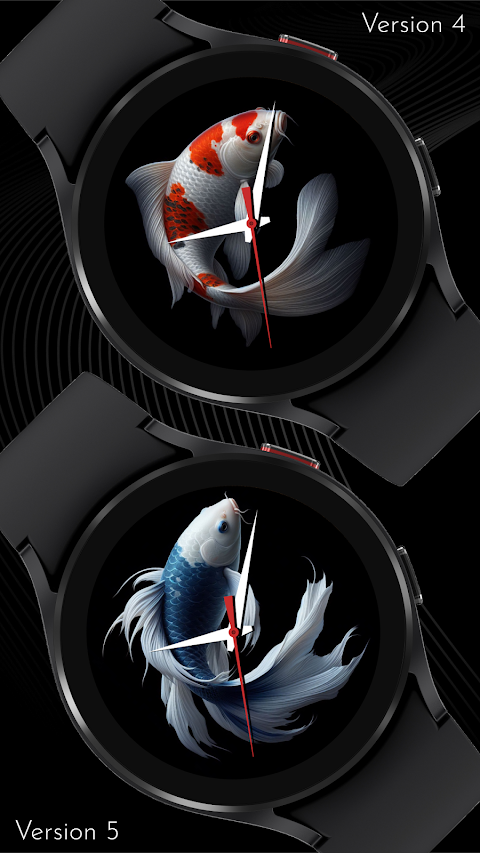
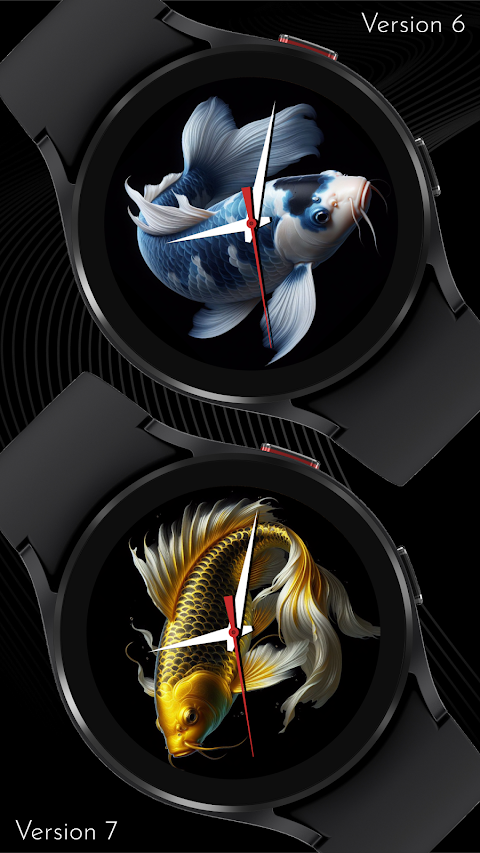
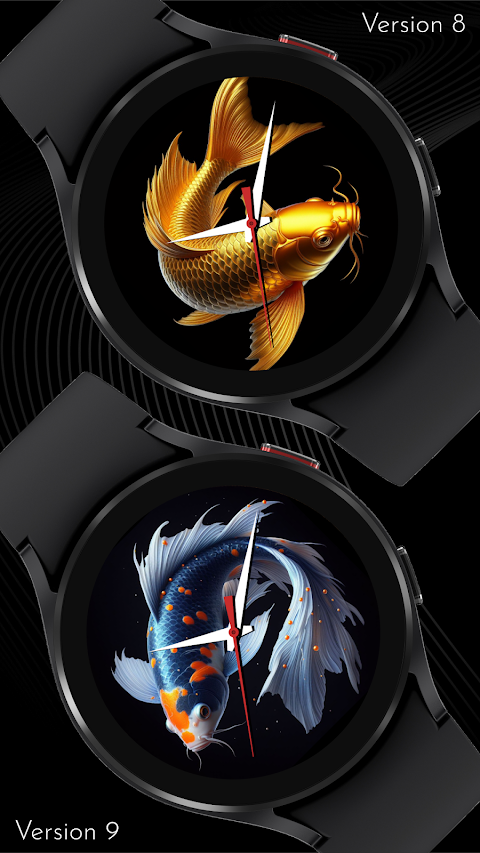
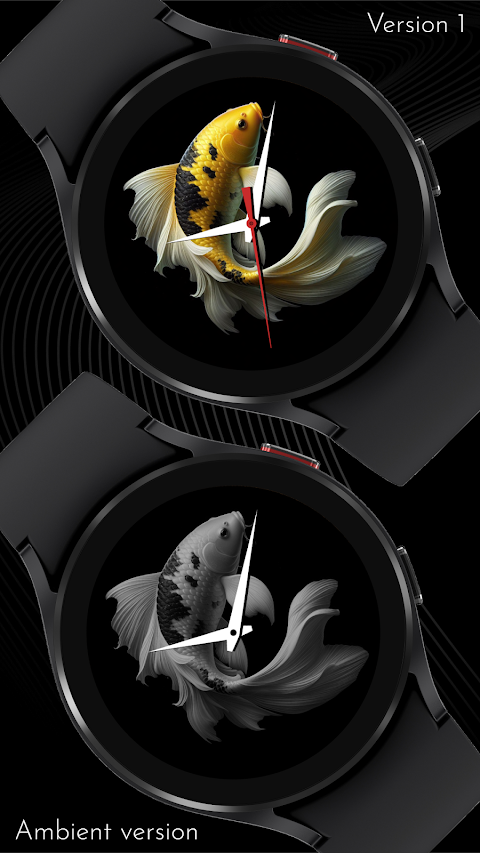
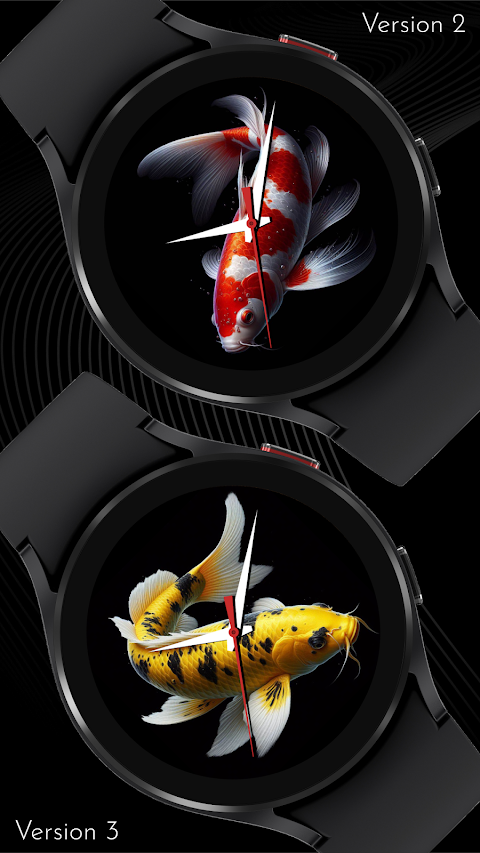
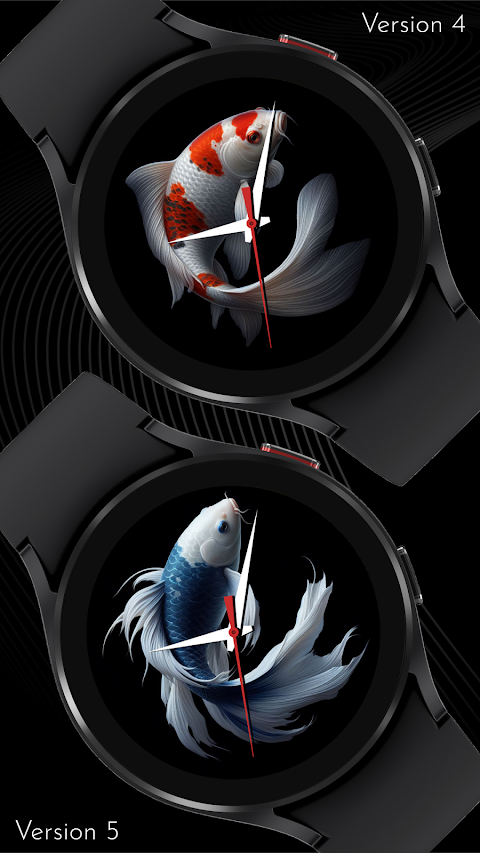
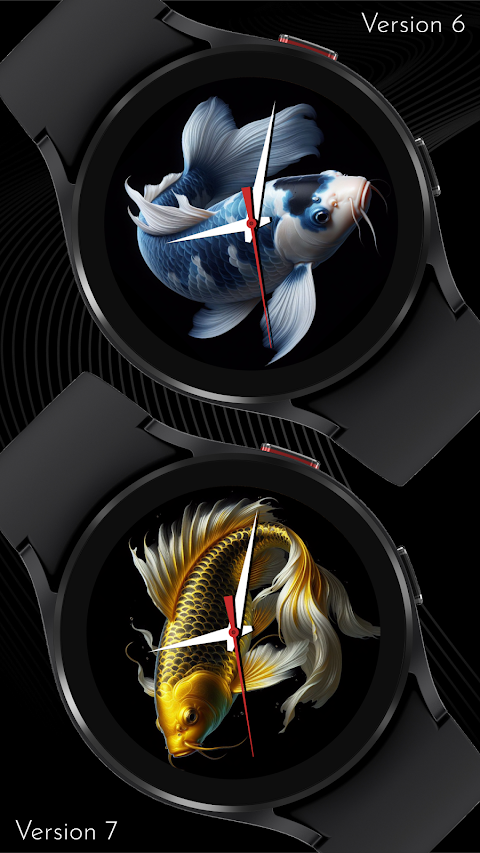
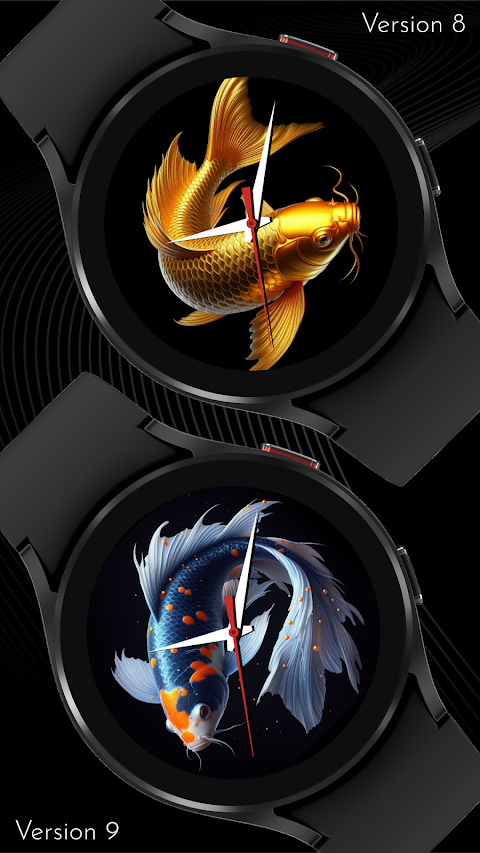
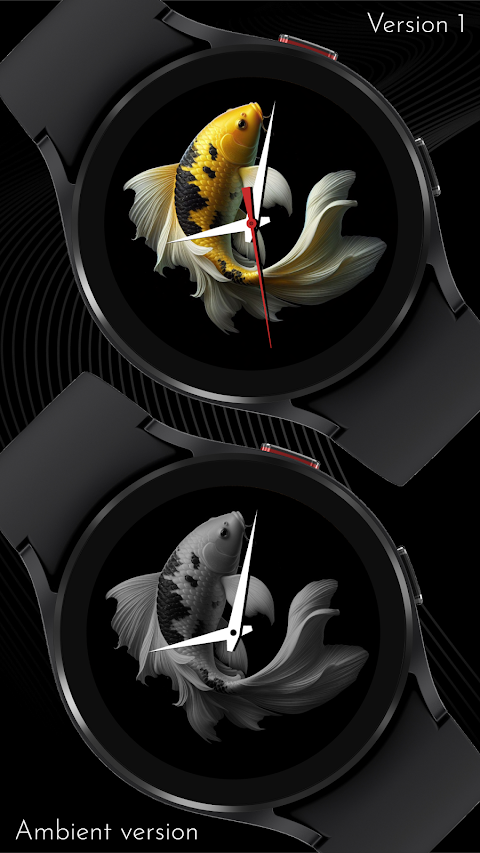
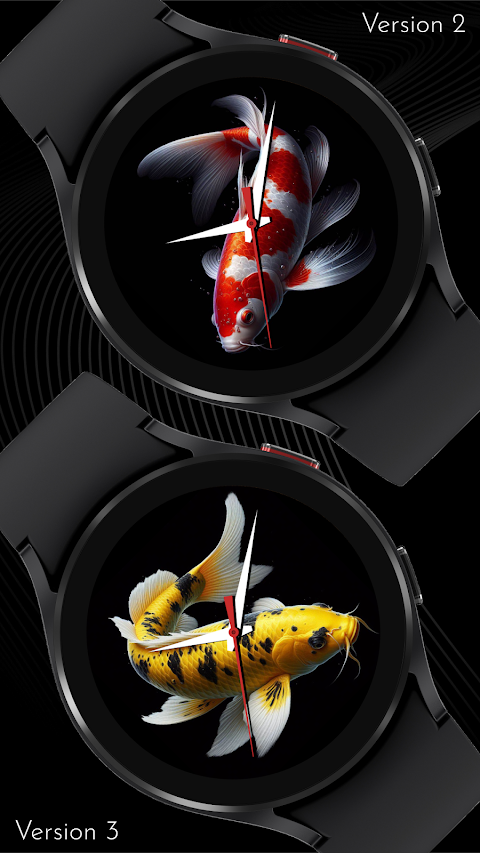
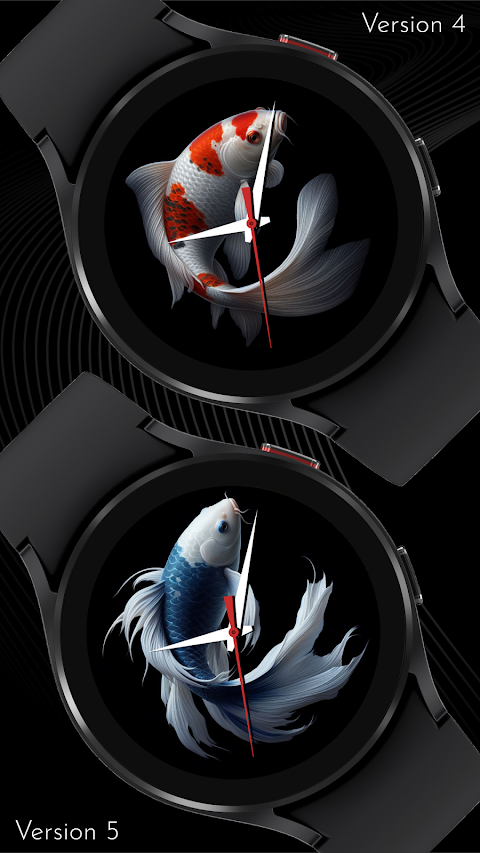
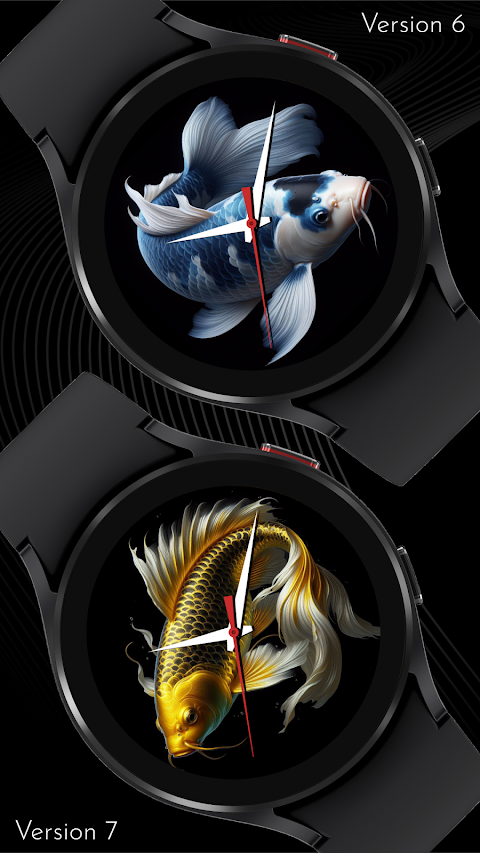
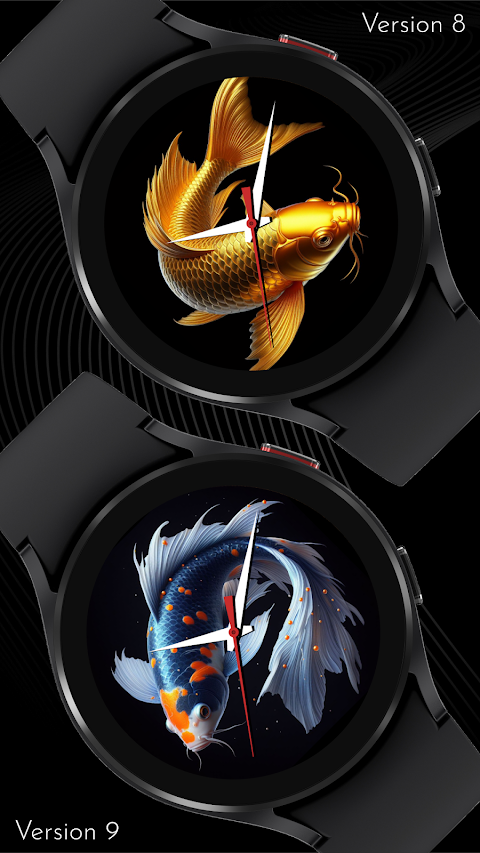
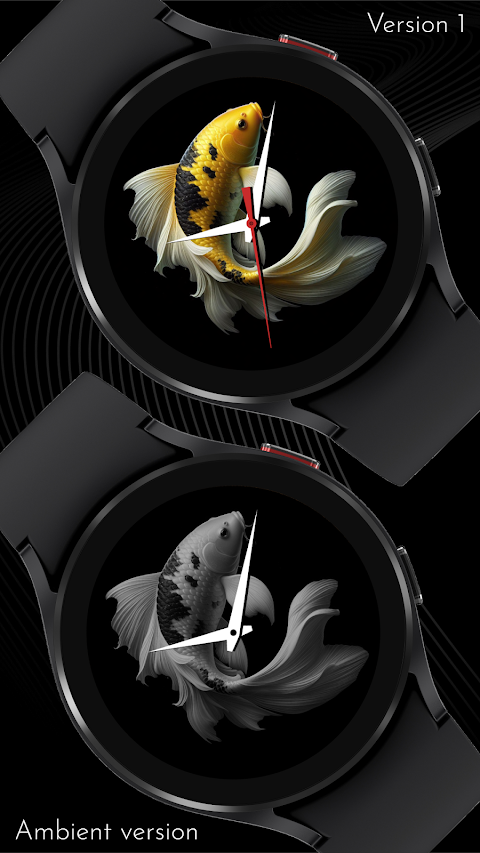
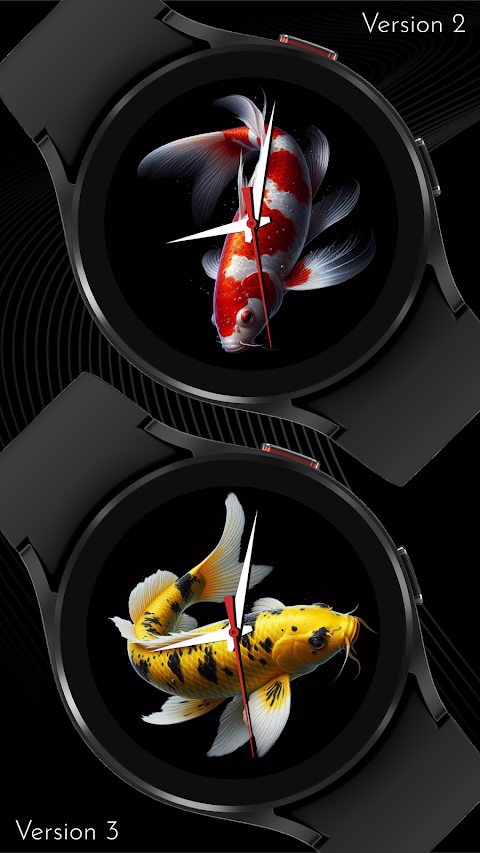
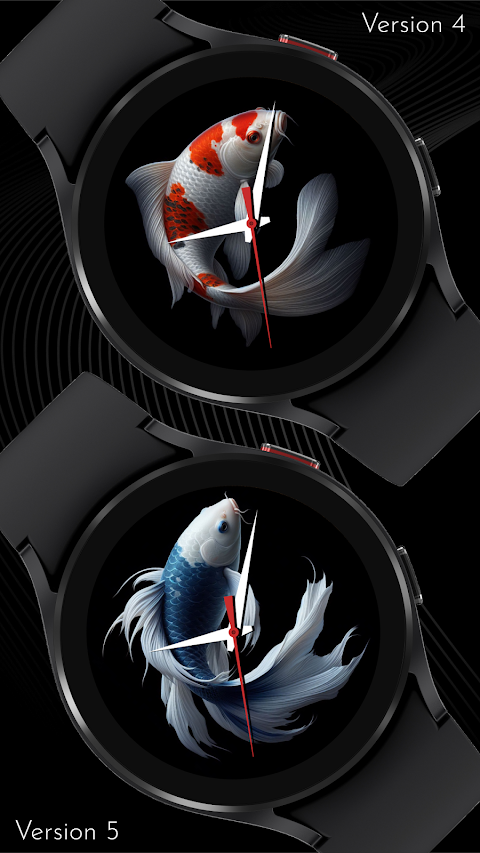
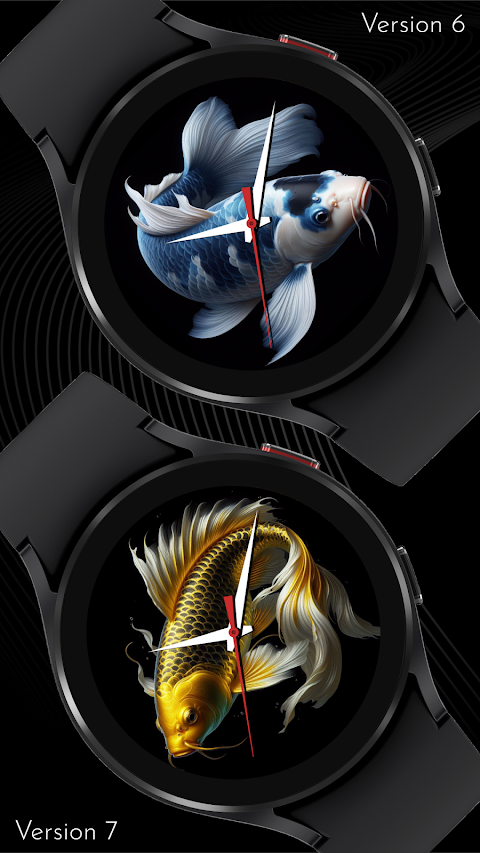
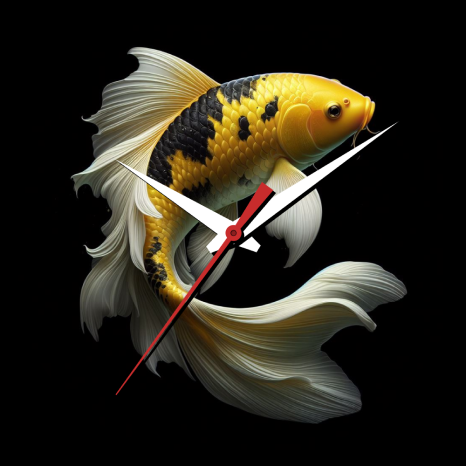
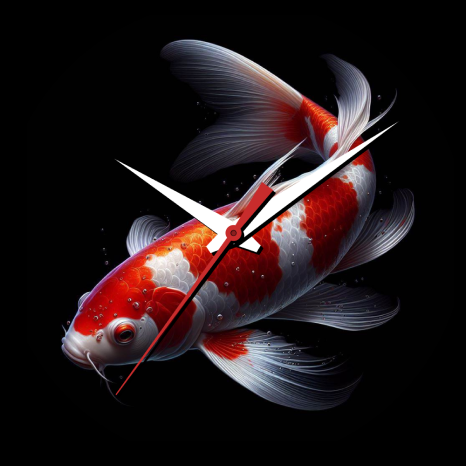
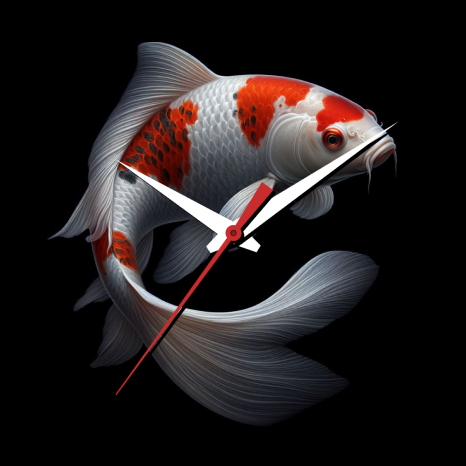
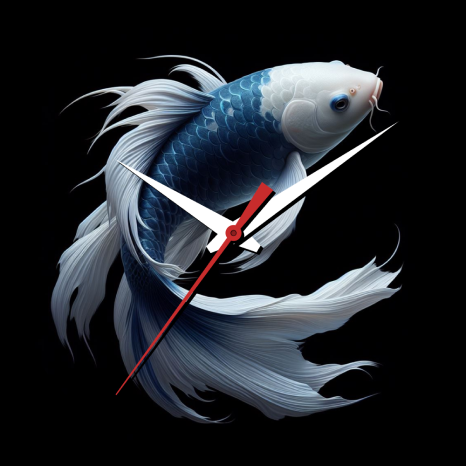
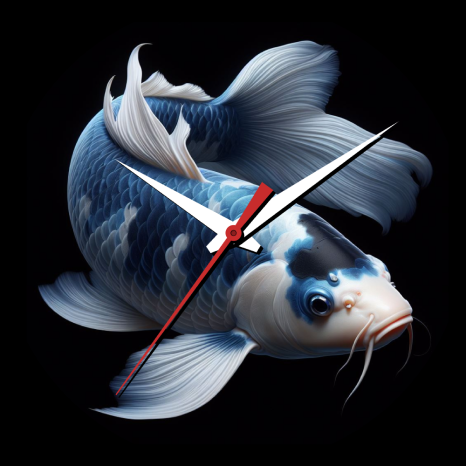
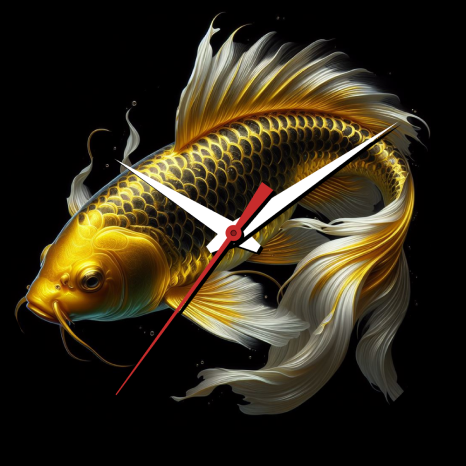
The CELEST5495 Artistic Watch is a beautiful watch face designed for your Wear OS device. It offers a stylish look that is both appealing and comfortable to wear. This watch face draws inspiration from Japanese culture, featuring mesmerizing koi fish. The koi fish represent resilience, determination, and the pursuit of dreams. With vibrant red and white hues, they bring an elegant touch to the design, all set against a serene black background.
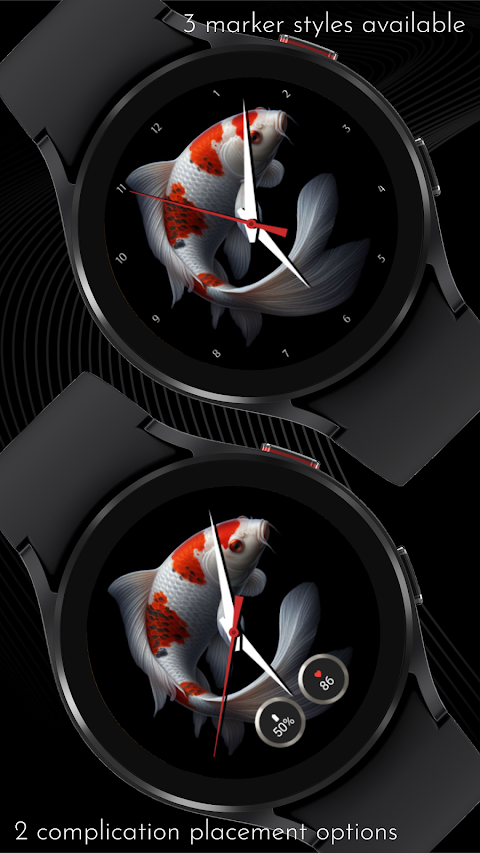
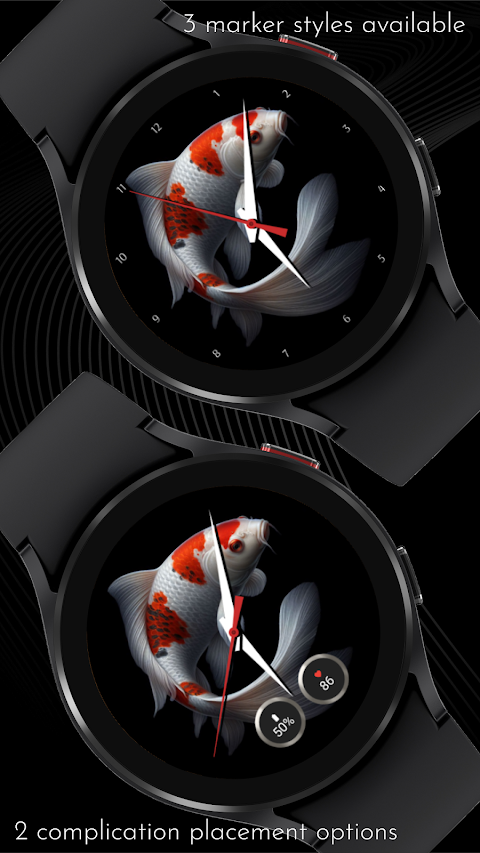
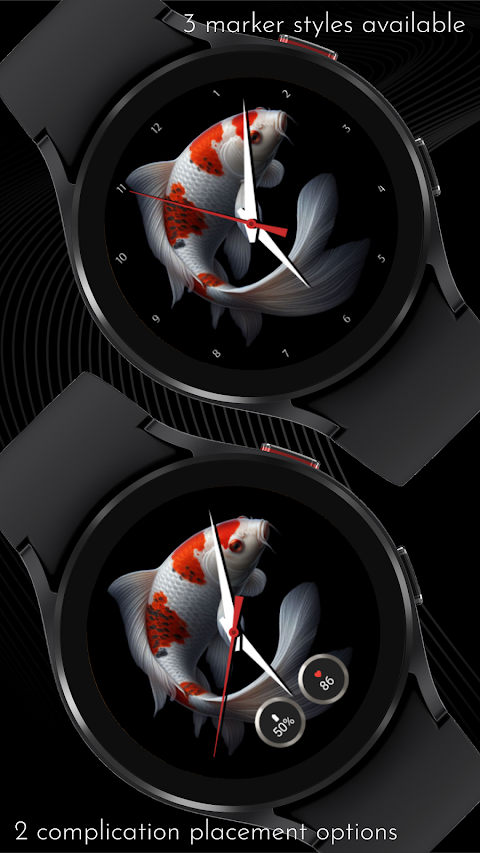
You can explore 10 background variations with colorful koi fishes, each offering a unique visual experience. For easy time reading, choose from traditional hour markers, sleek numerals, or minimalist dots. This watch face allows you to personalize your timepiece with 2 complication placement options and 4 different background choices for these complications.
If you're having trouble installing your watch face from the Google Play Store, we have a smooth setup guide to help you. Sometimes, the Play Store installs a companion app on your phone instead of directly on your watch. To install the CELEST5495 directly on your Wear OS watch, you can follow a few simple steps.
First, use the Play Store on your watch. Open Google Play on your smartwatch, search for the CELEST5495, and install it directly. Alternatively, you can use the Play Store dropdown menu on your phone. Tap the little triangular icon next to the "Install" button and select your watch as the target device. If you prefer using a PC, you can also open the Play Store in a web browser on your computer and manually select your watch.
If the watch face doesn’t show up on your watch, check your watch’s companion app on your phone. For Samsung devices, this is the Galaxy Wearable app. Open the app and navigate to the Downloaded section under watch faces. You can find the CELEST5495 there and tap to install it. If you still need help, feel free to contact support at info@celest-watches.com.
Customization is a key feature of the CELEST5495 Artistic Watch. It offers 10 vibrant background variations featuring colorful koi fish. You’ll also have 3 marker variations to choose from for effortless time reading. There are options to dim the AOD background from 10% to 100%, making it adaptable to your preferences.
Be sure to explore our full catalog for more designs. You can find exclusive discounts for Wear OS on our website, making it easy to find the perfect watch face for your style.
Stay connected with CELEST Watches on social media platforms like Instagram, Facebook, Twitter, Threads, Pinterest, TikTok, Tumblr, and Telegram. We love sharing updates, new designs, and more with you!
With the CELEST5495 Artistic Watch, you can enjoy a captivating watch design that blends style and functionality. The customizable complications let you create a personalized watch face that reflects your taste, making it a must-have accessory for your Wear OS device. Immerse yourself in an elegant timepiece experience with this stylish watch face today!
You can explore 10 background variations with colorful koi fishes, each offering a unique visual experience. For easy time reading, choose from traditional hour markers, sleek numerals, or minimalist dots. This watch face allows you to personalize your timepiece with 2 complication placement options and 4 different background choices for these complications.
If you're having trouble installing your watch face from the Google Play Store, we have a smooth setup guide to help you. Sometimes, the Play Store installs a companion app on your phone instead of directly on your watch. To install the CELEST5495 directly on your Wear OS watch, you can follow a few simple steps.
First, use the Play Store on your watch. Open Google Play on your smartwatch, search for the CELEST5495, and install it directly. Alternatively, you can use the Play Store dropdown menu on your phone. Tap the little triangular icon next to the "Install" button and select your watch as the target device. If you prefer using a PC, you can also open the Play Store in a web browser on your computer and manually select your watch.
If the watch face doesn’t show up on your watch, check your watch’s companion app on your phone. For Samsung devices, this is the Galaxy Wearable app. Open the app and navigate to the Downloaded section under watch faces. You can find the CELEST5495 there and tap to install it. If you still need help, feel free to contact support at info@celest-watches.com.
Customization is a key feature of the CELEST5495 Artistic Watch. It offers 10 vibrant background variations featuring colorful koi fish. You’ll also have 3 marker variations to choose from for effortless time reading. There are options to dim the AOD background from 10% to 100%, making it adaptable to your preferences.
Be sure to explore our full catalog for more designs. You can find exclusive discounts for Wear OS on our website, making it easy to find the perfect watch face for your style.
Stay connected with CELEST Watches on social media platforms like Instagram, Facebook, Twitter, Threads, Pinterest, TikTok, Tumblr, and Telegram. We love sharing updates, new designs, and more with you!
With the CELEST5495 Artistic Watch, you can enjoy a captivating watch design that blends style and functionality. The customizable complications let you create a personalized watch face that reflects your taste, making it a must-have accessory for your Wear OS device. Immerse yourself in an elegant timepiece experience with this stylish watch face today!
VJ-Legacy Analog Watch Face
Vesterjil
$1.99
$0.40

Kenobi watch face Wear OS
Rayan's
$0.99
$0.79
Key105 Analog Watch Face
Key Watch Face
$0.49
$0.25