

$5.99
$3.99
33% Off
ArpBud 2 AUv3 MIDI Arpeggiator
Cem Olcay

About the App
ArpBud 2 is an easy-to-use MIDI arpeggiator application. It helps you create distinctive arpeggiation patterns for both software and hardware synthesizers. Unlike many standard arpeggiators that just go up or down, ArpBud 2 allows you to design your own unique patterns with an unlimited number of steps.
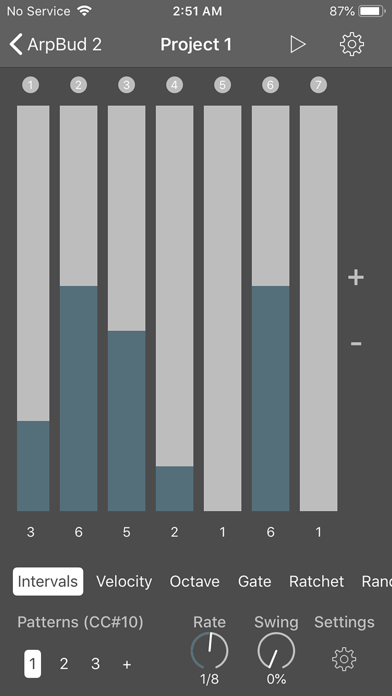
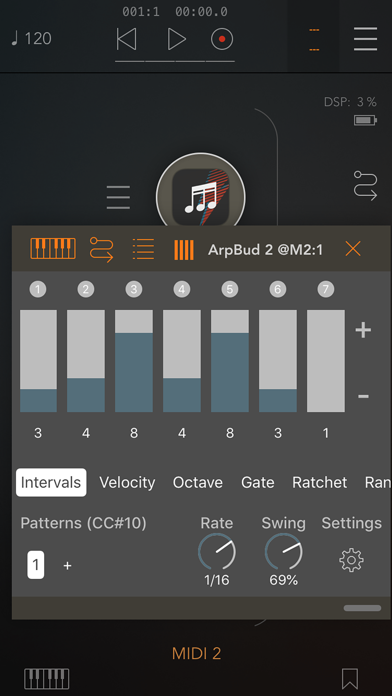
You can customize each step in your pattern with various settings. This includes note interval customization, velocity customization, octave customization, and more, like ratchet settings, gate settings, and probability customization. A robust randomizer feature is also available, letting you randomize any step within any mode to keep your music fresh and exciting.
When working on a project, you can create an unlimited number of patterns. Each pattern can have distinct note rates and swing values, giving you more control over the rhythm of your music. With MIDI CC messages integration, you can also modify your playing pattern using messages from other MIDI applications.
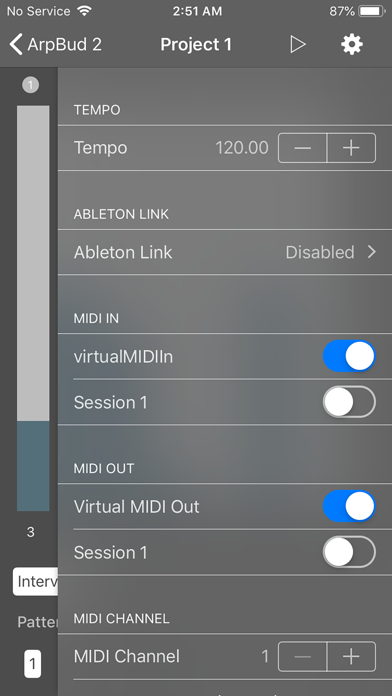
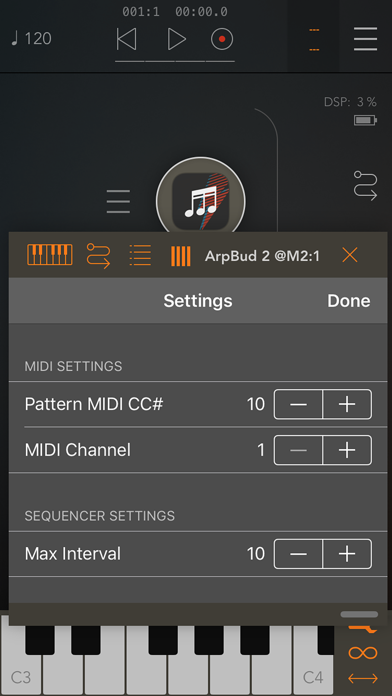
In the settings menu, you can assign a MIDI CC number for pattern changes. There are options for maximum interval settings and randomizer configuration. You can also enable knob control assignment for easy manipulation of your settings.
One of the standout features of ArpBud 2 is how it reacts to real-time pattern changes and step edits. This makes it a fantastic live performance tool, as well as an effective arp design tool. Musicians can use it to enhance their live shows with unique sound patterns.
You can use ArpBud 2 in different ways. It supports standalone mode usage, IAA audio integration, and Audiobus mode. Additionally, it works well as an AUv3 Audio Unit plugin and also supports Ableton Live, making it versatile for various setup preferences.
It is important to remember that ArpBud 2 is a MIDI effect tool. This means it does not generate sound on its own. To function effectively, it requires both MIDI input connections and MIDI output connections.
To get started with ArpBud 2, first, connect a MIDI source. This could be a MIDI keyboard, a chord sequencer, or any other MIDI application. This source will feed ArpBud 2’s sequencer. Next, you need to connect ArpBud 2 to an audio application that is compatible with MIDI.
Once everything is set up, you can arm the sequencer. If you're using the standalone version or the Audiobus/IAA version, simply press the play button located at the top right corner of ArpBud 2. If you’re using it as an AUv3 plugin, press the play button on your host application.
With ArpBud 2, you have a powerful tool for creating incredible arpeggiated sounds easily, whether in your studio or on stage.
You can customize each step in your pattern with various settings. This includes note interval customization, velocity customization, octave customization, and more, like ratchet settings, gate settings, and probability customization. A robust randomizer feature is also available, letting you randomize any step within any mode to keep your music fresh and exciting.
When working on a project, you can create an unlimited number of patterns. Each pattern can have distinct note rates and swing values, giving you more control over the rhythm of your music. With MIDI CC messages integration, you can also modify your playing pattern using messages from other MIDI applications.
In the settings menu, you can assign a MIDI CC number for pattern changes. There are options for maximum interval settings and randomizer configuration. You can also enable knob control assignment for easy manipulation of your settings.
One of the standout features of ArpBud 2 is how it reacts to real-time pattern changes and step edits. This makes it a fantastic live performance tool, as well as an effective arp design tool. Musicians can use it to enhance their live shows with unique sound patterns.
You can use ArpBud 2 in different ways. It supports standalone mode usage, IAA audio integration, and Audiobus mode. Additionally, it works well as an AUv3 Audio Unit plugin and also supports Ableton Live, making it versatile for various setup preferences.
It is important to remember that ArpBud 2 is a MIDI effect tool. This means it does not generate sound on its own. To function effectively, it requires both MIDI input connections and MIDI output connections.
To get started with ArpBud 2, first, connect a MIDI source. This could be a MIDI keyboard, a chord sequencer, or any other MIDI application. This source will feed ArpBud 2’s sequencer. Next, you need to connect ArpBud 2 to an audio application that is compatible with MIDI.
Once everything is set up, you can arm the sequencer. If you're using the standalone version or the Audiobus/IAA version, simply press the play button located at the top right corner of ArpBud 2. If you’re using it as an AUv3 plugin, press the play button on your host application.
With ArpBud 2, you have a powerful tool for creating incredible arpeggiated sounds easily, whether in your studio or on stage.

Iconica Sketch – Orchestra app
Steinberg Media Technologies GmbH
$26.99
$19.99

VOLT Synth
Kai Aras
$19.99
$7.99

Sparkle – Cross-Synthesis
apeSoft
$8.99
$4.99