

$1.79
$0.72
60% Off
Active Wear Hybrid
Bloomfield Watchfaces




About the App
Active Wear Hybrid is a versatile watch face designed for Wear OS devices. It is compatible with all devices running Wear OS 4 or later, as well as those with API Level 34+. This means you can enjoy its features on a wide range of smartwatches.
For those using a Galaxy Watch, it's important to note that the Samsung Wearable app may have syncing issues with complex watch faces. If you encounter this, simply customize the watch face directly on your watch until Samsung resolves the problem.
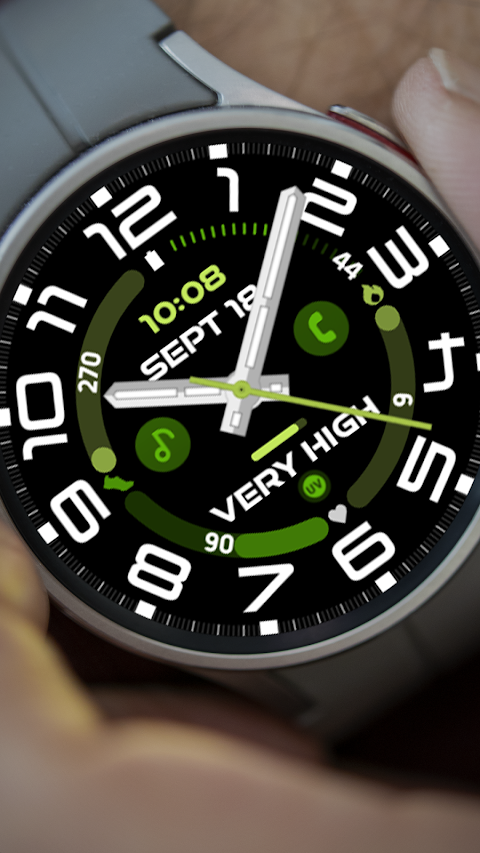
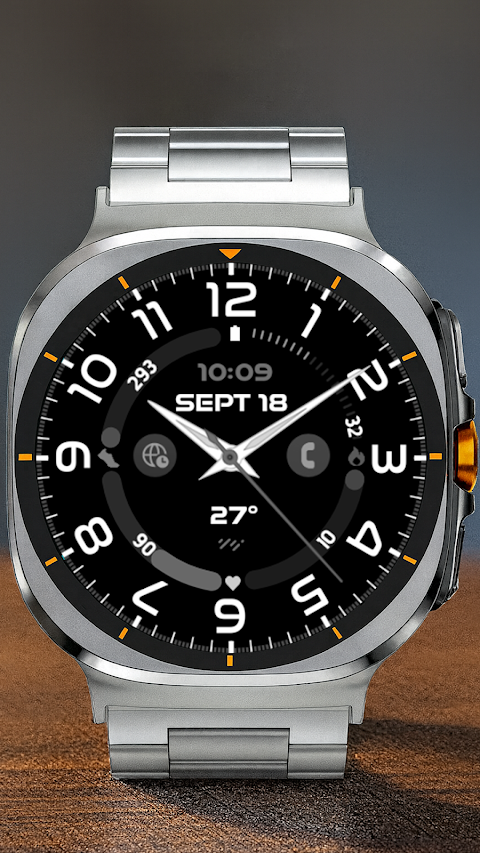
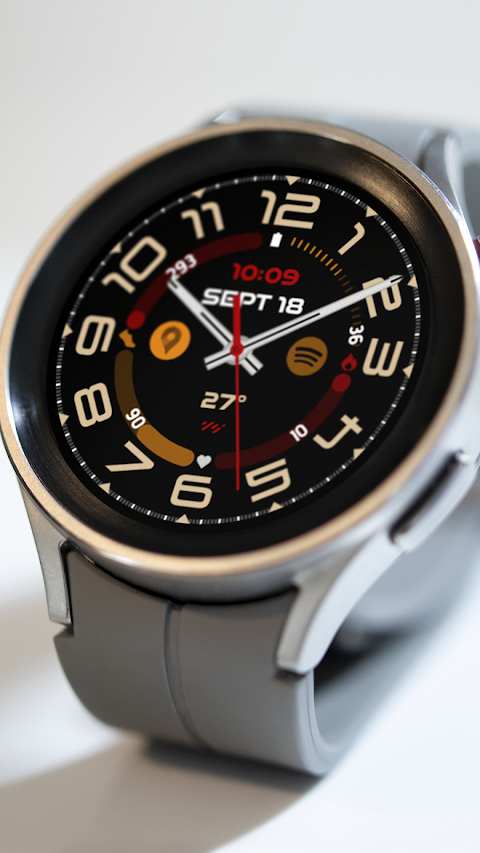
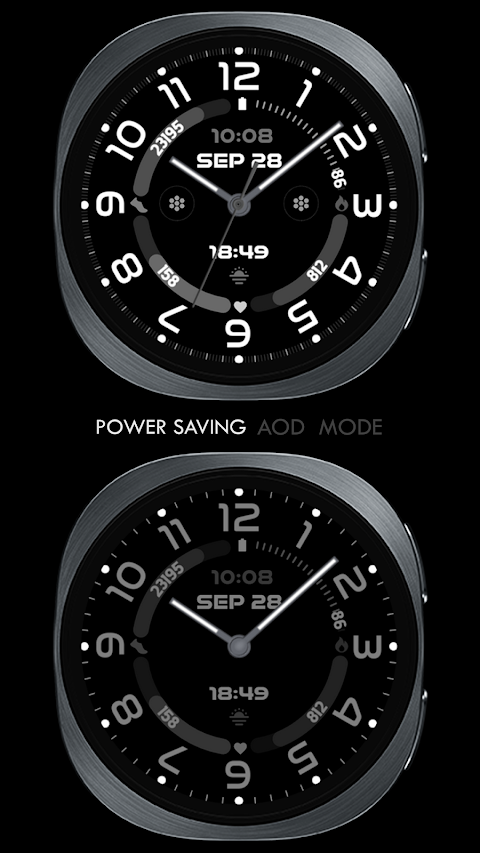
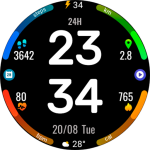
The Active Wear Hybrid offers a unique Hybrid Clock, which combines both digital and analog elements. You can also benefit from various pre-set complications, including battery status display, heart rate monitoring, steps count feature, and burned calories tracking based on your activity.
This watch face also lets you set up two custom app shortcuts. Additionally, you have the option to add one custom complication. With this, you can choose from different data displays, such as weather data, the world clock option, sunset/sunrise times, next appointment reminders, and distance walked tracking. Keep in mind that some features may require you to install third-party complications for full functionality.
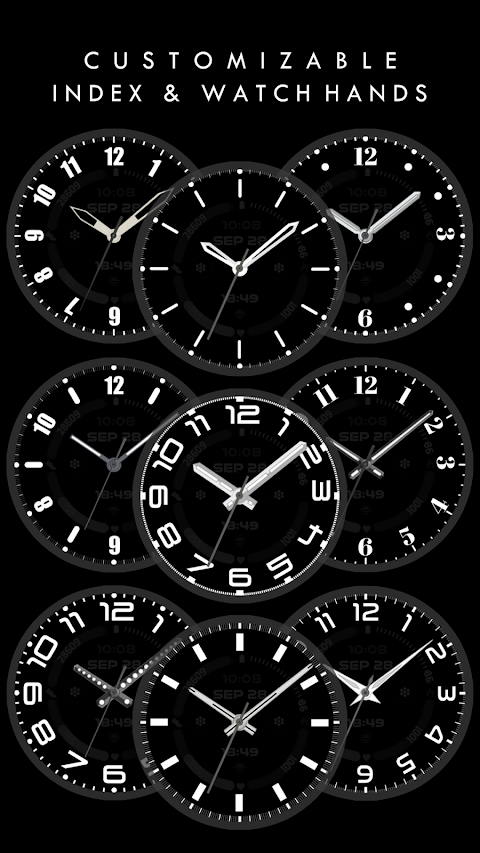
Customization goes further with options for custom watch hands and a custom color palette, allowing you to personalize the look of your watch face to match your style.
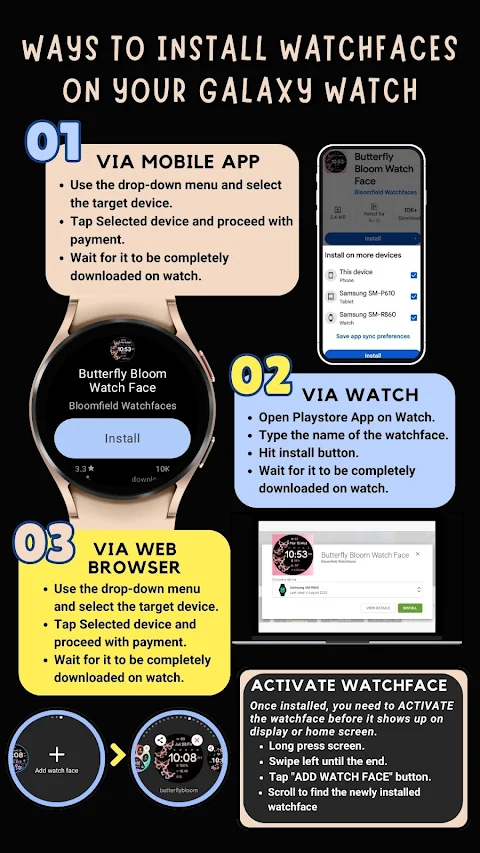
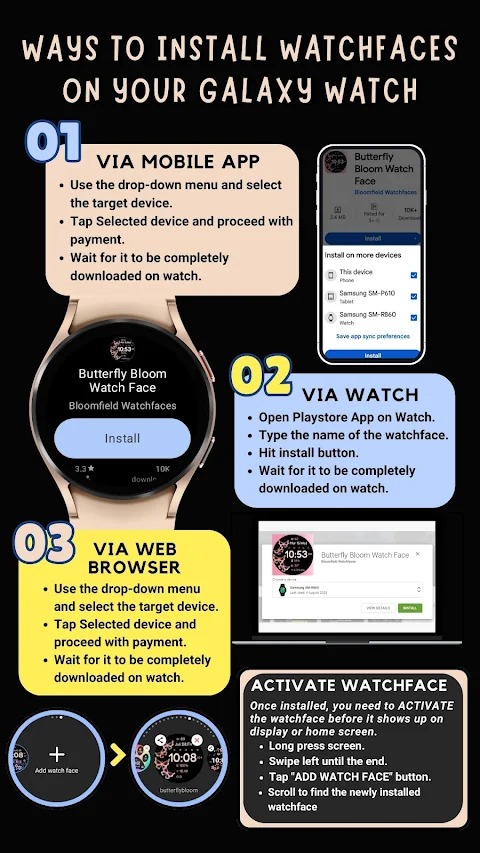
To get started with the Active Wear Hybrid, it automatically installs on your Wear OS watch. Just ensure your watch is synced to your phone using the same email address for a seamless installation process. After downloading, you may need to wait a few minutes for the watch face to transfer completely. If you don't receive an installation notification, you can go directly to the Play Store on your watch and search for "Active Wear Hybrid."
Please note that after installation, watch faces do not automatically display. To see it, go to your home display, tap and hold, swipe to the end, and tap the "+" to add it. You can rotate the bezel or scroll to find your new watch face.
Make sure to allow and enable all permissions in your settings to ensure the app functions properly. If you need assistance, you can refer to the installation tutorial available online.
Lastly, if you're not completely satisfied, there is a 24-hour refund policy in place. For any questions or issues, feel free to reach out via email at bloomfieldwatchfaces@gmail.com. Enjoy your new Active Wear Hybrid watch face!
For those using a Galaxy Watch, it's important to note that the Samsung Wearable app may have syncing issues with complex watch faces. If you encounter this, simply customize the watch face directly on your watch until Samsung resolves the problem.
The Active Wear Hybrid offers a unique Hybrid Clock, which combines both digital and analog elements. You can also benefit from various pre-set complications, including battery status display, heart rate monitoring, steps count feature, and burned calories tracking based on your activity.
This watch face also lets you set up two custom app shortcuts. Additionally, you have the option to add one custom complication. With this, you can choose from different data displays, such as weather data, the world clock option, sunset/sunrise times, next appointment reminders, and distance walked tracking. Keep in mind that some features may require you to install third-party complications for full functionality.
Customization goes further with options for custom watch hands and a custom color palette, allowing you to personalize the look of your watch face to match your style.
To get started with the Active Wear Hybrid, it automatically installs on your Wear OS watch. Just ensure your watch is synced to your phone using the same email address for a seamless installation process. After downloading, you may need to wait a few minutes for the watch face to transfer completely. If you don't receive an installation notification, you can go directly to the Play Store on your watch and search for "Active Wear Hybrid."
Please note that after installation, watch faces do not automatically display. To see it, go to your home display, tap and hold, swipe to the end, and tap the "+" to add it. You can rotate the bezel or scroll to find your new watch face.
Make sure to allow and enable all permissions in your settings to ensure the app functions properly. If you need assistance, you can refer to the installation tutorial available online.
Lastly, if you're not completely satisfied, there is a 24-hour refund policy in place. For any questions or issues, feel free to reach out via email at bloomfieldwatchfaces@gmail.com. Enjoy your new Active Wear Hybrid watch face!
WAW039 Classy Elegant Weather
WAW Watch Faces
$1.99
$0.49
Starry Night Depth Watch Face
RazorSharp Design Studio
$2.49
Digital Rotes Watch Face
Magnum Watch Faces
$0.99
FREE