

$3.99
$1.99
50% Off
ActionPad: Mac/PC Pro Controls
Andrew Arpasi

About the App
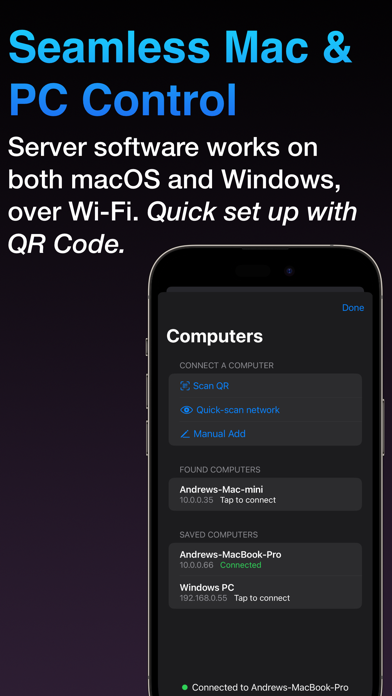
ActionPad is a versatile tool that helps you create custom control panels to remotely control applications on your computer. To use all features of ActionPad, you need to install the ActionPad Server desktop software on your computer. This app works well on both macOS and Windows, ensuring a wide range of users can benefit from its features.
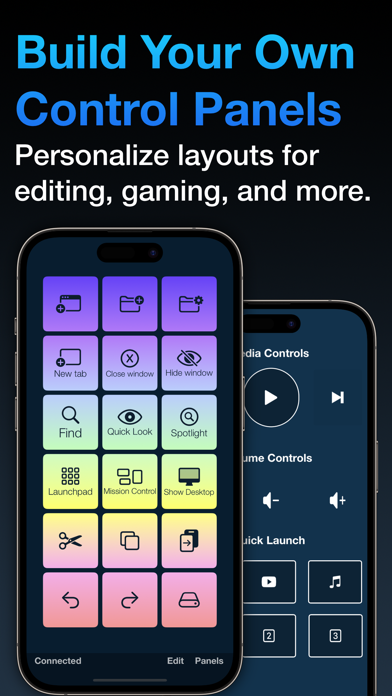
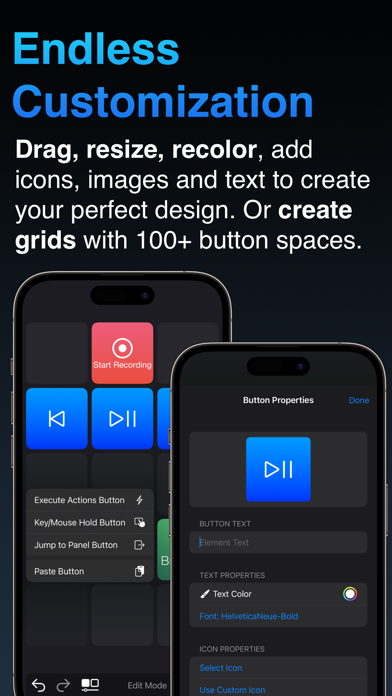
With ActionPad, you can design panels that include buttons and other interactive panel objects. These buttons can simulate keyboard and mouse input, allowing you to perform tasks like opening files and URLs. You have the option to use a grid panel type or a dynamic panel type. With the grid type, you can organize buttons in customizable rows and columns, while the dynamic type lets you place and size buttons anywhere you want, offering nearly infinite customization possibilities. You can even personalize the appearance of buttons to give them a unique control panel design.
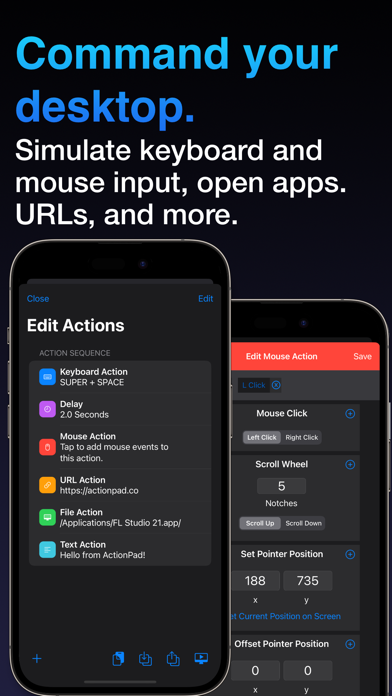
ActionPad makes it simple to add various functions to your buttons. You can execute keystrokes like Command+C or Ctrl+V, move your mouse pointer, or launch applications with a single press. This includes controlling media and volume on your computer. If you hold down a button, it can continuously send keyboard and mouse input, or you can create one-tap macros that combine multiple actions into one simple button press!
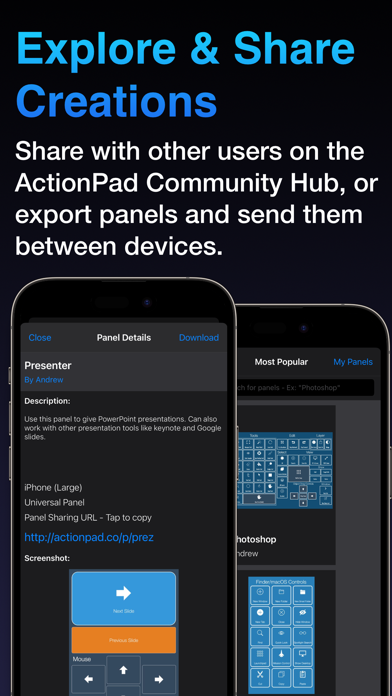
You can also add visual elements such as images and text to enhance your panels. This makes it easy to create unique control panels for specific purposes. If you don't want to start from scratch, you can visit the Community Panels Hub. This hub lets users upload and share panels they've created. It’s very easy to share panels and build upon the creations of others. Plus, you can export your control panels and share them via E-mail or AirDrop. You don’t need an account to download user-made panels; an account is only necessary if you want to upload your own.
Whether you need a panel to quickly access tools in Photoshop, extra shortcuts for DAW power users, controls for a cockpit in a space simulation game, or a simple remote control for your streaming setup, ActionPad provides the flexibility to create and control what you want. With this app, the possibilities are endless!
With ActionPad, you can design panels that include buttons and other interactive panel objects. These buttons can simulate keyboard and mouse input, allowing you to perform tasks like opening files and URLs. You have the option to use a grid panel type or a dynamic panel type. With the grid type, you can organize buttons in customizable rows and columns, while the dynamic type lets you place and size buttons anywhere you want, offering nearly infinite customization possibilities. You can even personalize the appearance of buttons to give them a unique control panel design.
ActionPad makes it simple to add various functions to your buttons. You can execute keystrokes like Command+C or Ctrl+V, move your mouse pointer, or launch applications with a single press. This includes controlling media and volume on your computer. If you hold down a button, it can continuously send keyboard and mouse input, or you can create one-tap macros that combine multiple actions into one simple button press!
You can also add visual elements such as images and text to enhance your panels. This makes it easy to create unique control panels for specific purposes. If you don't want to start from scratch, you can visit the Community Panels Hub. This hub lets users upload and share panels they've created. It’s very easy to share panels and build upon the creations of others. Plus, you can export your control panels and share them via E-mail or AirDrop. You don’t need an account to download user-made panels; an account is only necessary if you want to upload your own.
Whether you need a panel to quickly access tools in Photoshop, extra shortcuts for DAW power users, controls for a cockpit in a space simulation game, or a simple remote control for your streaming setup, ActionPad provides the flexibility to create and control what you want. With this app, the possibilities are endless!

Grammar Fix
Solid Apps S.R.L.
$2.99

Itemido: Manage Home Inventory
Maciej Opalko
$3.99
$2.99
ID Photo & Passport Portrait
Nuts Mobile Inc.
$5.99
$0.99